Set: Lifting Log & 1RM
Workout Planner, RPE & % Loads
Designed for iPhone, iPad
Free · In-app purchases
- Age rating4+
- CategoryHealth & Fitness
- DeveloperJonathan Delaire
- LanguagesEnglish+ 3 more
- Size96.5 MB
Links to the official App Store page
Download.org hosts no file of Set: Lifting Log & 1RM. The button opens its official App Store page, published by Jonathan Delaire. Listing last checked on Nov 18, 2026.
Screenshots
About
Set is a private strength-training companion for the complete training loop: plan the work, run the session, capture what happened, understand the result, and make a better next decision.
No social feed. No ads. No account required. Just your training, your readiness, and your progress.
PLAN, GENERATE, AND IMPORT
Build workouts from an idea, a coach document, a photo, or an existing program. On iOS 27 and later, Generate Workout can create a Strength, Hypertrophy, or Conditioning session using recent training and stored maxes as context. Review the draft, regenerate it, start now, save it, or schedule it.
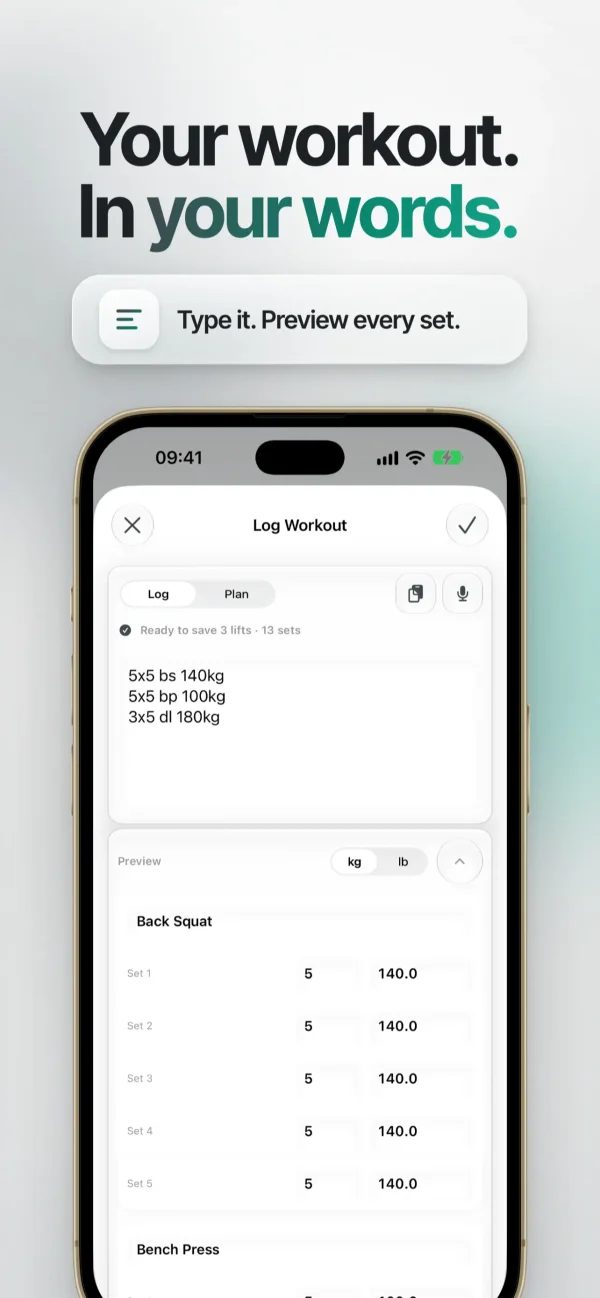
Type or paste workout text directly. Free-form workout conversion requires iOS 27 or later; Open Workout Markdown text and files remain supported on every supported iOS version. Photo and PDF workout imports require iOS 27 or later. Open import from shared files, Siri, or Shortcuts. Review every result before it changes your training history. Organize reusable workouts into Programs, give a Program weeks that change percentages, RPE, load, or reps, and start it on your training days. Keep today's planned work close at hand.
RUN AND CAPTURE
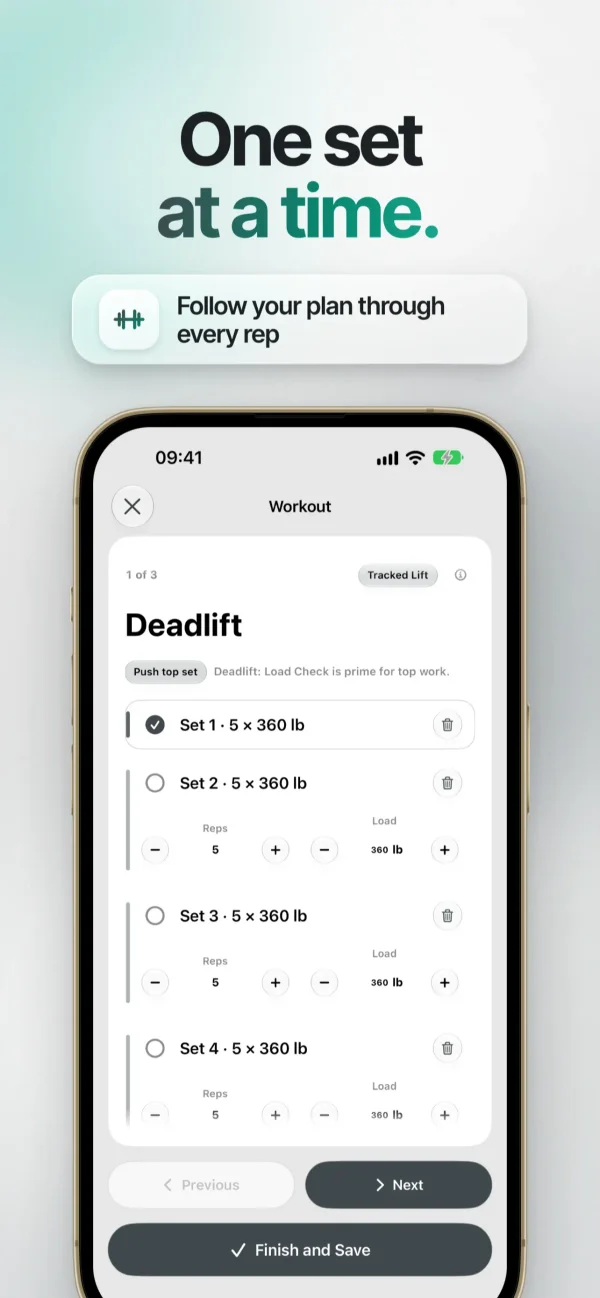
Log training with natural text, dictation, or a workout photo. Run planned sessions set by set, update completed reps and loads, add extra work, dismiss without losing progress, and resume from Today, widgets, or a Live Activity. A rest countdown starts when you complete a set, and tracked lifts suggest your next working load from your last session or the prescribed RPE.
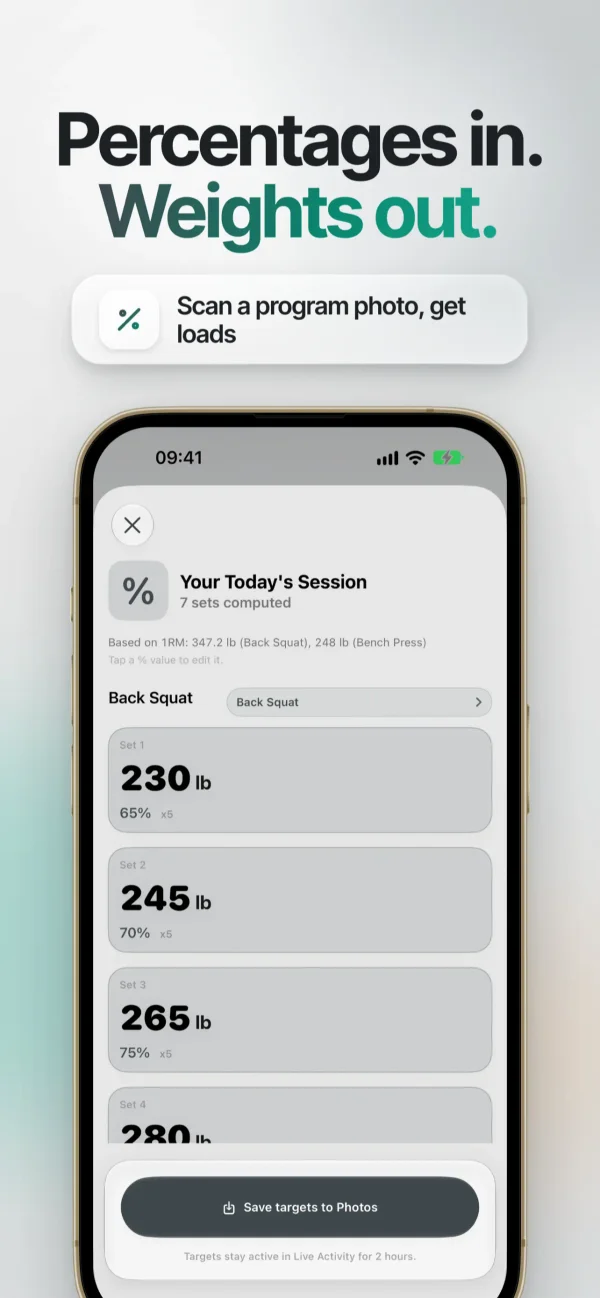
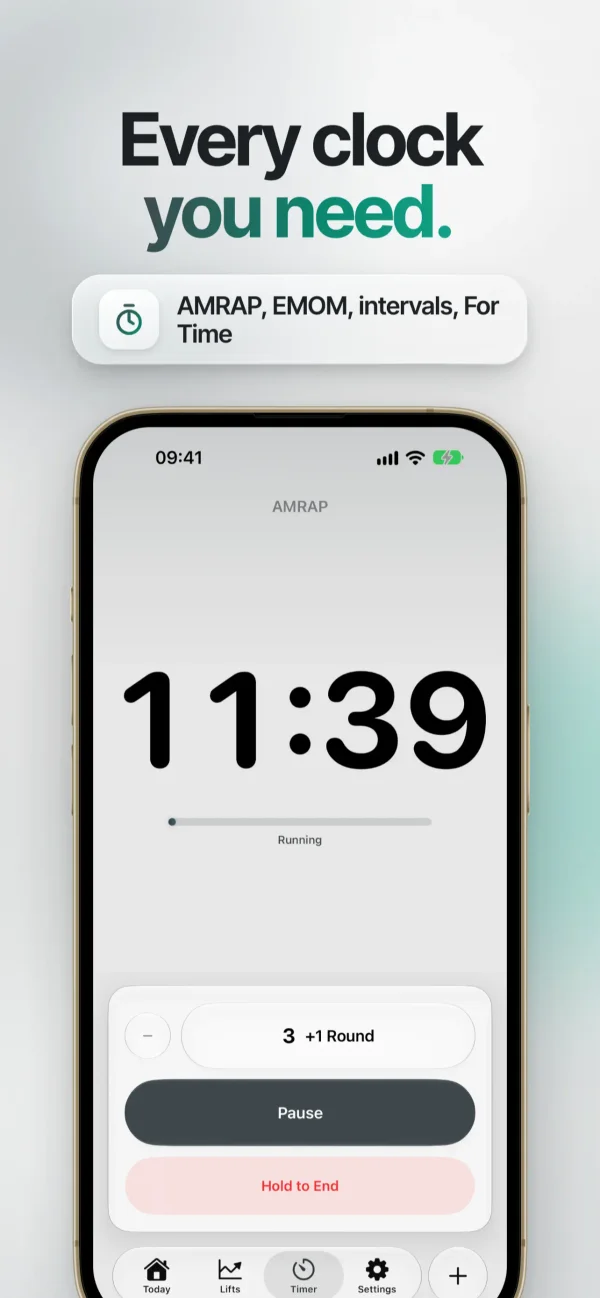
Use dedicated AMRAP, For Time, EMOM, and Interval timers with audio and haptic cues. Scan percentage or RPE templates, correct detected targets, and resolve exact loads from your current maxes before training.
UNDERSTAND THE RESULT
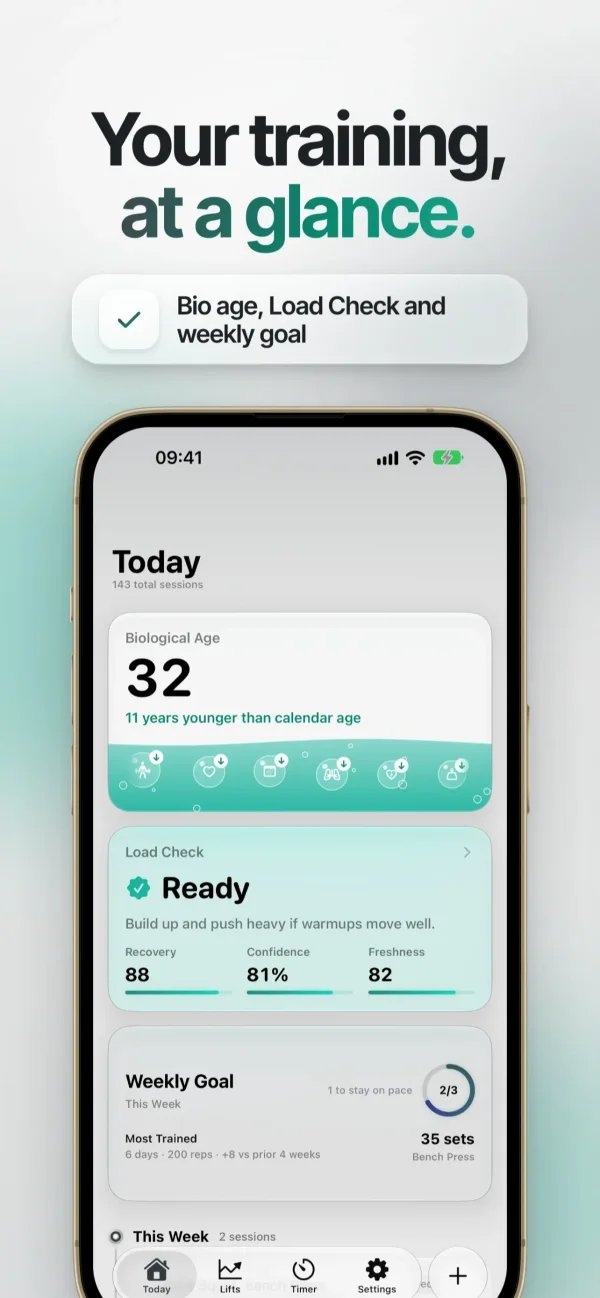
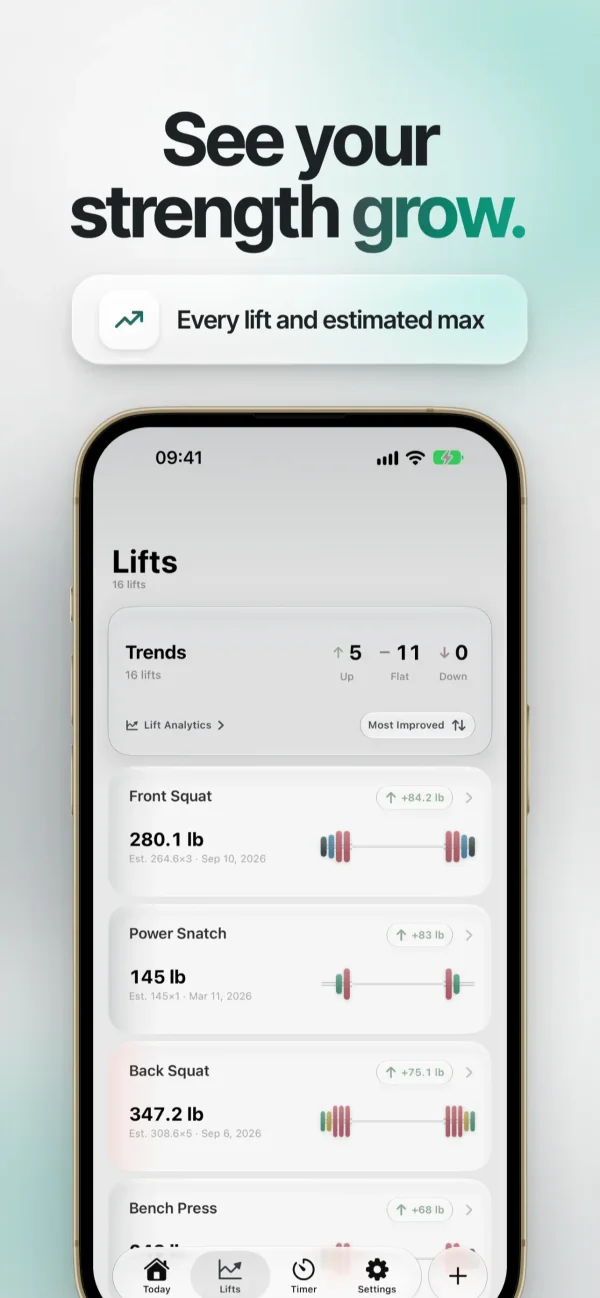
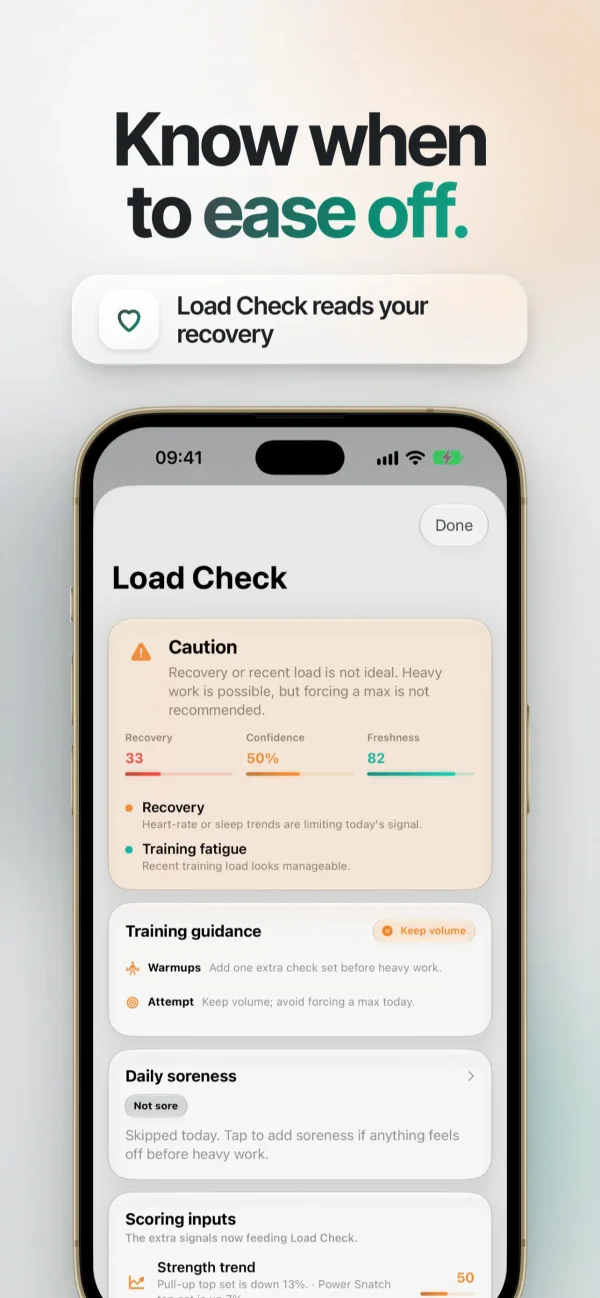
Track estimated 1RM, rep maxes, percentage targets, trends, and lift-specific insights. Set Unlimited adds Load Check training guidance using available recovery signals, Set history, soreness, planned work, and lift freshness—with clear source, freshness, and scoring details. Load Check is training guidance, not a medical measurement.
Create local 30-day, 90-day, or custom trend reports to discuss with a coach. Structured conditioning sessions can show an estimated whole-number watts output when enough data is available. Supported lifts can use video review and bar-path tools with one-rep trim, manual correction, path metrics, and overlay export.
BUILT FOR APPLE DEVICES
Use Home Screen and Lock Screen widgets, Live Activities, Siri, Shortcuts, Spotlight, Control Center, and Apple Watch to reach training tools quickly and keep eligible sessions moving. With Set Unlimited, log a planned workout from Apple Watch: complete sets, adjust rest, and finish the workout from your wrist, with your current set and rest on the watch face.
PRIVATE BY DEFAULT
Your training records are local-first. Export and restore Set Backup files, import history from CSV or TSV, and enable iCloud sync only when you choose. Permissions stay tied to the feature you start. Workout generation and supported import paths use Apple's Private Cloud Compute.
Set Starter includes generous limits.
Set Unlimited is a one-time lifetime unlock.
No subscription.
What’s new
Version 2.8.0 · Nov 13, 2026
Generate Program: with Set Unlimited on iOS 27, choose Strength or Hypertrophy, 4, 6, or 8 weeks, 2 to 5 days a week, and an optional deload week. Set writes a base week with weekly progression, lets you preview every week and day, and schedules it on your training days, keeping your rest days and existing workouts. The Program is yours to edit, share, and export.
Share a finished session as a link. Open it in Set or a browser, then save an editable copy as a Saved Plan.
Load Check now explains each lift's call in one line, on its detail sheet and behind the info button on each Lifts card. Calls and scores are unchanged.
During a deload week, Load Check and next-load suggestions now follow the deload instead of telling you to push a top set.
Also: smoother Lift Detail when you open one lift after another, clearer Lift Analytics, and fixes for Program schedules and the workout runner.
App privacy
What Jonathan Delaire declares on the App Store about how this app handles data.
-
Data linked to you
May be collected and linked to your identity.
- Contact info
- User content
- Diagnostics
Privacy practices may vary, for example with the features you use or your age.
Information
- Seller
- Jonathan Delaire
- Category
- Health & Fitness
- Version
- 2.8.0
- Updated
- Nov 13, 2026
- Released
- Mar 24, 2026
- Size
- 96.5 MB
- Requires
- iOS 26.0 or later
- Age rating
- 4+
- Price
- Free
- In-app purchases
- Yes
- Languages
- English, French, Simplified Chinese, Thai
- Copyright
- © 2026 Set – Strength Insights
You might also like
-
 Blood Pressure QuestHealth & Fitness
-
 JimNotes: AI Workout NotesGym Note into Charts & History
-
 Body Tracker: LiftProofMeasurements & progress photos
-
 Lift Assist – Training LogWeight Lifting Log & Tools
-
 Phee Notes : Workout LogNote style Gym Tracker
-
 Atlas - Workout LoggerStrength Training Tracker
-
 Lightwave: Gym & Climbing LogHealth & Fitness
-
 Treno: AI Workout TrackerEasily track workouts with AI.
-
 Lifting Tracker: GainEngineProgressive Overload Gym Log
-
 Weightlifting ClubHealth & Fitness