
SewMate
The only sewing app you need.
Designed for iPhone, iPad
Free · In-app purchases
- Age rating4+
- CategoryUtilities
- DeveloperSaku Studio
- LanguagesEnglish+ 2 more
- Size47.8 MB
Links to the official App Store page
Download.org hosts no file of SewMate. The button opens its official App Store page, published by Saku Studio. Listing last checked on Nov 23, 2026.
Screenshots


About
Turn scattered sewing notes and supplies into one calm, organized workflow. SewMate takes you from your first idea to your finished make, so you spend less time searching and more time sewing.
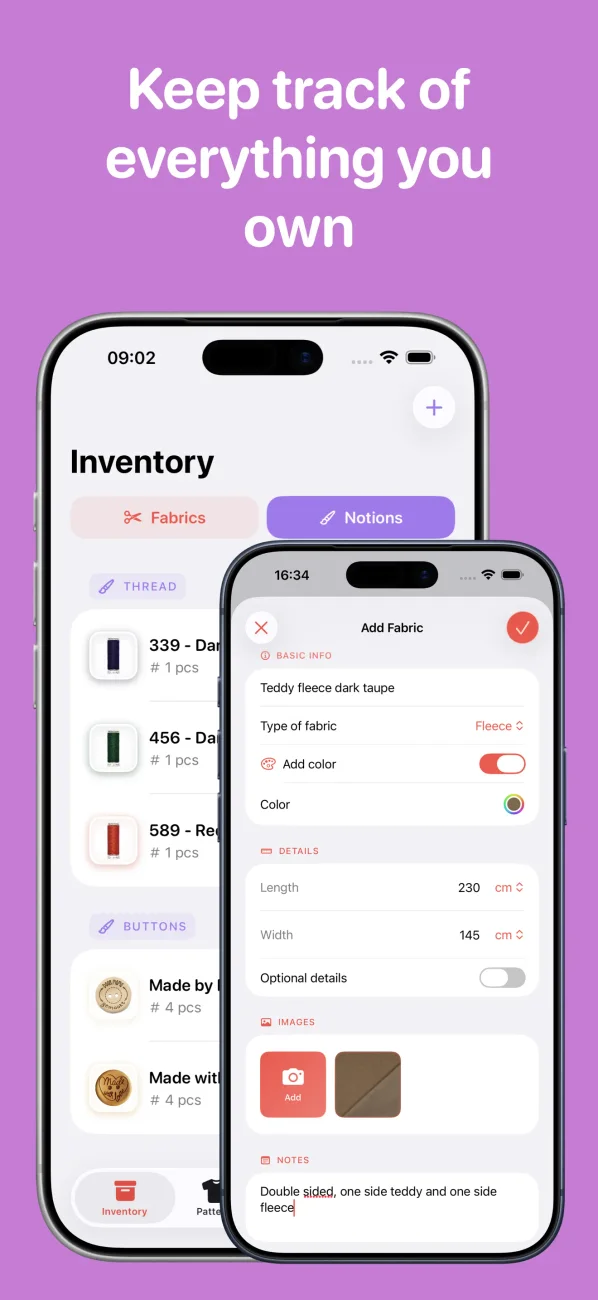
Organize your fabric stash
• Save fabrics with photos, color, type, brand, measurements, price, and notes.
• Track notions such as thread, zippers, buttons, elastic, and interfacing.
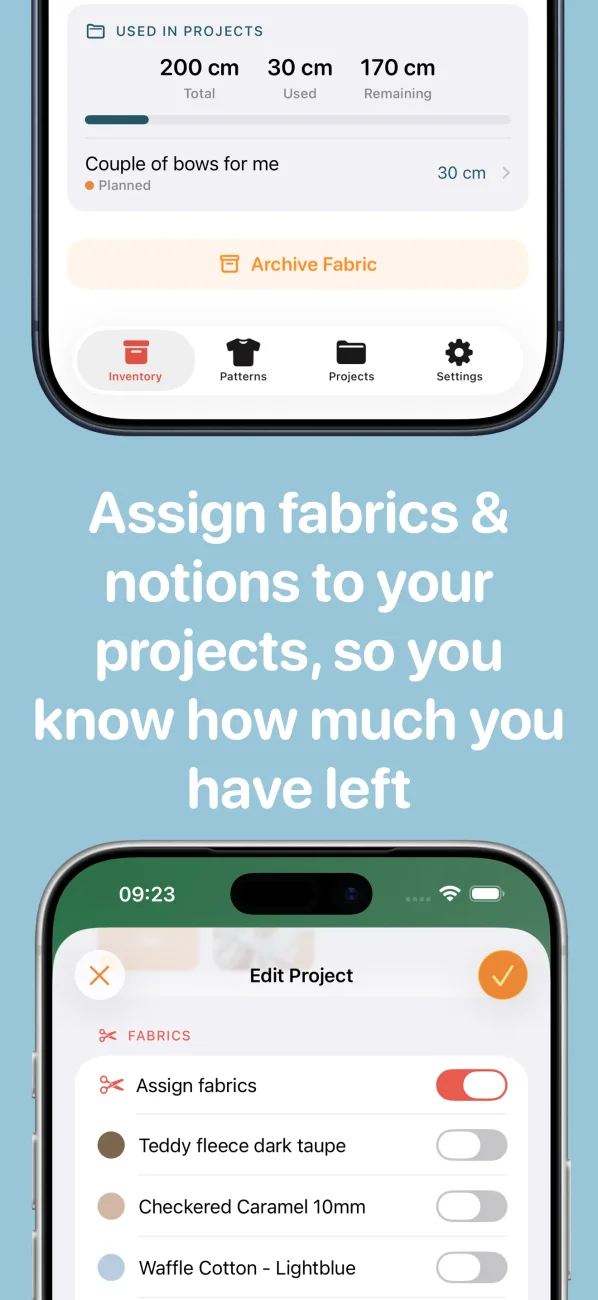
• See how much material remains as you assign and use it in projects.
• Archive scraps and fabrics without losing their details.
• Note where a fabric is stored, how to care for it, and whether it is prewashed.
• Filter your stash by storage location, prewashing status, color, length, stretch, and type.
Keep every pattern close
• Save patterns by name and category with multiple photos, and choose their cover by reordering photos.
• Attach a PDF from your device or link to the pattern online.
• Store the designer, recommended fabric, required materials, and your own notes.
• Open a pattern directly from its related project.
• Add your own tags and note where the printed pattern is stored.
• Filter patterns by designer, garment type, suitable fabric, tag, storage location, or whether you have sewn them.
Catalogue in less time
• Quick Add keeps new fabrics and patterns to the essentials, with the full details there when you want them.
• Save and Add Another catalogues several items in a row.
• Duplicate a fabric or pattern into an editable copy for colorways and repeat makes.
Plan projects you can finish
• Link each project to a pattern, fabrics, and notions.
• Record material use per item and avoid guessing what is left in your stash.
• Convert between different length units automatically.
• Track every project as Planned, In Progress, Completed, or Abandoned.
• Reorder planned projects to choose what to sew next.
• Add an optional checklist to a project, such as prewash, trace, cut, sew, and finish, with your own default steps. Each project keeps its own progress.
• Keep fit and alteration notes, sizes, and measurement snapshots with each project.
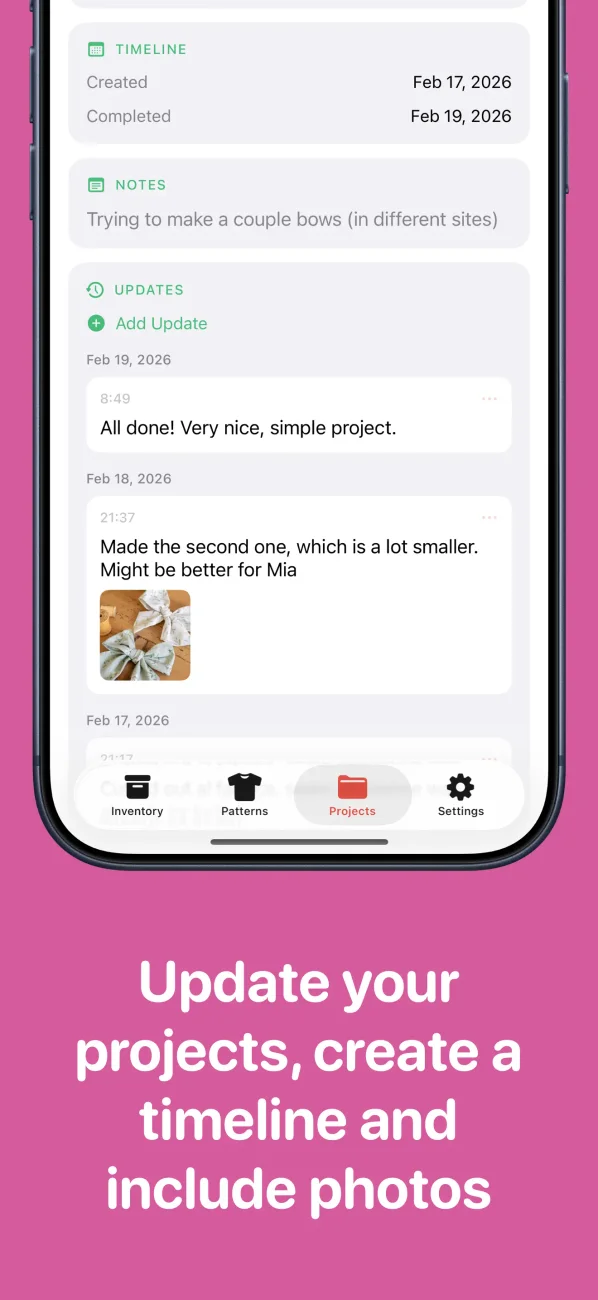
Log real progress
Add updates with text and photos. Your day-by-day timeline becomes a useful sewing journal for remembering adjustments, reviewing past makes, and planning future projects.
Know your sewing time
Start a timer from any project, follow it in a Live Activity, and stop it to save your session. When you have tracked time, Pro Insights shows your total sewing time, time this month, saved sessions, and top projects.
See what your stash can become
Discover which fabrics suit a pattern and which patterns work with a fabric. SewMate Pro Insights gives you a clear view of your stash value, inventory, material use, project progress, and recent costs.
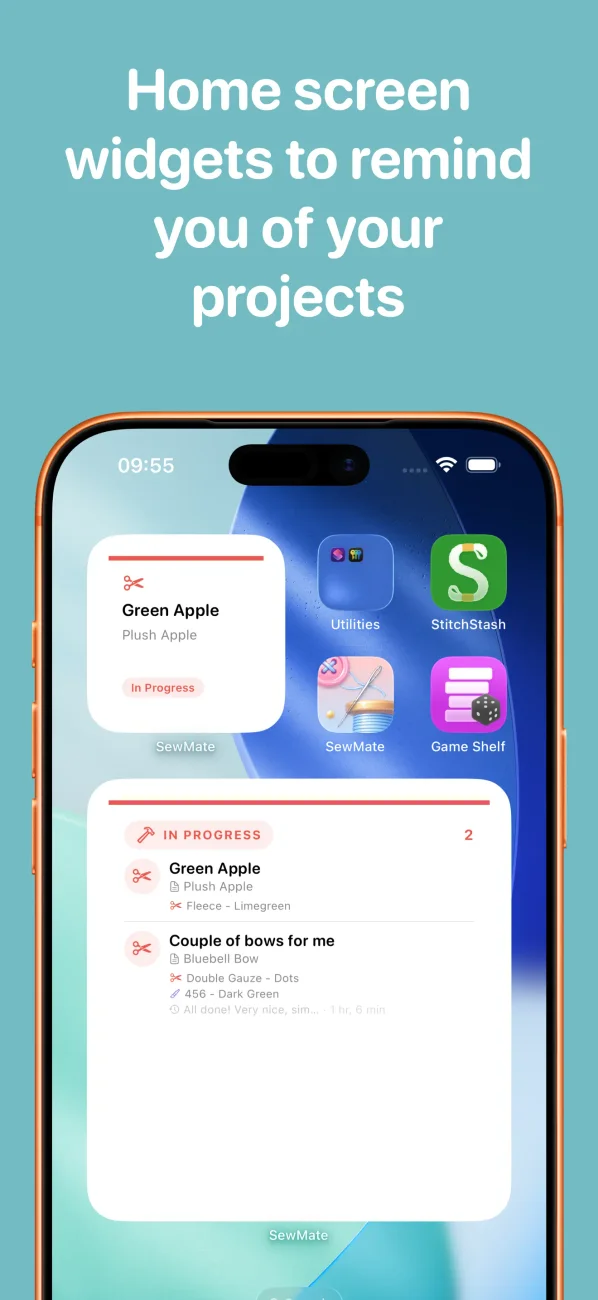
Quick overview, anytime
Home Screen widgets keep your in-progress projects visible and open them with a tap.
Find your items in Spotlight, or use Shortcuts to start a project, mark it complete, or add a progress update.
Why SewMate?
• Finish more projects with less friction.
• Keep your creative process calm and focused.
• Avoid duplicate purchases.
• Keep notes, patterns, supplies, and progress together.
• Always know how much fabric and how many notions you have left.
SewMate is made by a passionate sewist for garment makers, quilters, hobby sewists, pattern collectors, and anyone who wants more structure in their creative process.
Whether you are starting your first project or have years of experience, SewMate helps you stay organized, focused, and excited about every make.
Download SewMate and turn your sewing process into a clear, inspiring, well-organized system.
What’s new
Version 1.6 · Nov 21, 2026
• Set up optional project checklists in Settings. Choose, rename, reorder, or add steps, then track progress separately for each project.
• Organize patterns with tags and filters for designer, garment type, fabric type, storage location, and sewing history.
• Save storage locations, fabric care instructions, and prewashing status, with new fabric filters.
• Add fabrics and patterns faster with Quick Add, Save and Add Another, and editable duplicates.
• Catalogue forms now keep your draft if saving fails, and pattern edits from the list save correctly.
App privacy
What Saku Studio declares on the App Store about how this app handles data.
-
Data linked to you
May be collected and linked to your identity.
- Purchases
Privacy practices may vary, for example with the features you use or your age.
Information
- Seller
- Saku Studio
- Category
- Utilities
- Version
- 1.6
- Updated
- Nov 21, 2026
- Released
- Feb 21, 2026
- Size
- 47.8 MB
- Requires
- iOS 26.0 or later
- Age rating
- 4+
- Price
- Free
- In-app purchases
- Yes
- Languages
- English, Dutch, German
- Copyright
- © 2026 Saku Studio
You might also like
-
 SewganizerOrganize your sewing
-
 My Couture | Inventory stashPattern keeper & Sewing stash
-
 SeamSmartUtilities
-
 Crafts CollectorUtilities
-
 FilaStash: Filament Inventory3D Printing Spool Tracker
-
 EasyPatternsCreate cross stitch patterns
-
 Cellular Tower : 5G Signal Map5G Map, Towers & Speed Test
-
 QR Zee: Smart QR PlatformScan • Create • Track • Secure
-
 Sew Awesome 2Track your sewing accessories
-
 Easy Stash | Craft & ScrapbookOrganizer, Storage, Inventory