
- Age rating4+
- CategoryUtilities
- DeveloperTimothy Morgan
- LanguagesEnglish
- Size31.1 MB
Links to the official App Store page
Download.org hosts no file of SF50 TOLD. The button opens its official App Store page, published by Timothy Morgan. Listing last checked on Nov 17, 2026.
Screenshots



About
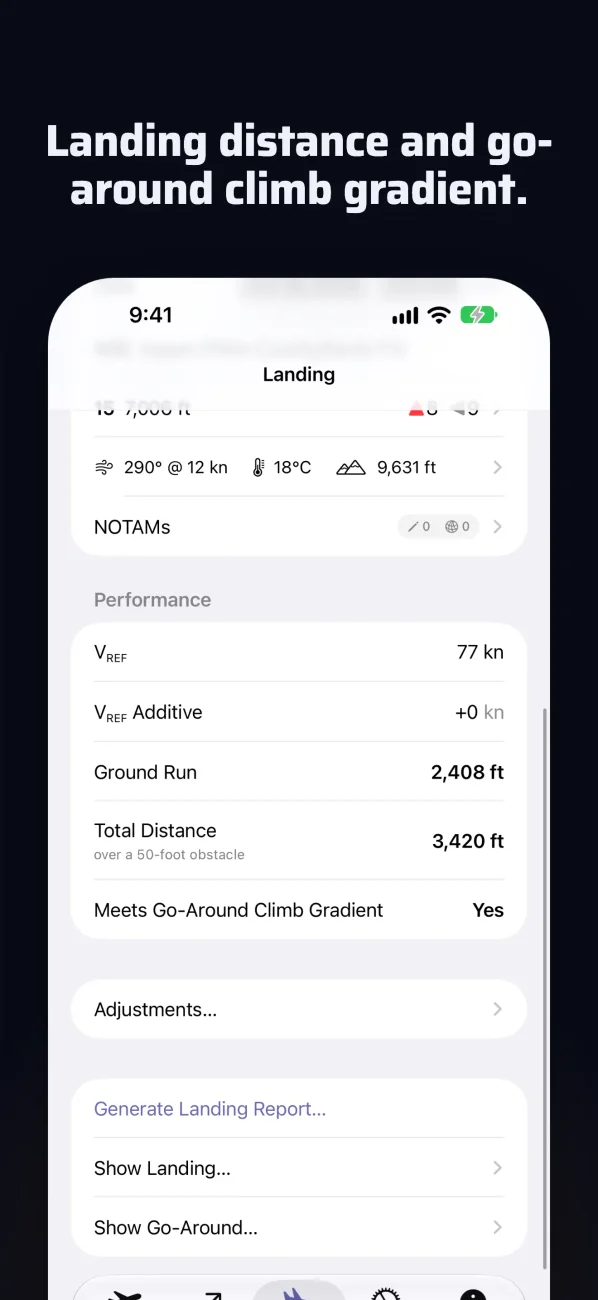
SF50 Takeoff and Landing Data helps Cirrus SF50 Vision pilots do their performance calculations. Simply launch the app, enter your weights, and the app will calculate how much runway you need to take off or land in your Vision Jet.
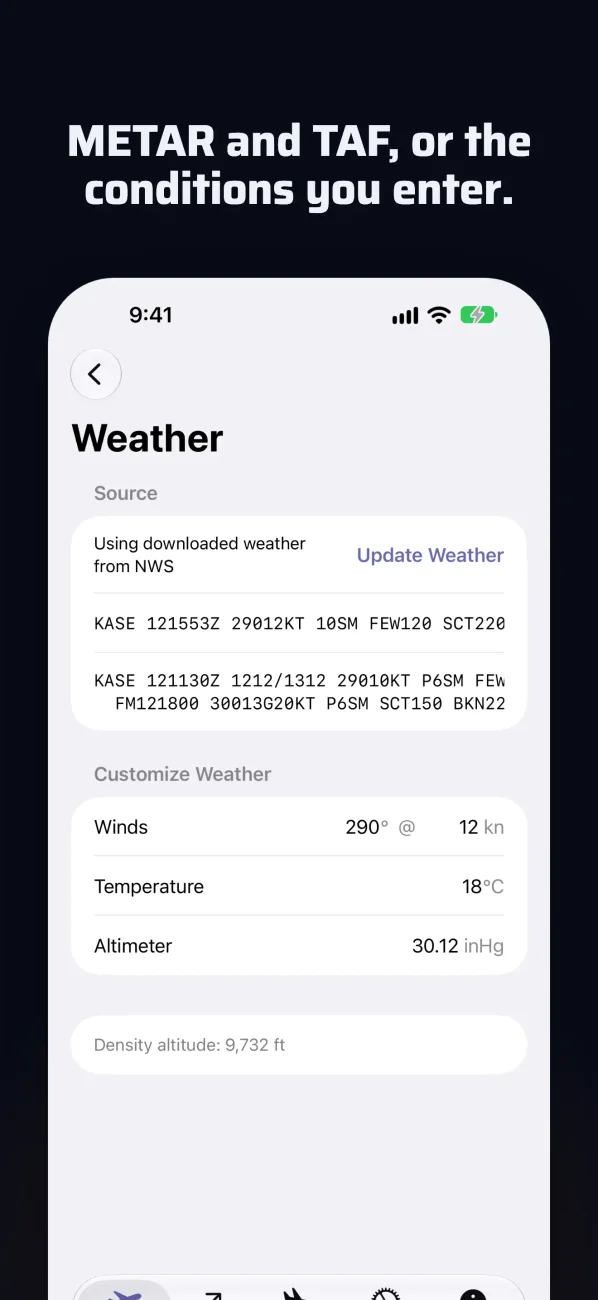
SF50 TOLD supports both automatic and manual weather entry, custom safety factors, non-normal configurations (such as FLAPS 50 ICE or FLAPS 0), and runway contamination. All data comes from the SF50 G1 or G2+ Airplane Flight Manual* and is interpolated for current conditions.
*This app has not been approved by the FAA or by Cirrus Aircraft as an official source of performance information. It is your responsibility to ensure that the performance data you use is accurate for current conditions.
AFMs:
Aircraft Serials with Cirrus Perspective Touch Avionics System and FL280 Maximum Operating Altitude
P/N 31452-001
Revision A1
Aircraft Serials with Cirrus Perspective Touch+ Avionics System and FL310 Maximum Operating Altitude
P/N 31452-002
Revision 4
Airplane Flight Manual Supplement for Updated Thrust Schedule
P/N 31452-111
Revision 1
What’s new
Version 4.0.1 · Nov 7, 2026
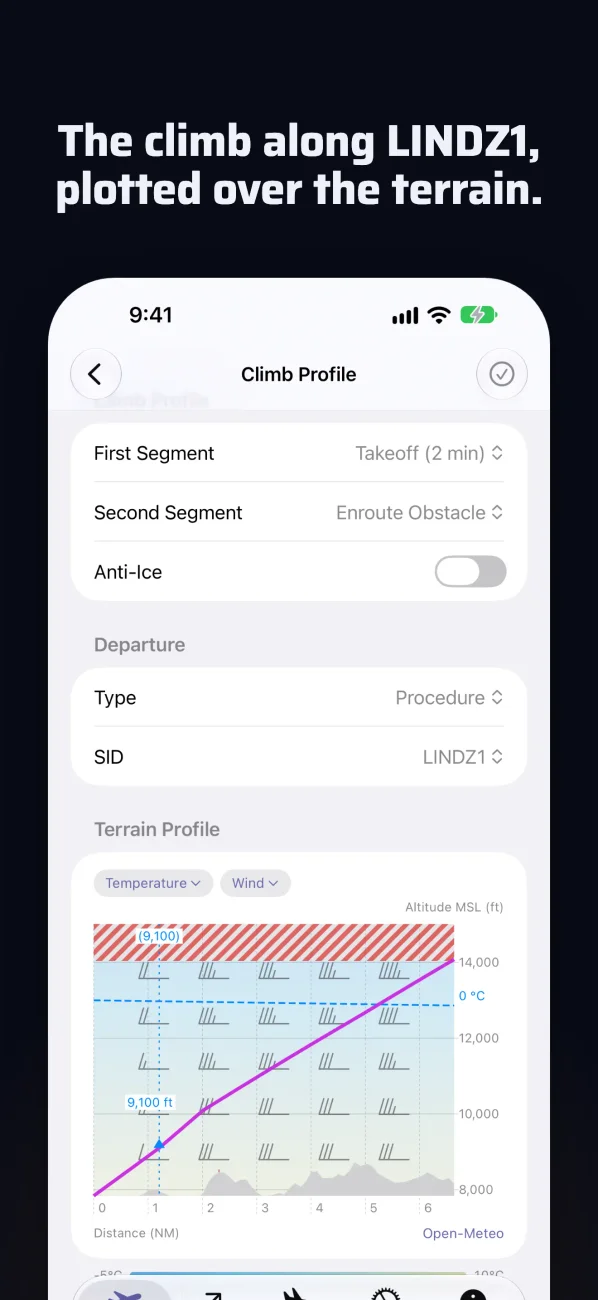
• Winds aloft come from the Open-Meteo forecast model everywhere. The National Weather Service stopped publishing its winds aloft forecasts on November 3, and since then the climb and terrain profiles have had no winds aloft.
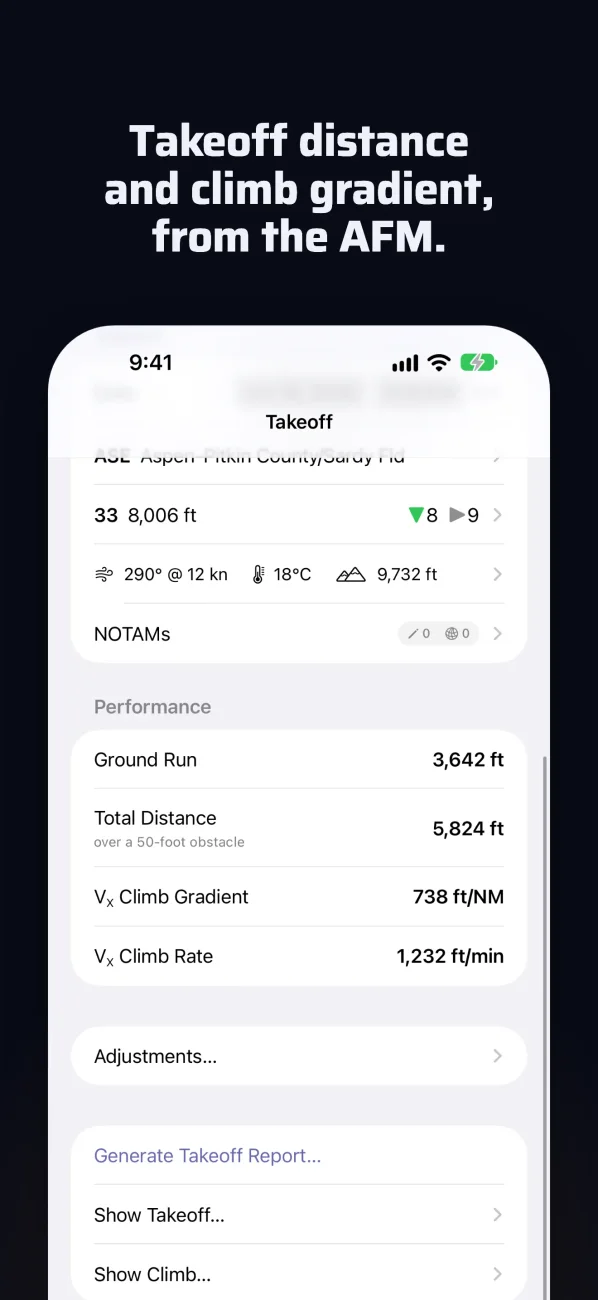
• Takeoff and landing distances are read from the AFM tables at pressure altitude, worked out from the field elevation and your altimeter setting, rather than at field elevation. With a low altimeter setting the distances are longer than before, and with a high one shorter. Without an altimeter setting, the field elevation is used and the performance screens say so; takeoff and landing reports show the standard 29.92 inHg, which is the same thing.
• The climb and terrain profiles start the climb at 50 feet above the field, where the AFM’s takeoff distance ends, rather than at 35 feet.
• The climb gradient needed to clear a NOTAMed obstacle is worked out from the point where the takeoff reaches 50 feet, over the runway remaining plus the obstacle’s distance beyond the departure end. Takeoff reports had left the runway length out, and asked for far more climb than an obstacle needs.
• Takeoff and landing reports now stop the maximum weight search at the AFM’s tailwind, crosswind, airport elevation and temperature limits. A runway where one is exceeded shows N/A as its maximum weight, with WND, ELEV or TEMP as the limit, rather than a weight the search never checked. A maximum weight that rests on conditions colder or hotter than the AFM tables cover is marked offscale, as the distances beside it are.
• Takeoff and landing reports count a distance read from the nearest edge of the AFM tables as the AFM’s figure when they check it against the runway, so a clamped distance that does not fit limits the weight.
• New notes appear on the takeoff screen when an obstacle stands within the takeoff distance, which no climb can clear, and when the temperature is outside the AFM’s limits. The climb gradient note appears only when the climb falls short of what an obstacle requires, and a note says when the pressure altitude was taken from the field elevation.
• When an airport’s identifier changes in an airport data update, your favorites, recents and selected airports follow it. About lists every source the airport data comes from, and for airports drawn from openflightmaps, the runway picker offers to report a data error to them.
• On iPad and on iPhone Duo’s inner display, Takeoff and Landing show your inputs and the results side by side, so you can see what a change does to the numbers without scrolling.
App privacy
What Timothy Morgan declares on the App Store about how this app handles data.
-
Data not linked to you
May be collected but is not linked to your identity.
- Diagnostics
Privacy practices may vary, for example with the features you use or your age.
Information
- Seller
- Timothy Morgan
- Category
- Utilities
- Version
- 4.0.1
- Updated
- Nov 7, 2026
- Released
- Feb 9, 2021
- Size
- 31.1 MB
- Requires
- iOS 27.0 or later
- Age rating
- 4+
- Price
- Free
- Languages
- English
- Copyright
- © 2021 Tim Morgan
You might also like
-
 MasterPilotAI Flight Training Companion
-
 MachDBAviation Database Manager
-
 TBMProFlightTBM W&B plus Performance
-
 Aircraft ChecklistAviation checklists for pilots
-
 Jeppesen JDM MobileUtilities
-
 FLT DIR - Flight DirectorPartnerships, Scheduling, MX
-
 TBM PerformanceFor Daher TBM
-
 FBOlink for PilotsAviation messaging and weather
-
 SkewTLogProUtilities
-
 PC-12 CalculatorUtilities