- Age rating4+
- CategoryProductivity
- DeveloperEiji Shinohara
- LanguagesEnglish
- Size20.1 MB
Links to the official App Store page
Download.org hosts no file of Shaft Alignment Calculator. The button opens its official App Store page, published by Eiji Shinohara. Listing last checked on Nov 12, 2026.
Screenshots
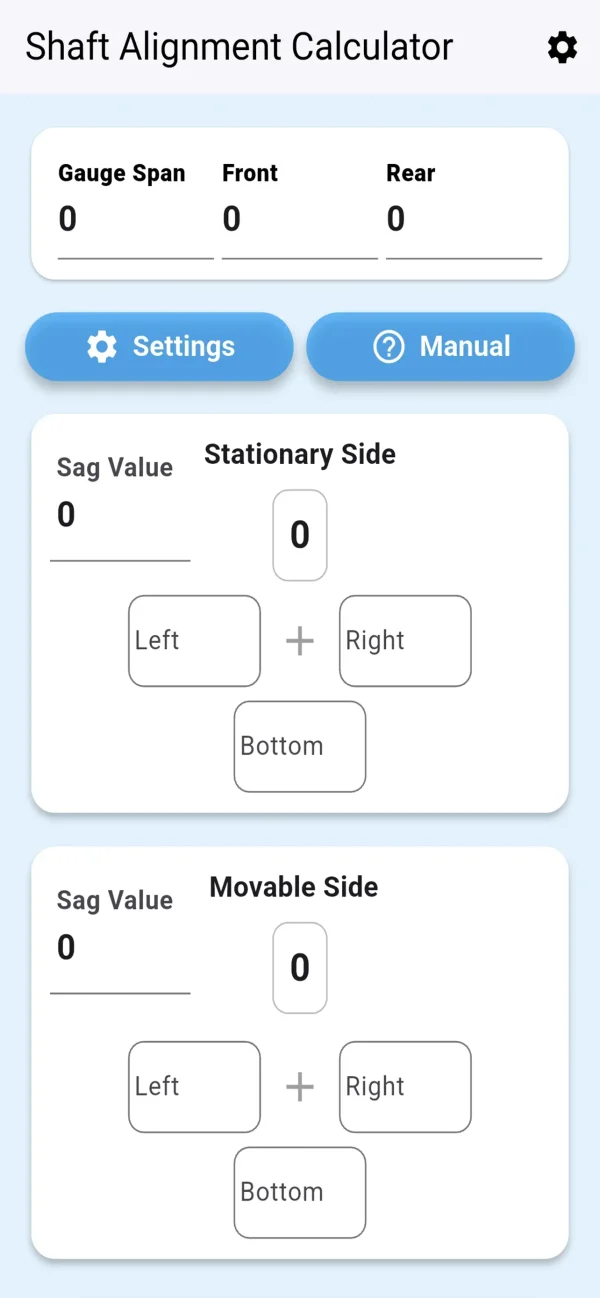
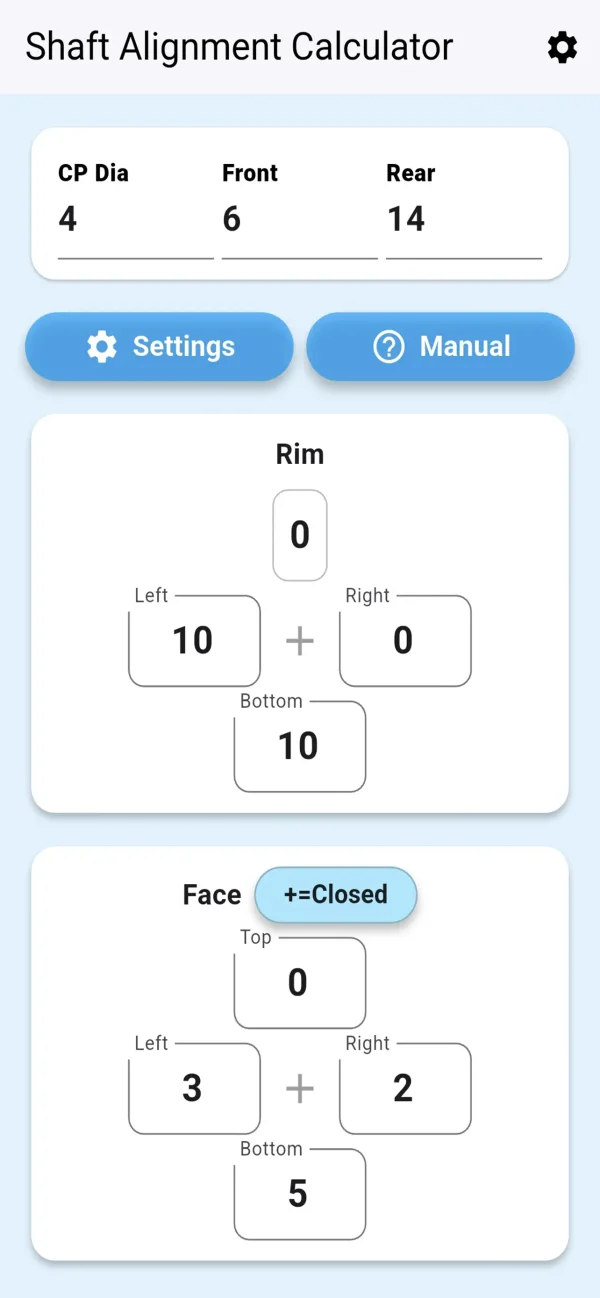
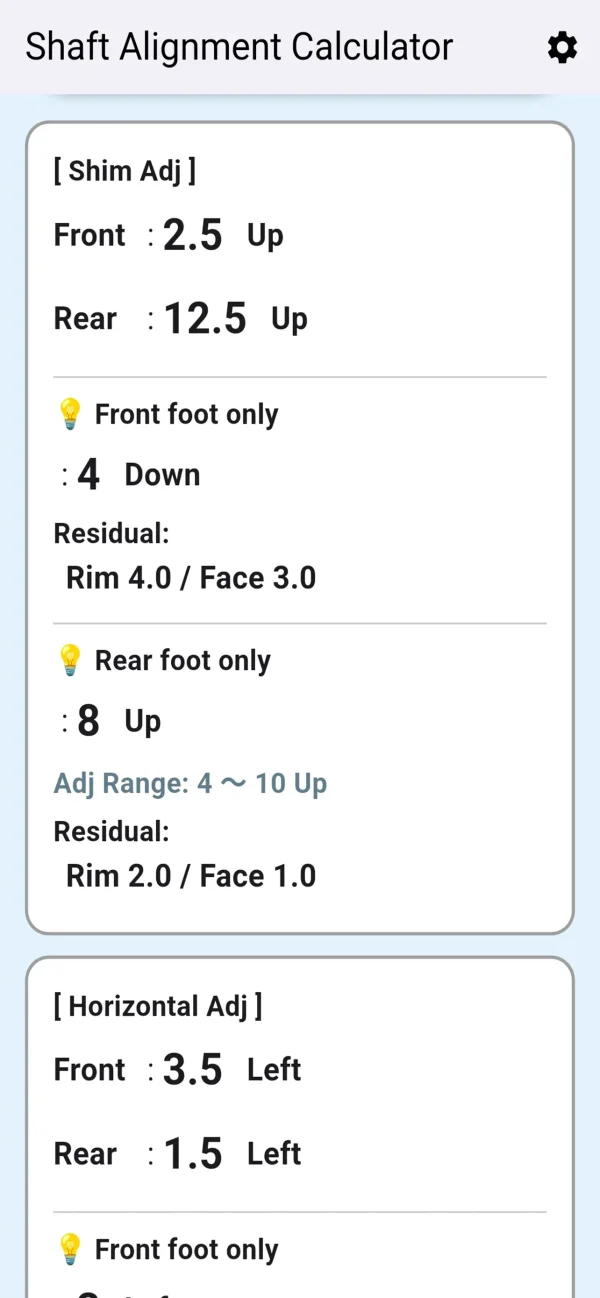

About
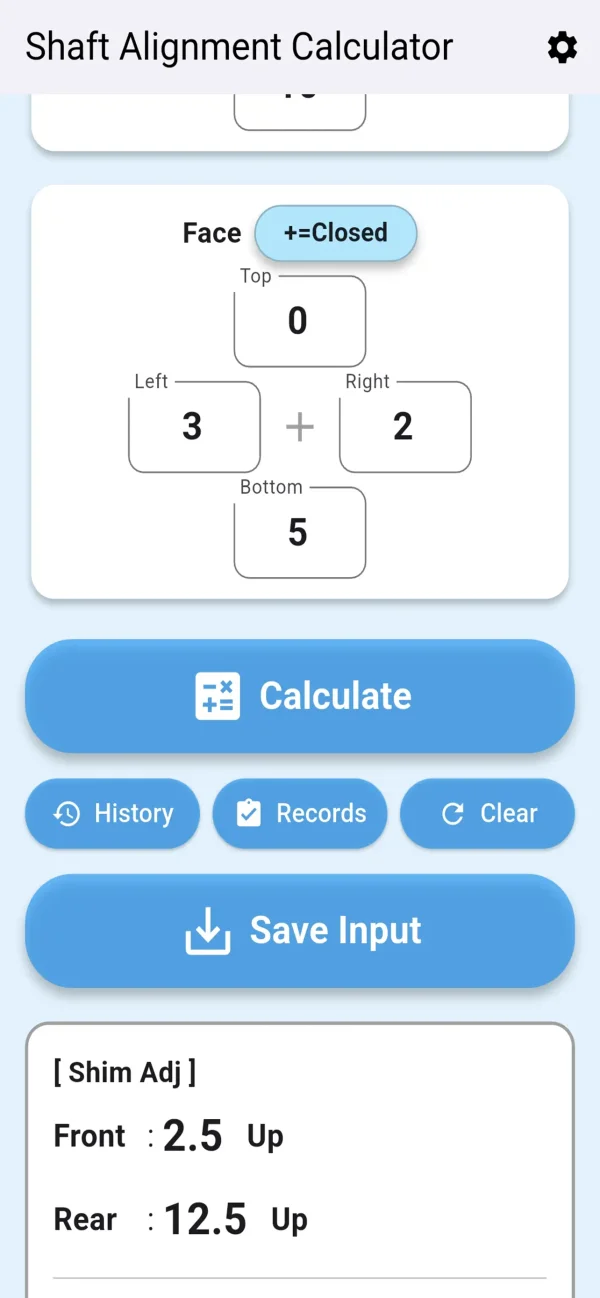
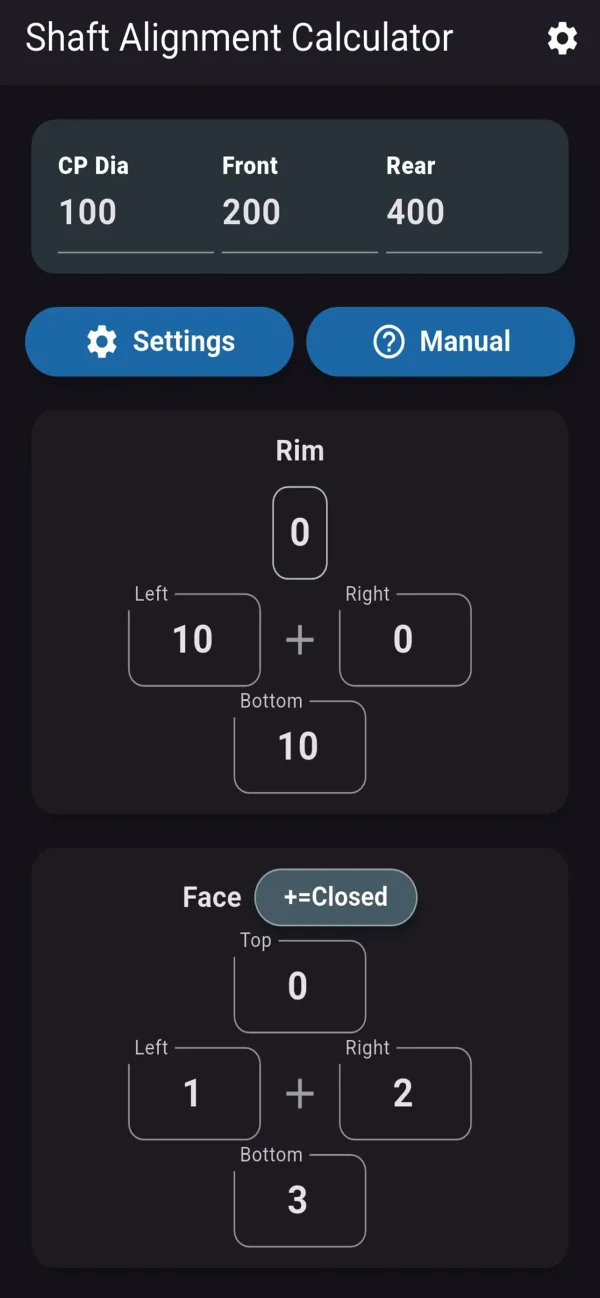
During shaft alignment of rotating machinery, this app calculates the required shim amounts for the front and rear feet, as well as the horizontal adjustment direction and distance, based on 4-point Rim and Face dial indicator readings.
Furthermore, if the alignment can be brought within your custom "Tolerance" limits by adjusting only one set of feet (front or rear), the app automatically simulates and displays the "Optimal Shim Amount," "Adjustment Range," and "Predicted Residual (Remaining Misalignment)."
--- Key Features ---
[NEW] Reverse Indicator Method Support
Fully supports the Rim-Rim reading method on both sides of the coupling. Includes a dedicated input screen with automatic compensation for Bar Sag values.
Enter the distances using the stationary indicator position as the starting point (0).
[NEW] Single-Foot Adjustment Simulation
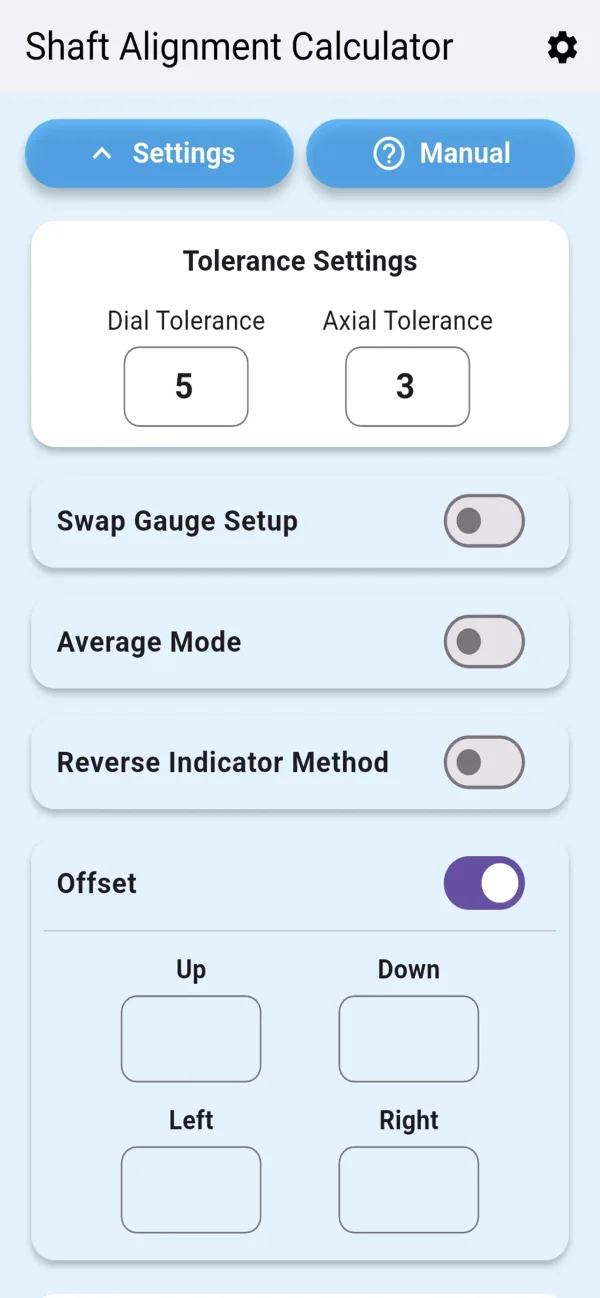
Enter your Rim and Face tolerances in "Settings". If the alignment can be fixed by moving only the front or rear feet, it automatically suggests the optimal shim amount, acceptable adjustment range, and the resulting residual misalignment.
(*If the tolerance is set to 0, single-foot adjustment suggestions will not be displayed.*)
[NEW] Custom Tolerance Settings
Freely set and modify Rim and Face tolerance values to match your specific site standards.
[NEW] Alignment Visualizer (Windows Only)
Graphically displays the alignment status based on calculation results.
• Memory Function
Input values are retained even if you close the app halfway through.
• Calculation History
Saves up to 30 recent calculation results, automatically overwriting the oldest entries.
• Save Measurement Records
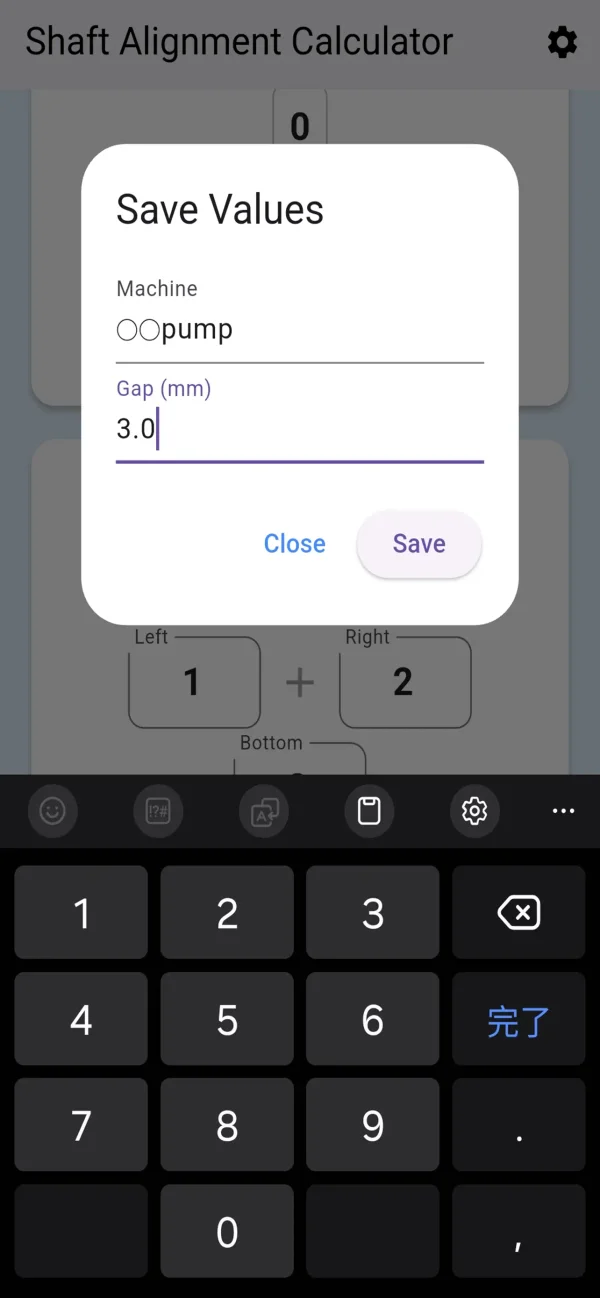
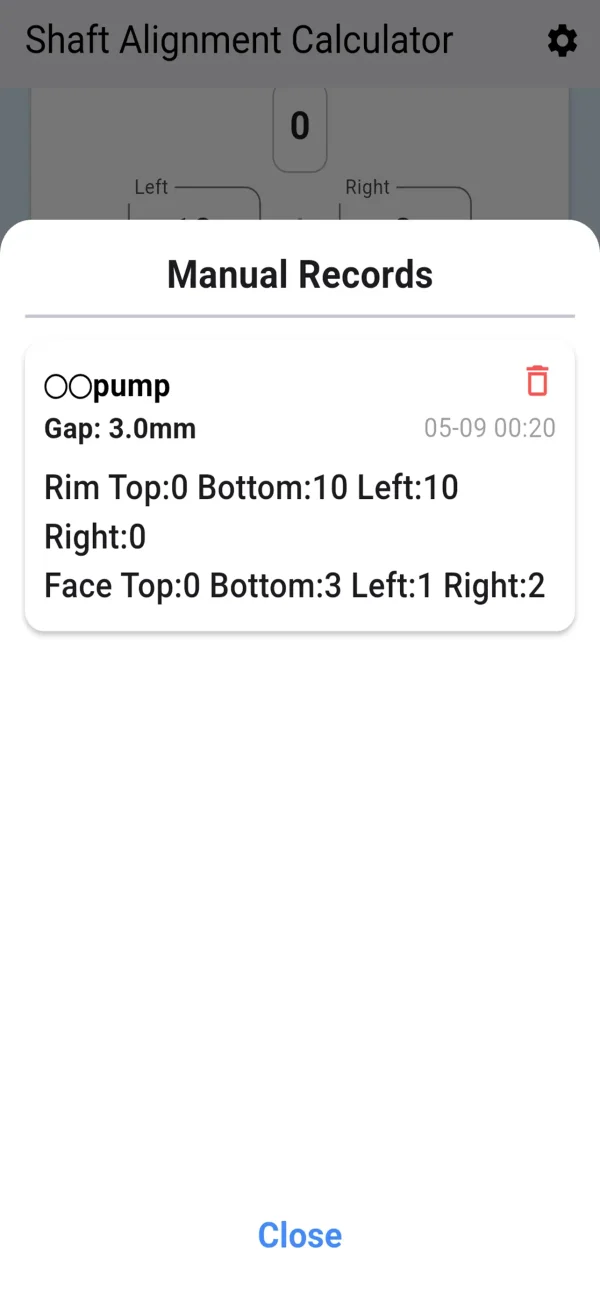
Save the final, in-tolerance Rim and Face readings along with the Machine Name and Gap distance (up to 30 records).
• Face (+/-) Toggle
Press the "+=" button to easily switch between "+ = Closed" and "+ = Open" for Face gauge readings.
• Offset Function
Enabling this displays input fields. Enter values in the desired offset direction, and they will be reflected in the calculation.
• Average Mode
Enabling this adds extra Rim/Face input fields. The app will calculate based on the average of two measurements.
(*Not available in Reverse Indicator mode.*)
• Swap Gauge Setup
Turn this ON if your dial indicators are set up to read from the Driven machine to the Motor.
(*Not available in Reverse Indicator mode.*)
• Dark Mode
Ensures optimal visibility in various environments, whether indoors or outdoors.
--- App Highlights ---
• Lightweight operation without complex animations, preventing unnecessary battery and memory drain.
• Fully standalone application; works perfectly in underground facilities or deep inside plants without an internet connection.
--- Specifications ---
• "Left/Right" in the app refers to the direction when looking from the motor toward the driven machine.
• Enter Coupling Diameter (or Gauge Span for Reverse mode) and Front/Rear distances in mm. Enter Rim, Face, and Bar Sag values in hundredths of a millimeter as whole numbers (e.g., enter 15 for 0.15 mm).
• For inch/mil (thou) calculations, enter Coupling Diameter and distances in inches. Enter Rim, Face, and Bar Sag values in mils/thou as whole numbers (e.g., enter 5 for 5 mils).
--- How to Use ---
1. Enter the machine dimensions.
2. Enter the 4-point measurement readings.
3. Check the "+=" button setting (*Rim-Face method only*).
4. Tap the "Calculate" button.
---
What’s new
Version 1.2.5 · Jul 5, 2026
Version 1.2.5
App privacy
What Eiji Shinohara declares on the App Store about how this app handles data.
-
Data not collected
The developer does not collect any data from this app.
Privacy practices may vary, for example with the features you use or your age.
Information
- Seller
- Eiji Shinohara
- Category
- Productivity
- Version
- 1.2.5
- Updated
- Jul 5, 2026
- Released
- Apr 28, 2026
- Size
- 20.1 MB
- Requires
- iOS 13.0 or later
- Age rating
- 4+
- Price
- $5.99
- Languages
- English
- Copyright
- © 2026 Eiji Shinohara
You might also like
-
 Wari-Tsuke: Layout SpacingMark-out with exact fractions
-
 iAlignTestProductivity
-
 TDMSTightening Data Management
-
 一発修正君Productivity
-
 Horizontal Shaft AlignmentProductivity
-
 アングル加工Productivity
-
 名刺ToList - 名刺スキャン&CSVリスト作成Productivity
-
 LEO Rigging CalculatorRigging Calculator
-
 KSB SonolyzerProductivity
-
 Make Power SmartProductivity