
SheetCue: PDF Score Practice
Sheet Music Reader & Metronome
Designed for iPhone, iPad, iPod touch
Free · In-app purchases
- Age rating4+
- CategoryMusic
- DeveloperKwangho Bae
- LanguagesEnglish+ 11 more
- Size141.5 MB
Links to the official App Store page
Download.org hosts no file of SheetCue: PDF Score Practice. The button opens its official App Store page, published by Kwangho Bae. Listing last checked on Nov 15, 2026.
Screenshots


About
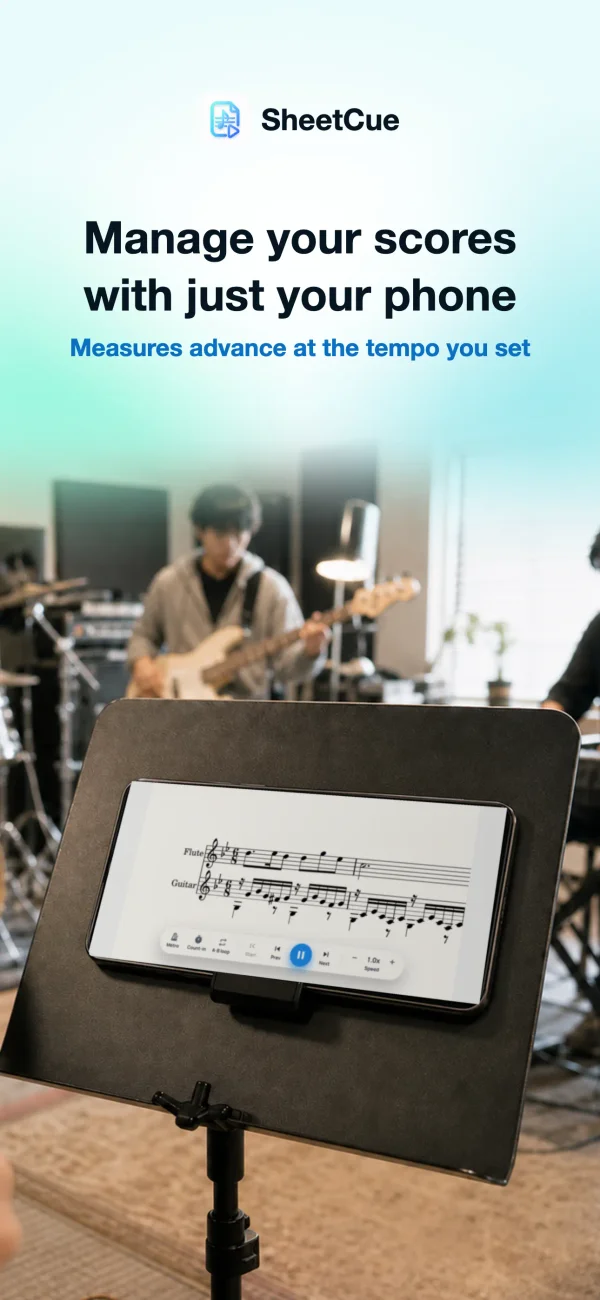
Turn your PDF or photographed sheet music into a practice view that follows the score measure by measure.
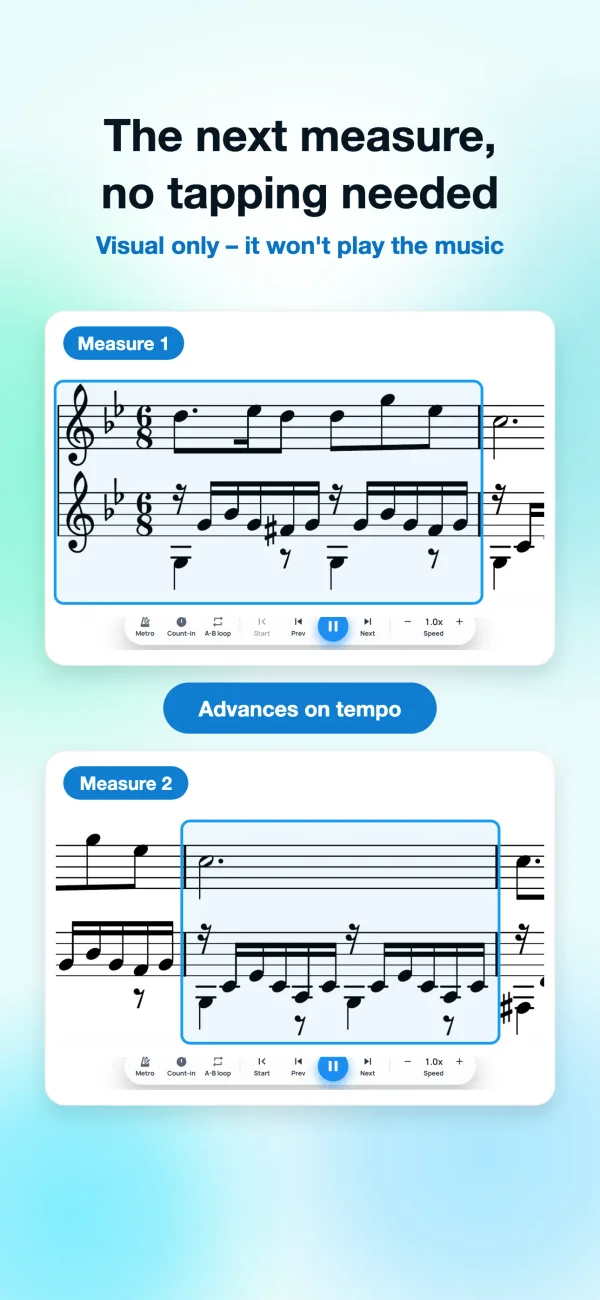
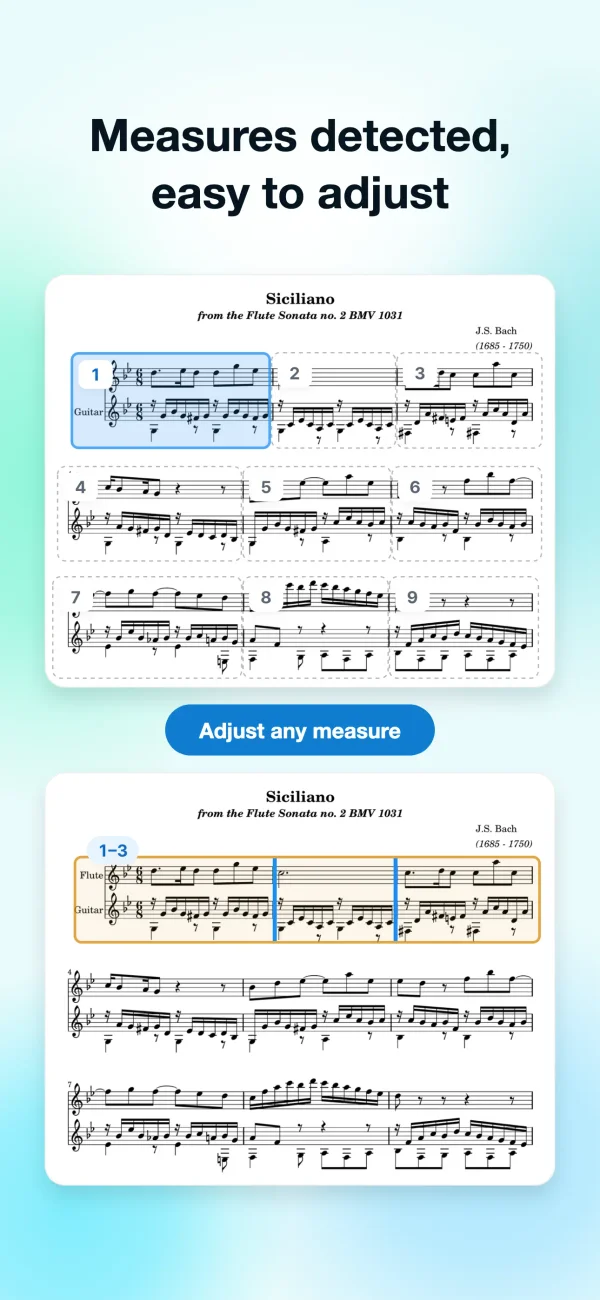
SheetCue finds the measures for you when you import a score, and you can fix anything by hand. Set the tempo and the repeat order, and SheetCue shows the measure to play large and turns it in time.
Features:
- Import PDF scores and up to 20 score photos
- Automatic measure detection with manual fixes (split, crop, merge)
- BPM, beats per measure and per-measure timing
- Edit repeats and practice order, like repeat signs
- Measure view (landscape) and Full page view
- Metronome, count-in, A-B loop and practice speed
- Annotate scores with pencil, pen and highlighter
- ? help on every screen
- Scores and practice data stay on your device
All practice features are free. The free plan shows ads and keeps up to 5 scores. Subscribe to SheetCue Plus to practice with no ads and no limit on scores.
SheetCue does not play music or perform notes automatically. It turns your score in time with the tempo and order you set.
SheetCue Plus is an optional subscription (monthly or annual). Payment is charged to your Apple Account, and the subscription renews automatically unless it is canceled at least 24 hours before the end of the current period. You can manage or cancel it in your App Store account settings.
Privacy Policy: https://sheetcue.com/privacy/privacy-policy.html
Terms of Use (EULA): https://www.apple.com/legal/internet-services/itunes/dev/stdeula/
What’s new
Version 1.16.0 · Nov 11, 2026
Help is now one tap away.
- Tap ? on Home, practice, annotation and editing screens to see what each button does and answers to common questions.
- In the view chooser and the tempo sheet, ? opens the explanation right there.
- While you practice, the top panel now appears with the bottom controls, so Help and Edit are always close.
App privacy
What Kwangho Bae declares on the App Store about how this app handles data.
-
Data used to track you
May be used to track you across apps and websites owned by other companies.
- Identifiers
-
Data linked to you
May be collected and linked to your identity.
- Purchases
- Location
- Identifiers
- Usage data
-
Data not linked to you
May be collected but is not linked to your identity.
- Diagnostics
Privacy practices may vary, for example with the features you use or your age.
Information
- Seller
- Kwangho Bae
- Category
- Music
- Version
- 1.16.0
- Updated
- Nov 11, 2026
- Released
- Jun 9, 2026
- Size
- 141.5 MB
- Requires
- iOS 15.1 or later
- Age rating
- 4+
- Price
- Free
- In-app purchases
- Yes
- Languages
- English, French, German, Indonesian, Japanese, Korean, Portuguese, Spanish, Traditional Chinese, Turkish, Ukrainian, Vietnamese
- Copyright
- © 2026 Kwangho Bae
You might also like
-
 Band Session NoteSheet Music Editor & Setlists
-
 MuseNoteSheet Music Player & AI Grader
-
 Volti: Sheet Music Page TurnerHands-Free Auto Turn, No Pedal
-
 Lala Note: Sheet Music EditorWrite, play and print scores
-
 Metronome Map 2: Click TrackBacking Tracks, Cues & Stems
-
 Estudio de Piano: TechniqueHanon & Czerny piano exercises
-
 Groove Numberswing %, bpm, key, on-device
-
 Attacca - Sheet MusicEvery score, in one search.
-
 譜めくりゼロMusic
-
 Profesyonel AkortMusic