Shell ID: Sea Shell Identifier
AI Scanner & Collector Value
Designed for iPhone
Free · In-app purchases
- Age rating4+
- CategoryReference
- DeveloperProductiveTap
- LanguagesEnglish
- Size50.4 MB
Links to the official App Store page
Download.org hosts no file of Shell ID: Sea Shell Identifier. The button opens its official App Store page, published by ProductiveTap. Listing last checked on Nov 12, 2026.
Screenshots
About
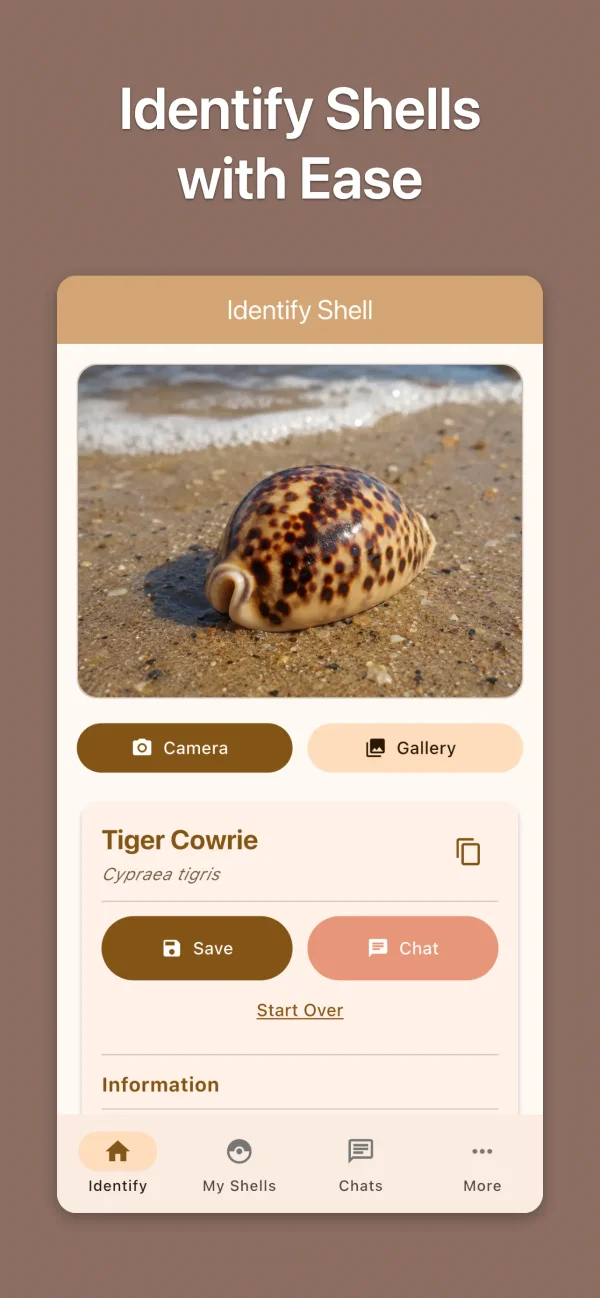
Discover the seashells around you with AI-powered identification. Unlike other shell identification apps, Shell ID makes it easy to organize your finds into a personal collection, add your own notes, discuss each species with AI, and export your collection as a beautifully formatted PDF.
FEATURES
• AI Shell Identification
Take a photo of any seashell, and our AI will identify the species. Get both common and scientific names, along with detailed information about its family, habitat, size range, and the features — shape, coloration, texture, and patterns — that set it apart. Each identification also includes a short collector summary.
• AI Shell Chat
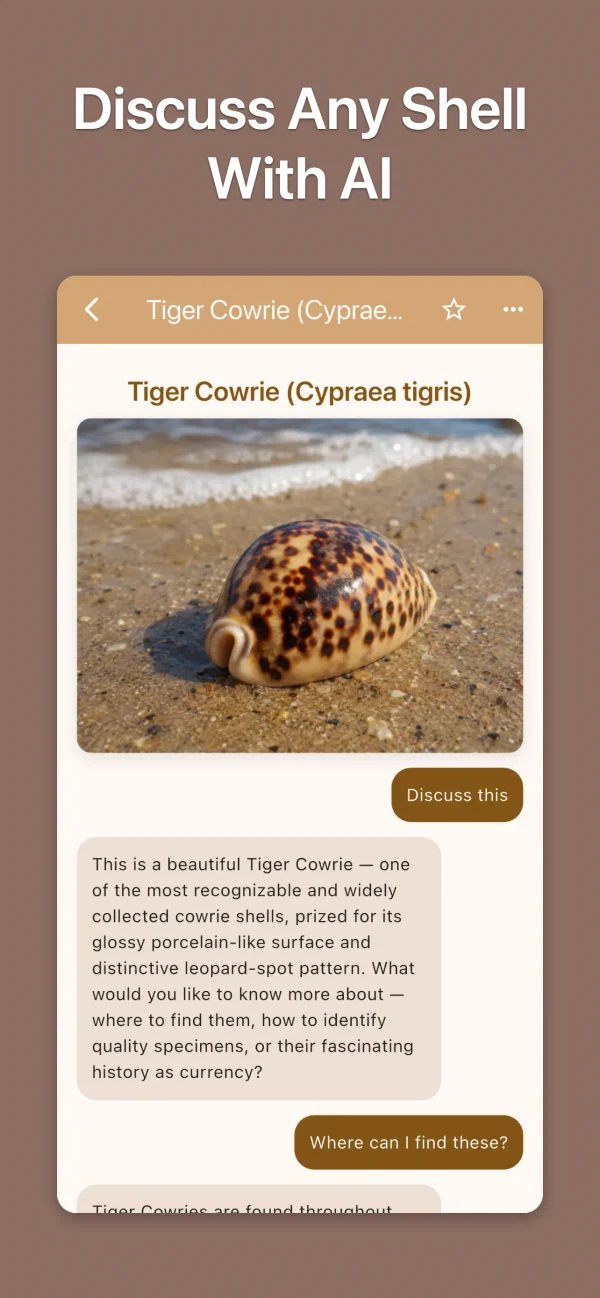
Get personalized shell knowledge through natural conversation with AI. Ask where a species is found, how to tell similar shells apart, conservation and collecting etiquette, or any shell topic. You can return to past conversations anytime.
• Personal Shell Collection
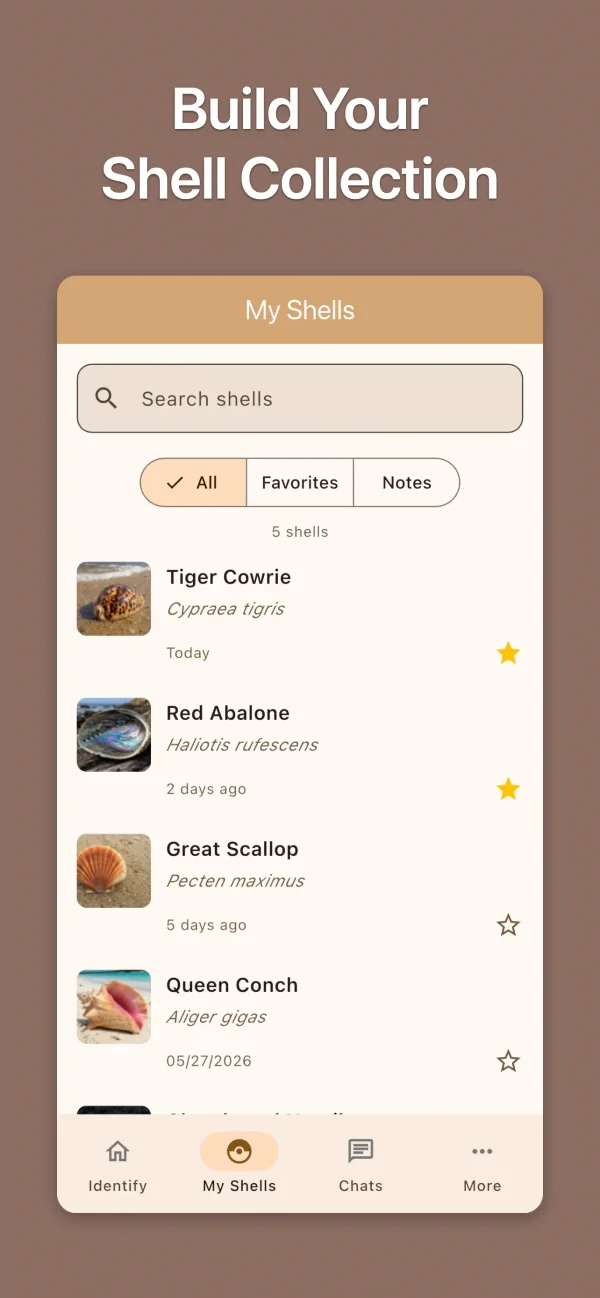
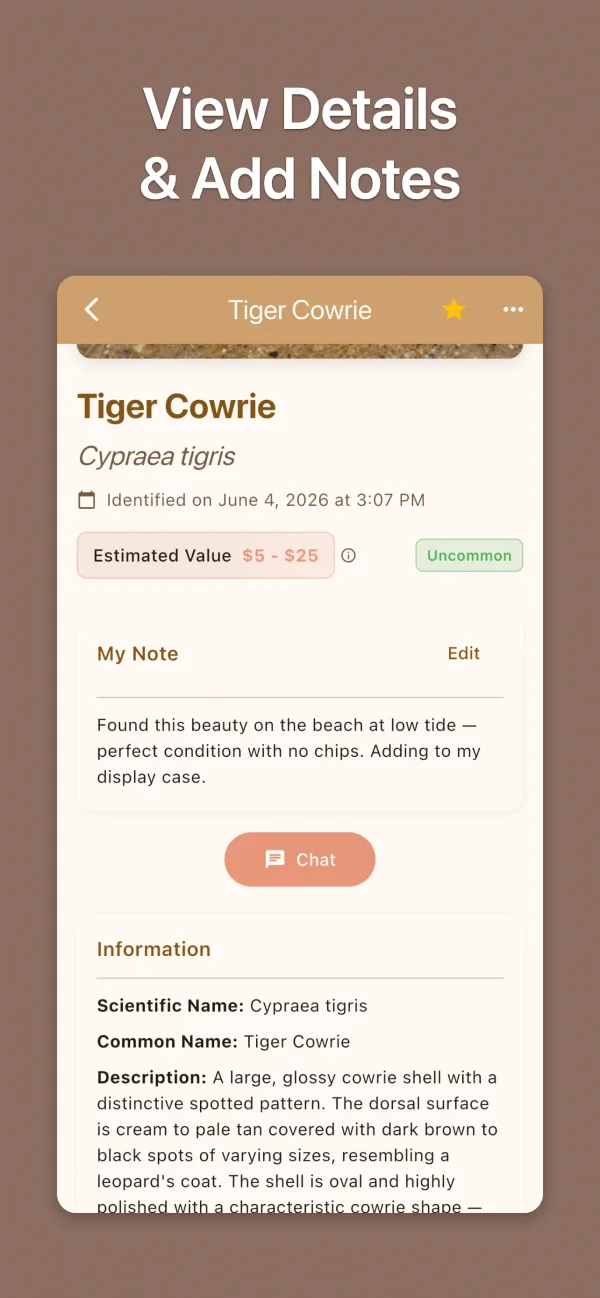
Build your own seashell archive. Save every identification with high-quality images, automatic dates, and notes. Your knowledge grows as your collection grows — whether you collect shells on the beach, study them closely, or are simply curious about what you found.
• Comprehensive Shell Information
Each identification includes family classification, habitat preferences, typical size, and identification tips. Learn what makes each species unique and how to recognize conchs, scallops, cowries, and whelks in nature.
• Personal Notes
Add your own observations to each shell. Record where and when you found it, the conditions at the beach, or any special memories from your walks, dives, and travels.
• Favorites Collection
Mark your favorite shells so you can find them quickly. Keep your most prized finds and most beautiful specimens ready to view.
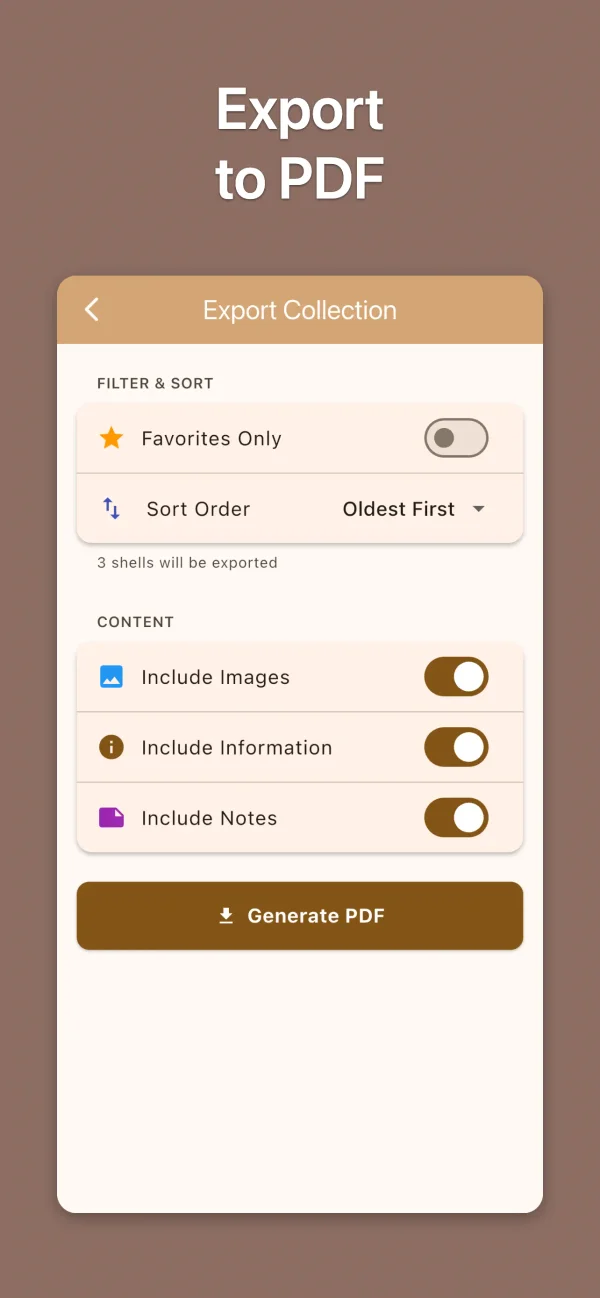
• PDF Export
Export your entire shell collection as a beautifully formatted PDF. Choose whether to include images, species information, and your notes — useful for sharing your finds, keeping a record of every species you identify, or saving a printed catalog.
• Backup & Restore
Keep your collection safe. Export everything to a single backup file and restore it anytime, so your collection stays with you when you change devices.
Transform every beach walk, snorkel, or dive into a learning opportunity. Shell ID helps you develop a deeper appreciation for the natural beauty along the shore.
There is an optional Premium subscription for unlimited access. The subscription will be charged to your iTunes account upon purchase. Your account will be charged for renewal 24 hours before the current period ends. You can turn off auto-renewal at any time in your Account Settings.
Terms of Use: https://www.apple.com/legal/internet-services/itunes/dev/stdeula/
Privacy Policy: https://www.productivetap.com/shell-id-privacy-policy/
What’s new
Version 1.0.3 · Jul 17, 2026
Minor improvements
App privacy
What ProductiveTap declares on the App Store about how this app handles data.
-
Data not collected
The developer does not collect any data from this app.
Privacy practices may vary, for example with the features you use or your age.
Information
- Seller
- Donald Latumahina
- Category
- Reference
- Version
- 1.0.3
- Updated
- Jul 17, 2026
- Released
- Jun 9, 2026
- Size
- 50.4 MB
- Requires
- iOS 17.0 or later
- Age rating
- 4+
- Price
- Free
- In-app purchases
- Yes
- Languages
- English
- Copyright
- © 2026 Donald Latumahina
You might also like
-
 Sea Shell Identifier: CollectAI Scanner for Sea Shells
-
 Sea Shell Identifier: ShellTagSeashell Scanner & Guide
-
 Sea Shell Identifier FinderScan Species, Rarity & Price
-
 Sea Shell Identifier CollectorSeashell Identification Guide
-
 Sea Shell Identifier - ShellieScan to identify and get value
-
 Sea Shell Identifier: OcelexiaIdentify Shells by Photo
-
 Seashell Identifier – ShelliumScan and Identify Marine Life
-
 Sea Shell Identifier - AI IDSeashell Scanner & Guide
-
 Conchology IdentifierSeashell Identification Guide
-
 Sea Shell Identifier - ScannerAI Seashell ID & Marine Guide