
- Age rating4+
- CategoryUtilities
- DeveloperMiyuki Fujirai
- LanguagesJapanese+ 2 more
- Size47.3 MB
Links to the official App Store page
Download.org hosts no file of ShhVoice. The button opens its official App Store page, published by Miyuki Fujirai. Listing last checked on Nov 24, 2026.
Screenshots



About
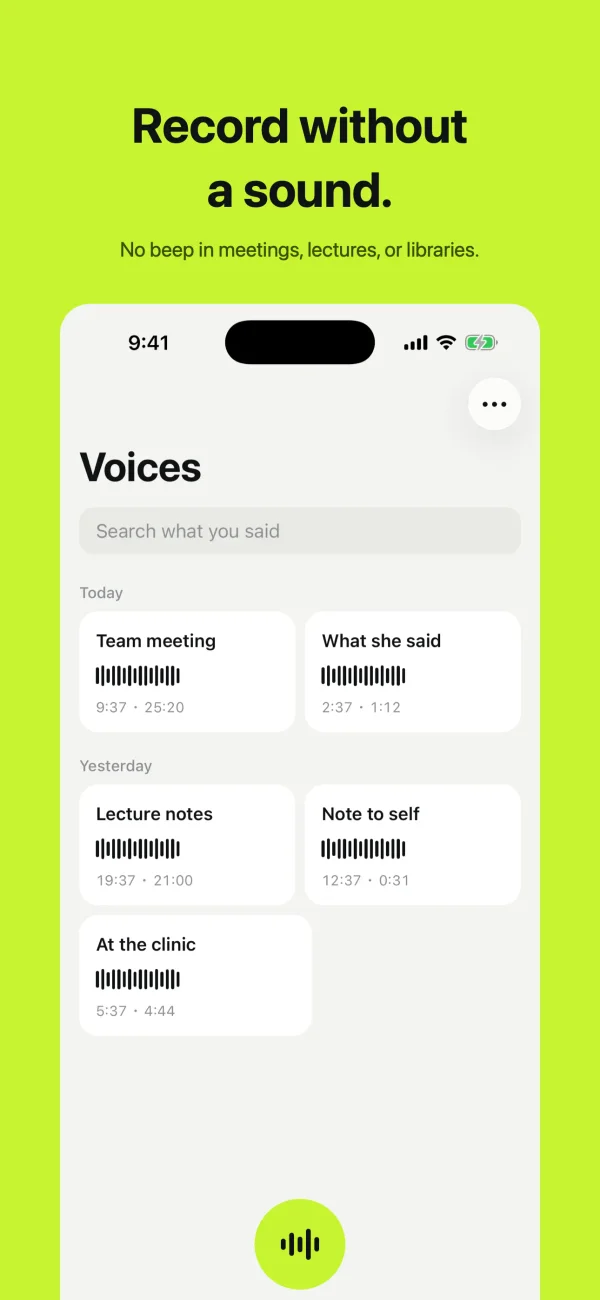
ShhVoice is a voice memo app that stays silent when you start recording. What you say is turned into text automatically and listed for you, so you never have to wonder “which recording was that?” again.
SILENT BY DESIGN
Recording starts and stops with a gentle vibration instead of a sound. Use it in meetings, lectures, or the library without disturbing anyone.
SEE THAT IT’S RECORDING
While recording, a big timer and a live waveform fill the screen, so you know it’s working even without a sound.
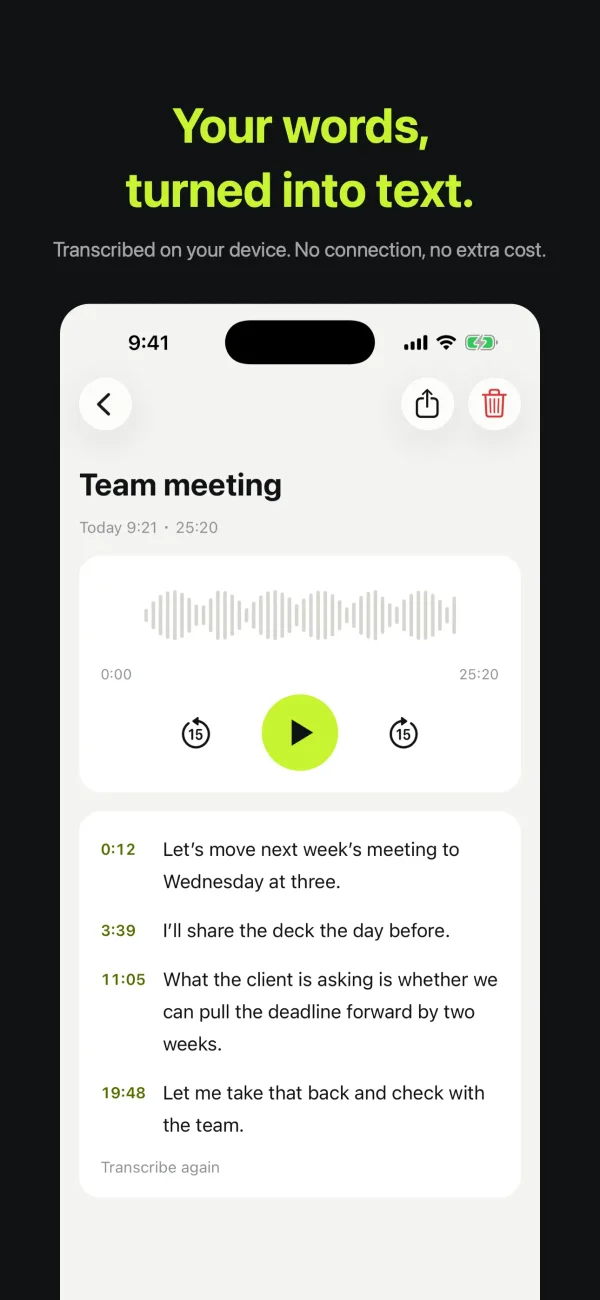
AUTOMATIC TRANSCRIPTION
When you stop recording, your words become text. Everything is transcribed on your device, so it works offline and costs nothing. On iOS 26 and later, ShhVoice uses Apple’s newer, more accurate speech engine.
TIMESTAMPS
Each sentence is shown with its time. Tap a time to play from that exact moment — handy for finding what someone said in a meeting. You can turn timestamps off in Settings.
SEARCH BY WHAT YOU SAID
Search your recordings by their text. Each recording is titled automatically from its first words, so your list is easy to scan.
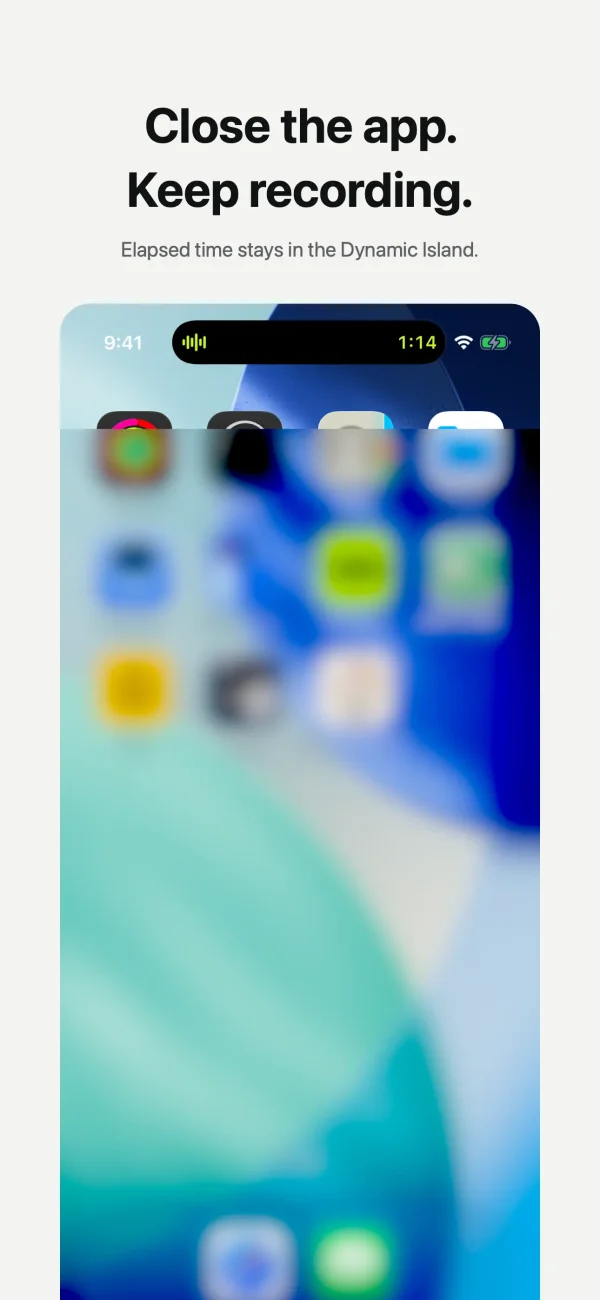
CLOSE THE APP, KEEP RECORDING
Use other screens and apps while recording. Recording continues even with the screen off, and the elapsed time appears in the Dynamic Island and on the Lock Screen.
START RECORDING FAST
Long-press the app icon, record as soon as the app opens, or start from Shortcuts, the Action button, or Back Tap.
EASY PLAYBACK
Drag along the waveform to jump anywhere. Skip back or forward 15 seconds.
SHARE AND SAVE
Share or save the audio (m4a) and the text to Messages, Mail, the Files app, and more.
ALSO INCLUDED
- A waveform for every recording in your list
- Dark and light appearance
- Japanese, English, and Traditional Chinese (transcription follows the language you choose)
- Long-press to delete
Your recordings and transcripts are stored only on your device and are never sent anywhere.
Please get consent from the people around you before recording.
What’s new
Version 1.5.2 · Nov 24, 2026
- You can now fix mistakes in a transcript while you listen
- You can now save or share the audio and the transcript together, in one go
App privacy
What Miyuki Fujirai declares on the App Store about how this app handles data.
-
Data used to track you
May be used to track you across apps and websites owned by other companies.
- Location
- Identifiers
- Usage data
- Diagnostics
-
Data linked to you
May be collected and linked to your identity.
- Identifiers
- Usage data
- Diagnostics
-
Data not linked to you
May be collected but is not linked to your identity.
- Location
- Diagnostics
Privacy practices may vary, for example with the features you use or your age.
Information
- Seller
- Miyuki Fujirai
- Category
- Utilities
- Version
- 1.5.2
- Updated
- Nov 24, 2026
- Released
- Sep 24, 2026
- Size
- 47.3 MB
- Requires
- iOS 16.4 or later
- Age rating
- 4+
- In-app purchases
- Yes
- Languages
- Japanese, Traditional Chinese, English
- Copyright
- © 2026 mumu.
You might also like
-
 VoxKeep: Voice RecorderPrivate Audio Recorder
-
 麻雀の順位点計算Utilities
-
 Castly: AI Audiobook ReaderEPUB, PDF & Character Voices
-
 FlexiPediaMake your unique Lexicon
-
 Audio Cleaner & Noise RemoverVolume Booster & MP3 Converter
-
 Barometer AssistantPressure · Migraine · Fishing
-
 津山市電子申請Utilities
-
 バスキャッチロケーターUtilities
-
 Linco WalletUtilities
-
 BlackBox: 24/7 Voice RecorderRecord All Day & Audio to Text