
Shield: Screen Time Blocker
Daily Goals, Phone Limits
Designed for iPhone
Free · In-app purchases
- Age rating4+
- CategoryHealth & Fitness
- DeveloperZak Riesen
- LanguagesEnglish
- Size23.0 MB
Links to the official App Store page
Download.org hosts no file of Shield: Screen Time Blocker. The button opens its official App Store page, published by Zak Riesen. Listing last checked on Nov 17, 2026.
Screenshots
About
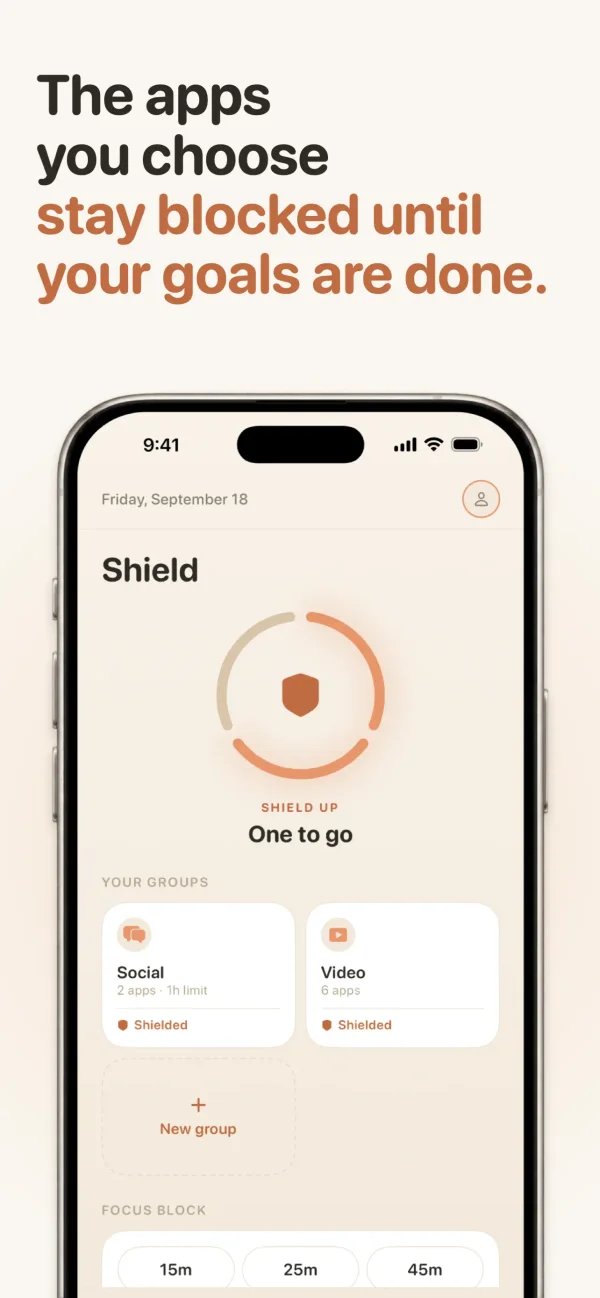
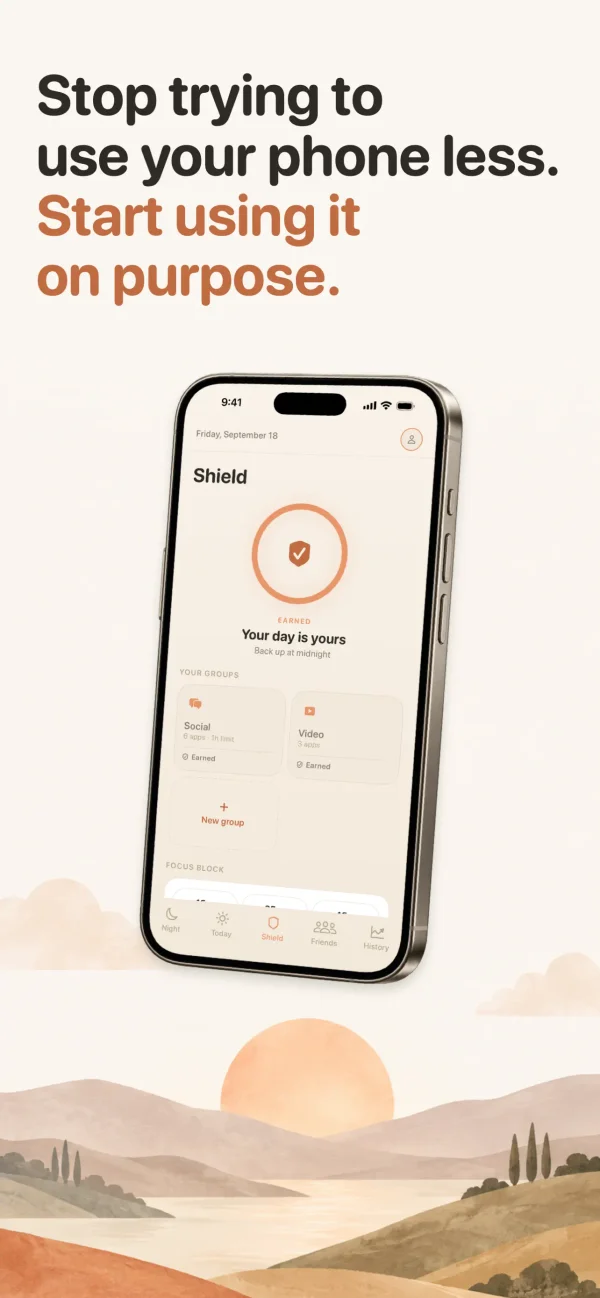
Shield blocks your most distracting apps until you finish your goals for the day.
HOW IT WORKS
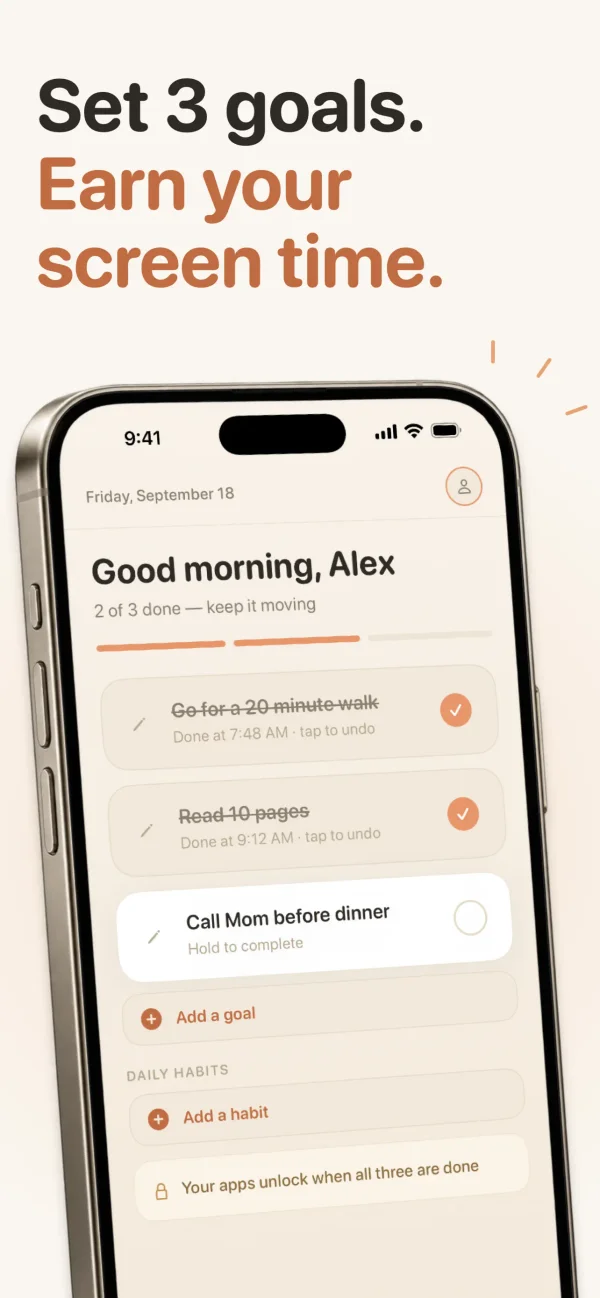
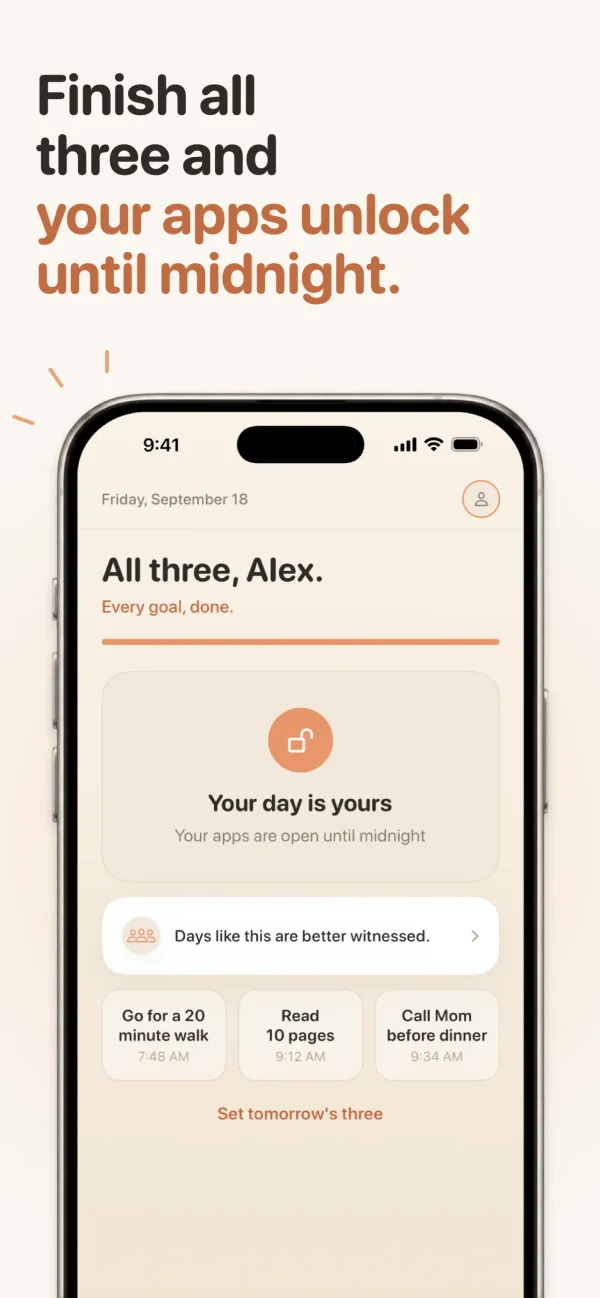
Each morning, write down at least three goals for the day: go for a run, finish your reading, call your grandma. You choose which apps get blocked. They stay blocked until every goal is checked off, and then they open for the rest of the day. You can add daily habits too, and those count as well.
FRIENDS
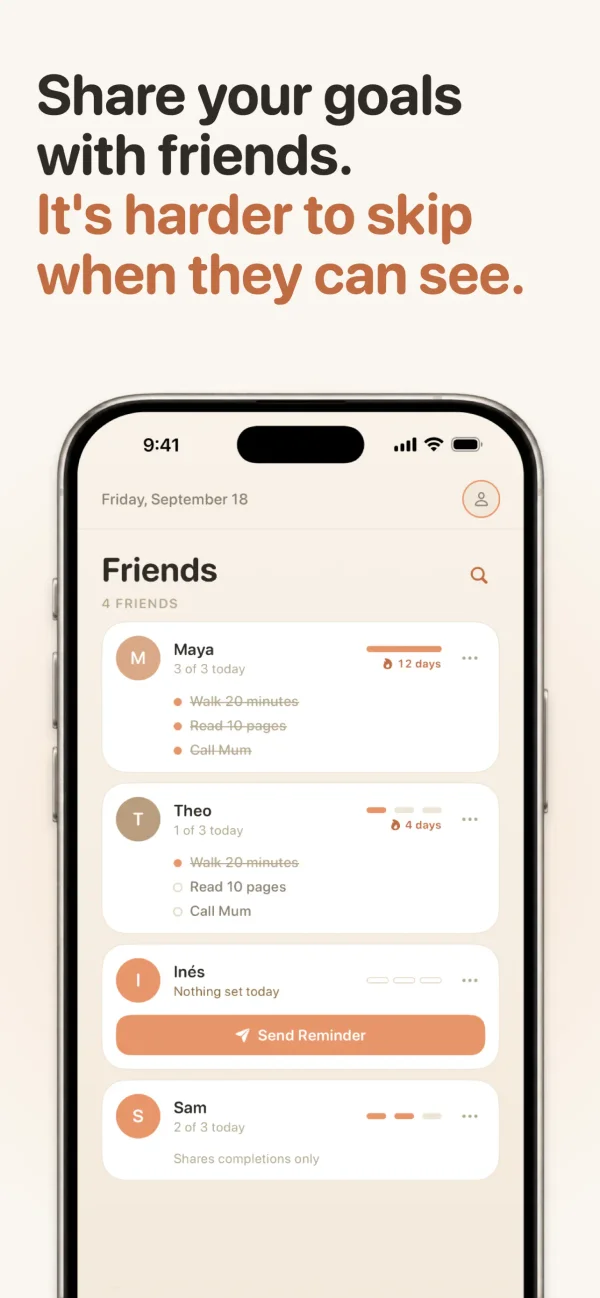
Goals are easier to keep when your friends can see them. Your friends see your goals for the day and which ones you've finished, and you see theirs, along with how many days in a row you've each kept it up. Add people you know by their handle. Nothing is shared until you've both accepted, and there's no feed to scroll.
BEDTIME AND QUIET HOURS
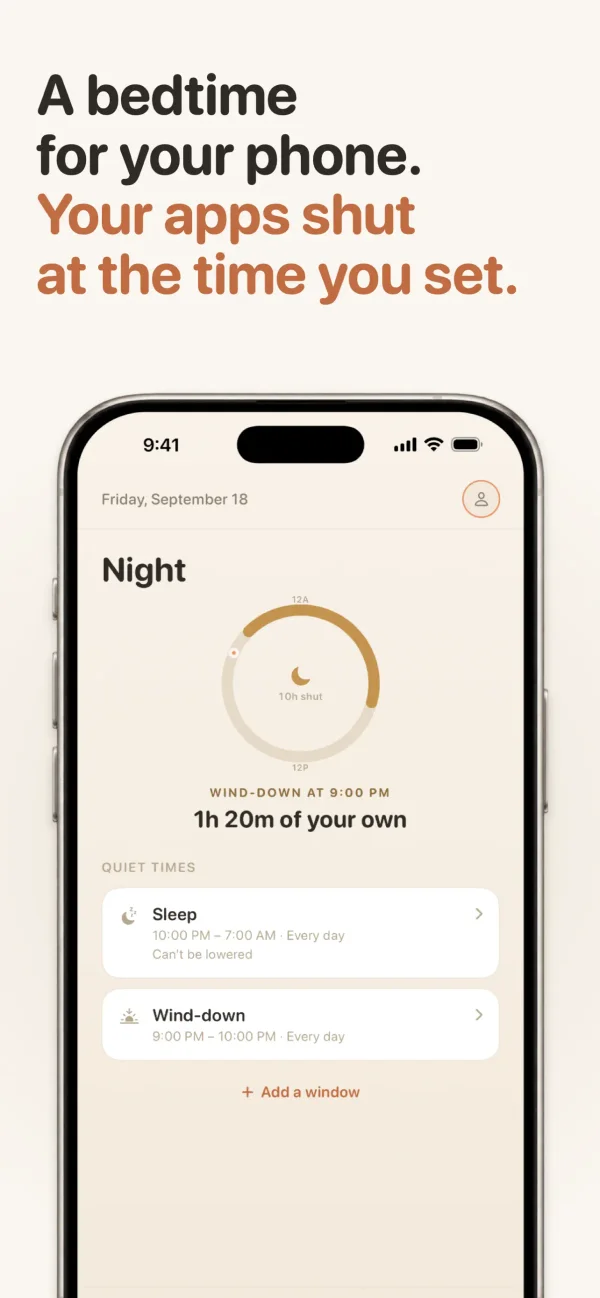
Set a bedtime and a wind-down hour, and your apps close on schedule, whether or not your goals are done.
FOCUS BLOCKS
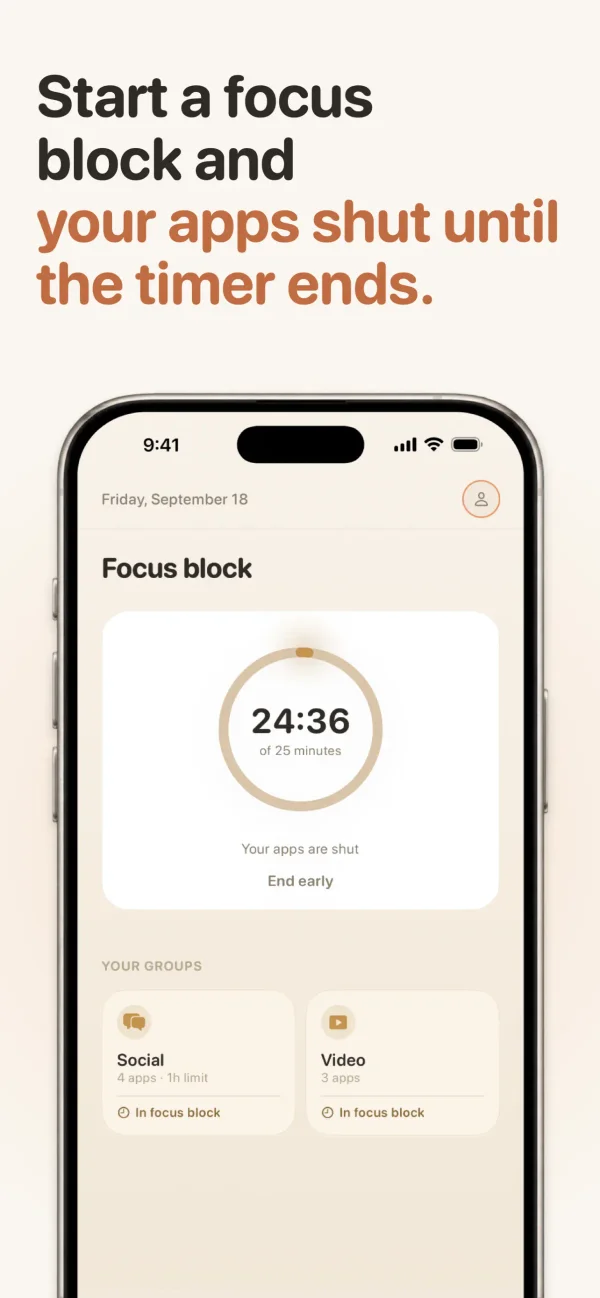
Start a timer for something you're working on, and your apps stay closed until it runs out.
WHEN YOU NEED A BREAK
You can lower the shield for fifteen minutes, up to three times a day. It's there for the times you really need an app.
SHIELD FAMILY
Pair your kid's iPhone and set their goals, habits, bedtime and a daily limit from your own phone. Their apps open once they've finished what you set. Shield Family is an optional subscription, and the first week is free.
PRIVACY
Shield is built on Apple's Screen Time. Apple doesn't tell us which apps you block, and your usage data stays on your phone. There are no ads, and we don't sell your data.
Shield is free to use. You'll need a free account, which takes about twenty seconds and keeps your goals and friends when you switch phones.
Terms of Use: https://shieldblocker.netlify.app/terms
Privacy Policy: https://shieldblocker.netlify.app/privacy
What’s new
Version 1.3.1 · Nov 12, 2026
Goals you set for your kid now last for the day, and more.
• Shield Family: goals you set now last for that day, and you can set tomorrow's the night before. Habits can be set for particular days. Your kid gets a notification when you change today's goals.
• Parents: for a child under 13, Shield now asks for your OK. Their phone's rules pause until you answer, so please update too.
• Starting Shield Family is new: a short walkthrough of what you can set for your kid, then your free week, then pairing their phone.
• You can now set up Shield Family from Settings, keeping your own goals and friends.
• The Night tab is now Breaks, for any time you plan to be off your phone, and it has a Work starter.
• Long stretches now end in a breather, and a daily limit tells you when 10 minutes are left.
• A lowered shield now goes back up right on time.
• Your streak on History no longer replays when you come back to the app.
App privacy
What Zak Riesen declares on the App Store about how this app handles data.
-
Data linked to you
May be collected and linked to your identity.
- Purchases
- Contact info
- User content
- Identifiers
- Usage data
- Other data
Privacy practices may vary, for example with the features you use or your age.
Information
- Seller
- Zak Riesen
- Category
- Health & Fitness
- Version
- 1.3.1
- Updated
- Nov 12, 2026
- Released
- Aug 13, 2026
- Size
- 23.0 MB
- Requires
- iOS 16.0 or later
- Age rating
- 4+
- Price
- Free
- In-app purchases
- Yes
- Languages
- English
- Copyright
- © 2026 Zak Riesen
You might also like
-
 Lambada SportCalories, food and activity
-
 Sona: AI Voice JournalMood Tracker & Reflection
-
 JengaLife: Habit TrackerDaily Goals & Life Pillars
-
 HydroLoop: Water TrackerDrink Water Reminder & Goal
-
 Saaci - Smart Sickle Cell AppWellness and Health Tracker
-
 Macros Counter and TrackerLog, track, record macros +cal
-
 Fightie WOD - Workouts & TimerHealth & Fitness
-
 Bingo Life: ADHD PlannerLow-energy daily habit bingo
-
 Voice Journal & AI: StemAudio Diary, Mood & Therapy
-
 Relax Sounds - CalmingRelax Now..