
- Age rating4+
- CategoryBusiness
- DeveloperZAKHAR GALANIN
- LanguagesEnglish
- Size35.4 MB
Links to the official App Store page
Download.org hosts no file of SHIFT by GEKON. The button opens its official App Store page, published by ZAKHAR GALANIN. Listing last checked on Nov 24, 2026.
Screenshots


About
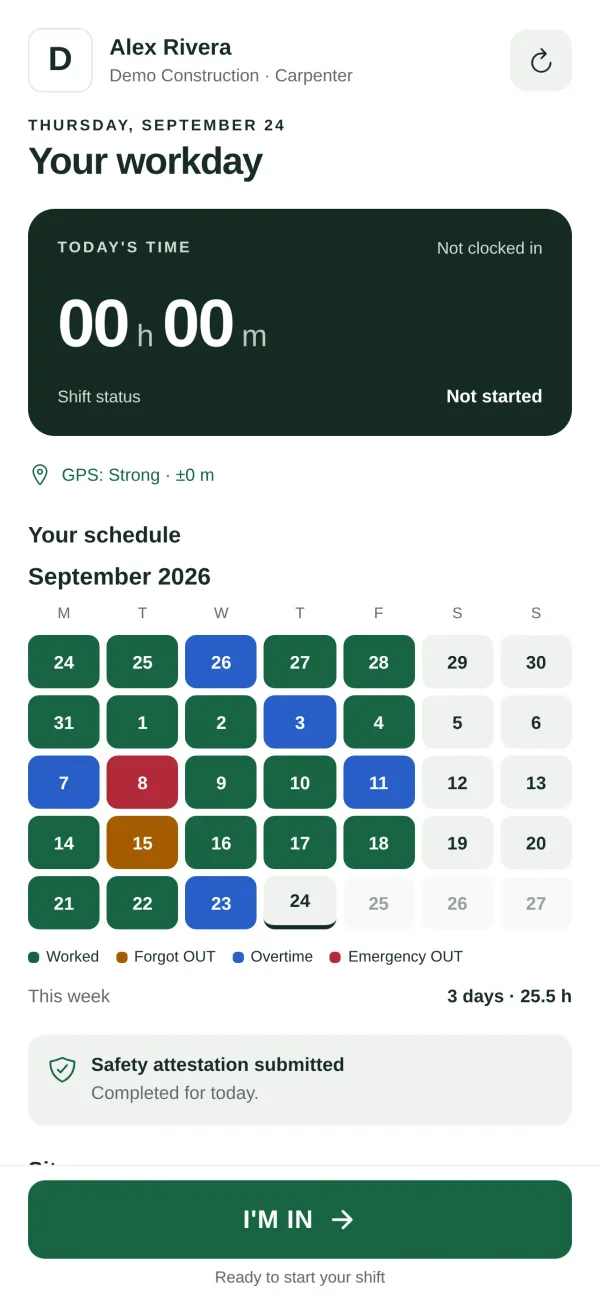
SHIFT is the time clock for construction crews. Your hours are recorded where you are standing, at the minute you press the button, and nobody has to remember them on Friday.
This is a company app. To use it you need a company code from your foreman.
CLOCK IN AND OUT ON SITE
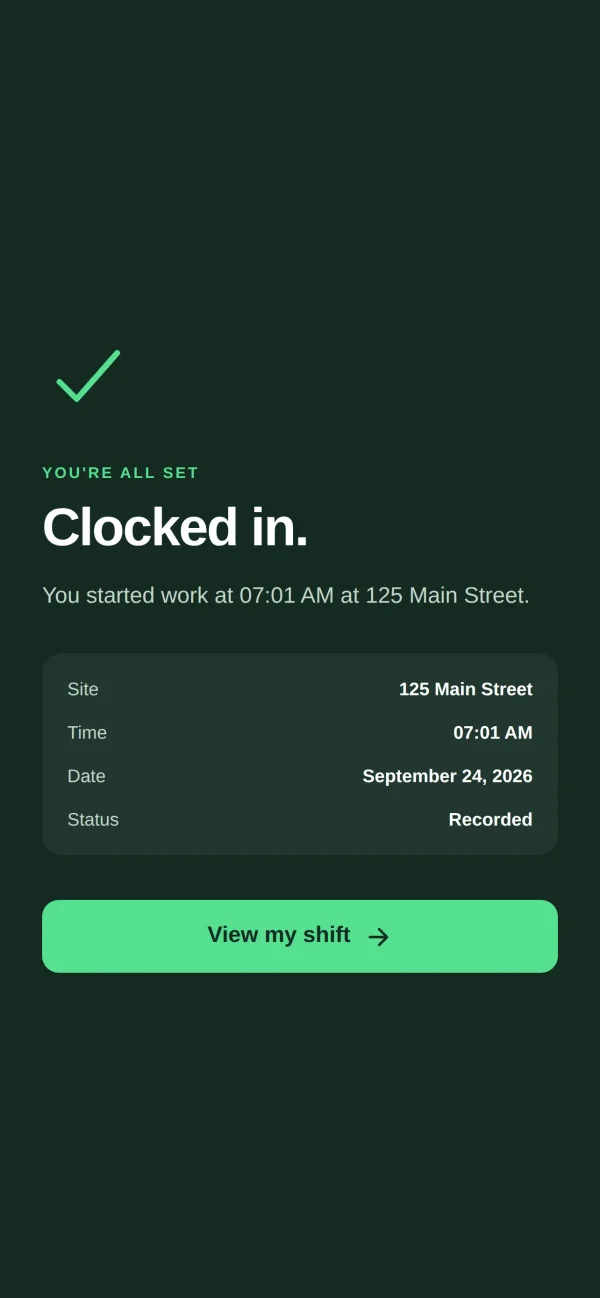
Tap I'M IN when you arrive. The app checks that you are at the job site before it records anything, so your hours are tied to a real place and a real time. No paper, no phone calls, no arguing about it on Friday.
YOUR DAY, IN FRONT OF YOU
A running timer shows the hours you are on the clock right now. A calendar shows the days you worked and the total for the week, so you can check your own pay before anyone else does.
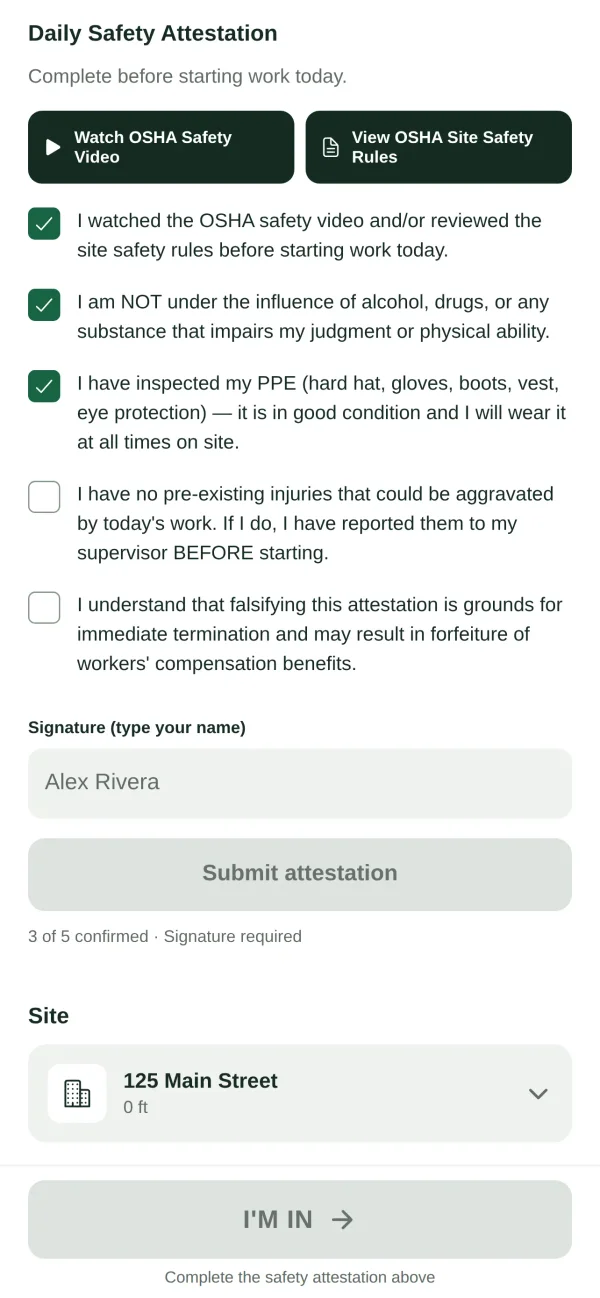
THE DAILY SAFETY ATTESTATION
Before your first clock-in each day you confirm the safety statements and sign. It takes a few seconds, and it is the record that protects you.
YOUR OSHA CARD
Photograph it once. The office reviews it, the app tells you when it is approved, and it warns you before it expires.
A PHOTOGRAPH AT THE END OF THE SHIFT
One picture records the state of the work when you left. If the camera will not open, you can still clock out — the app records that you could not, so nobody has to guess later.
WORKS IN ENGLISH, SPANISH AND RUSSIAN
Every screen, all three languages, switched whenever you like.
FOR FOREMEN
Submit change orders from the site, with photographs, without going back to the office.
WHAT YOU NEED TO START
A company code from your foreman, and your name. Nothing else — no email, no password.
WHAT THE APP USES
Your location, to confirm you are at the site when you clock in or out. If your company switches on site checks, also from time to time while you are clocked in, even with the app closed, so the office knows if you leave the site — this needs location set to "Always", and it stops the moment you clock out. The camera, for your OSHA card and the end-of-shift photograph. The app never tracks you between shifts.
What’s new
Version 2.3.0 · Nov 23, 2026
SHIFT 2.3.0
• Forgot to clock out? If your company uses site checks and you leave the site still clocked in, the app reminds you 15 minutes later. One tap clocks you out at the time you left — no photo needed.
• Much less battery: location is checked every half hour instead of every two minutes. Arriving and leaving are still noticed at once.
• If the app hits an error, you see a clear message instead of a blank screen. Your clock-ins stay safe.
• Better screen-reader support.
App privacy
What ZAKHAR GALANIN declares on the App Store about how this app handles data.
-
Data linked to you
May be collected and linked to your identity.
- Location
- Contact info
- User content
- Identifiers
-
Data not linked to you
May be collected but is not linked to your identity.
- Diagnostics
Privacy practices may vary, for example with the features you use or your age.
Information
- Seller
- ZAKHAR GALANIN
- Category
- Business
- Version
- 2.3.0
- Updated
- Nov 23, 2026
- Released
- Mar 3, 2026
- Size
- 35.4 MB
- Requires
- iOS 16.0 or later
- Age rating
- 4+
- Price
- Free
- Languages
- English
- Copyright
- © 2026 Zakhar Galanin
You might also like
-
 TooDoo IncBusiness
-
 Priced - Estimates & InvoicesEstimate maker for Contractors
-
 RalcoBusiness
-
 BiltOn USConstruction Operations
-
 Voice Translator:All LanguagesAi Translate English - Spanish
-
 ZignylProductivity
-
 Fontsly KeyboardCute Fonts & Custom Keyboards
-
 dlxPAYFinance
-
 Training ConnectValidate your NYC DOB TC Card
-
 SafetyConnect AppBusiness