Shift Calendar – Backshift
Work Schedule, Hours & Pay
Designed for iPhone, iPad
Free · In-app purchases
- Age rating4+
- CategoryProductivity
- DeveloperCAN BAYRAKTARBASI
- LanguagesEnglish+ 35 more
- Size63.6 MB
Links to the official App Store page
Download.org hosts no file of Shift Calendar – Backshift. The button opens its official App Store page, published by CAN BAYRAKTARBASI. Listing last checked on Nov 23, 2026.
Screenshots


About
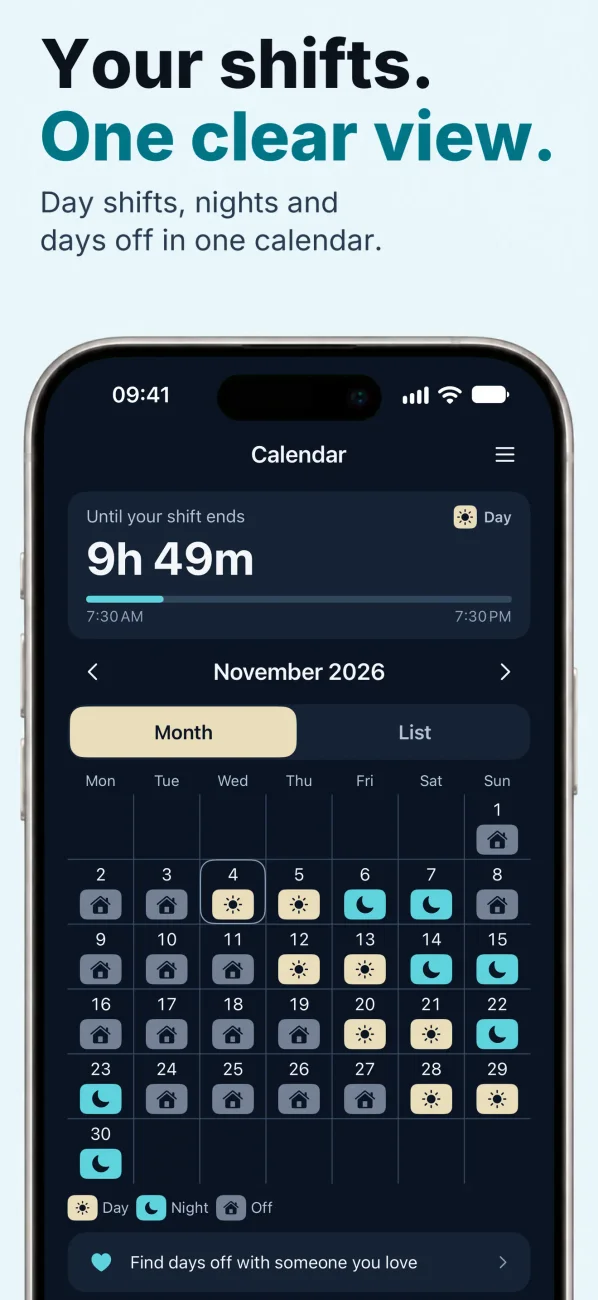
Your shift pattern, set up once. Your whole month, clear at a glance.
Backshift is a shift calendar for people whose week doesn't start on Monday: nurses, doctors, police officers, firefighters, factory and warehouse crews, security officers, care workers and anyone on a rotating schedule.
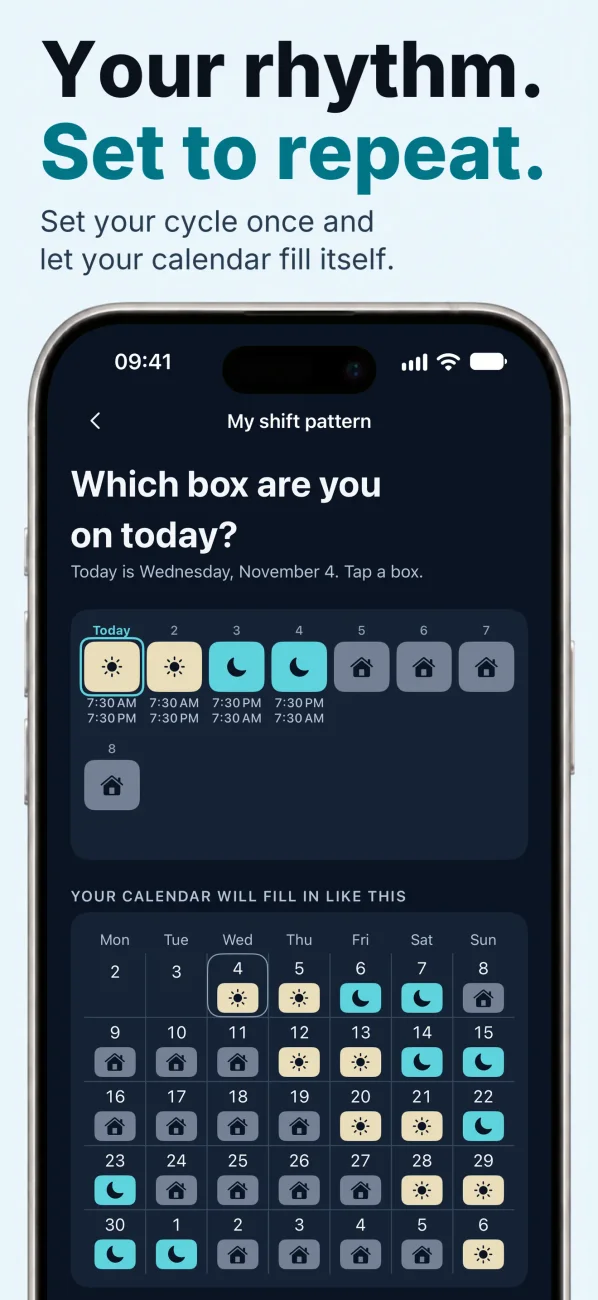
BUILD YOUR ROTATION ONCE
Two days, two nights, four off? Build it step by step and your calendar fills itself: this month, next month, every month. Start from a ready pattern (2 days · 2 nights · 4 off, 24 on · 48 off, three shifts 3×8, 5 on · 2 off) or build your own with any shift types, hours and unpaid breaks, like a 14 on · 7 off oilfield hitch. Swapped a shift, took PTO or called in sick? Change that one day without touching the rest, and add a note if you like.
YOUR MONTH IN COLOR
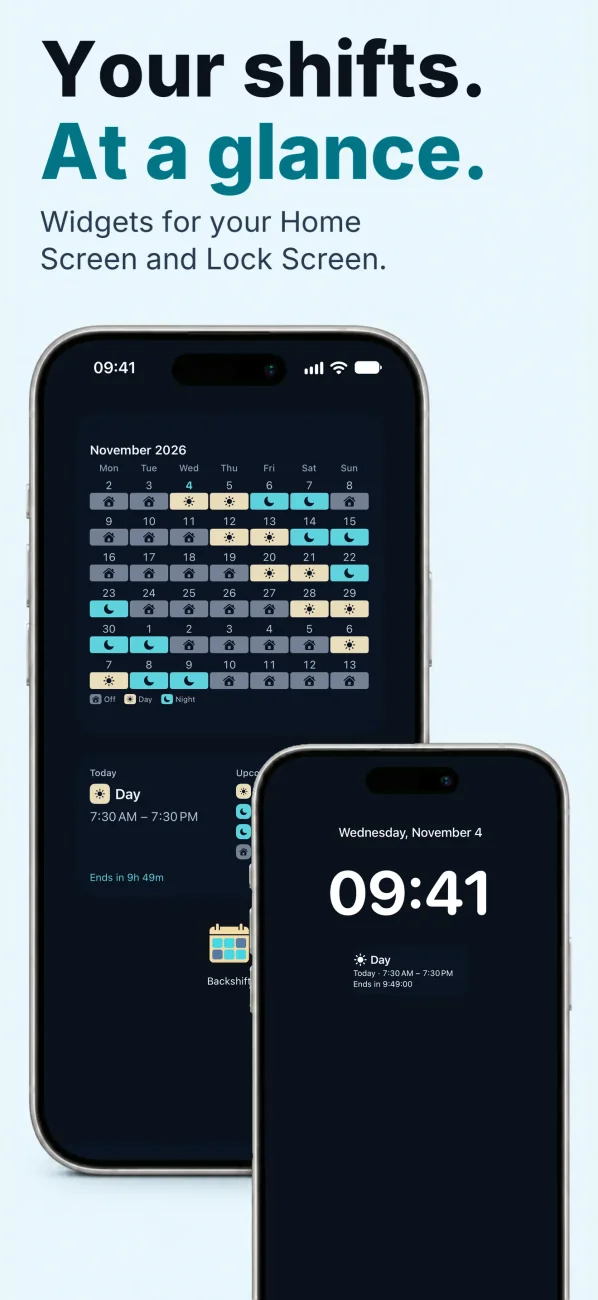
Every shift type gets its own color band across the month. Spot three nights in a row or four days off before anyone asks "are you free on the 14th?" Prefer a list, light mode or larger text? It's all there.
HOURS AND ESTIMATED PAY
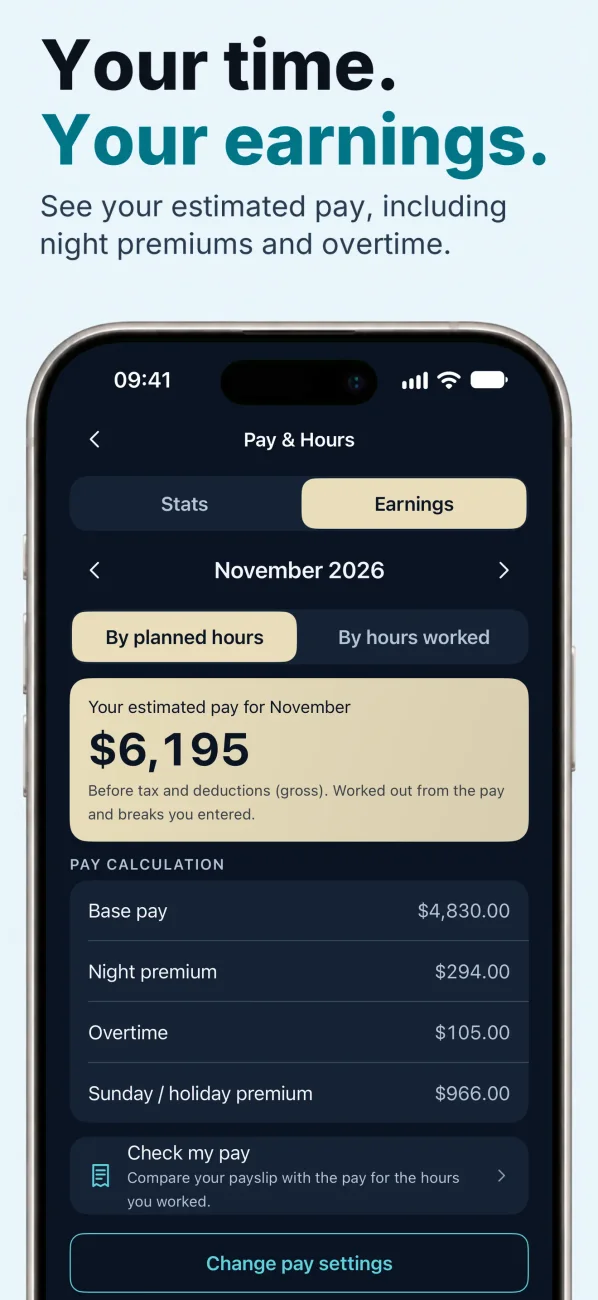
Enter your hourly rate and Backshift shows the month's hours, overtime and estimated earnings on one clean page. Night, overtime, Sunday and holiday premiums follow the percentages you set. When a shift ends you get one question; skip it and the shift counts as planned. It's a personal estimate of your paycheck, not a pay stub or payroll.
CHECK YOUR PAY STUB
Paid monthly? Choose the month and enter the gross amounts from your pay stub. Backshift compares them with the shifts you worked and shows, line by line, where base pay, a premium or the gross total doesn't match, with the math behind each line. Only gross amounts are compared; net pay, taxes and deductions aren't included. Part of Backshift Pro.
WITHOUT OPENING THE APP
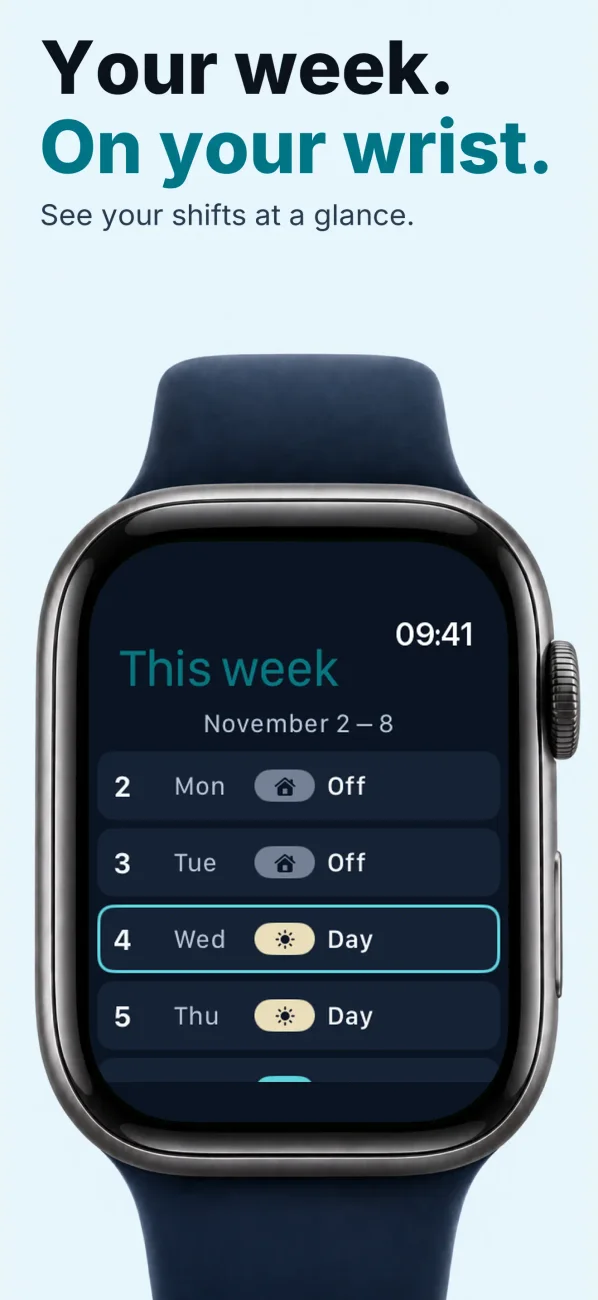
With Backshift Pro, open the app once during your shift to follow the countdown and estimated pay on your Lock Screen and Dynamic Island. Widgets show your month and your next shift. On Apple Watch, check your week and see your next shift right on your watch face. Get a reminder before every shift, at the time you choose.
SHIFTS FOR TWO
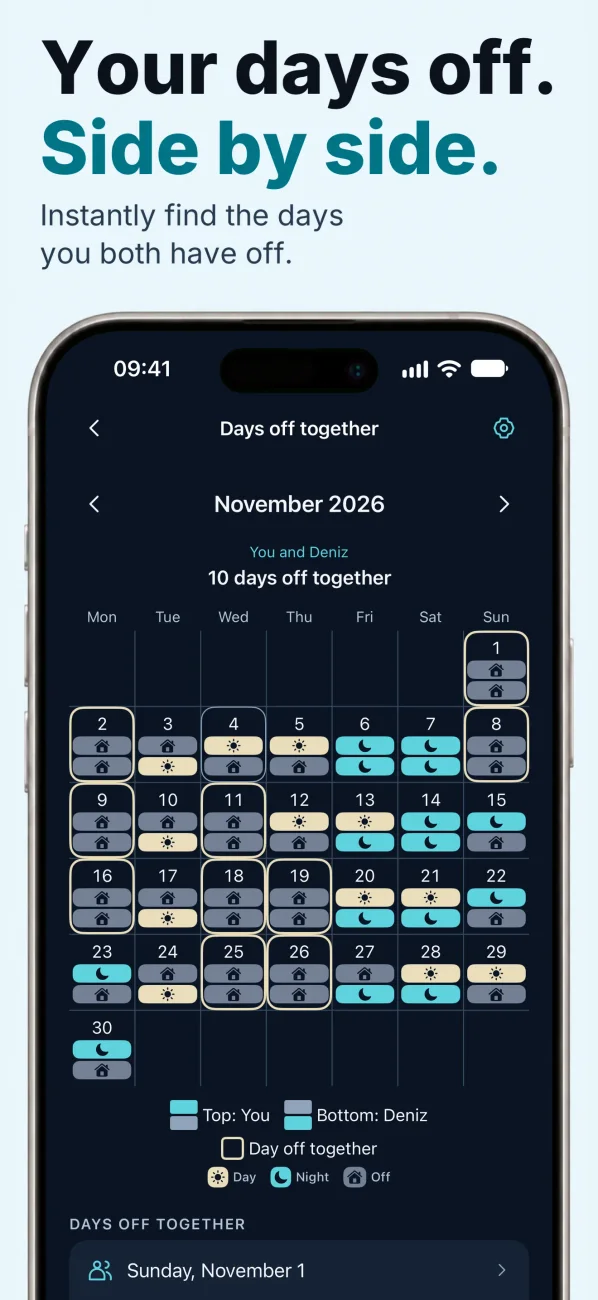
Share your calendar with one person and see both rotations side by side. The days you're both off are highlighted. Your pay and notes are never shared.
NIGHT SHIFT GUIDE
Short articles on daytime sleep, caffeine timing and winding down, each with its real sources listed. General wellness information, not medical advice.
EXPORT
A monthly PDF report, plus a calendar file (.ics) for any calendar app.
MADE FOR 3 AM
Dark mode first, high-contrast colors, numbers that line up. Your data stays on your device and syncs with your own iCloud. Back up and restore anytime. Available in 36 languages.
FREE AND PRO
Existing users keep their current free features. New users get 3 work types plus days off, this month and next month, basic hours, one small Home Screen widget and calendars shared with them. Pro unlocks all months, pay and payslip results, Live Activities, Apple Watch, other widgets and export, plus the existing Pro features. Eligible users can try the yearly plan free for 7 days. If Pro ends, your calendar and records stay. Choose monthly, yearly or a one-time lifetime purchase. Subscriptions renew automatically unless canceled at least 24 hours before the end of the current period; manage them in your Apple Account settings.
Terms of Use: https://www.apple.com/legal/internet-services/itunes/dev/stdeula/
What’s new
Version 1.2.2 · Nov 21, 2026
• New icon: sun, moon and home.
• A quick summary when your first week and each month end: how many shifts, how many hours, how much overtime.
• Small fixes.
App privacy
What CAN BAYRAKTARBASI declares on the App Store about how this app handles data.
-
Data not collected
The developer does not collect any data from this app.
Privacy practices may vary, for example with the features you use or your age.
Information
- Seller
- CAN BAYRAKTARBASI
- Category
- Productivity
- Version
- 1.2.2
- Updated
- Nov 21, 2026
- Released
- Oct 7, 2026
- Size
- 63.6 MB
- Requires
- iOS 18.0 or later
- Age rating
- 4+
- Price
- Free
- In-app purchases
- Yes
- Languages
- English, Arabic, Bengali, Catalan, Croatian, Czech, Danish, Dutch, Finnish, French, German, Greek + 24 more
- Copyright
- © 2026 Deha Studios
You might also like
-
 Shift Calendar – Shift CycleWork schedule, hours & pay
-
 My Work Shift Planner: RotaHours Tracker & Pay Calendar
-
 Shift Planner: Work CalendarShift & Event Calendar
-
 ZenShift: Shift CalendarWork Schedule, Hours & Pay
-
 Shift Calendar: Work SchedulesNurse Rota & Rotation Planner
-
 Shift Calendar: Work PlannerRotating Shifts & Nurse Rota
-
 My Calendar - Shift scheduleWork Planner & Earnings
-
 Work Hours Tracker - TimesheetShifts & Payroll calculator
-
 Shift Work Calendar & ScheduleMy shifts planner & tracker
-
 Supershift - Shift CalendarWork Schedule, Job Day Planner