ShiftAlarm: Work Schedule
Shift Calendar, Alarms & Pay
Designed for iPhone, iPad
Free · In-app purchases
- Age rating4+
- CategoryProductivity
- Developer明 刘
- LanguagesEnglish+ 2 more
- Size49.4 MB
Links to the official App Store page
Download.org hosts no file of ShiftAlarm: Work Schedule. The button opens its official App Store page, published by 明 刘. Listing last checked on Nov 24, 2026.
Screenshots

About
Import an Excel/CSV roster or build a repeating work/off pattern, then keep shifts, reminders, and hours organized in one place.
ShiftAlarm is a shift calendar and alarm app for rotating schedules, night work, duty shifts, and overtime. See what you work today, know when to leave, and keep your whole month organized in one place.
KEY FEATURES
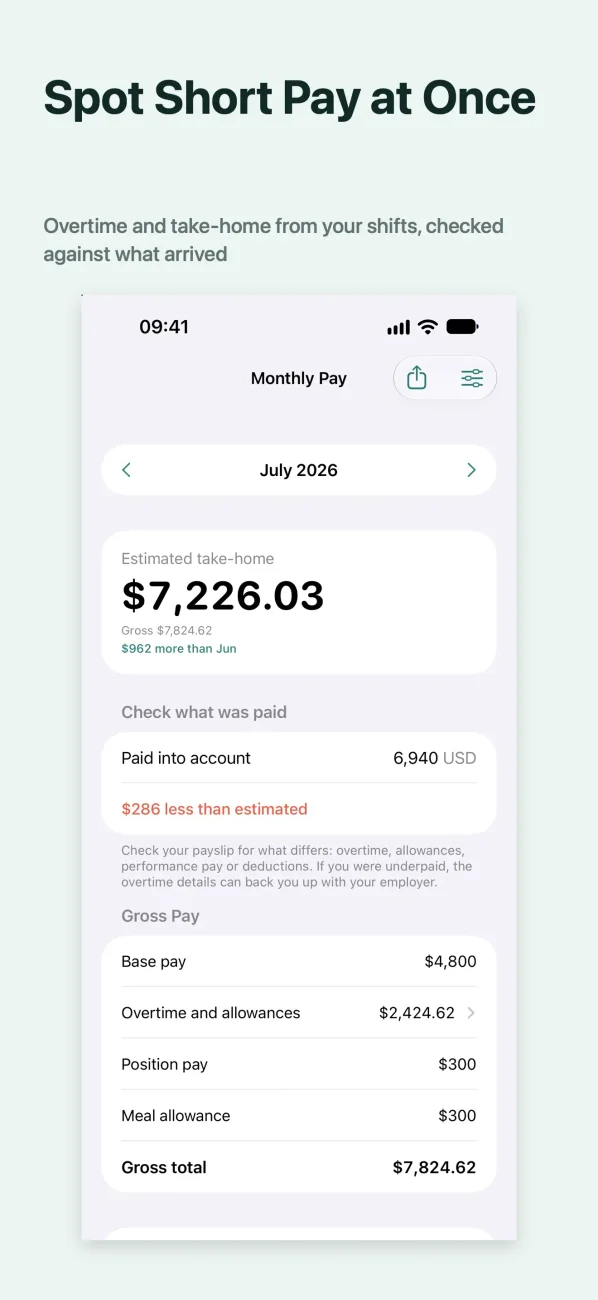
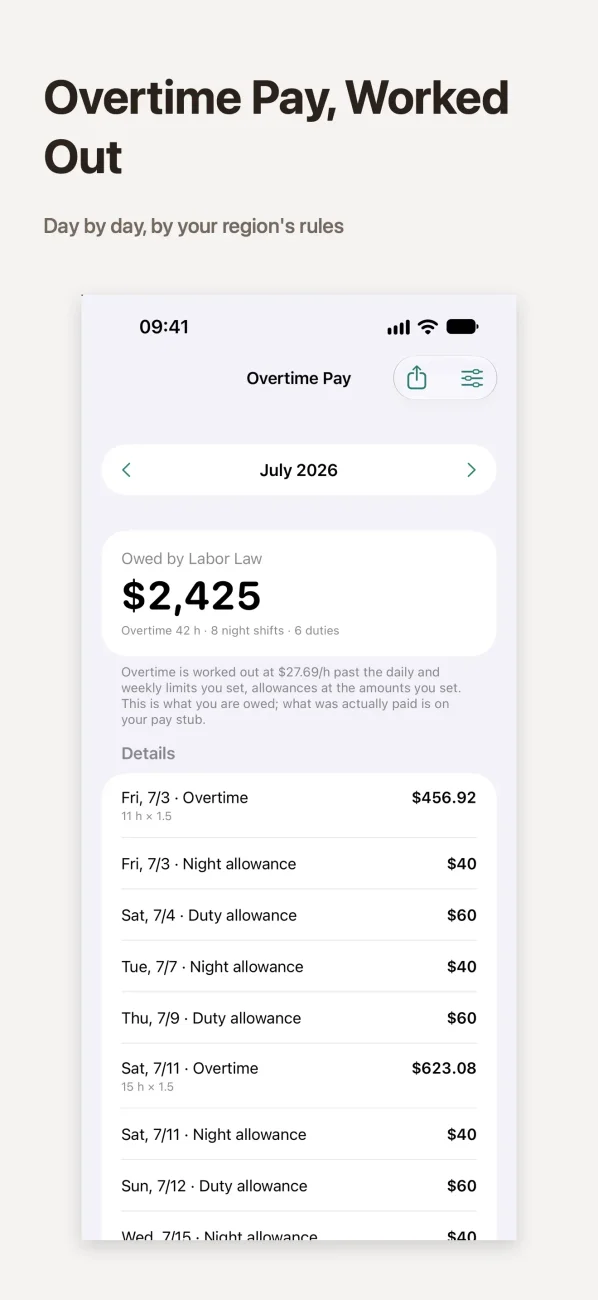
Overtime and monthly pay (Pro)
Work out overtime pay from your shifts by your region's rules: hours past 40 a week in the US, past 8 a day or 40 a week in Canada, and the local rules in Taiwan, Hong Kong and mainland China. Add base pay, bonuses and allowances item by item, see Social Security, Medicare, CPP, EI and withholding taken off, and check what was actually paid. Export the month as an image to compare with your pay stub. Free users see this month's overtime hours.
Schedule assistant (Pro)
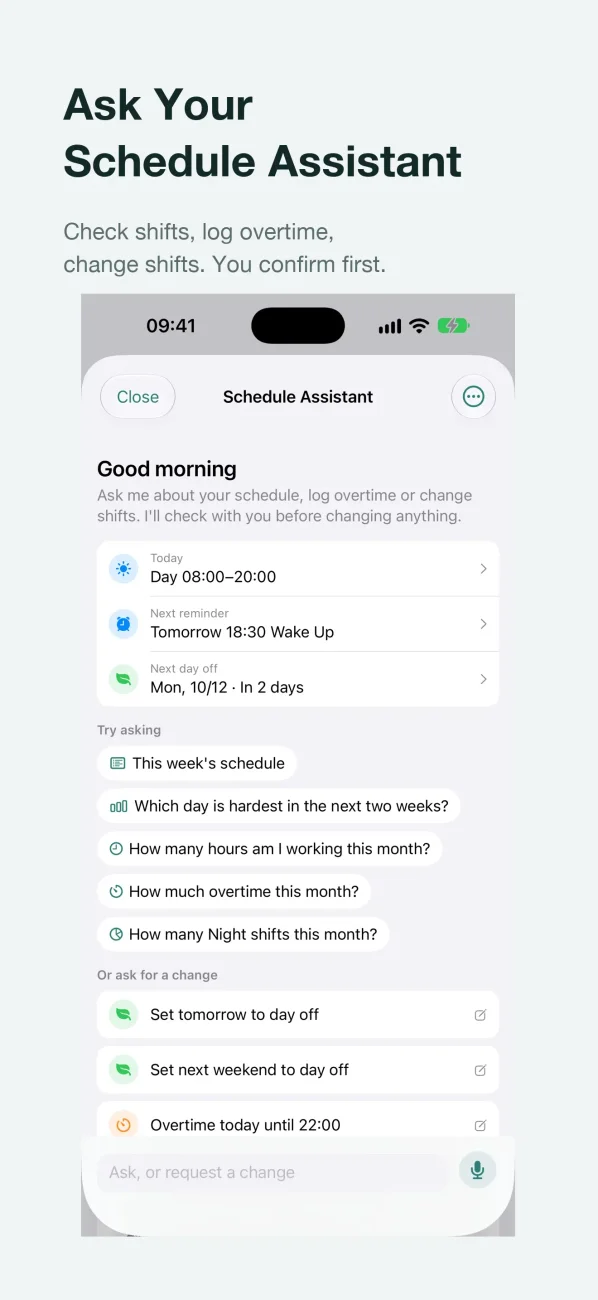
Check your schedule, log overtime or change shifts in one sentence, typed or spoken. Every change waits for your confirmation and can be undone. You can also ask Siri what you work tomorrow.
Alarm check
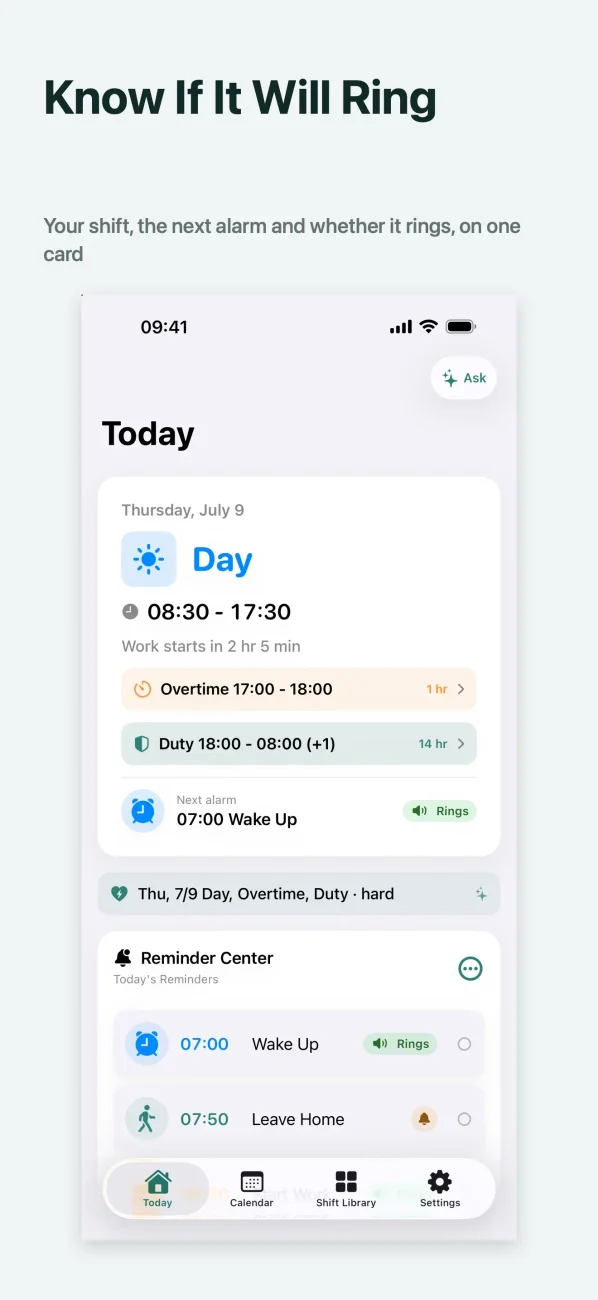
See how every reminder in the next 48 hours will sound, and turn ordinary notifications into alarms with one tap.
Schedule analysis
Spot where your roster cuts into sleep, such as short breaks between shifts, runs of night shifts or too many days in a row, with suggestions. Connect Apple Health to compare the sleep it recorded with each shift: sleep is only read, on your device, and nothing is written to Apple Health.
Today's shift and countdown
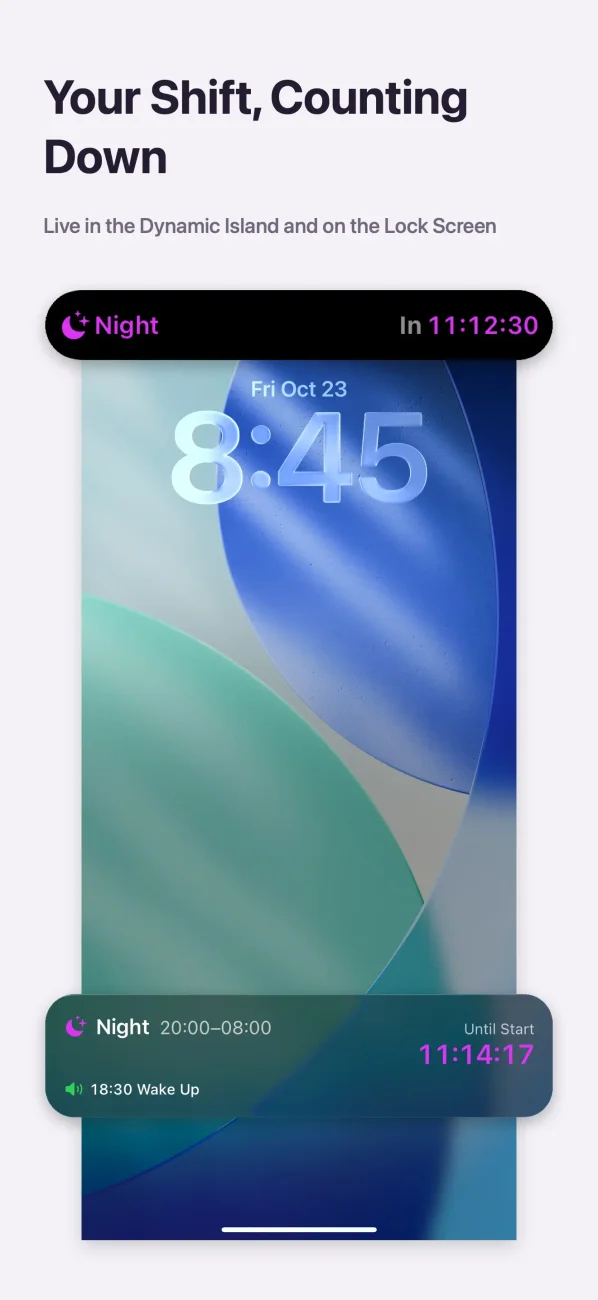
See today's shift, start and end times, time until work or clock-out, and your next reminder.
Shift calendar
View morning, evening, night, off, and duty shifts directly on a monthly calendar.
Cycle scheduling
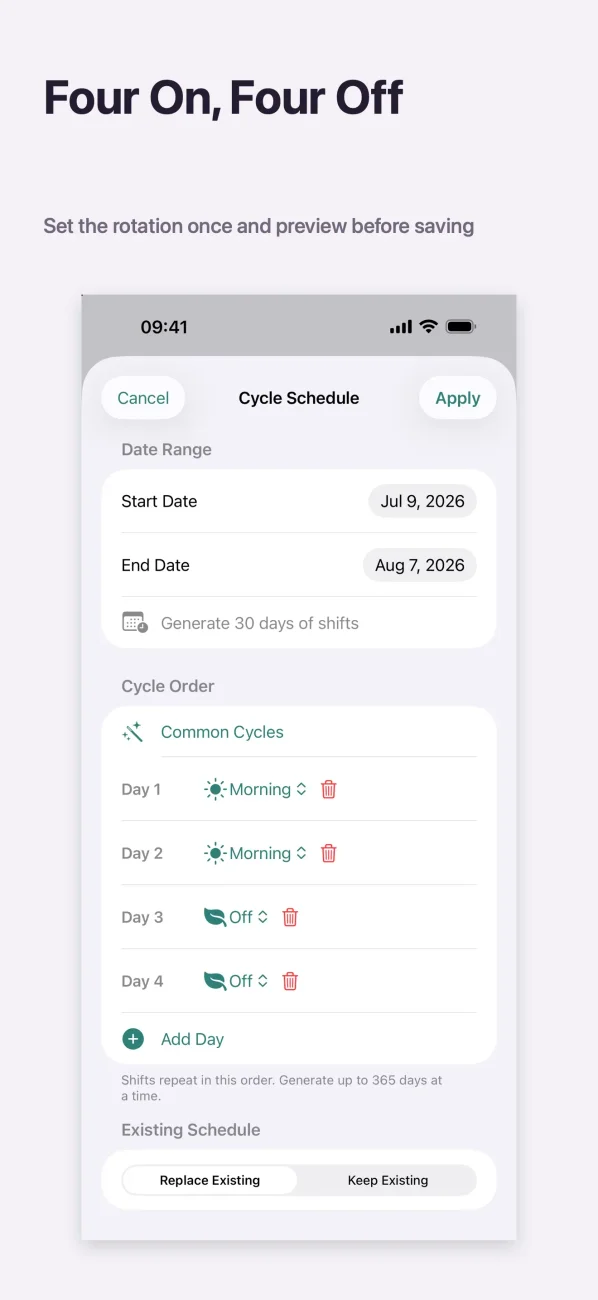
Create repeating patterns such as two days on and two days off. Preview and generate up to 365 days while choosing whether to replace or keep existing shifts.
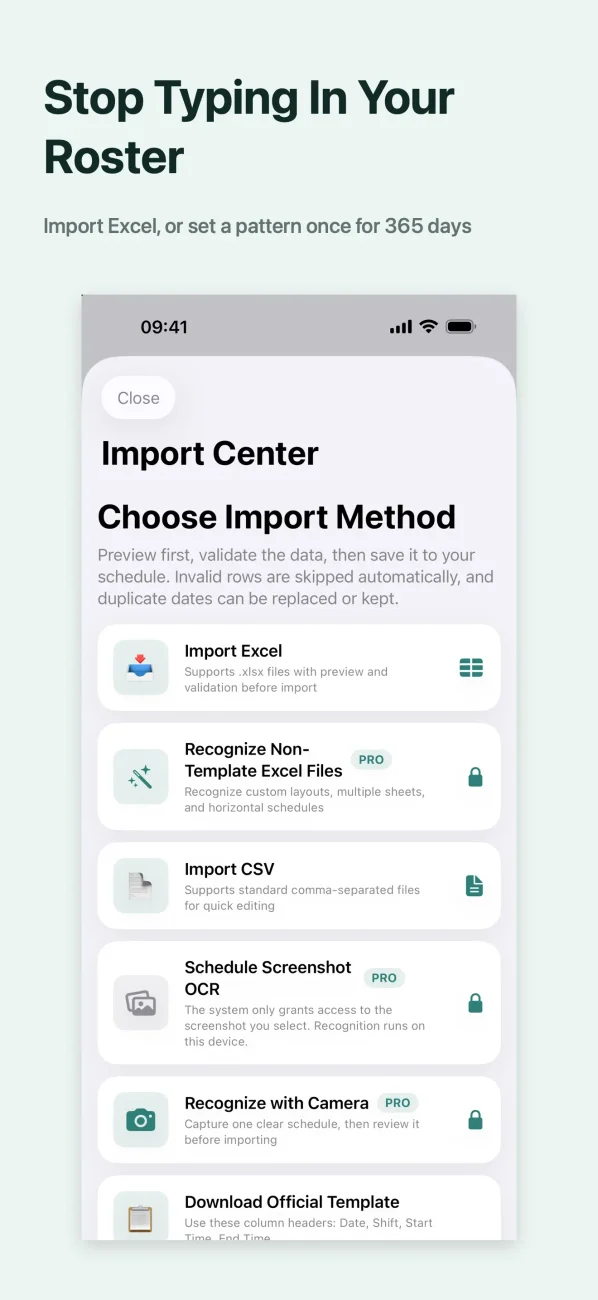
Excel and CSV import
Preview and validate your existing roster before saving it. Matching shift times can be synchronized, while duplicate dates can be replaced or kept.
Shift library
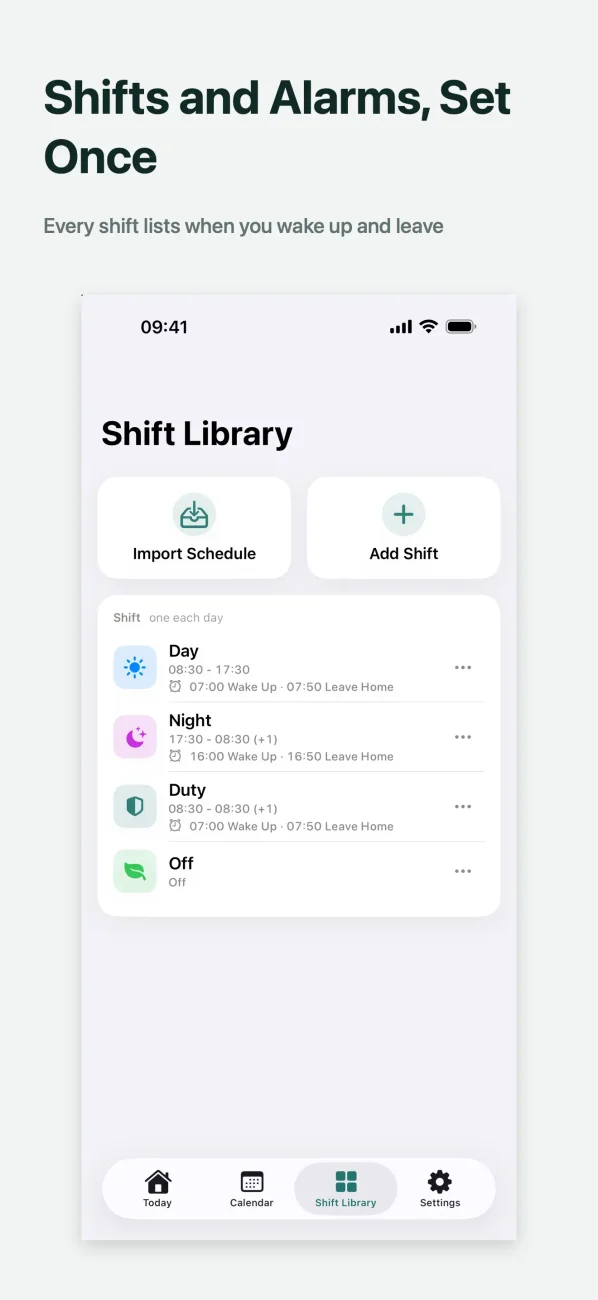
Create, edit, and duplicate reusable shift templates for different work patterns.
Overtime and work-hour statistics
Record overtime or temporary duty and review regular hours, overtime, total hours, workdays, and shift distribution.
Shift reminders
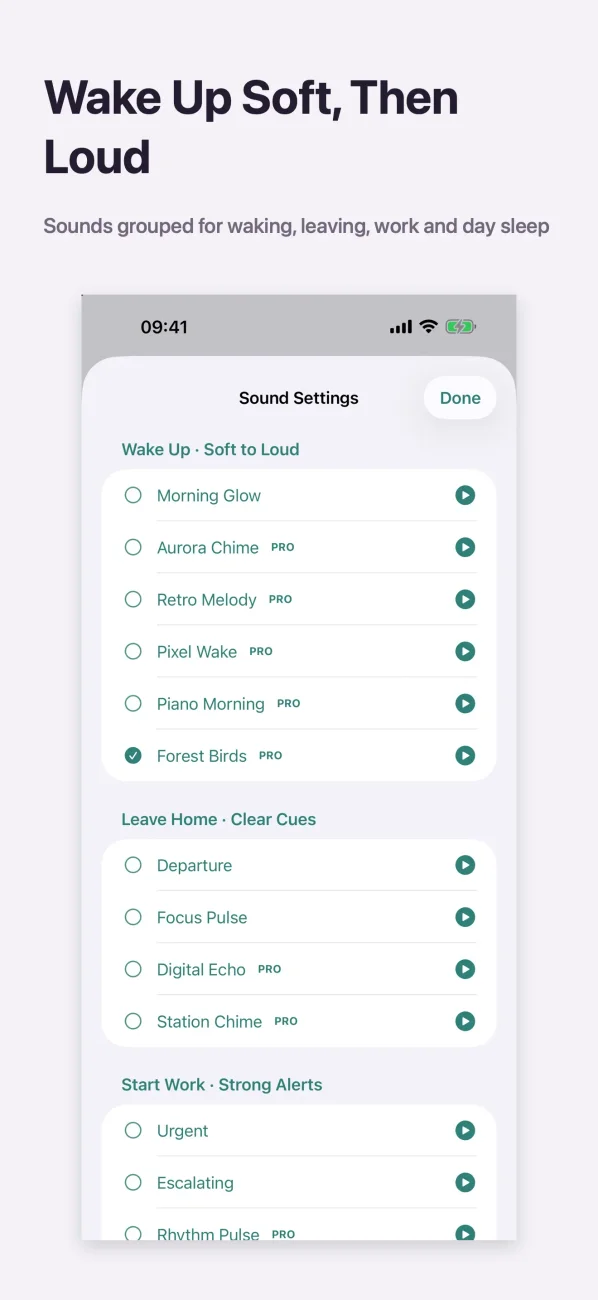
Set wake-up, departure, and work reminders for each shift and choose a reminder sound.
Home Screen widgets
Check today's shift, countdown, next reminder, and weekly roster without opening the app. The This Month’s Pay widget shows this month's overtime and expected take-home pay.
Holidays and languages
Choose built-in holidays for Mainland China, Hong Kong, Taiwan, the US or Canada, or turn them off; overtime pay and deductions follow the region you choose. ShiftAlarm supports Simplified Chinese, Traditional Chinese, and English.
Built for healthcare, security, manufacturing, rail, aviation, emergency services, and anyone working rotating schedules.
No account is required. Your schedules and reminders stay on your device, and imported roster files are not uploaded to a server.
What’s new
Version 2.6 · Nov 24, 2026
Reminders by month and by shift:
• A reminder can now repeat on chosen weekdays or on chosen days of the month, such as the 1st and 15th, or the 5th to the 10th
• It can also ring only on certain shifts, such as “the 20th of each month, on a day shift only” or “Sundays on a day shift”
• When the day comes it rings only if the date and the shift both match. On another shift it does not ring, and it is not moved to a later day
• See, change and switch off every repeating reminder in Today › Reminder Center › ⋯ › Repeating Reminders
A heads-up before your cycle schedule runs out:
• A cycle schedule fills a set number of days, and after them there are no shifts and no alarms. Now you get a note at 8 pm a week before the last day, and Today shows it too
• Tap Carry On with the Same Pattern to continue from the next day in the same order, with a preview before anything is made
• A new cycle now fills a year by default, and the end date can still be changed. It tells you how many days in that range already have shifts, and you choose to replace or keep them
A timetable for each week, for teachers:
• The timetable is kept a week at a time: a week without its own carries on from the week before, any week can be changed alone, and a week can be marked as a holiday
• This Week’s Lessons on Today shows which periods you teach each day, and opens the whole week; each day in the calendar shows its lessons too
• The timetable only shows what you teach. Your working hours and alarms still follow your fixed shift, and the timetable never changes them
• Adding and editing a timetable by hand is free
Timetable photos leave your shifts alone (Pro):
• A timetable read from a picture is shown for you to check, then saved for this week or next week only
• A picture of the school’s bell schedule is labelled row by row (arrival, lessons, breaks, lunch, after-school care, closing) and suggests fixed working hours, which apply only after you confirm
• Per-lesson shifts left by the last version’s import can be put back to fixed hours at once from This Week’s Lessons: every day that would change is listed first, nothing changes until you confirm, and you can undo it
App privacy
What 明 刘 declares on the App Store about how this app handles data.
-
Data not collected
The developer does not collect any data from this app.
Privacy practices may vary, for example with the features you use or your age.
Information
- Seller
- 明 刘
- Category
- Productivity
- Version
- 2.6
- Updated
- Nov 24, 2026
- Released
- Jul 24, 2026
- Size
- 49.4 MB
- Requires
- iOS 18.0 or later
- Age rating
- 4+
- Price
- Free
- In-app purchases
- Yes
- Languages
- English, Simplified Chinese, Traditional Chinese
- Copyright
- © 2026 ShiftAlarm
You might also like
-
 Rota - Shift PlannerPrivate, offline shift planner
-
 Shift Calendar AlarmWake-up alarms for shift work
-
 Shift Alarm: Auto ClockAutomatic shift alarm clock
-
 Stacks: Save & Share AnythingTodos, Photos, Places and More
-
 Pluck - Save for LaterSave Anything, Find It Later
-
 ShifRoll: Shift Rota PlannerRoster calendar, alarms & pay
-
 NurseCycle: Nurse ScheduleShift calendar for nurses
-
 Do It Today: Daily AI PlannerSimple To-Do List & Agenda
-
 Linkfisher: Bookmark CatcherUltimate cure for link chaos
-
 Haru: Your Day at a GlanceImport, remind, repeat & sync