ShiftDeck: Shift Work Calendar
Rotating Schedule, Shift Alarm
Designed for iPhone, iPad
Free · In-app purchases
- Age rating4+
- CategoryProductivity
- DeveloperAtanas Dimitrov
- LanguagesEnglish+ 4 more
- Size66.3 MB
Links to the official App Store page
Download.org hosts no file of ShiftDeck: Shift Work Calendar. The button opens its official App Store page, published by Atanas Dimitrov. Listing last checked on Nov 17, 2026.
Screenshots
About
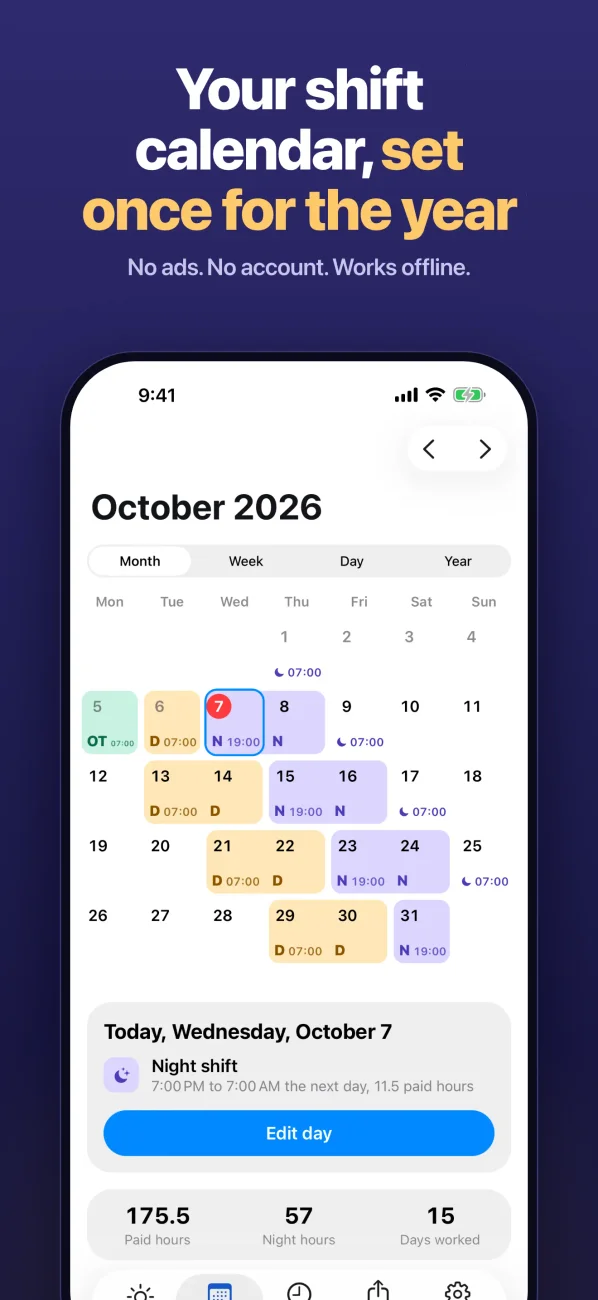
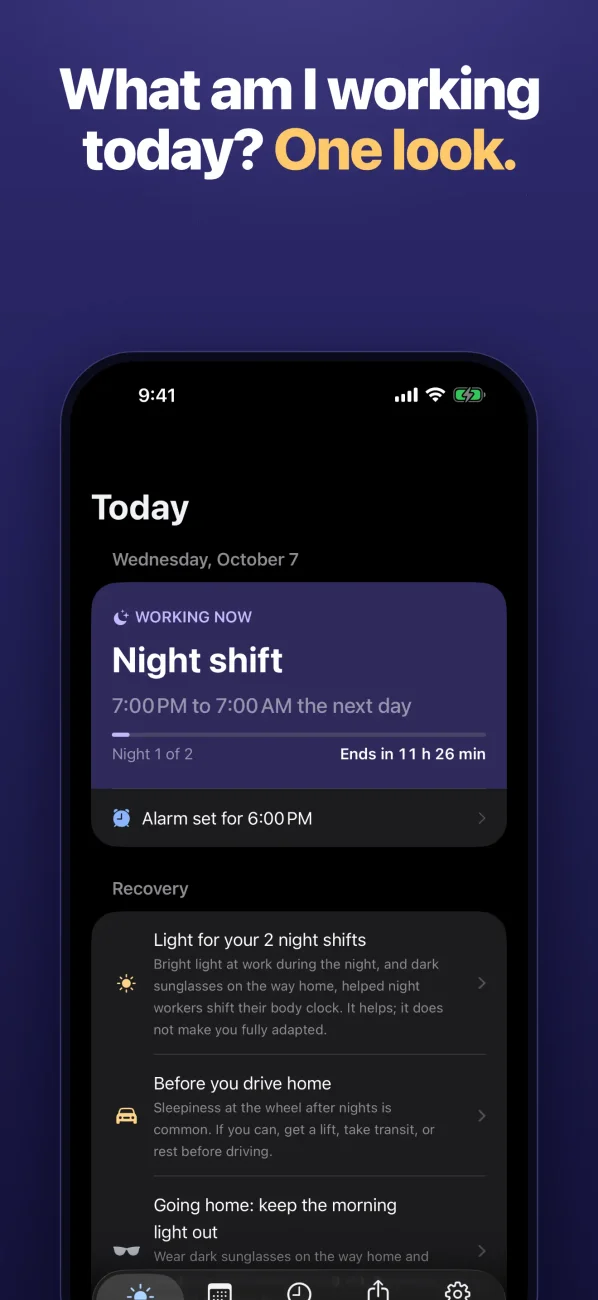
Enter your rotating schedule once. ShiftDeck draws your whole working year, wakes you before every shift and never on a day off, and counts your hours and overtime.
Free with no ads: the full calendar, an alarm before every shift, paid hours, widgets and every export. One optional, one-time unlock adds the rest. No subscription. No account needed.
Any rotating schedule
Start from 2-2-3 (Panama), 4 on 4 off, DuPont, 7 on 7 off, 24 on 48 off or a weekly pattern, or build any cycle day by day, such as Pitman, Continental or nights only. A live preview shows your year as you go. One-off changes sit on top of your pattern without touching it.
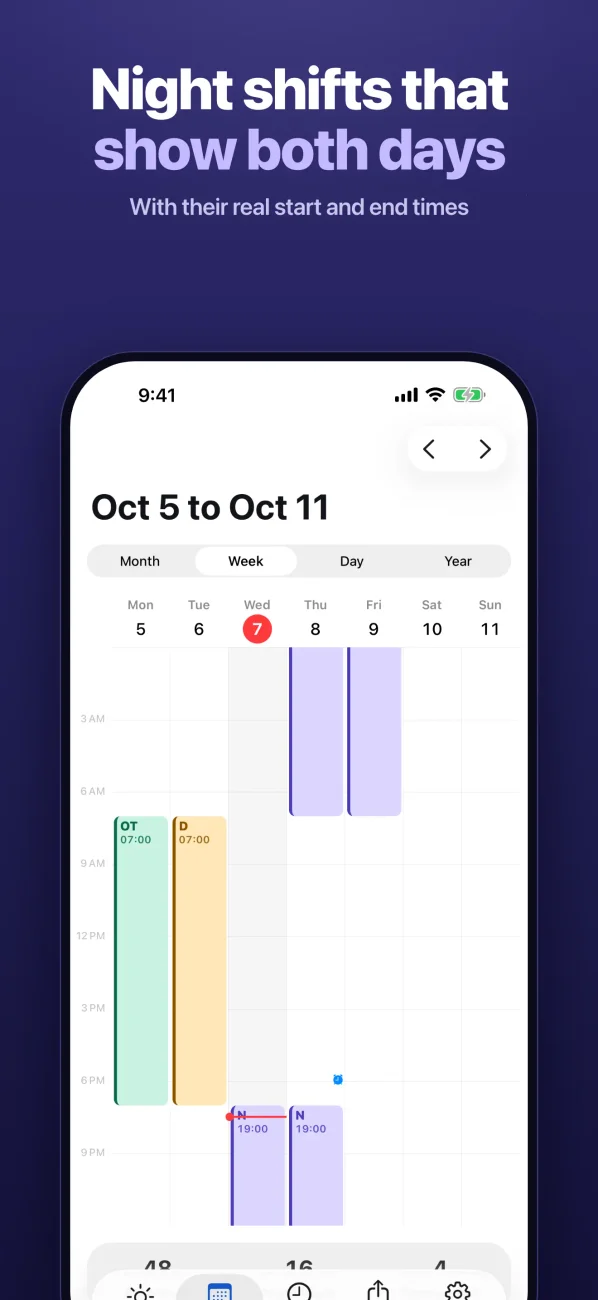
Night shifts that show both days
A night shift sits on the day it starts, with its start time, and its finish shows on the next morning. The week view draws the whole block across midnight. Hours are real time worked, even on the nights the clocks change.
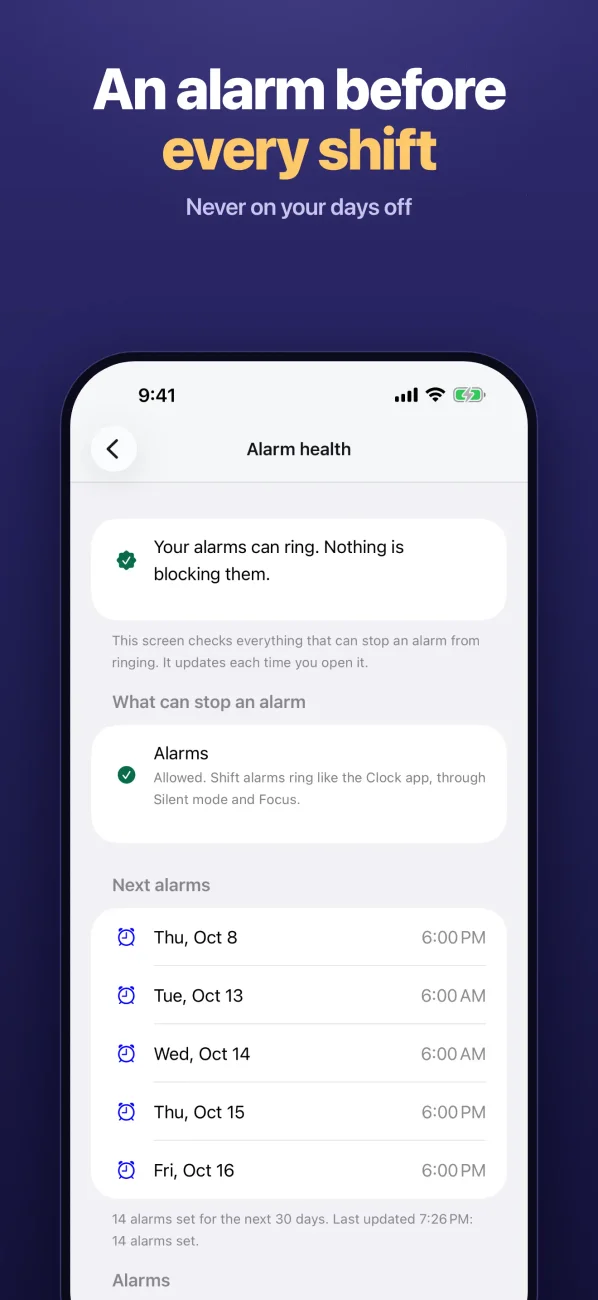
An alarm before every shift
Alarms follow your pattern, swaps and sick days, so they ring before shifts and stay quiet on days off. They are real alarms, not plain notifications. Alarm health checks everything on your phone that could stop one, and tells you how to fix it.
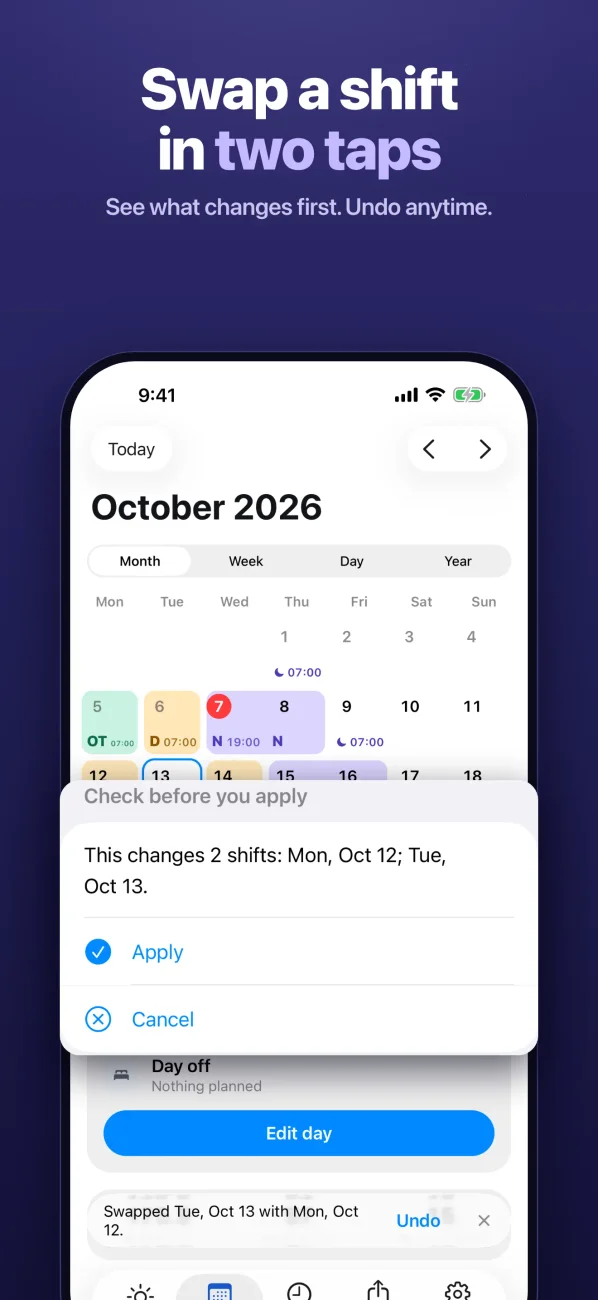
Swap in two taps
Pick the day and the date to trade with. ShiftDeck shows what the change affects before you apply it, moves the alarm with the shift, and keeps every change one tap from undo.
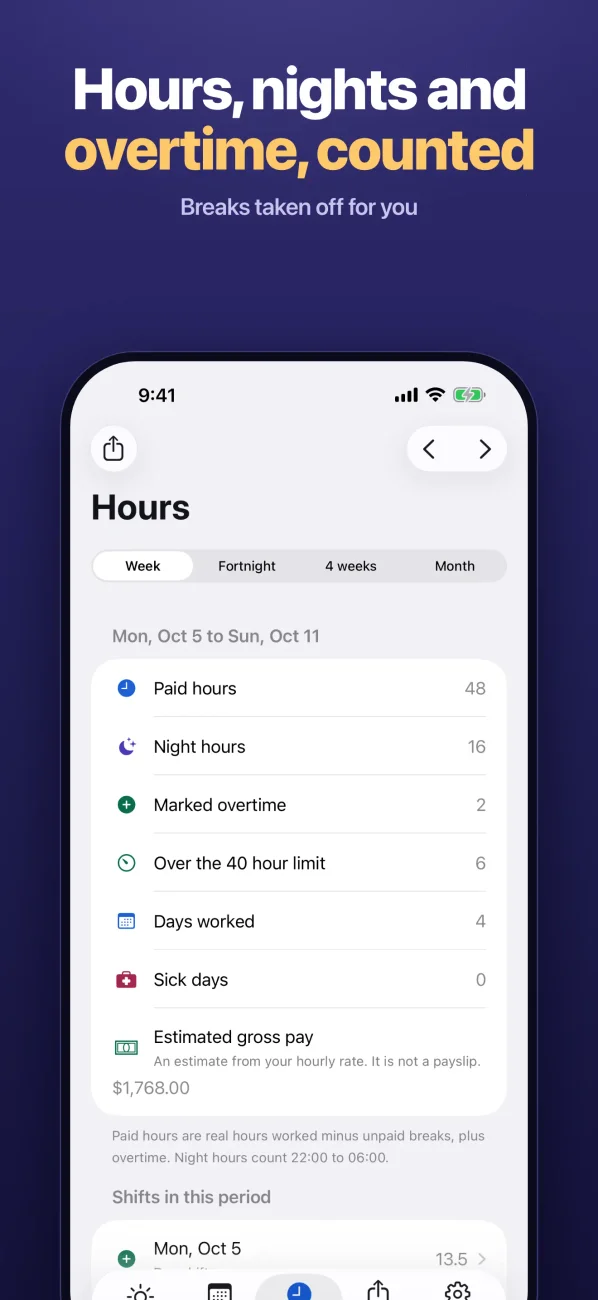
Hours, nights and overtime
Paid hours with unpaid breaks taken off, night hours, overtime by week, fortnight or four weeks, and an estimate of gross pay from your hourly rate.
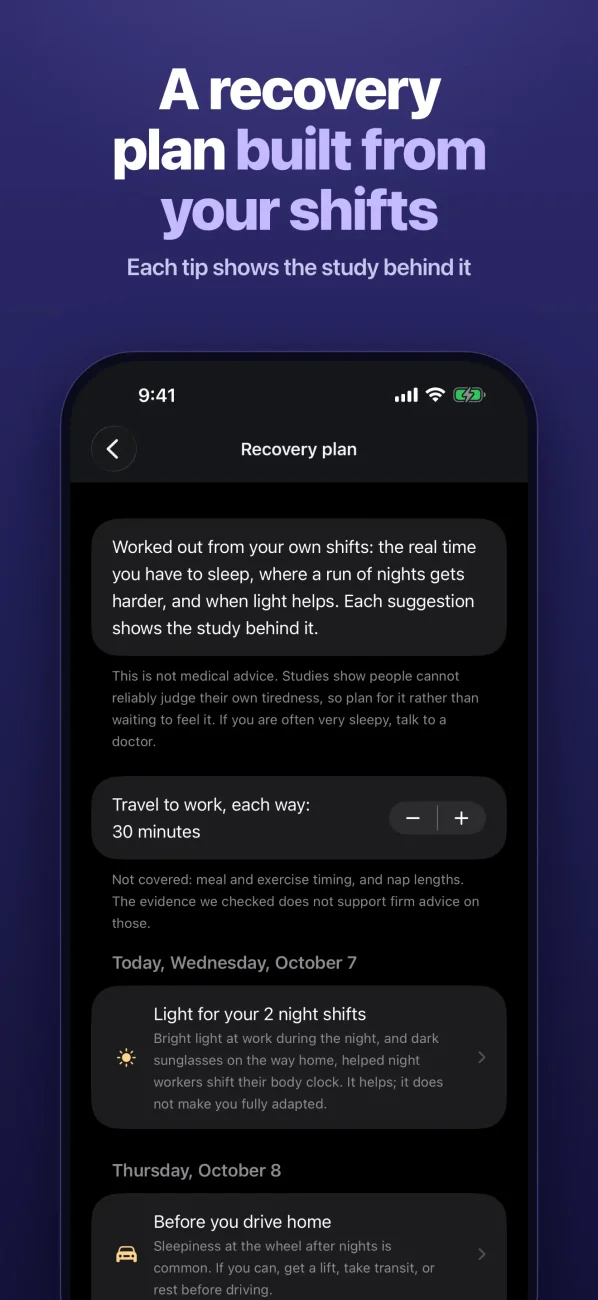
A recovery plan from your shifts
Sleep windows and advice for early starts and runs of nights, worked out from your real schedule. Each suggestion shows the study behind it. It is not medical advice.
Your next shift at a glance
Home and lock screen widgets, a next-shift Live Activity, and an Apple Watch app with a complication.
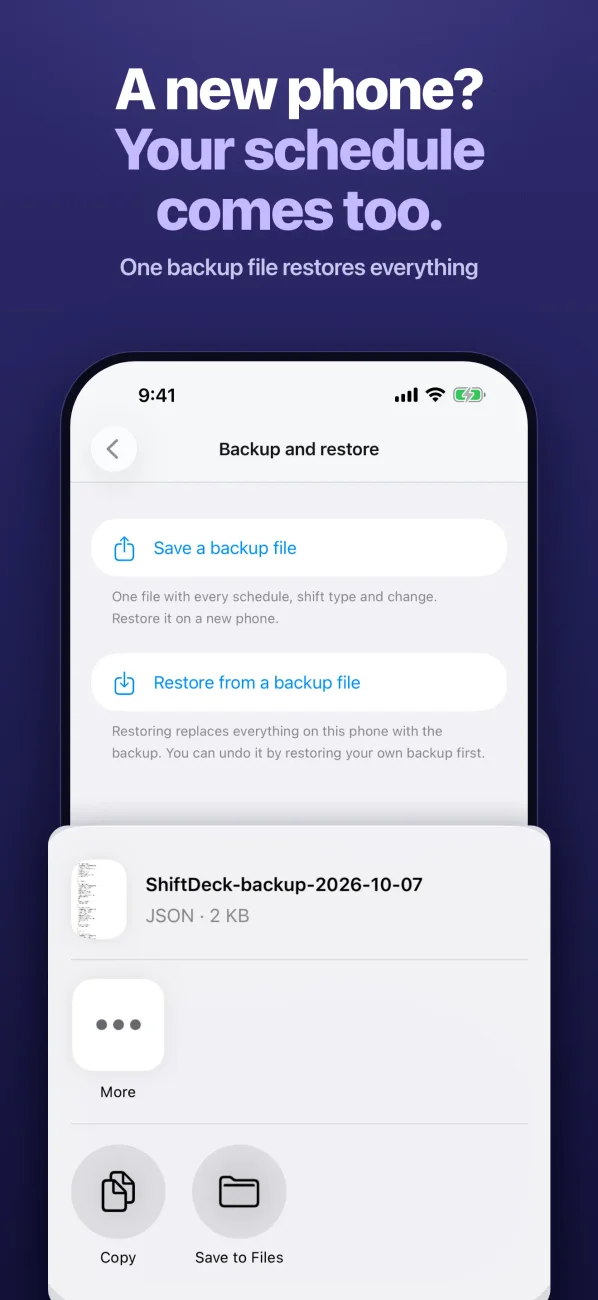
A schedule that survives a new phone
One backup file restores everything. Export to your calendar (.ics) or a printable PDF, or publish a calendar link that stays up to date.
Share with your partner and team
A read-only link or QR code with shift times only: no pay, no notes. Compare with a colleague to find days you are both off, or run a team schedule with swap requests. Sharing needs a free account. Nothing else does.
Read a printed schedule
Take a photo of a paper schedule. The text is read on your phone, matched to your shift types, and you check each day before one undoable change.
Private by design
Your schedule lives on your phone and works offline, in a basement or on a night shift with no signal. No ads, no tracking. Anonymous usage statistics only if you say yes.
Built for everyone
VoiceOver reads the month as a table, text scales to 200%, color is never the only signal, and a pre-dawn palette keeps early mornings easy on the eyes.
Free, with no ads
• One schedule and the full calendar
• An alarm before every shift
• Paid hours and night hours
• Widgets, six languages and the pre-dawn palette
• Backup, calendar and PDF exports, and a calendar link
One-time unlock
• Up to three schedules, for second jobs
• Extra alarms and lead times
• Overtime rules and pay estimates
• Bulk edits
• Partner page, colleague compare and teams
• Recovery plan and paper schedule import
• Apple Watch and the next-shift Live Activity
Every paid feature is free for your first 7 days, with no card and nothing to cancel.
Questions? support@retroselfie.me
Privacy: https://retroselfie.me/shiftdeck/privacy
Terms: https://retroselfie.me/shiftdeck/terms
App privacy
What Atanas Dimitrov declares on the App Store about how this app handles data.
-
Data linked to you
May be collected and linked to your identity.
- Identifiers
- Usage data
Privacy practices may vary, for example with the features you use or your age.
Information
- Seller
- Atanas Dimitrov
- Category
- Productivity
- Version
- 1.0
- Updated
- Oct 14, 2026
- Released
- Oct 14, 2026
- Size
- 66.3 MB
- Requires
- iOS 16.4 or later
- Age rating
- 4+
- Price
- Free
- In-app purchases
- Yes
- Languages
- English, French, German, Polish, Spanish
- Copyright
- © 2026 NaughtySpirit
You might also like
-
 Shift Calendar: Offline & EasyRotating shifts & days off
-
 WonarioProductivity
-
 Mein Dienstplan – SchichtplanProductivity
-
 Calendar Work ProShift Tracker & Rotation Log
-
 PratictudeProductivity
-
 ShiftpoolSwap shifts without the chaos
-
 Shiftora: Shift CalendarWork Schedule & Hours Tracker
-
 Cadence: Am I On or OffShift rotation calendar
-
 Turnus Shift Rota PlannerWork calendar, hours & pay
-
 Zettel-To-do: AbhakenProductivity