ShiftWake: Night Shift Alarm
Auto wake-up for rotating work
Designed for iPhone
In-app purchases
- Age rating4+
- CategoryUtilities
- DeveloperWataru Ishibashi
- LanguagesJapanese+ 1 more
- Size12.6 MB
Links to the official App Store page
Download.org hosts no file of ShiftWake: Night Shift Alarm. The button opens its official App Store page, published by Wataru Ishibashi. Listing last checked on Nov 12, 2026.
Screenshots

About
Never oversleep a shift again because you forgot to set the alarm.
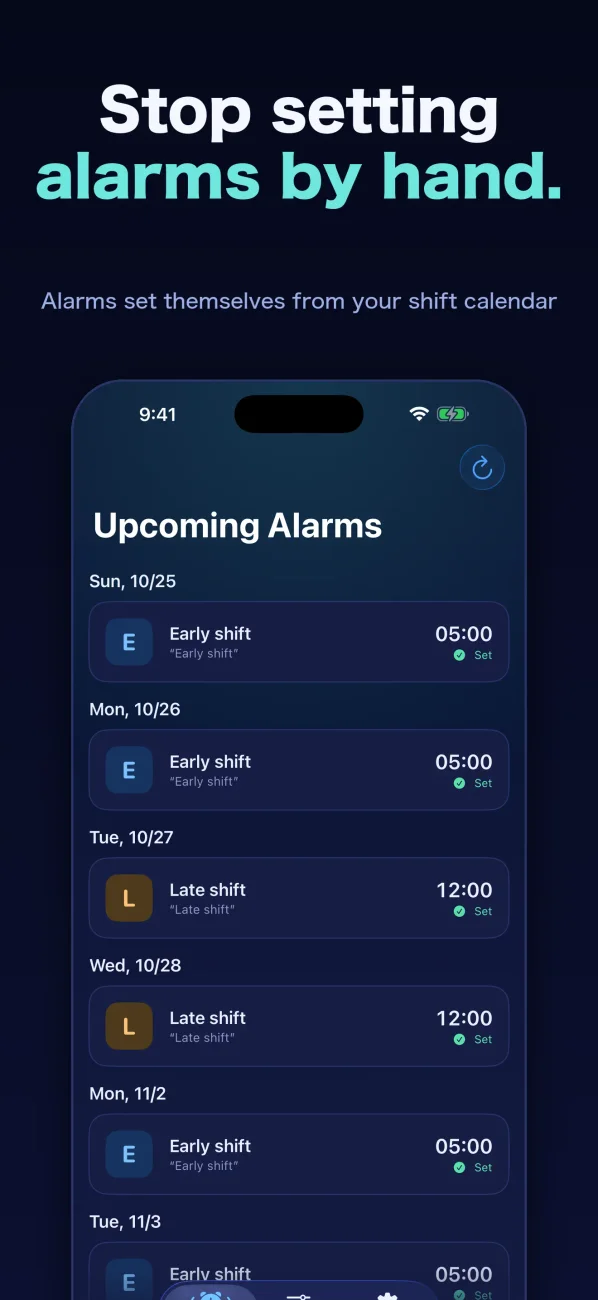
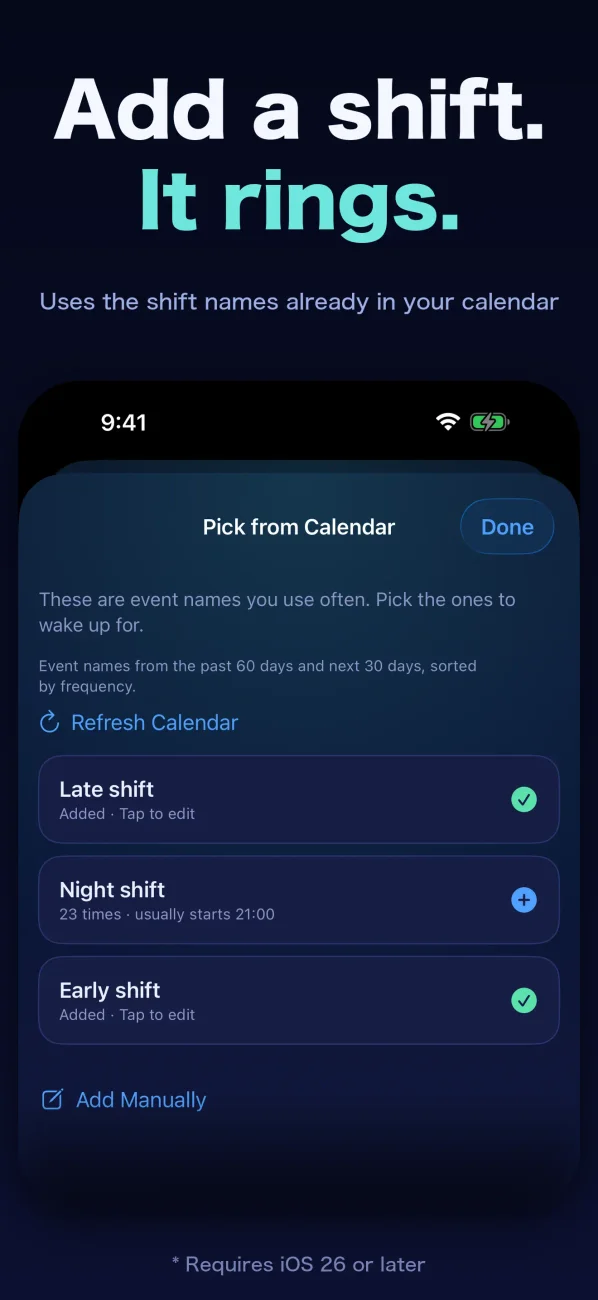
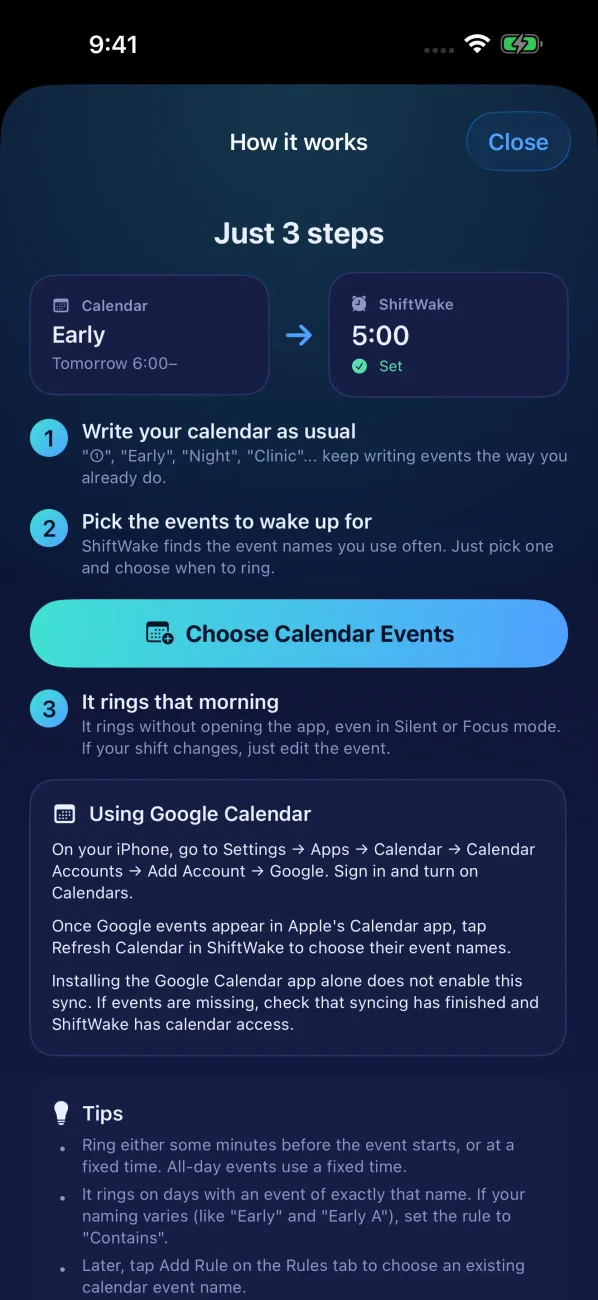
ShiftWake reads the shift symbols you already write in your iPhone Calendar (like "①" or "Night") and automatically sets a real alarm for that day. Powered by iOS 26 AlarmKit, the alarm rings even in Silent or Focus mode, so you actually wake up.
■ Made for
- Rotating shift workers: nurses, caregivers, factory, security
- Anyone whose alarm time changes from day to day
- People who've been burned by forgetting to set an alarm
■ Features
- Auto-schedules alarms from your calendar shift symbols
- Job presets (nurse 3/2-shift, factory 2/3-shift) for instant setup
- "Minutes before event" mode for appointments and handovers
- Follows shift changes automatically and notifies you
- 12 built-in alarm sounds to choose from
- A reassuring home screen that lists all upcoming alarms
- Dark & Light mode
■ Pricing
- Free for up to 2 rules (covers a simple two-shift pattern)
- Pro (monthly or one-time purchase) unlocks unlimited rules
Note: Due to iOS restrictions, ringtones and alarm tones set in the system Clock app cannot be used by third-party apps. Choose from the built-in sounds instead.
■ Terms & Privacy
- Terms of Use (Apple Standard EULA): https://www.apple.com/legal/internet-services/itunes/dev/stdeula/
- Privacy Policy: https://aynyan2828.github.io/shiftwake/
- The Pro monthly plan is an auto-renewing subscription. It renews unless canceled at least 24 hours before the end of the current period. You can cancel anytime in Settings > Apple Account > Subscriptions.
What’s new
Version 1.1.0 · Oct 31, 2026
• Create alarm rules by choosing frequently used event names from your calendar.
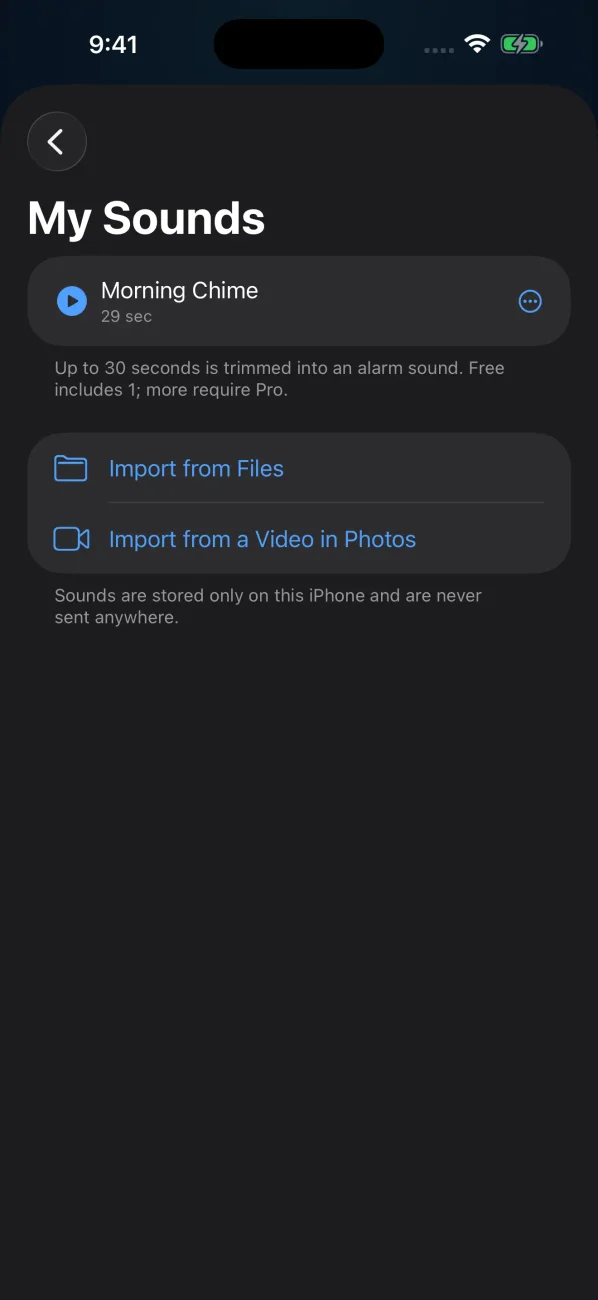
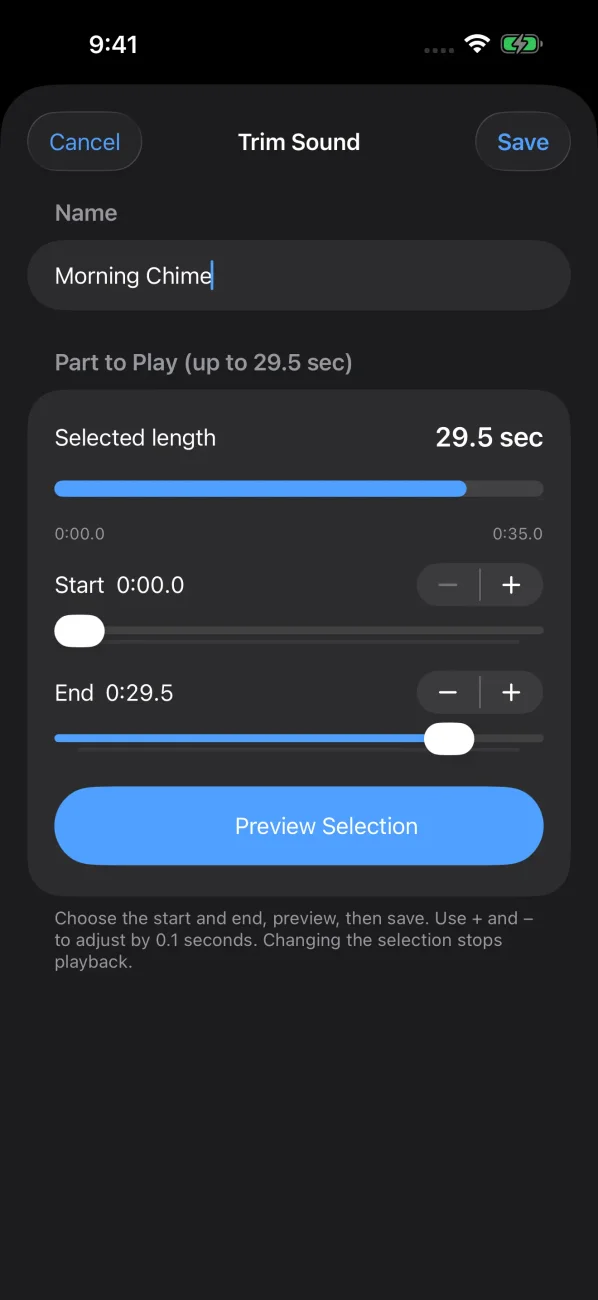
• Add your own alarm audio with My Sounds (one sound free; more with Pro). Import audio or video, choose a section, preview it, and save.
• Follow the setup guide and see a one-time introduction after updating.
• Learn how to sync Google Calendar with your iPhone’s Calendar.
• The first preset in setup now has a clearer name: "Basic ①②".
• The free plan supports two saved rules, including disabled rules. When Pro expires, choose two rules to keep using; additional rules are retained and locked.
App privacy
What Wataru Ishibashi declares on the App Store about how this app handles data.
-
Data not linked to you
May be collected but is not linked to your identity.
- Purchases
Privacy practices may vary, for example with the features you use or your age.
Information
- Seller
- Wataru Ishibashi
- Category
- Utilities
- Version
- 1.1.0
- Updated
- Oct 31, 2026
- Released
- Jul 6, 2026
- Size
- 12.6 MB
- Requires
- iOS 26.0 or later
- Age rating
- 4+
- In-app purchases
- Yes
- Languages
- Japanese, English
- Copyright
- © 2026 Wataru Ishibashi
You might also like
-
 シフトの何分前に起きる?|目覚ましシフトUtilities
-
 AI使用状況Utilities
-
 さきよみアラームUtilities
-
 Hype DiaryWrite, and your diary responds
-
 Akaru: Alarm Clock & CalendarWake Up for Shifts & Workdays
-
 Kowairo VoiceOn-Device Japanese TTS
-
 AlarmCal:Daily Routine PlannerSmart Alarm & Schedule Planner
-
 MultiAlarm – Group Your AlarmsSet multiple alarms at once
-
 Shift Worker Calendar & AlarmSchedule, Alarms, Pay & Bills
-
 Alarm Pro: Flexible AlarmsMonthly, Biweekly & No Snooze