
One-Line Picture Diary
A diary for everyday moments
Designed for iPhone
Free · In-app purchases
- Age rating4+
- CategoryLifestyle
- DeveloperKoji Tamatsu
- LanguagesEnglish+ 1 more
- Size29.2 MB
Links to the official App Store page
Download.org hosts no file of One-Line Picture Diary. The button opens its official App Store page, published by Koji Tamatsu. Listing last checked on Nov 23, 2026.
Screenshots

About
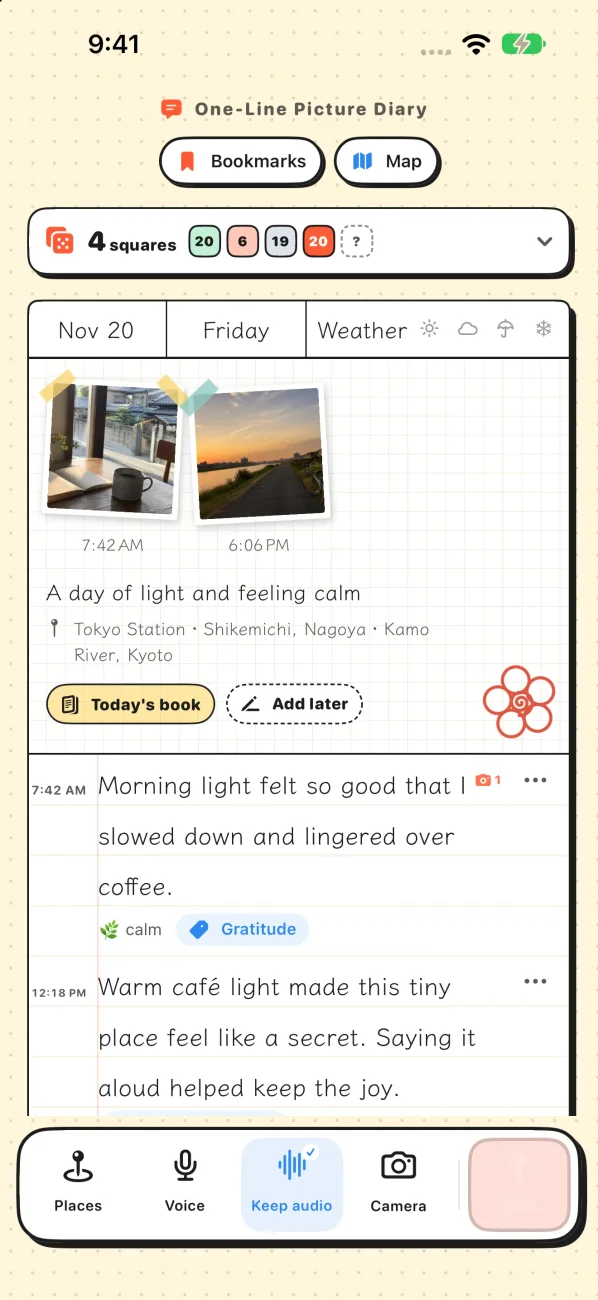
Your words and photos come together on a ruled picture-diary page. Your first entry of the day earns a flower stamp.
A line, a thought, or a whole page.
One-Line Picture Diary is a personal journal for words, photos, videos, voice and places. No account is required. Core journaling is free, with no ads.
CAPTURE WHILE YOU WRITE
Open Camera and choose Take Photo to show a square live preview while writing. Tap the shutter for a photo or hold it for a video with audio. Switch front and rear cameras and resize the preview. Opening the preview does not take a photo.
Select photos and videos from your library, too. Each video is limited to one minute. Trim longer videos in Photos or another editor before importing. Choose video quality from ultra-low to high in Settings. Attachments appear in up to three columns and expand or play inside your diary when tapped.
SPEAK YOUR THOUGHTS
On supported devices, speech and video audio can be transcribed on device. Choose whether to keep the original voice recording. Captured videos include audio.
REMEMBER THE WEATHER
When automatic weather is enabled, Apple Weather supplies current conditions for the entry’s place, or your permitted current location if no place is selected. Coordinates sent for weather are rounded to roughly one kilometre. Entries can still be saved without weather if location or connectivity is unavailable.
FIND MEMORIES ON A MAP
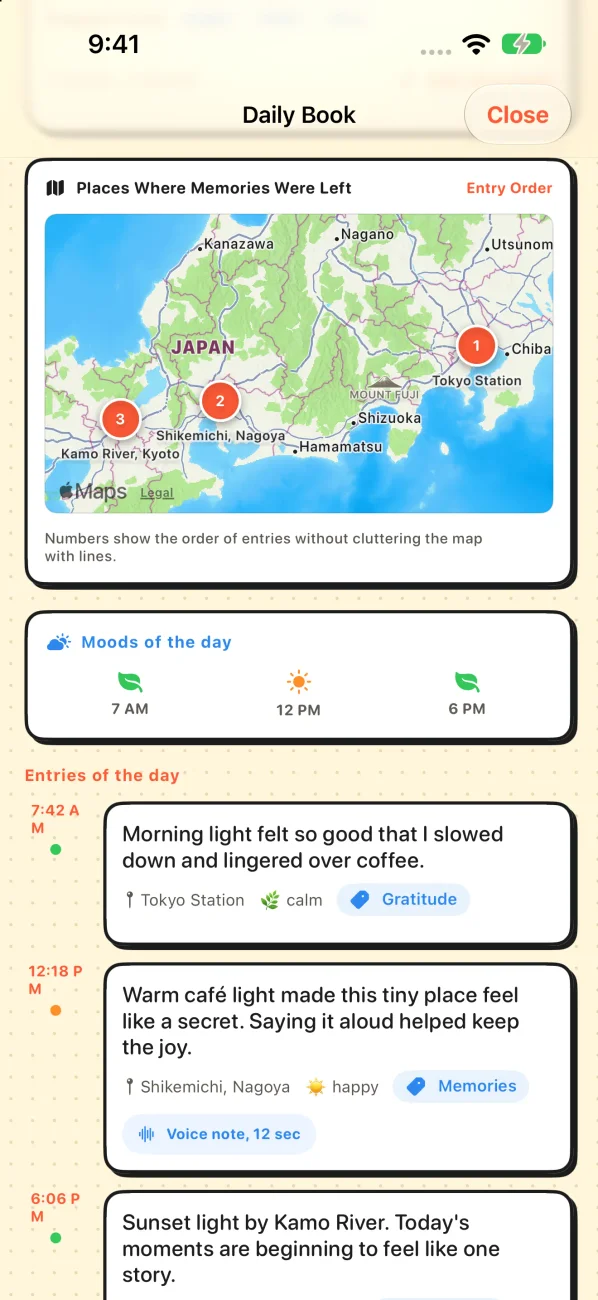
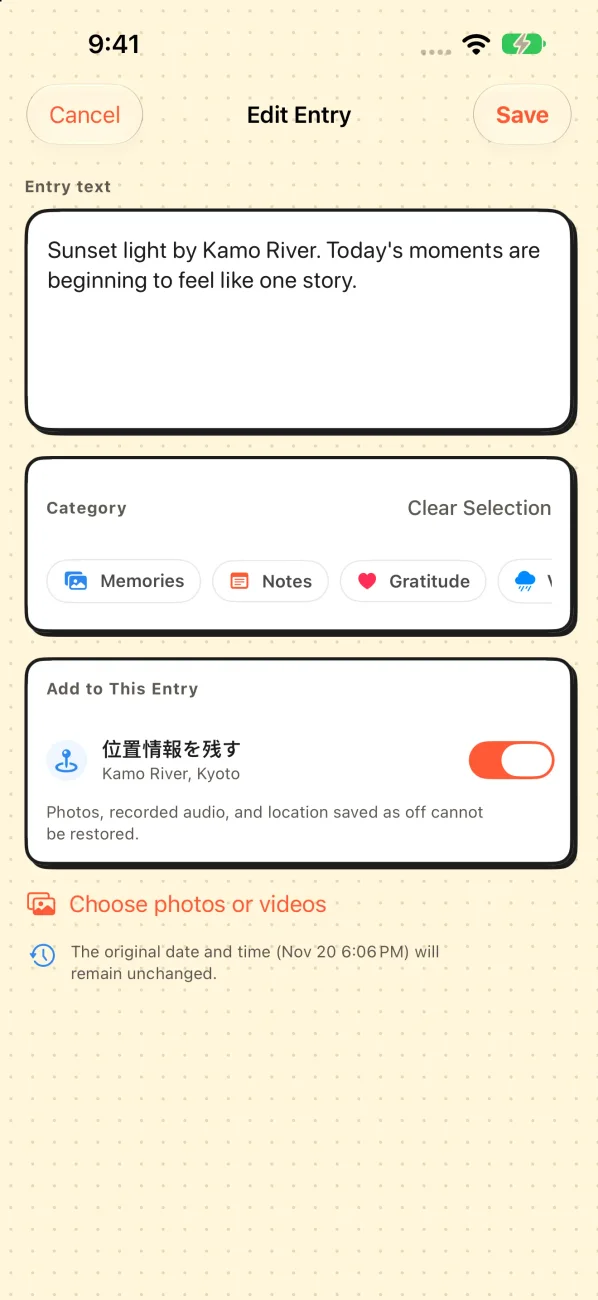
Explore location-tagged entries on a map. Search for a place without enabling GPS, or save a place name as text without searching. Location is optional.
RETURN TO YOUR DAYS
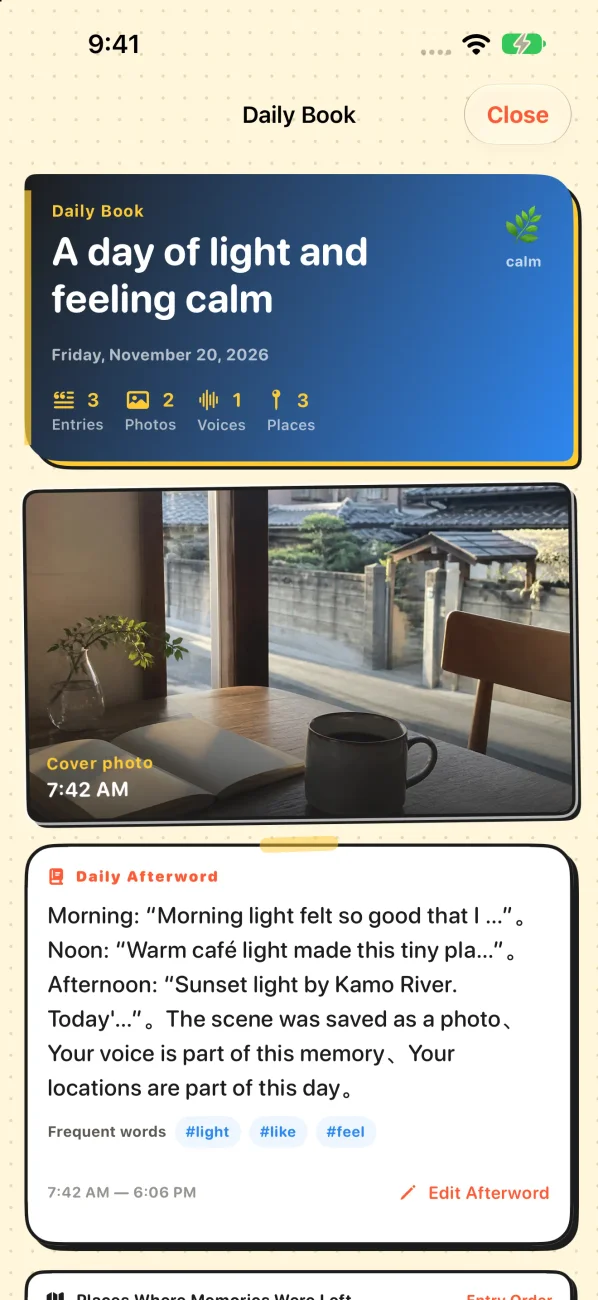
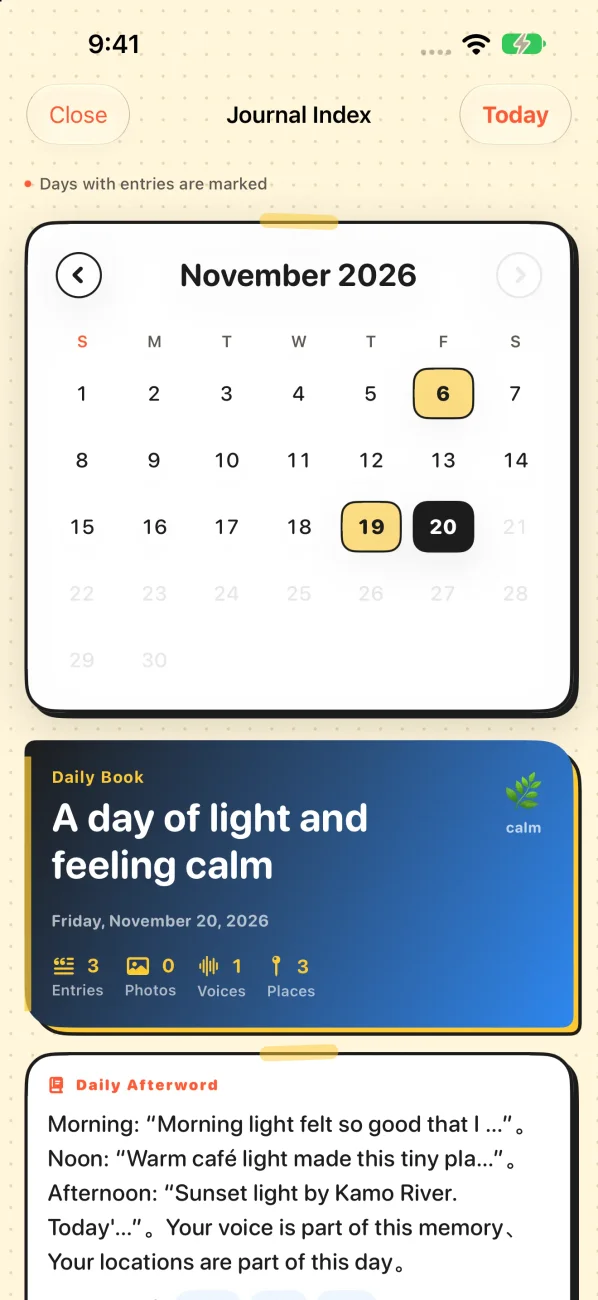
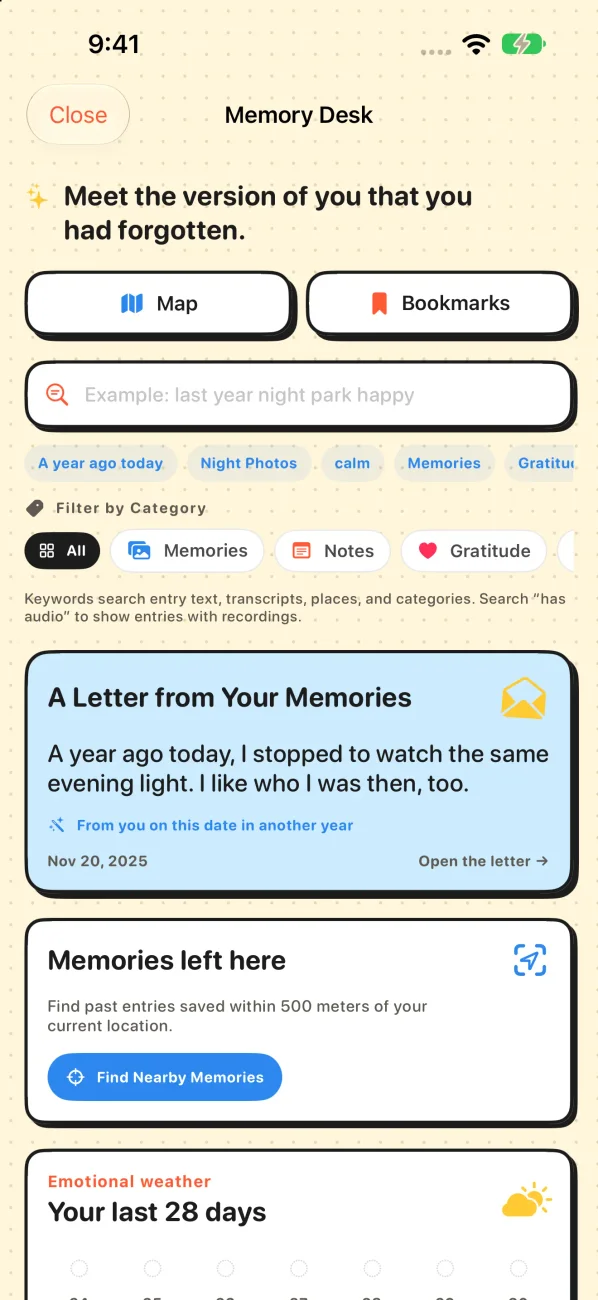
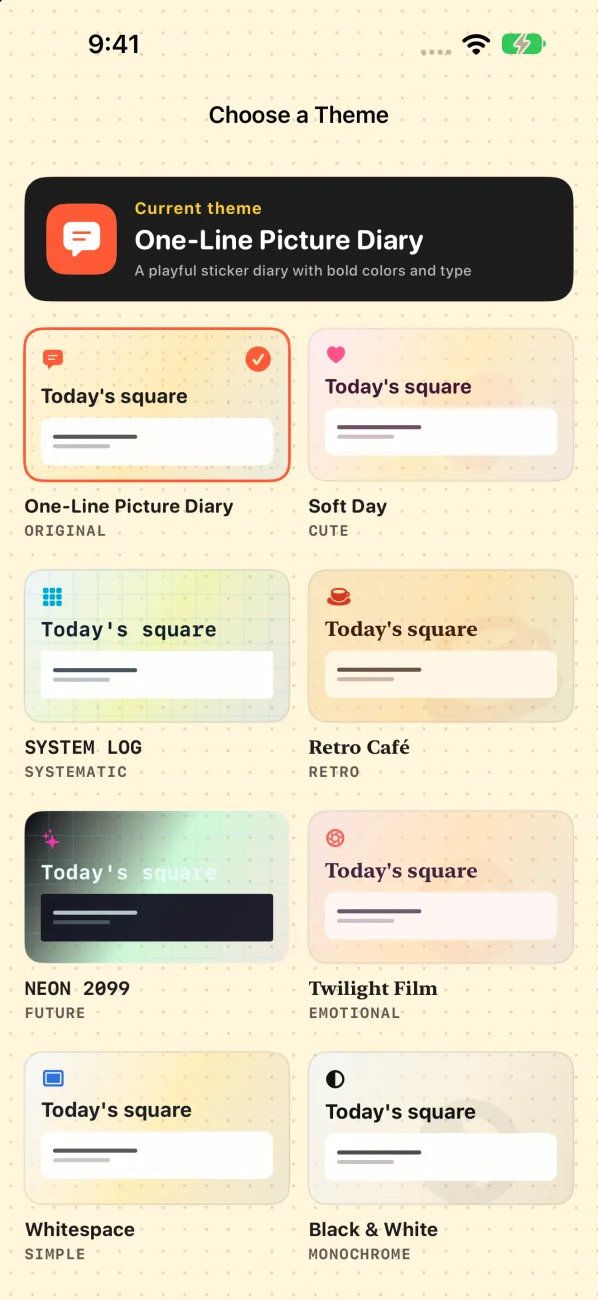
Your entries are arranged into a Daily Book. Use the calendar, text search, categories, media archive and bookmarks to revisit your notes. Explore past memories and choose from multiple visual themes.
KEEP YOUR RECORDS SAFE
Drafts are saved locally. Deleted entries can be restored from Trash for 30 days. Optional app lock uses Face ID, Touch ID or your device passcode. Widgets let you start writing quickly.
OPTIONAL SHIORI PLUS
The one-time Feature Pack adds a daily reminder, media backup and restore, PDF export and a seven-day reflection report. PDF exports do not play videos.
Monthly and annual subscriptions include all Feature Pack tools plus daily writing prompts, 12-month recording trends and morning and evening reminders. Eligible new subscribers can receive a one-month free trial. Subscriptions renew automatically after the trial unless cancelled in your Apple Account subscription settings. See the purchase screen for current prices and terms. Restore Purchases is available.
Automatic backup is opt-in and runs during app use after you select a folder. It is not continuous sync.
PRIVACY
Entries are stored on your device, not a developer-operated server. Maps and place searches use Apple Maps; weather uses Apple Weather. Backups to an external destination you choose are subject to that service’s policies. Backup files are unencrypted and are not protected by app lock. Text journaling remains available without camera, microphone or location permission.
Privacy Policy: https://shiori.ko-ji-apps.com/en/privacy
Terms of Use (EULA): https://www.apple.com/legal/internet-services/itunes/dev/stdeula/
What’s new
Version 1.4 · Nov 21, 2026
Your entries and photos now come together on a ruled picture-diary page. Revisit the day at a glance. We also updated the support and privacy links.
On larger iPhones, the entry field now moves to the top when you open the keyboard in an empty diary.
App privacy
What Koji Tamatsu declares on the App Store about how this app handles data.
-
Data not collected
The developer does not collect any data from this app.
Privacy practices may vary, for example with the features you use or your age.
Information
- Seller
- Koji Tamatsu
- Category
- Lifestyle
- Version
- 1.4
- Updated
- Nov 21, 2026
- Released
- Aug 18, 2026
- Size
- 29.2 MB
- Requires
- iOS 17.0 or later
- Age rating
- 4+
- Price
- Free
- In-app purchases
- Yes
- Languages
- English, Japanese
- Copyright
- © 2026 Koji Tamatsu
You might also like
-
 FromMeLifestyle
-
 Ordinary DiaryShort journal & notes in cards
-
 Chipmark: Keep What You'll UseReady the second you need it
-
 Koyomi - Diary with FutureLifestyle
-
 Orlo - 写真とカレンダーで続く日記 -Lifestyle
-
 Life log -Pockets!-Reflect on your daily life!
-
 LifeRhythm: AI Biorhythm&MoonAI Bio & Mercury Retro Advice
-
 Shizuku ~ シンプルな日記アプリ ~Lifestyle
-
 nikki - DIARYCool Diary
-
 ShinnyoアプリLifestyle