
4:6 Pour Over Timer - Shizuku
Coffee Brew Log & Bean Tracker
Designed for iPhone
In-app purchases
- Age rating4+
- CategoryFood & Drink
- DeveloperNimbleWorks
- LanguagesJapanese+ 1 more
- Size62.6 MB
Links to the official App Store page
Download.org hosts no file of 4:6 Pour Over Timer - Shizuku. The button opens its official App Store page, published by NimbleWorks. Listing last checked on Nov 16, 2026.
Screenshots



About
A pour over coffee timer that guides every 4:6 Method pour with sound and haptics.
Shizuku is a hand drip coffee timer and brew log built around Tetsu Kasuya's "4:6 Method." Enter your coffee dose and water amount and the pouring schedule is calculated for you. Each pour is announced, so even beginners can brew a consistent cup every time. Save your recipes, track your coffee beans, and record your taste with a flavor chart, all in one app.
[Perfect for you if...]
- You're new to pour over and your brews aren't consistent
- You want to practice the 4:6 Method right from your phone
- You'd love to save your favorite recipes and blends, and recreate the taste
- You want to track how many beans are left and when they are at their best
- You want to look back on your coffee habits with real data
[Guided 4:6 Method Coffee Timer]
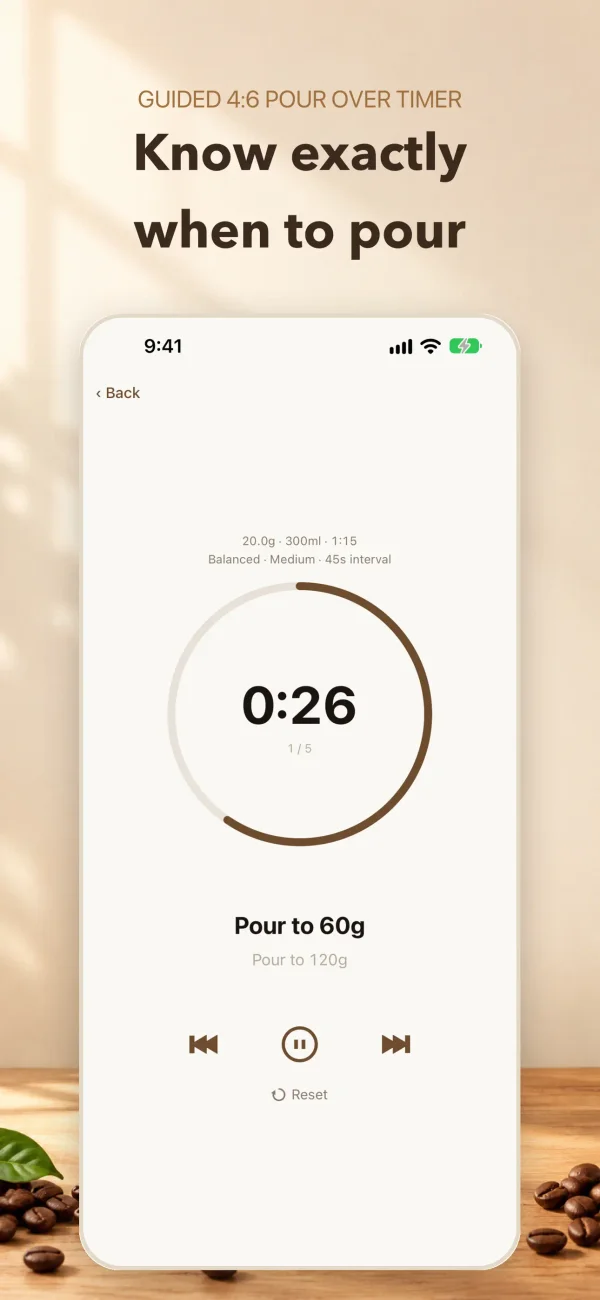
Just enter your dose and water amount, and Shizuku calculates the ideal pouring schedule automatically. Dial in taste (sweet to bright) and strength (light to strong) across 5 levels to match your mood. Each pour is announced with sound and vibration, and you can choose whether cues play in Silent Mode.
[Brew Log & Recipes]
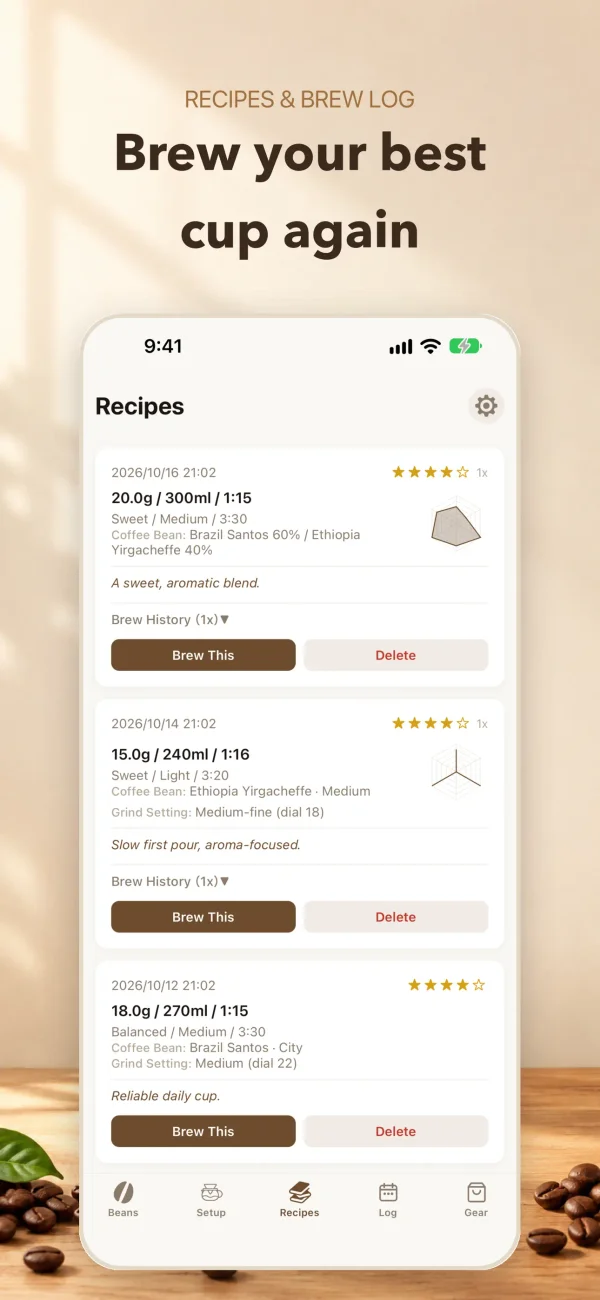
Save your brew settings, ratings, bean info, and notes all in one place, then recreate "that perfect cup" anytime. Tap a brew in the Log tab to open its saved recipe, or tap ▶ to brew it again with the same settings.
[Blends & Flavor Chart]
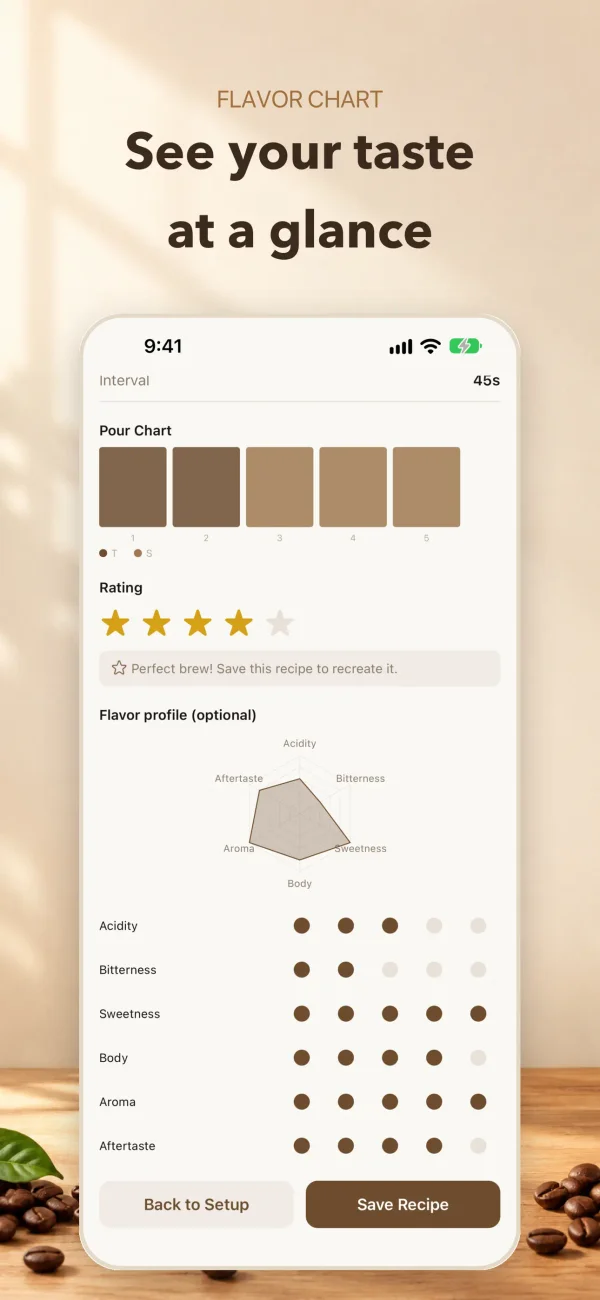
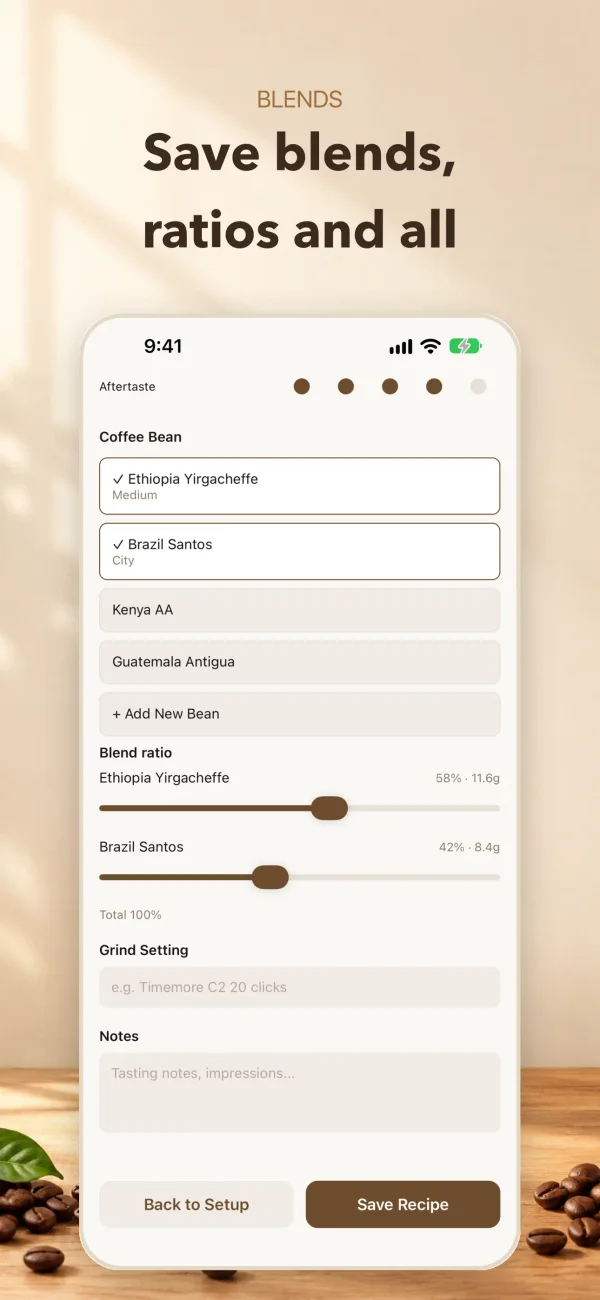
Mix up to 4 beans into a blend and fine-tune the ratio with sliders, always totaling 100%. Rate acidity, bitterness, sweetness, body, aroma and aftertaste on a chart so you can compare recipes at a glance.
[Coffee Bean Tracker]
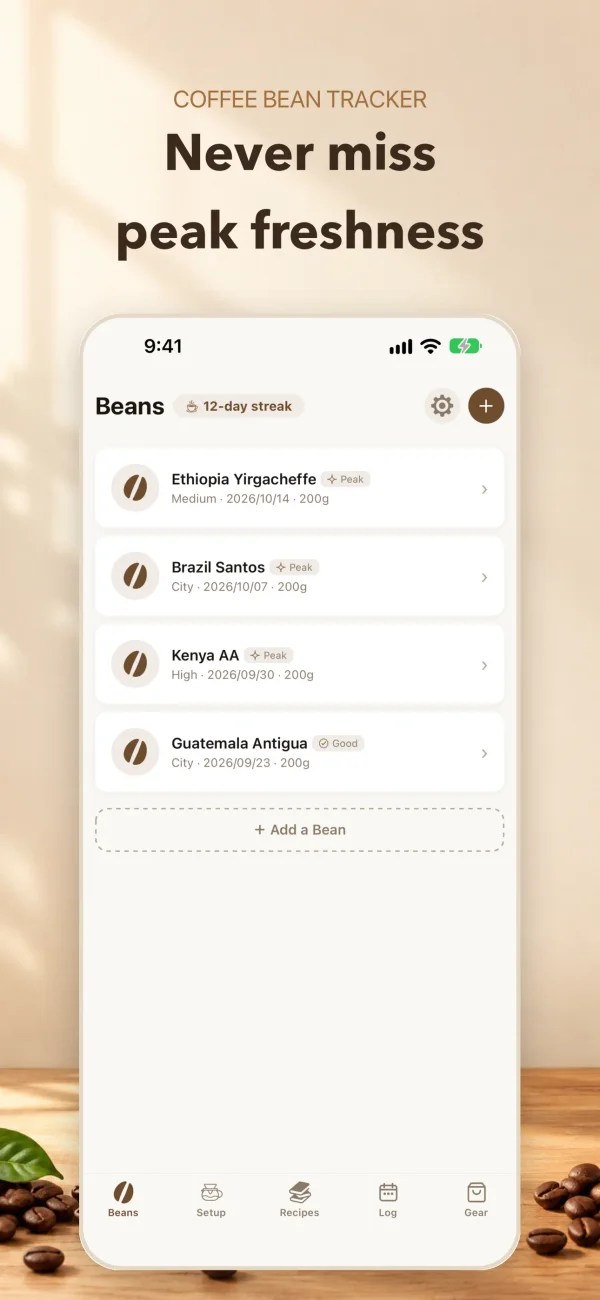
Record purchase date, price, amount, roast level and roast date to keep a clear stock and purchase history. Shizuku shows an estimated amount left (grams and cups). Freshness reminders based on the roast date and restock reminders when you're running low are free.
[Brew Calendar & Streaks]
Daily brew counts and streaks are tracked automatically. Look back at the days you brewed on the calendar and keep your coffee habit going.
[Share Card (Free)]
Turn your brew into a share card and post it anywhere.
[Detailed Analytics (Premium)]
Brewing trends by time of day and day of week, taste and strength preferences, your top 3 beans, average rating and monthly stats. A per-bean flavor radar shows your taste tendencies (shown once a bean has 3 or more brews with flavor notes). Free users can try it for 30 minutes by watching an ad.
[Backup & Restore (Premium)]
Export your data to a JSON file and restore it later, for a new phone or just in case.
About Premium (one-time purchase)
- Pay once, keep it forever. No monthly or yearly fees, no auto-renewal, no free trial.
- Perk 1: Hide in-app ads
- Perk 2: Detailed analytics (including the flavor radar)
- Perk 3: CSV export of your brew history
- Perk 4: Data backup and restore
- Payment is handled by each store
Make every cup a little more special. Your own coffee time, with Shizuku.
What’s new
Version 1.6.0 · Nov 11, 2026
What's new in v1.6.0
• Share your brew as a card (free)
• Freshness and restock reminders are now free. We ask for notification permission when you save a bean purchase
• See the estimated amount of beans left, and get a reminder when you're running low
• A clearer per-bean flavor radar (Premium)
• Back up and restore your brew data (Premium)
• Filter recommended gear by category
Your guided 4:6 Method timer works just as before. Send feedback anytime from Settings.
App privacy
What NimbleWorks declares on the App Store about how this app handles data.
-
Data used to track you
May be used to track you across apps and websites owned by other companies.
- Location
- Identifiers
-
Data linked to you
May be collected and linked to your identity.
- Location
- Identifiers
- Usage data
- Diagnostics
-
Data not linked to you
May be collected but is not linked to your identity.
- Purchases
- Usage data
Privacy practices may vary, for example with the features you use or your age.
Information
- Seller
- NimbleWorks Inc.
- Category
- Food & Drink
- Version
- 1.6.0
- Updated
- Nov 11, 2026
- Released
- Apr 25, 2026
- Size
- 62.6 MB
- Requires
- iOS 16.4 or later
- Age rating
- 4+
- In-app purchases
- Yes
- Languages
- Japanese, English
- Copyright
- © 2025 ShigureStudio
You might also like
-
 46memoryFood & Drink
-
 46 Brew4:6 Method Pour-Over Timer
-
 BaristaTimer: Brew Timer & LogBetter Coffee, Fully Offline
-
 Shizuku Pour Over Coffee TimerV60 hand drip brew recipes
-
 Cafe46Timer for 4:6 method
-
 とことこドリップFood & Drink
-
 KOOHI | coffee noteHome Café Coffee Log
-
 DripRecipePour-Over Coffee Recipes&Timer
-
 #coffee: Specialty Coffee LogTasting notes in color.
-
 Drip Timer - Recipe & BeansPour-over coffee timer