- Age rating4+
- CategoryFood & Drink
- DeveloperSHUJI FUKUNAGA
- LanguagesEnglish+ 1 more
- Size1.4 MB
Links to the official App Store page
Download.org hosts no file of Shop Card Manager. The button opens its official App Store page, published by SHUJI FUKUNAGA. Listing last checked on Nov 12, 2026.
Screenshots

About
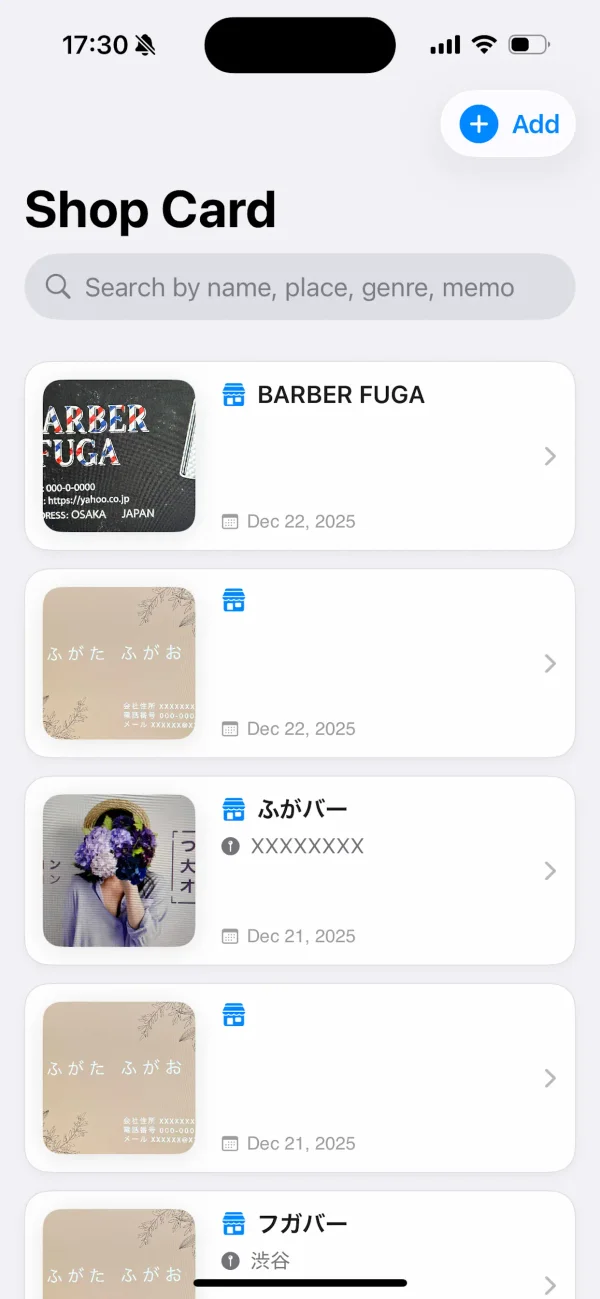
An app for smartly managing shop cards from restaurants, cafés, beauty salons and more. Save bulky cards in your wallet as photos for easy access anytime, anywhere.
Key Features
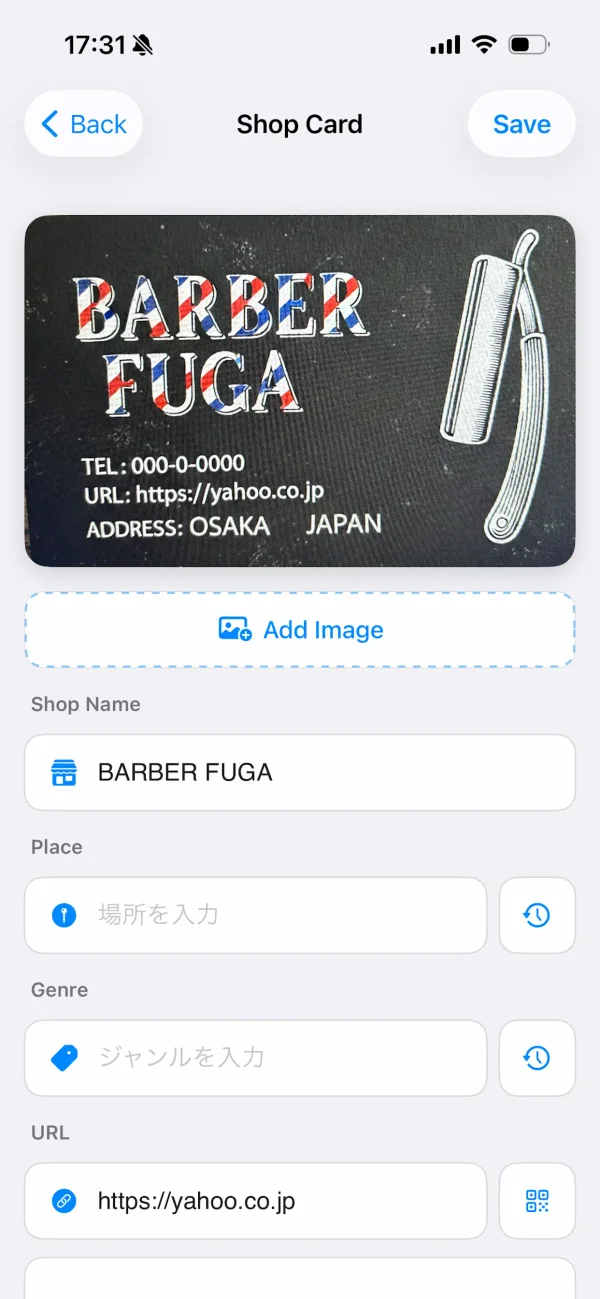
Photograph and register cards
• Register multiple images via camera or photo library
• Save as many images as needed, including front and back sides
• Freely crop image areas for optimal size storage
• Easily reorder, rotate, edit, or delete images
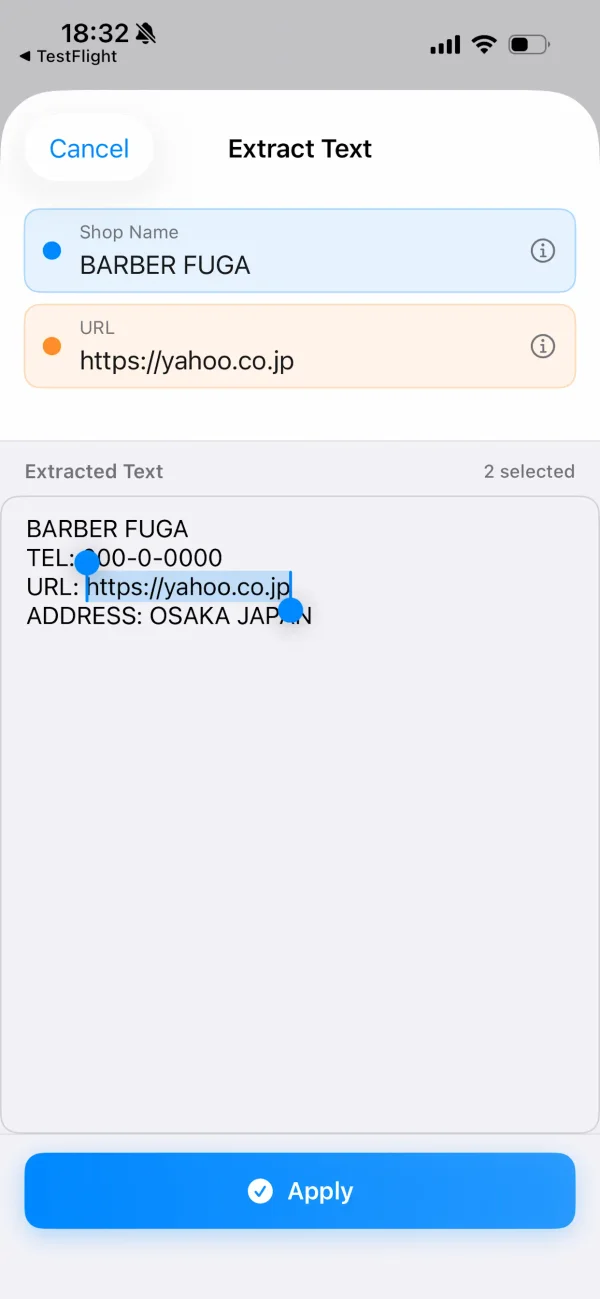
Text extraction via OCR
• Automatically recognises and extracts text from card images
• Easily copy information like phone numbers, addresses, and opening hours
• Significantly reduces manual input effort
QR code scanning
• Scan printed QR codes on cards to automatically save URL information
• Access websites with a single tap
Automatic OGP retrieval
• Automatically retrieves website titles and images when registering URLs
• Displays visually clear link previews
Detailed information management
• Save shop name, location, category, URL, phone number, and notes
• Easily input location and category by selecting from history
• Displays icons in input fields for intuitive operation
Powerful search functionality
• Quickly search registered cards
• Filter by multiple criteria such as shop name, location, or category
Modern design
• Simple and beautiful interface
• Supports light mode and dark mode
• High visibility with card preview display
Recommended for
• Those who have many cards for favourite shops
• Those wishing to organise cards in their wallet
• Those wanting to keep shop cards collected while travelling as mementos
• Those wishing to digitise business cards or loyalty cards
How to Use
1. Take a photo of the card with your camera or select one from your photo library
2. Trim as needed to adjust the saved area
3. Use OCR to extract text information from the image (optional)
4. Enter details such as shop name and location
5. If there's a QR code, scan it to automatically save the URL information
6. Save and you're done!
Open the app anytime to instantly check details for your favourite shops.
What’s new
Version 2.1.0 · Dec 24, 2025
• Added OCR functionality: Automatically extracts text from card images
• New text extraction screen: Easily copy extracted text into each field
• Improved UI/UX: Updated to a more intuitive and user-friendly design
App privacy
What SHUJI FUKUNAGA declares on the App Store about how this app handles data.
-
Data not collected
The developer does not collect any data from this app.
Privacy practices may vary, for example with the features you use or your age.
Information
- Seller
- SHUJI FUKUNAGA
- Category
- Food & Drink
- Version
- 2.1.0
- Updated
- Dec 24, 2025
- Released
- Aug 2, 2013
- Size
- 1.4 MB
- Requires
- iOS 16.1 or later
- Age rating
- 4+
- Price
- $0.99
- Languages
- English, Japanese
- Copyright
- © 2013 fuga