
- Age rating4+
- CategoryLifestyle
- DeveloperMichael Timofeev
- LanguagesEnglish
- Size16.0 MB
Links to the official App Store page
Download.org hosts no file of Shotbook. The button opens its official App Store page, published by Michael Timofeev. Listing last checked on Nov 23, 2026.
Screenshots


About
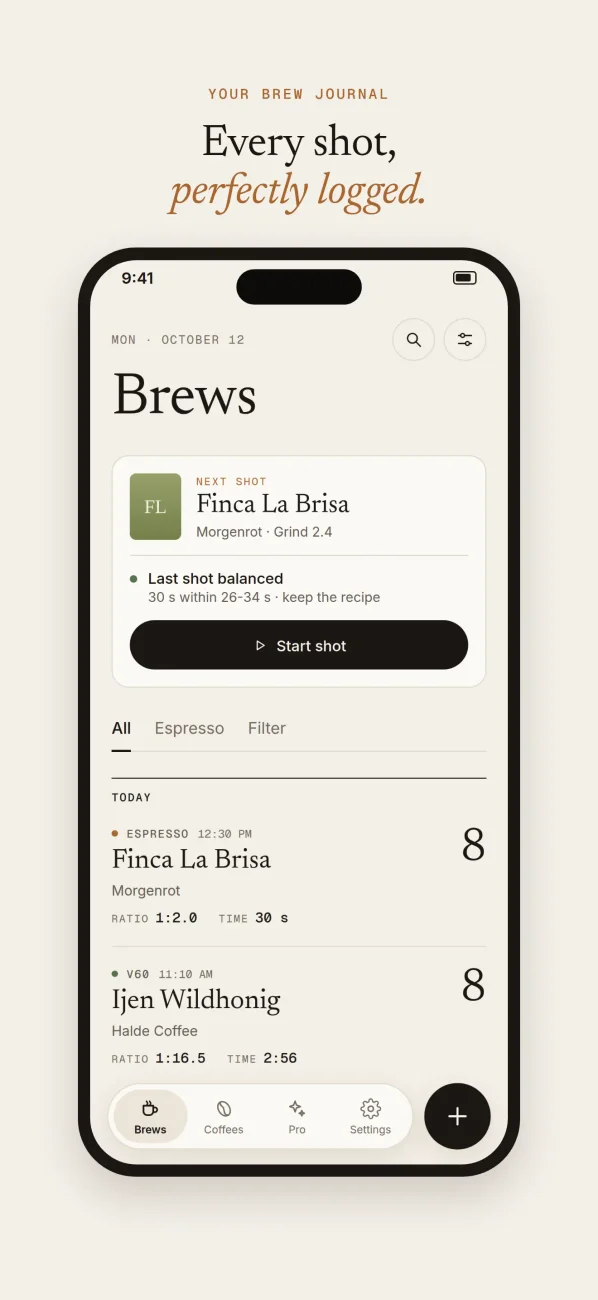
Shotbook is the brew journal for serious home baristas. Espresso or filter: record every brew, brew with a plan, and learn from every result.
LOG YOUR BREWS
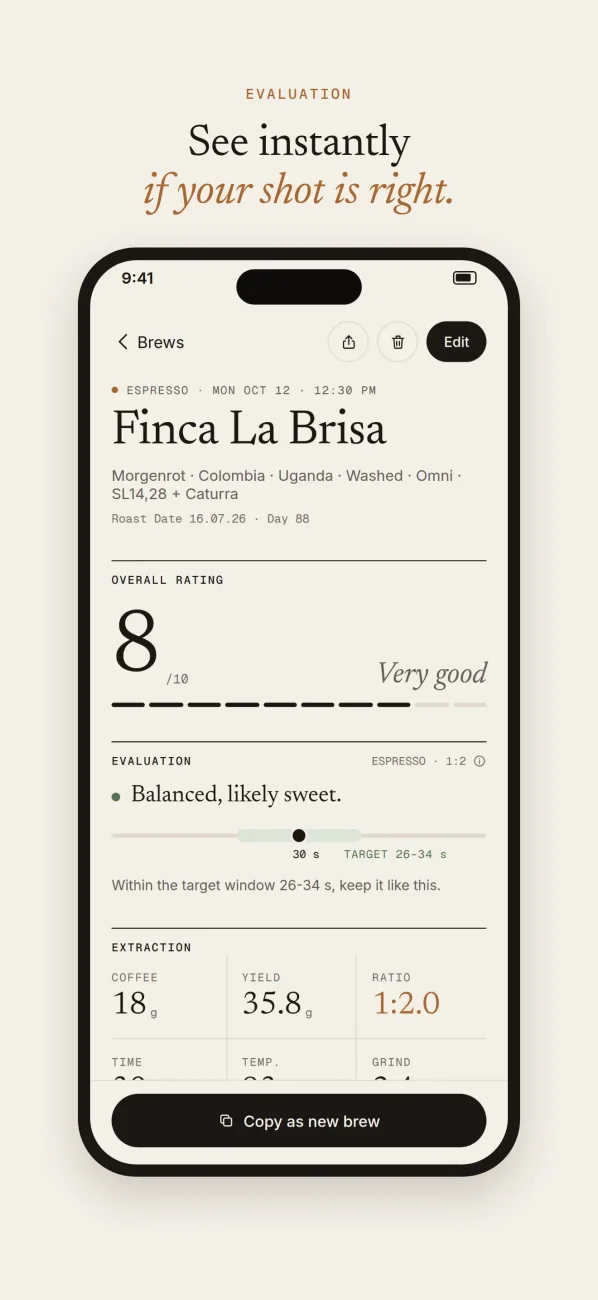
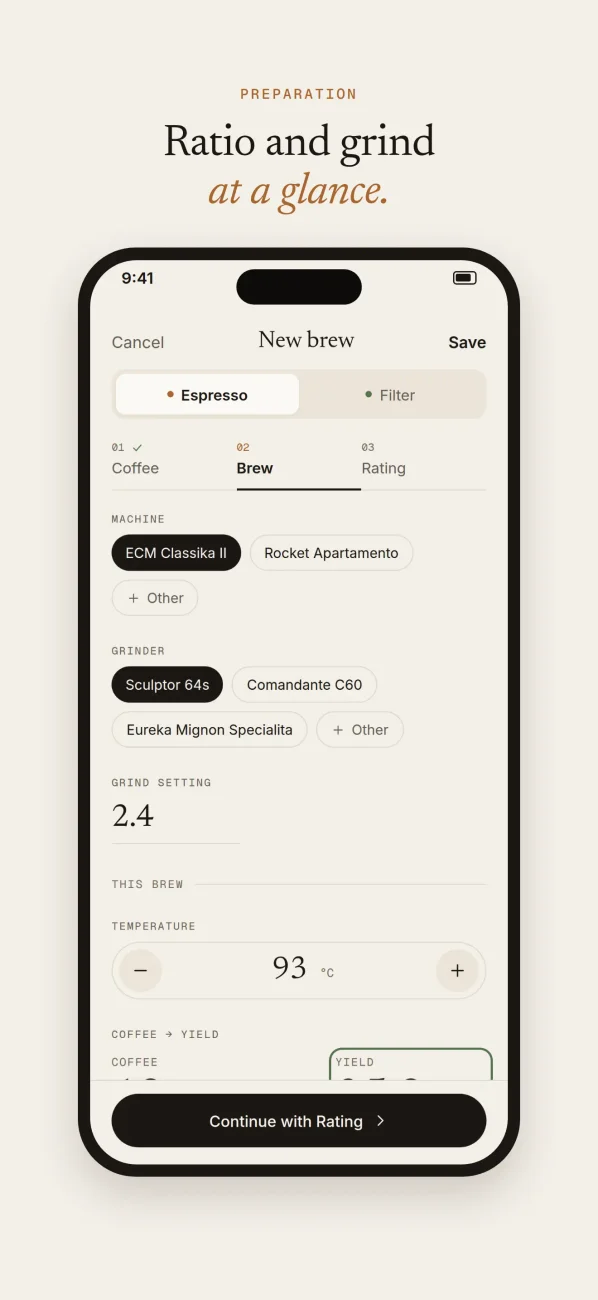
Dose, yield, ratio, time, temperature, grind setting, machine – all in one place. With a built-in timer right at the bench and an automatic ratio readout so you always keep your recipe in check.
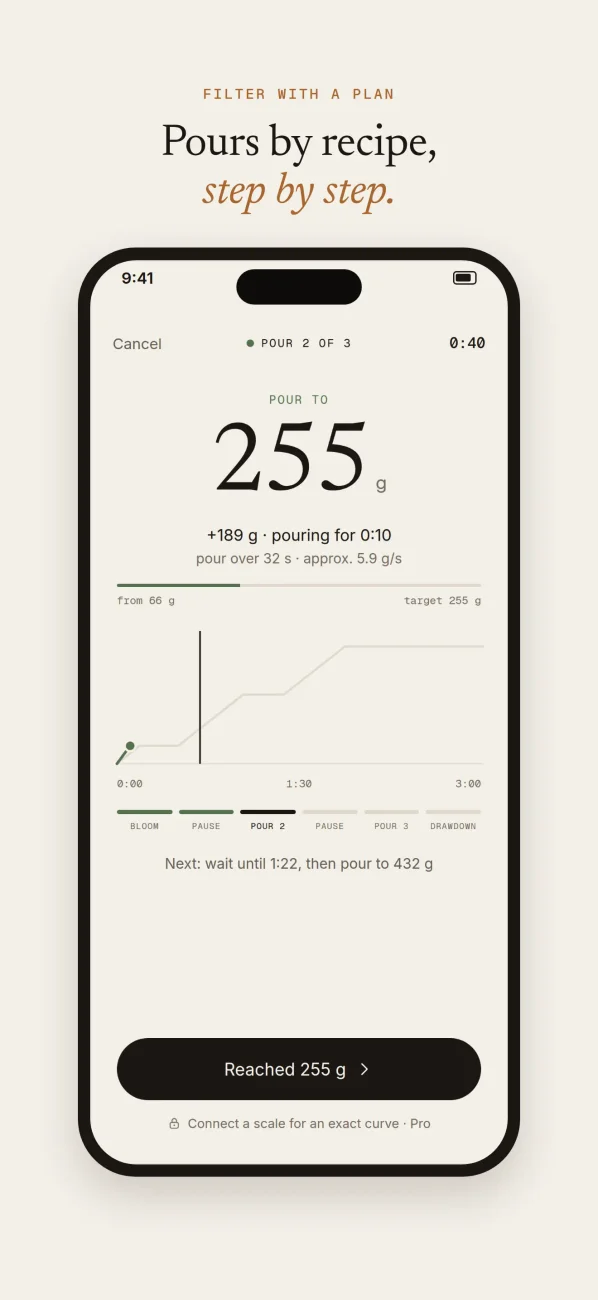
POUR SEQUENCE FOR FILTER
Plan bloom, pours and pauses as a recipe and let the timer guide you step by step: countdown, how much water to pour when, pauses with vibration. Afterwards you see recipe and actual run side by side – and can set your recipe to the real times with one tap.
ESPRESSO IN DETAIL
Countdown timer with target time, optionally capture pre-infusion and first drop with one tap. Shotbook shows you right away whether you're in ristretto, ideal or lungo territory.
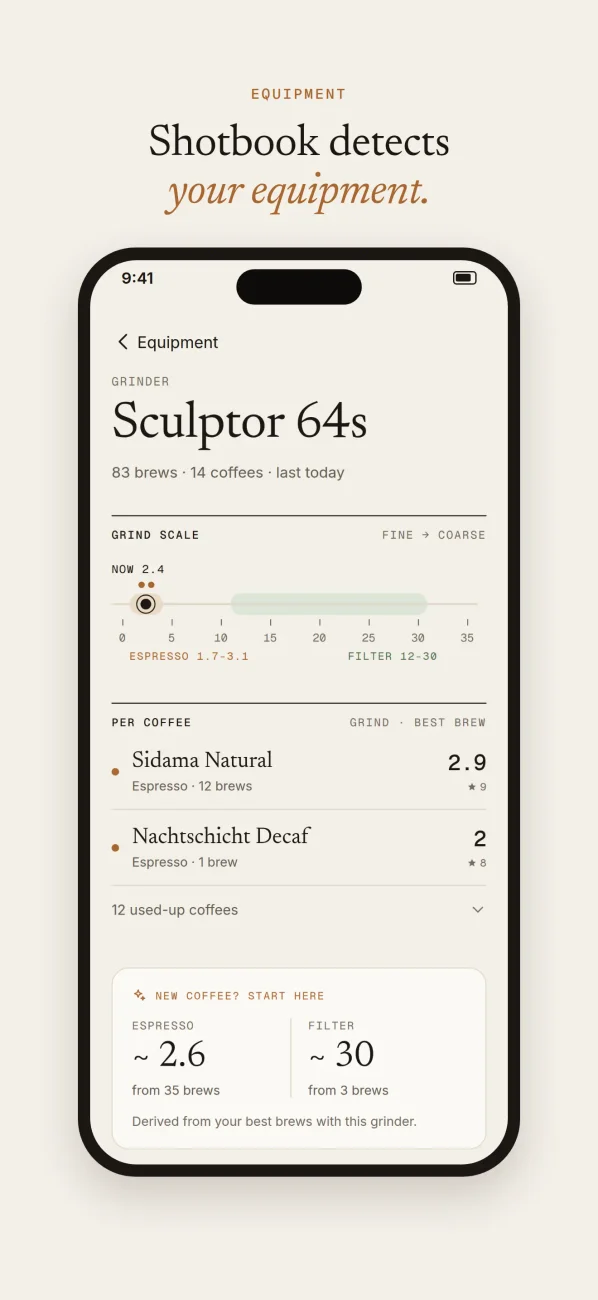
GRINDER MEMORY
Hand grinder without a display? Shotbook shows you where your grinder was last set when you start the next brew.
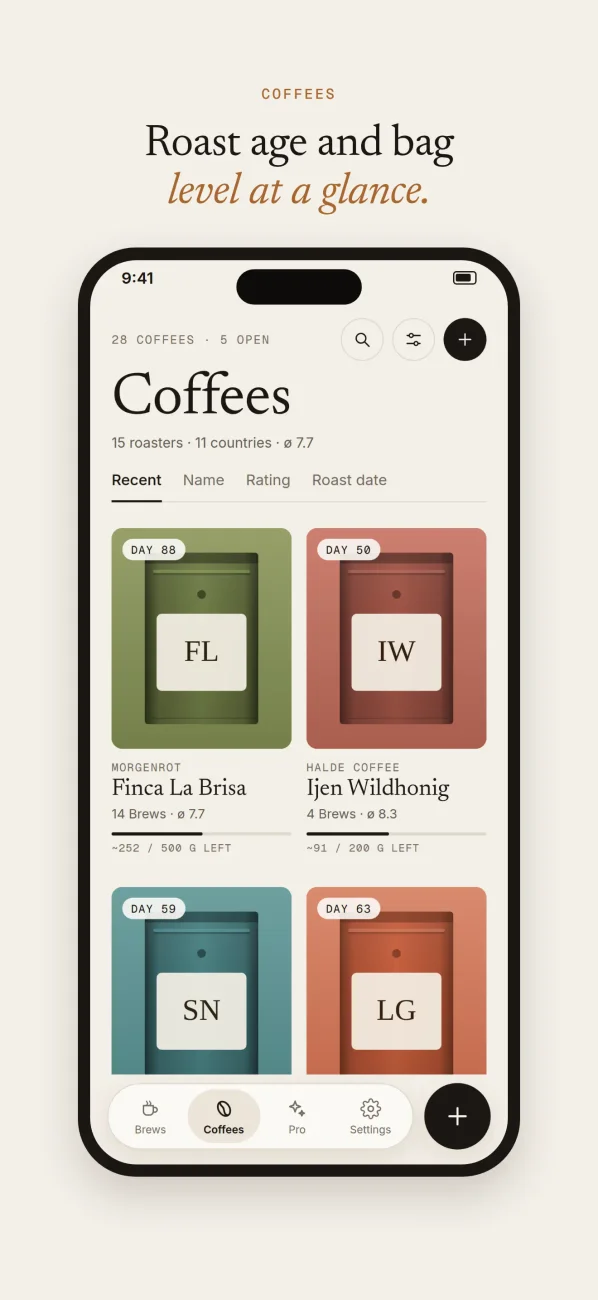
COFFEE LIBRARY
Every coffee at a glance: roaster, origin, variety, process, roast level – built automatically from your brews. With average rating, most frequent aromas and a brew history per coffee. Finished a bag? Mark it as empty.
RATING & AROMAS
Rate every brew from 1–10 and capture aromas along the SCA Flavor Wheel plus any issues. Spot patterns and know exactly what to change next time.
PHOTOS
Multiple photos per brew – puck, cup or bag. Snap them straight from the app or add them from your gallery.
DARK MODE
Fully supported, follows your system settings automatically.
PRIVACY
All your data stays on your device. No account, no cloud, no tracking.
EXPORT
Export your brews as JSON – with or without photos – for your own analysis or as a backup.
What’s new
Version 1.4.4 · Nov 20, 2026
Fixes in 1.4.4
- On some Android devices the input in the ratio sheet and when renaming equipment was hidden behind the keyboard. Everything stays visible now
App privacy
What Michael Timofeev declares on the App Store about how this app handles data.
-
Data not linked to you
May be collected but is not linked to your identity.
- User content
- Identifiers
Privacy practices may vary, for example with the features you use or your age.
Information
- Seller
- Michael Timofeev
- Category
- Lifestyle
- Version
- 1.4.4
- Updated
- Nov 20, 2026
- Released
- Aug 5, 2026
- Size
- 16.0 MB
- Requires
- iOS 15.1 or later
- Age rating
- 4+
- Languages
- English
- Copyright
- © Michael Timofeev
You might also like
-
 Crema – Espresso JournalEspresso log & dial-in coach
-
 BeerPongBoardLifestyle
-
 HundepraxisLifestyle
-
 Reisemobile DülmenLifestyle
-
 Styled — Men's AI StylistSmart Outfits from Your Closet
-
 bliksLifestyle
-
 Stadtwerke NürtingenLifestyle
-
 My Tarot JournalNote Tarot readings
-
 2zero ClimathonSustainable Living
-
 Nuki PartnerLifestyle