
- Age rating4+
- CategoryPhoto & Video
- DeveloperTodd Freese
- LanguagesEnglish
- Size60.2 MB
Links to the official App Store page
Download.org hosts no file of ShotBOT. The button opens its official App Store page, published by Todd Freese. Listing last checked on Nov 14, 2026.
Screenshots

About
ShotBOT is designed for professional visual effects supervisors, to use during production, to take all the necessary production notes when shooting visual effects scenes. It tracks all the VFX needs for film, TV, documentaries, music videos and commercial production. This app is designed by someone who has spent 20 years shooting visual effects. All advanced features are sold via in-app purchases so you only need to buy what you need. For more detailed information on ShotBOT, please check out our web site for demo screencasts and a comprehensive FAQ page.
FEATURES
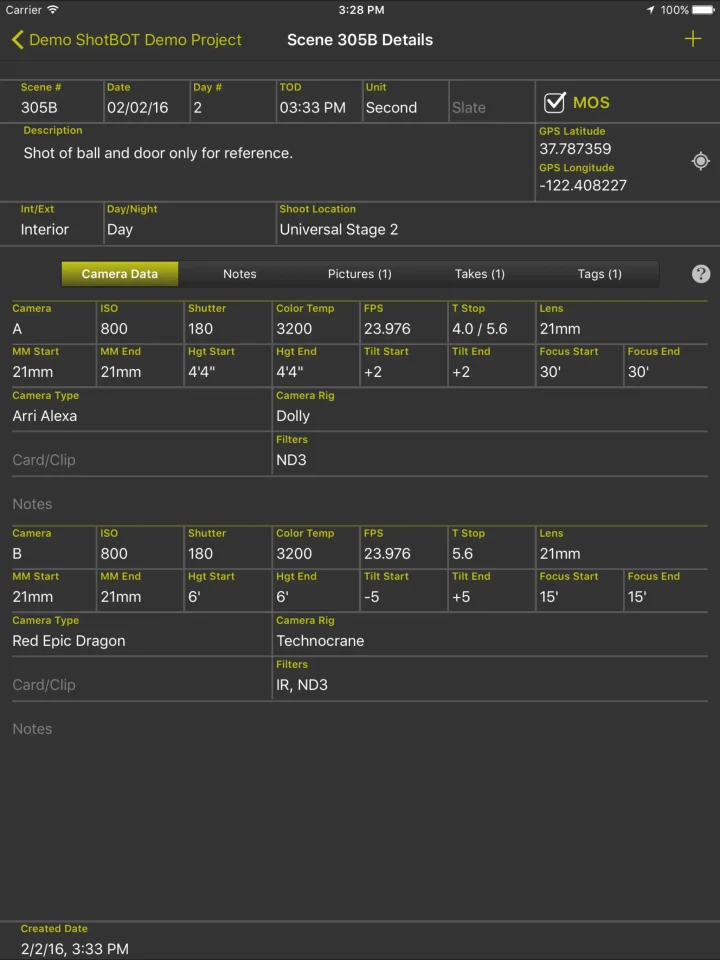
-ShotBOT has all the fields you would expect. A full list of fields is at the bottom of this page.
-Track general scenes or individual takes.
-Print or email a comprehensive shooting report to your VFX artists after the shoot.
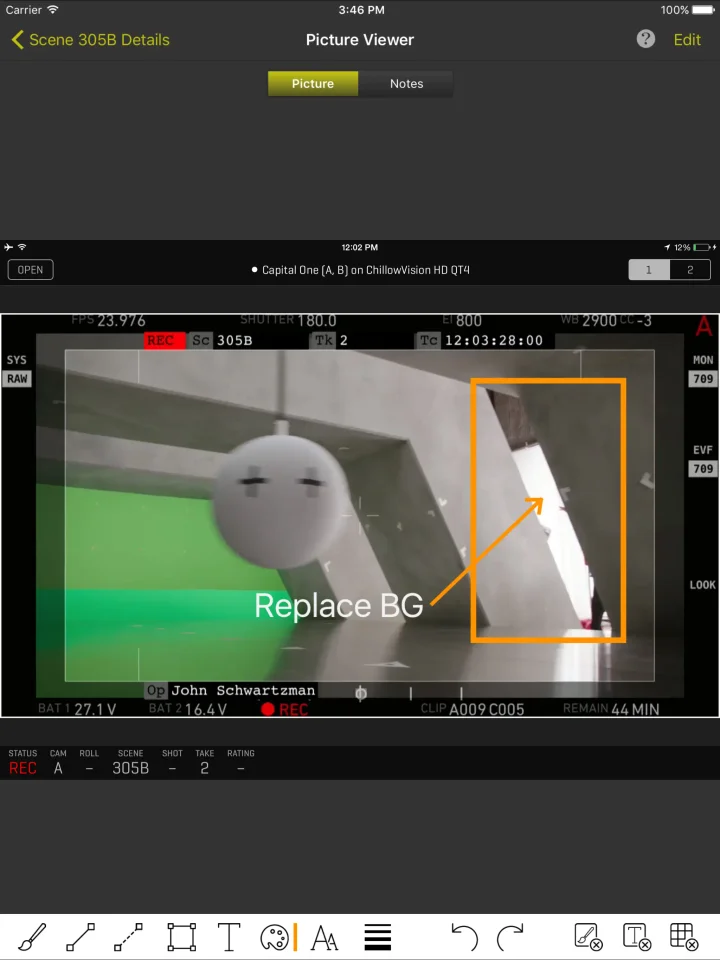
-Built in drawing feature to create diagrams or annotate pictures.
-App-wide built in help screens to explain every feature.
-Supports multi-camera shoots.
-Full support for user defined presets for all commonly used fields. Includes default set of presets for professional production. Entering the data for a scene is very fast!
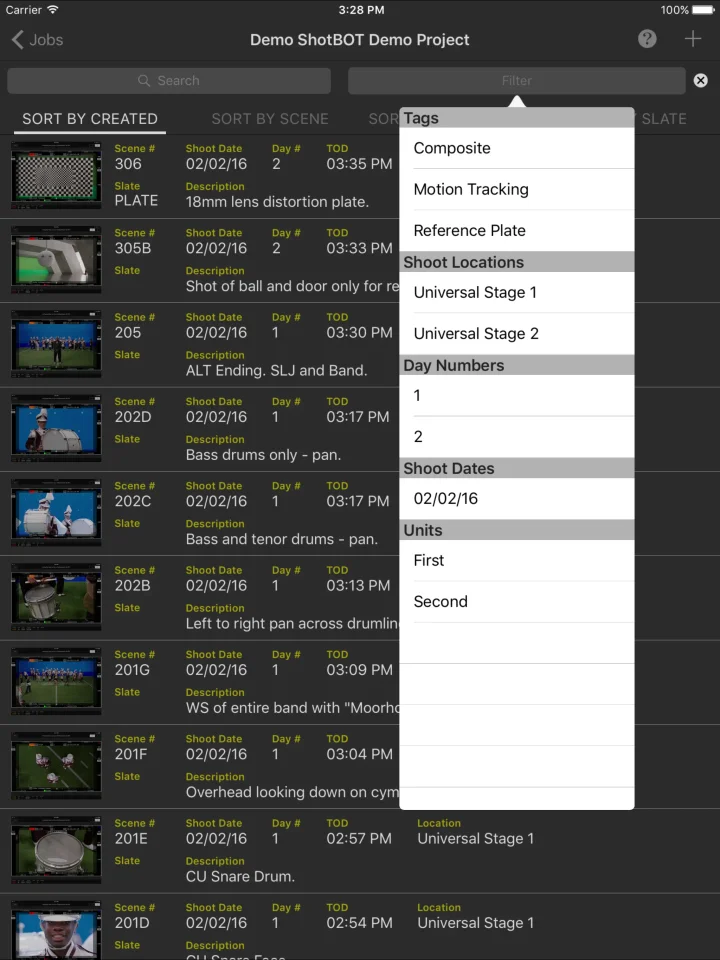
-Scenes can be tagged to group sets of scenes together for complete organization of the scenes.
-Take pictures or import existing images for scene reference.
-View and grab frames from a wireless, live video feed from the camera. (Requires Teradek wireless encoder and in-app purchase)
-Print a variety of different style tracking marks in a variety of sizes. (Requires in-app purchase)
-Two different interface styles. Dark for indoor, Light for outdoor. You will always be able to view screen content without blinding your eyes.
-Export your data so you can import it into your own post production tracking software. (Require in-app purchase)
-Optional ShotBOT Cloud option to backup your data in realtime and sync between multiple devices. (Require in-app purchase)
JOB FIELDS
-Job Number
-Episode Name and Number
-Working Title
-Agency and Client Name
-Product Description
-Production Company Name
-Default FPS
-Job Description
SCENE FIELDS
-Scene Number
-Scene Description
-Slate
-Shot Date, Day Number, Time of day.
-Unit (First unit, second unit, plate unit)
-MOS or Sync sound.
-Interior/Exterior
-Day, Night, or Day For Night
-Shoot Location
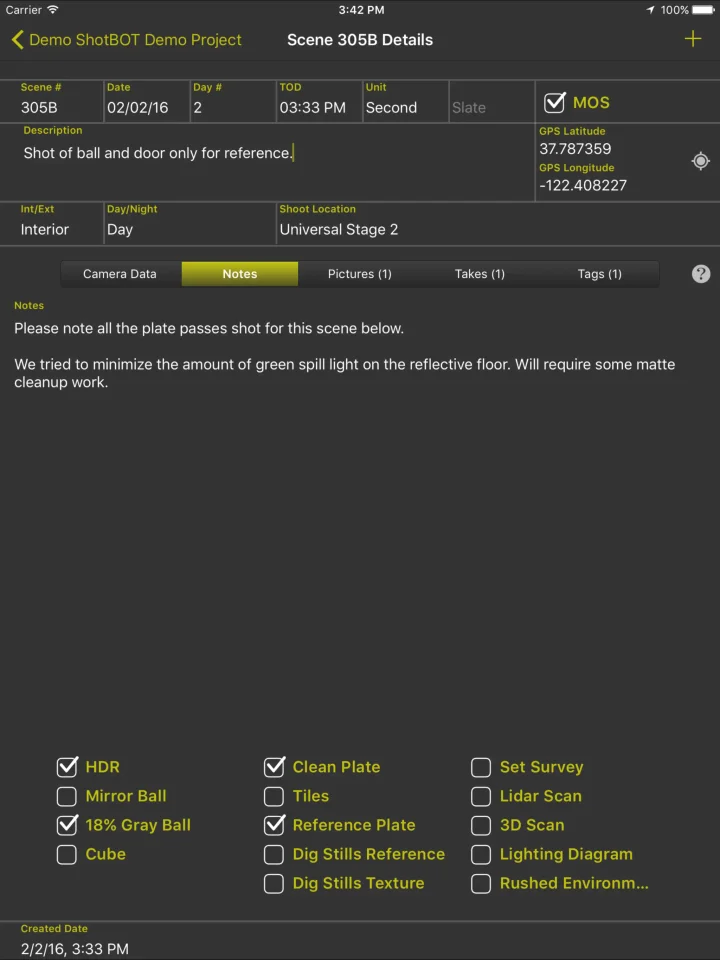
-Scene Notes
-Flags for: HDR, Mirror Ball, 18% Gray Ball, Cube, Clean Plate, Tiles, Ref Plates, Dig Stills Ref, Dig Stills Texture, Set Survey, Lidar Scan, 3D Scan, Lighting Diagram, Rushed Enviroment.
CAMERA FIELDS
-Camera ID
-Camera Type
-Camera Rig
-Card/Clip Info
-Filters
-ISO
-Shutter
-Color Temp
-FPS
-T Stop
-Lens
-MM Start & End
-Camera Height Start & End
-Camera Tilt Start & End
-Camera Focus Start & End
-Camera Notes
TAKE FIELDS
-Take Number
-Hero or Circled Take Flag
-Take Notes
What’s new
Version 1.66 · Oct 18, 2026
v-1.66
-BUG FIX: Fixed scene photo bug that was not correctly handling rearranging photos.
App privacy
What Todd Freese declares on the App Store about how this app handles data.
-
Data not linked to you
May be collected but is not linked to your identity.
- Location
- User content
- Diagnostics
Privacy practices may vary, for example with the features you use or your age.
Information
- Seller
- Todd Freese
- Category
- Photo & Video
- Version
- 1.66
- Updated
- Oct 18, 2026
- Released
- Jun 25, 2015
- Size
- 60.2 MB
- Requires
- iOS 18.6 or later
- Age rating
- 4+
- Price
- $29.99
- In-app purchases
- Yes
- Languages
- English
- Copyright
- © 2015-20 Todd Freese
You might also like
-
 Green ScreenerPhoto & Video
-
 Teradek TVView Production/Post Streams
-
 ZoeLogCamera Reports for Film & TV
-
 QTAKE MonitorPhoto & Video
-
 Streaming PlayerColorfront streaming player
-
 Lightcraft JetsetA Movie Studio in Your Pocket
-
 Evercast StudioCreate together in real time
-
 Vuer HDRLive Video Monitor
-
 Artemis Director's ViewfinderFor the professional filmmaker
-
 VxioNDI Monitor