
ShotKit: Screenshot Studio
Beautify, annotate & stitch
Designed for iPhone
In-app purchases
- Age rating4+
- CategoryGraphics & Design
- Developer永 张
- LanguagesEnglish
- Size957.0 KB
Links to the official App Store page
Download.org hosts no file of ShotKit: Screenshot Studio. The button opens its official App Store page, published by 永 张. Listing last checked on Nov 13, 2026.
Screenshots
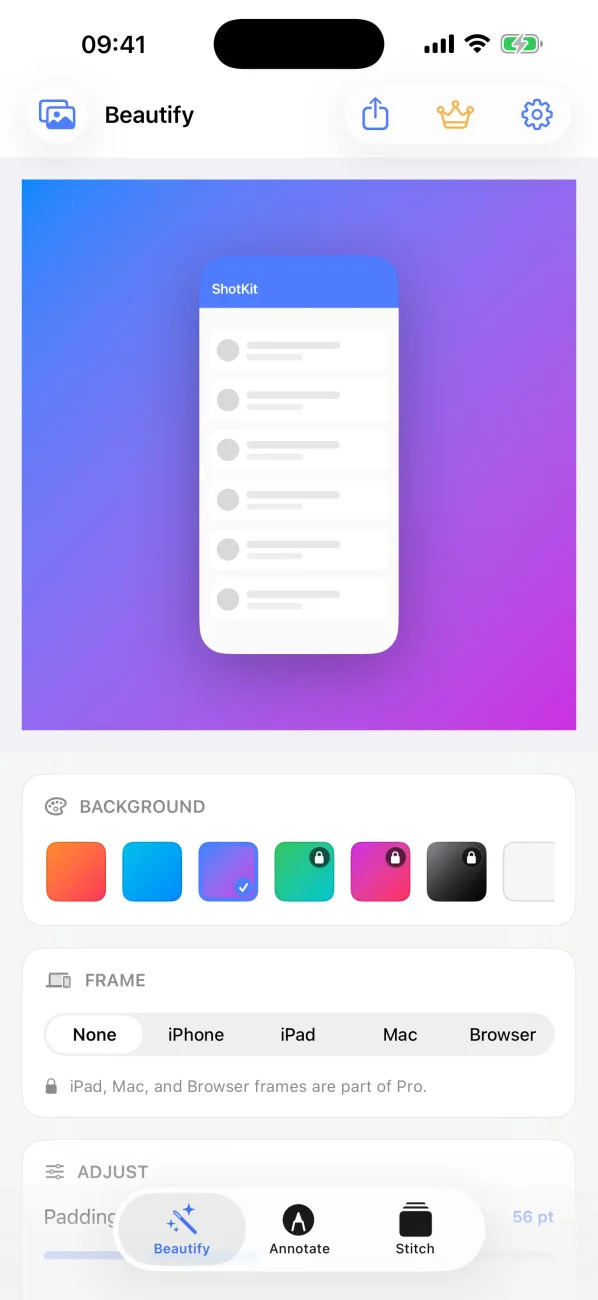
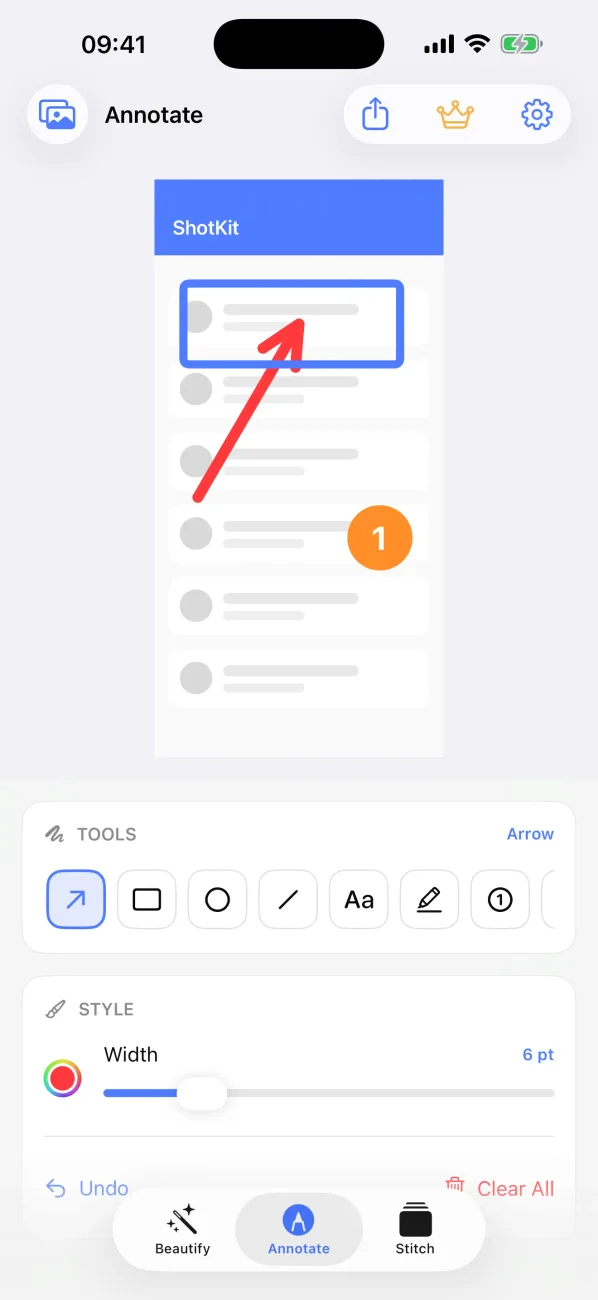

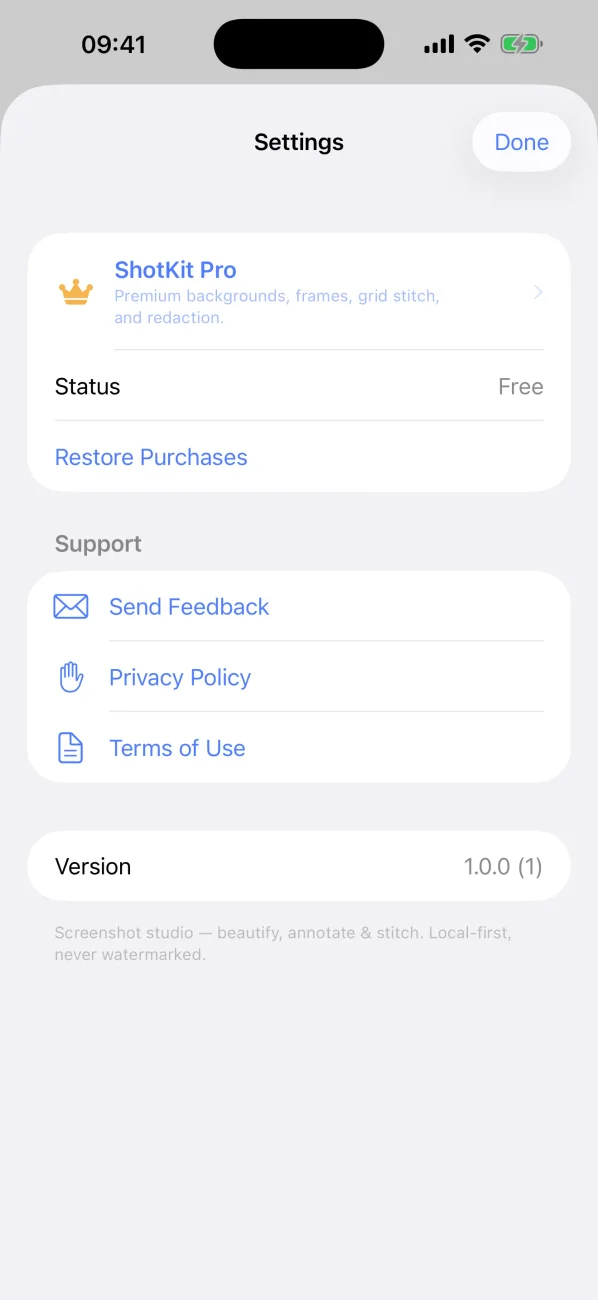
About
ShotKit is the all-in-one screenshot studio for iPhone and iPad. Beautify, annotate, and stitch — three tools every screenshot needs, in one fast, native, fully on-device app. No watermark, ever.
Most screenshot apps do one thing. ShotKit does the three that matter: drop a shot on a gorgeous background, mark it up with arrows and text, and stitch long pages into a single image. All offline. The full core toolkit is built in.
— WHAT MAKES SHOTKIT DIFFERENT —
• THREE TOOLS, ONE APP
Beautify, annotate, and stitch live side by side. Stop juggling a mockup app, a markup app, and a long-screenshot app. ShotKit replaces all three.
• BEAUTIFY IN SECONDS
Drop any screenshot onto gradient, solid, or wallpaper backgrounds. Add iPhone, iPad, Mac, or browser device frames. Tune padding, shadow, rounded corners, and a subtle 3D tilt. Export at full resolution.
• POWERFUL ANNOTATION
Arrows, rectangles, ellipses, lines, freeform text, highlighter, and numbered step badges. Spotlight and zoom to draw the eye. Blur or pixelate to redact emails, faces, and API keys before you share.
• LONG-SCREENSHOT STITCHING
Combine a scrolling capture into one tall image, or lay shots out in a clean side-by-side grid. Seams align automatically.
• 100% LOCAL, ZERO TELEMETRY
No cloud, no tracking, no accounts. Every pixel is processed on your device. Network access is for StoreKit only.
• NEVER A WATERMARK
The core beautify and basic annotation tools are built in, and your exports are always clean. Pro adds premium backgrounds and frame packs, unlimited stitch, batch export, and advanced redaction — never a watermark on any export.
— WHO IS SHOTKIT FOR? —
• Designers and PMs who post UI screenshots and want them to look polished
• Developers documenting bugs who need arrows, text, and quick redaction
• Support and ops teams stitching long chat or settings screens into one image
• Anyone tired of switching between three separate screenshot apps
— PRICING —
The core beautify and basic annotation tools are built in, with no watermark on exports. Pro unlocks premium backgrounds and frame packs, unlimited stitching, batch export, and advanced redaction via a yearly subscription with a one-week trial, or a one-time lifetime purchase.
— BUILT FOR APPLE —
Requires iOS 17.0 or later. Built with SwiftUI, PhotosUI, Core Image, and PencilKit. Universal app for iPhone and iPad.
— FEEDBACK —
Made by Peter Zhang. Every email at obeliskclubclub@gmail.com is read personally.
Learn more: https://obelisk.club/shotkit
Terms of Use (EULA): https://obelisk.club/shotkit/terms
App privacy
What 永 张 declares on the App Store about how this app handles data.
-
Data not collected
The developer does not collect any data from this app.
Privacy practices may vary, for example with the features you use or your age.
Information
- Seller
- 永 张
- Category
- Graphics & Design
- Version
- 1.0
- Updated
- Jul 1, 2026
- Released
- Jul 1, 2026
- Size
- 957.0 KB
- Requires
- iOS 17.0 or later
- Age rating
- 4+
- In-app purchases
- Yes
- Languages
- English
- Copyright
- Copyright © 2026 Peter Zhang. All rights reserved.
You might also like
-
 BetterShots - Edit ScreenshotsBlur, Stitch, Frame, Gradient
-
 Xnapper - Beautiful ScreenshotMake screenshots beautiful
-
 LiveToFrame:GIF, Video & FrameLive Photo Converter
-
 MagicM: Object Remover AIPhoto Eraser & Retouch
-
 PixCraft: Fuse Bead MakerPerler & Hama Pattern Design
-
 Toolbox for Microsoft WordResume, CV, Flyer & Poster
-
 Caricature Cartoons Neon ToonUGraphics & Design
-
 Cartoon Caricature Blend PicGraphics & Design
-
 Video Reverser.Reverse Video Editor
-
 Happy Space - AI Home DesignInterior Ideas & Room Planner