
ShotMark : Screenshot Memory
Organize Screenshots Smarter
Designed for iPhone, iPad, Mac
Free · In-app purchases
- Age rating4+
- CategoryProductivity
- DeveloperZhen Chyi Lee
- LanguagesEnglish+ 8 more
- Size15.5 MB
Links to the official App Store page
Download.org hosts no file of ShotMark : Screenshot Memory. The button opens its official App Store page, published by Zhen Chyi Lee. Listing last checked on Nov 23, 2026.
Screenshots

About
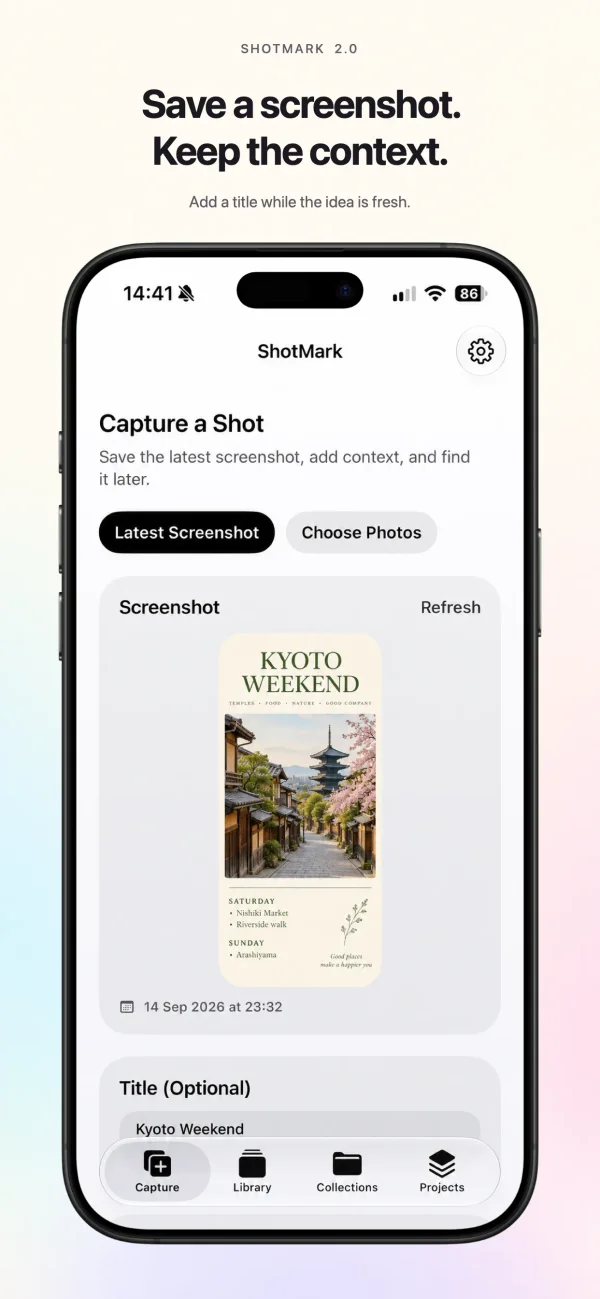
Save the screenshot. Keep the reason.
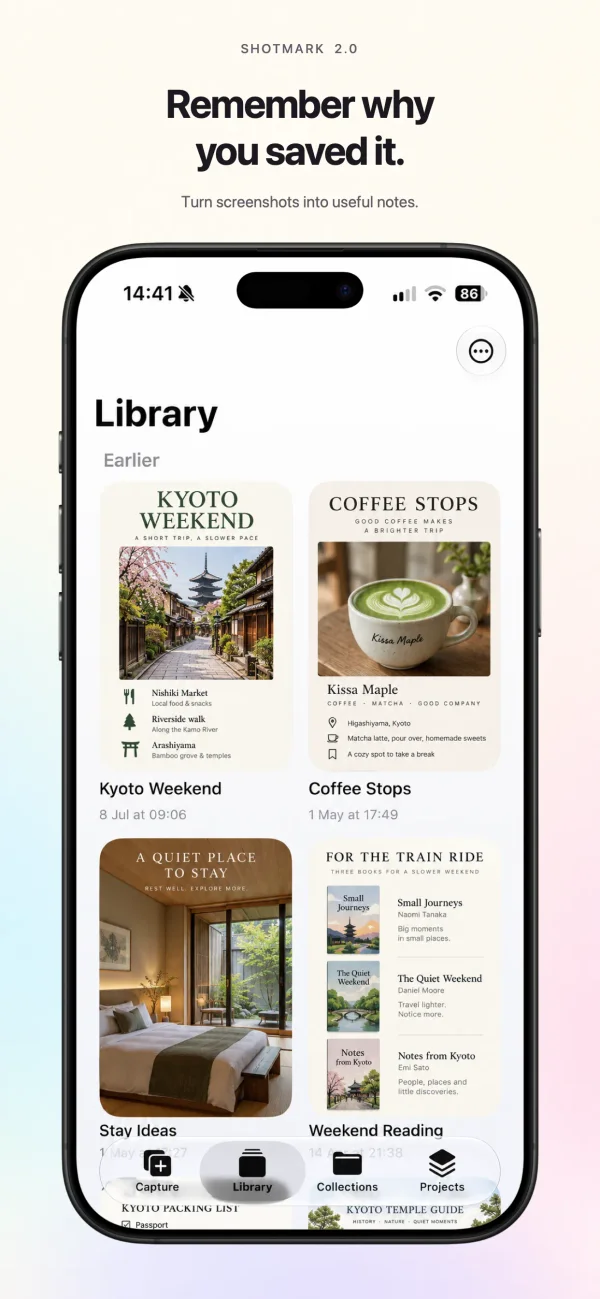
ShotMark keeps screenshots and their context together. Save ideas, receipts, conversations and references as cards, add notes, and find them again without searching through your photo library.
KEEP THE CONTEXT
Add notes, voice notes and reminders to screenshot cards. Keep related screenshots together in one card.
ORGANISE YOUR LIBRARY
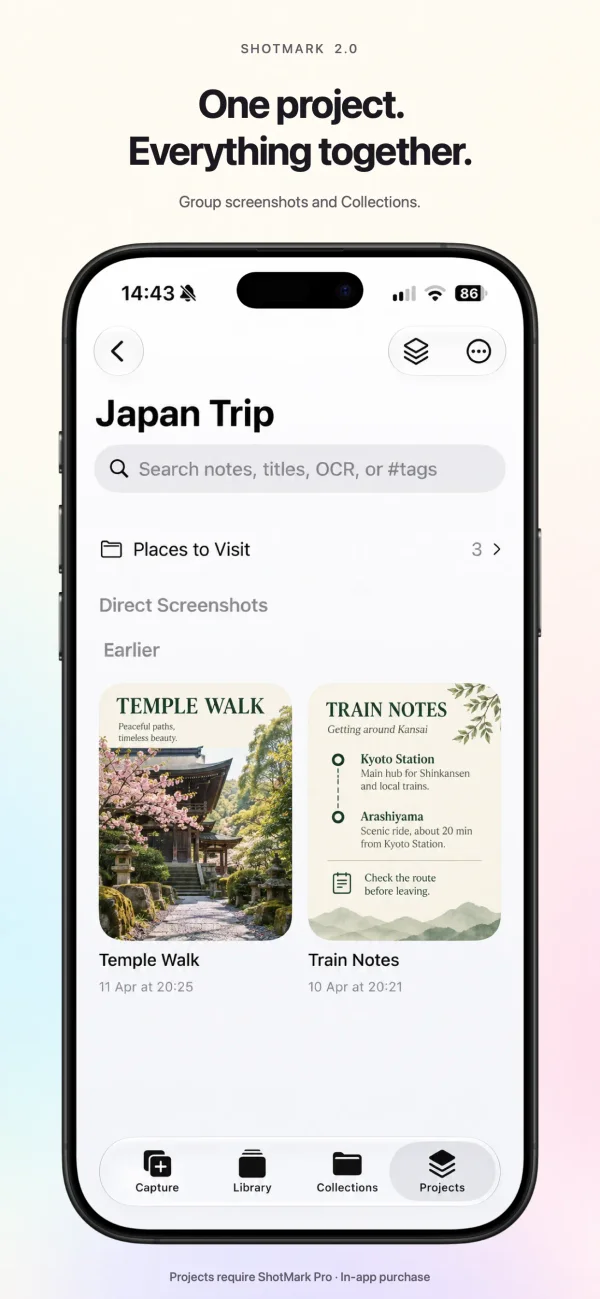
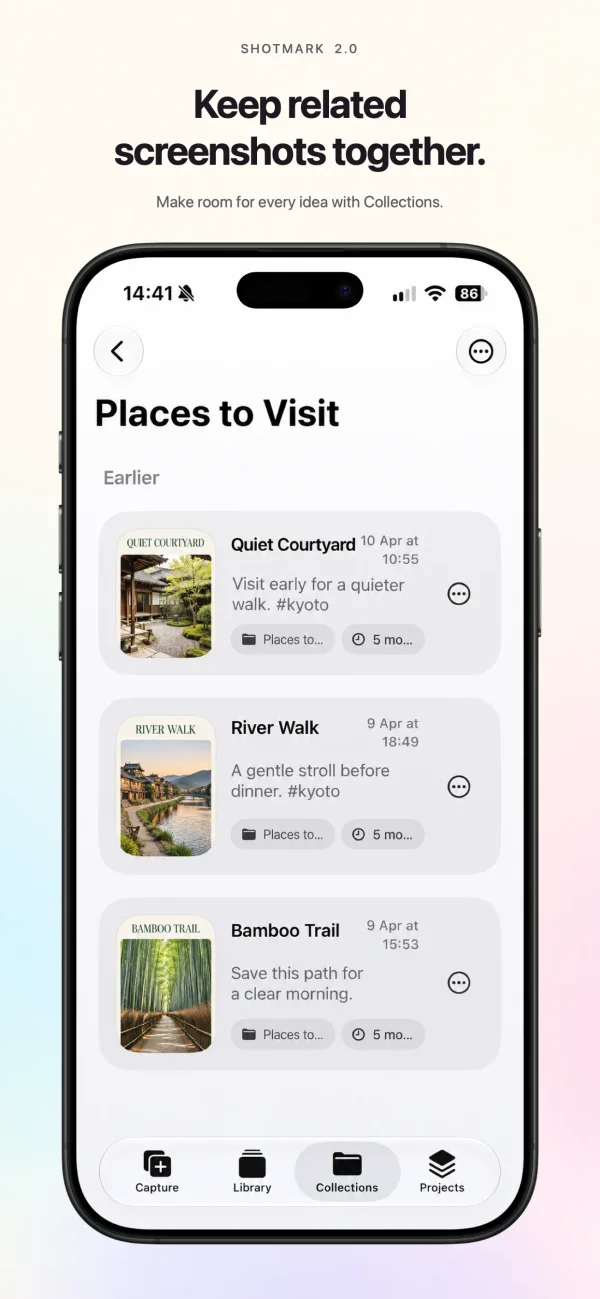
Browse in Grid or List, pin important cards, and group screenshots into Collections. Archive cards without deleting their content, then restore them when you need them. Select several cards to move, pin, archive or delete them together. With Pro, use Projects to organise Collections and individual cards.
FIND WHAT YOU SAVED
Search titles, notes and tags. Detect and copy text from screenshots, with OCR search available in Pro.
SHARE AND SYNC
Export cards as images to share. Pro adds watermark-free export and optional iCloud sync across your Apple devices. Pro access is required on each platform used for sync.
MAKE IT YOURS
Choose Light, Dark or System appearance. Available in English, German, Spanish, French, Italian, Japanese, Portuguese (Portugal), Simplified Chinese and Traditional Chinese.
START FREE, UPGRADE WHEN YOU NEED MORE
Save up to 12 cards free on iPhone and iPad. Archived cards count toward this limit. Pinning, archiving, multi-select and Collection moves are included free. Pro adds unlimited saved cards, Project organisation, OCR search, iCloud sync and watermark-free export.
PRO THAT FITS YOUR DEVICES
Choose iPhone & iPad Pro, Mac Pro, or All Platforms Pro covering iPhone, iPad and Mac. Eligible existing Pro owners can add the other platform with an owner discount through the App Store. Each option is a one-time purchase, with no subscription. Prices are shown in your local App Store currency.
No ShotMark account is required.
What’s new
Version 2.2 · Nov 20, 2026
• Preview a card before sharing or saving it.
• With ShotMark Pro, choose which details to include in the image and set your default preferences. Free exports still carry the ShotMark watermark.
• On the expanded iPhone Duo display, see your screenshot beside your notes in Capture and browse the Library beside the selected card when space allows.
• Explore seven swipeable tutorial cards from Settings, including Share Sheet and Pro export examples.
App privacy
What Zhen Chyi Lee declares on the App Store about how this app handles data.
-
Data not collected
The developer does not collect any data from this app.
Privacy practices may vary, for example with the features you use or your age.
Information
- Seller
- Zhen Chyi Lee
- Category
- Productivity
- Version
- 2.2
- Updated
- Nov 20, 2026
- Released
- Apr 9, 2026
- Size
- 15.5 MB
- Requires
- iOS 17.6 or later
- Age rating
- 4+
- Price
- Free
- In-app purchases
- Yes
- Languages
- English, French, German, Italian, Japanese, Portuguese, Simplified Chinese, Spanish, Traditional Chinese
- Copyright
- © 2026 Zhen Chyi Lee
You might also like
-
 Spanarc - Calendar At a GlanceApple Calendar, Visualized.
-
 Notes,Tasks:Chunks AINote it. Task it. Chunk it.
-
 Taskful Day: Day PlannerCalm Task Tracker & To-Do List
-
 Rosetta: AI Notes, Links, TodoOne memory for all AI apps
-
 Planote - Daily Planner TasksSchedule Organizer, To-do list
-
 Waku - Save Ideas & BookmarkBookmarks, Save links & read
-
 Afterthought: Voice NotesTasks, reminders & meetings
-
 Clipboard AI - Paste KeyboardSave & Tag Copy Text History
-
 copycopy: Copy & Paste HistoryPrivate Clipboard Manager
-
 NoteCalc - Notepad CalculatorCalculate while you write note