
Side Wrench
Simple auto repair tracker
Designed for iPhone, iPad
Free · In-app purchases
- Age rating4+
- CategoryProductivity
- DeveloperBrent Burgin
- LanguagesEnglish
- Size4.8 MB
Links to the official App Store page
Download.org hosts no file of Side Wrench. The button opens its official App Store page, published by Brent Burgin. Listing last checked on Nov 12, 2026.
Screenshots


About
Transform your auto repair business with Side Wrench - the complete shop management solution designed for mobile mechanics, technicians, and small garage owners.
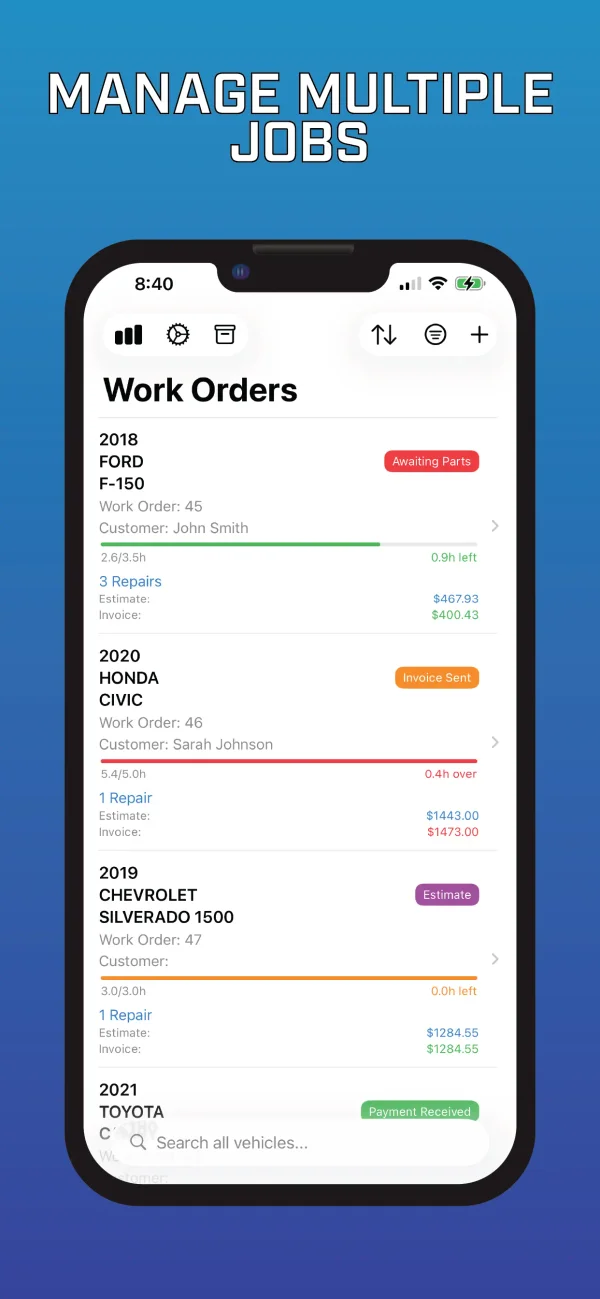
WORK ORDER MANAGEMENT
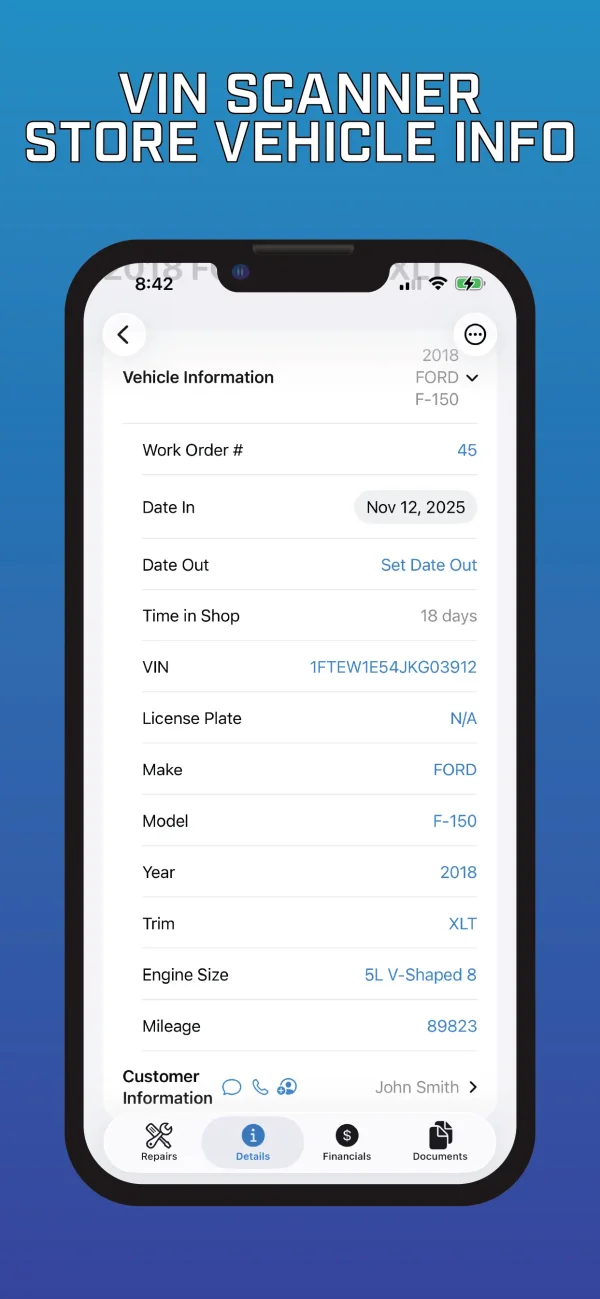
Create detailed work orders with customer information, vehicle details, and automatic work order numbering. Track every job from estimate to completion with customizable status tracking. Scan VIN barcodes for quick vehicle identification.
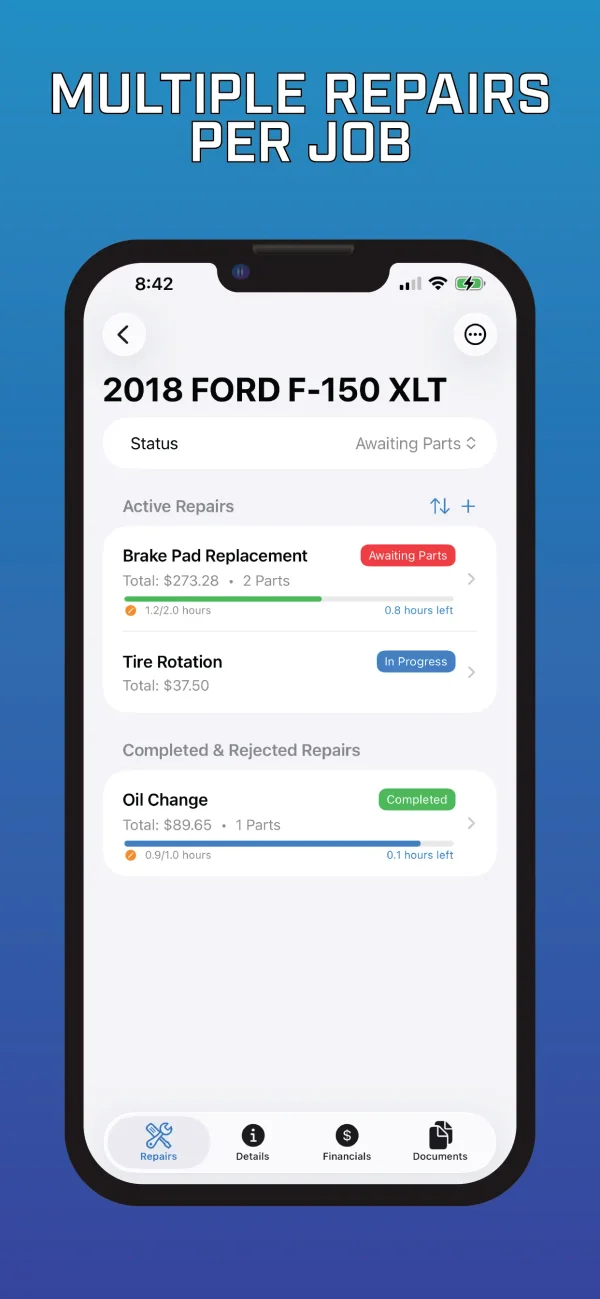
REPAIR TRACKING
Document every repair with detailed descriptions, labor hours, and parts lists. Track multiple repairs per vehicle with individual cost breakdowns. Use built-in timers to accurately capture labor hours and calculate actual hourly rates.
FINANCIAL MANAGEMENT
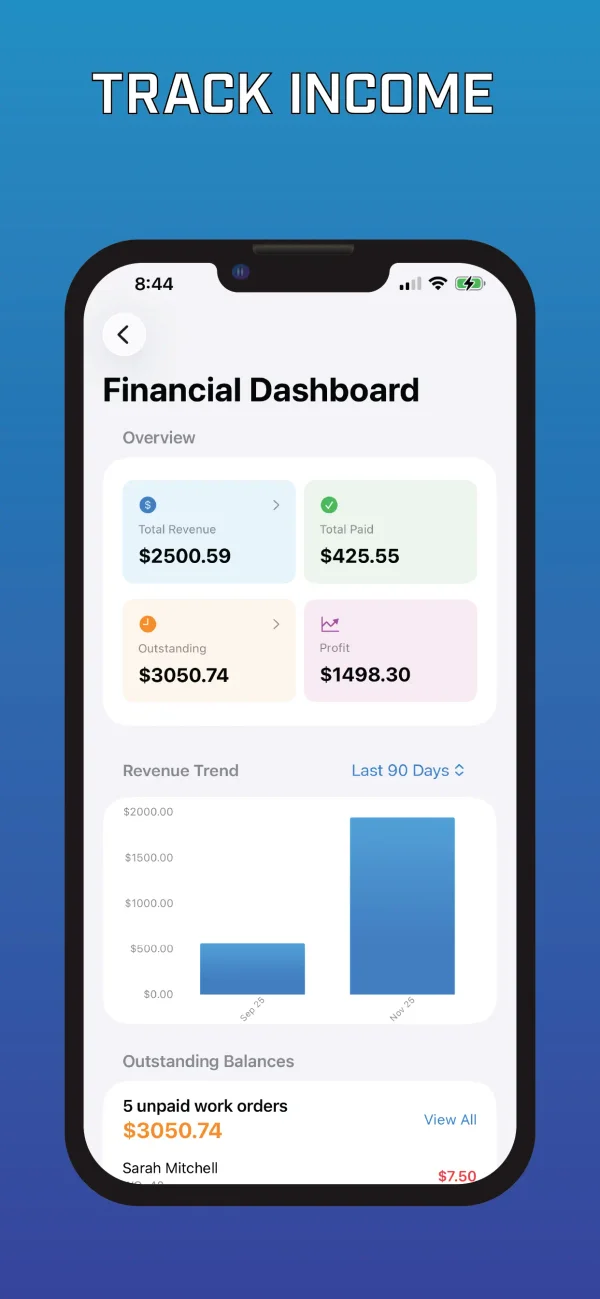
• Financial Dashboard - Visualize revenue trends, profit margins, and top customers
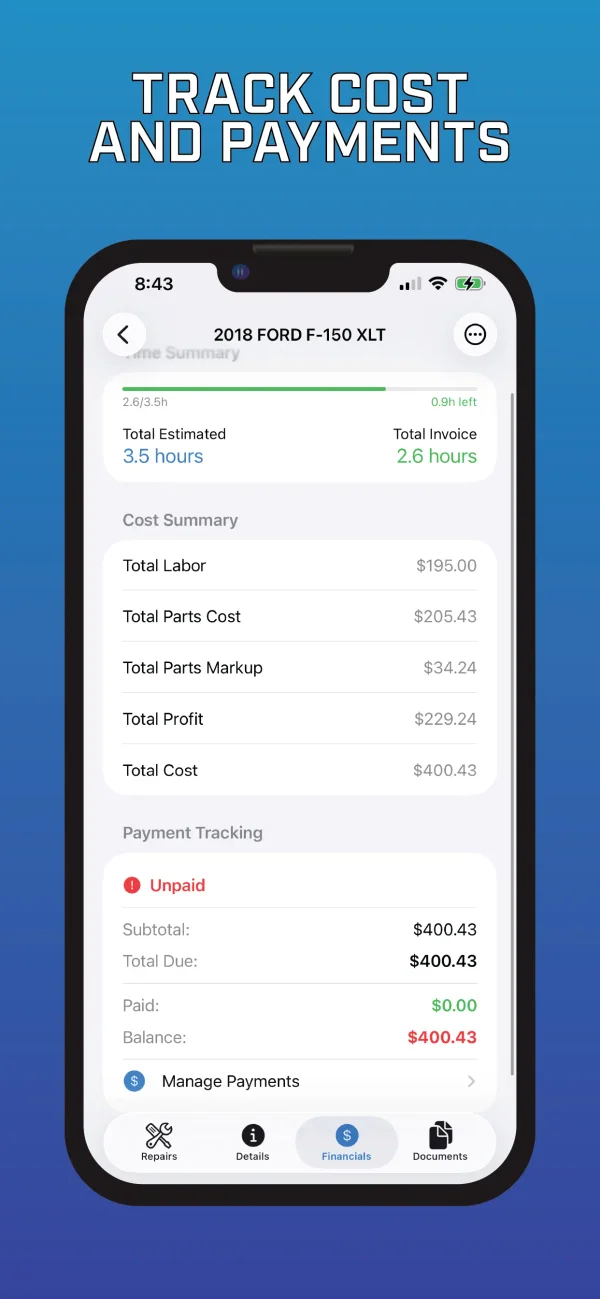
• Payment Tracking - Record partial payments with multiple payment methods (Cash, Check, Card)
• Outstanding Balances - Track unpaid invoices and manage collections
• Hourly Rate Analysis - Compare estimated vs. actual rates to optimize pricing
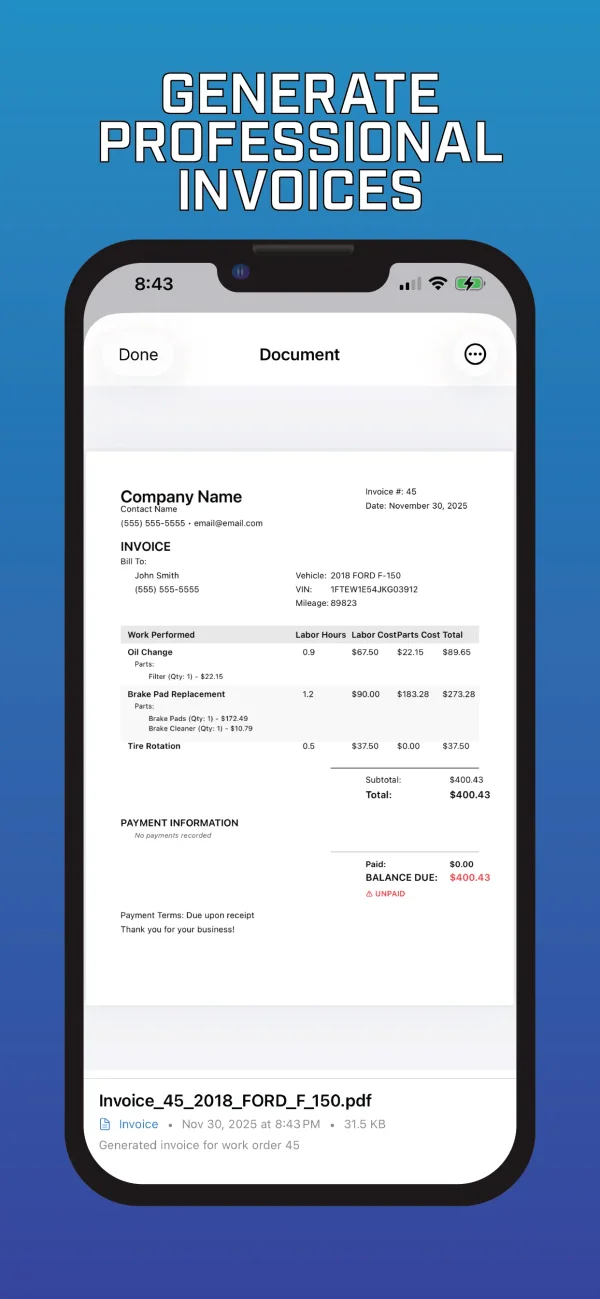
• Professional Invoices - Generate PDF invoices with payment history
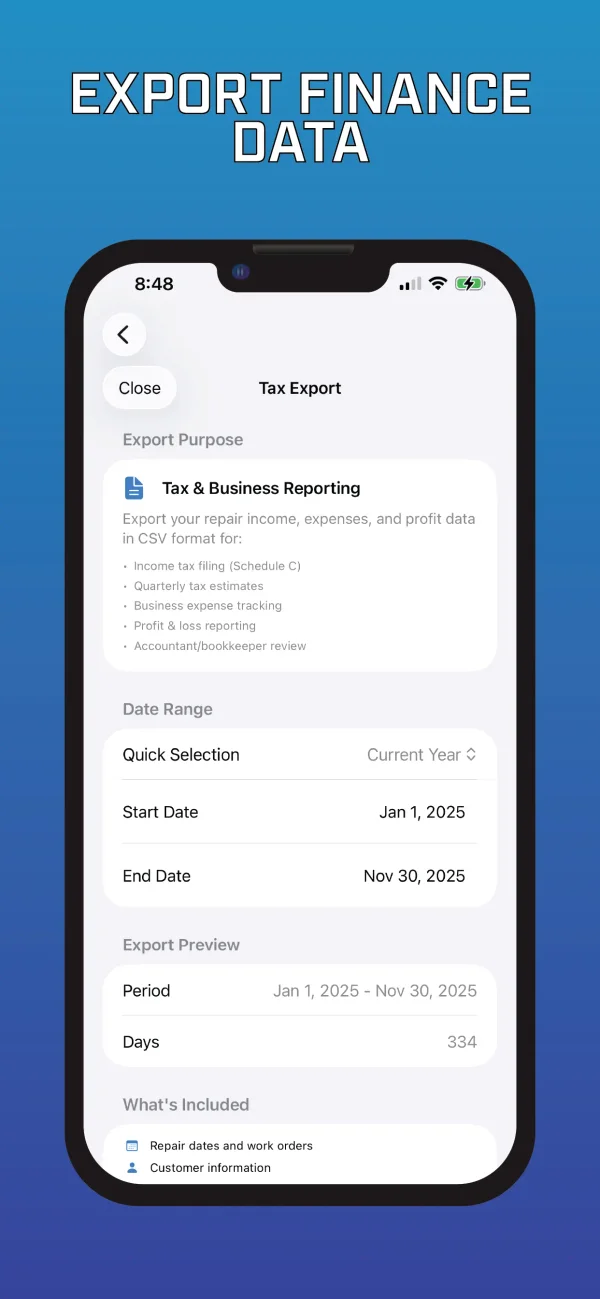
• Tax Export - Export comprehensive financial data in CSV format for tax filing
REAL-TIME TIMER TRACKING
Never lose track of billable hours with:
• Lock Screen Live Activities - See running timers without unlocking your device
• Dynamic Island integration (iPhone 14 Pro and newer)
• Hourly reminder notifications
• App icon badge for active timers
• Automatic labor cost calculations
PARTS & MATERIALS
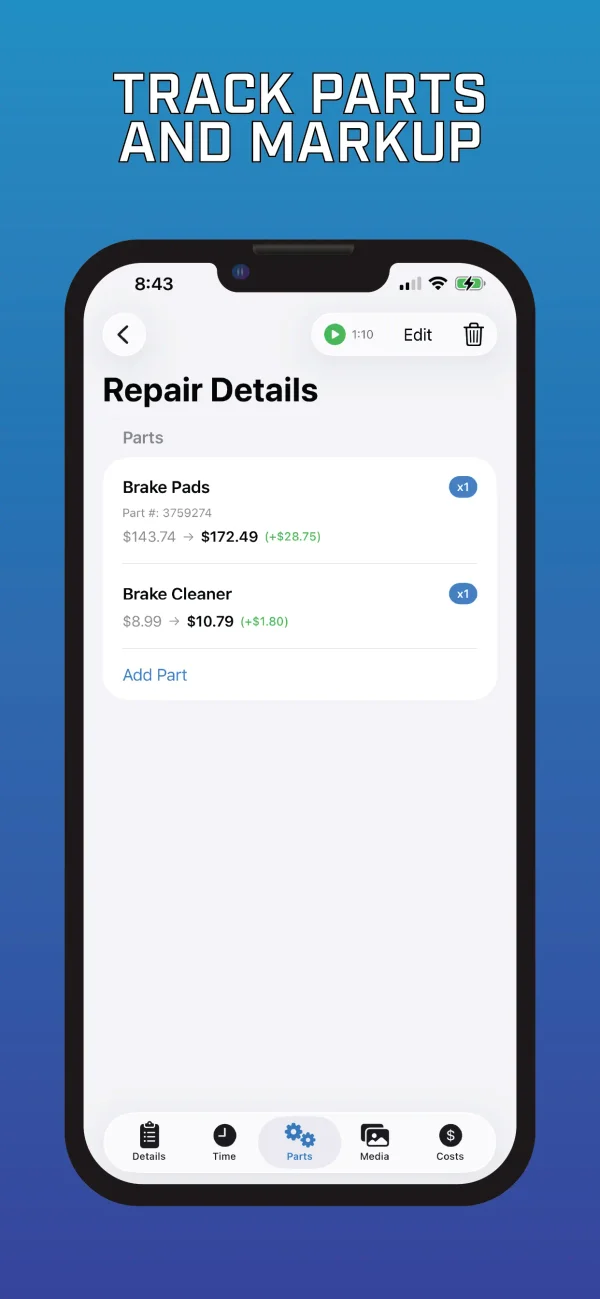
Track parts with cost, markup, and quantity. Calculate profit margins automatically. Manage parts inventory across multiple repairs. Support for percentage or fixed dollar markups.
PROFESSIONAL INVOICING
Generate detailed PDF invoices including:
• Complete vehicle and customer information
• Itemized repairs with labor breakdown
• Parts list with costs and markups
• Payment history and outstanding balance
• Shop branding and contact details
BUSINESS INSIGHTS
• Revenue trends with customizable time ranges
• Profit margin analysis by repair and customer
• Top customer identification for retention
• Outstanding balance monitoring
• Days outstanding tracking for collections
ICLOUD SYNC (Premium)
Access your data across all your devices. Automatic backup and sync keeps your business running smoothly. Work seamlessly between your iPhone and iPad.
DATA EXPORT (Premium)
Export financial data in CSV format for:
• Tax filing (Schedule C compatible)
• Quarterly estimates
• Accountant review
• Business loan applications
• Performance analysis
DESIGNED FOR PROFESSIONALS
• Intuitive interface optimized for busy mechanics
• Works offline - no internet required
• Fast performance even with hundreds of work orders
• Search and filter by customer, vehicle, date, or status
• Swipe actions for quick edits and updates
• Archive completed work orders
FREE VERSION
Get started with up to 2 work orders to try all features.
PREMIUM FEATURES
Unlock unlimited work orders, iCloud sync, and data export for serious shop management.
Perfect for:
• Independent mechanics
• Small auto repair shops
• Mobile mechanics
• Side hustlers
• Motorcycle and ATV repair
• Equipment repair businesses
• Truck and fleet maintenance
Side Wrench helps you spend less time on paperwork and more time turning wrenches. Download now and take control of your repair business!
NOW ON IPAD
Full split-view layout, multiple windows, and drag & drop — optimized for larger screens!
Terms of Use (EULA): https://www.apple.com/legal/internet-services/itunes/dev/stdeula/
What’s new
Version 2.1.0 · Sep 4, 2026
Side Wrench is now on iPad! See your work order list and job details side by side, open two work orders in their own windows, and drag photos and PDFs straight into a job from Split View.
• Full iPad support with split-view layout and multi-window
• Redesigned navigation with Work Orders, Dashboard, and Settings tabs
• Drag & drop photos and documents into repairs (iPad)
• Sort and filter parts by name, cost, quantity, date, and supplier
• Hardware keyboard shortcuts on iPad
• Fixes: exact payments no longer flagged as overpayment, invoice PDFs list parts in a consistent order, plus many small reliability fixes
App privacy
What Brent Burgin declares on the App Store about how this app handles data.
-
Data not collected
The developer does not collect any data from this app.
Privacy practices may vary, for example with the features you use or your age.
Information
- Seller
- Brent Burgin
- Category
- Productivity
- Version
- 2.1.0
- Updated
- Sep 4, 2026
- Released
- Aug 19, 2025
- Size
- 4.8 MB
- Requires
- iOS 17.0 or later
- Age rating
- 4+
- Price
- Free
- In-app purchases
- Yes
- Languages
- English
- Copyright
- © 2026 BWB Designs
You might also like
-
 CarService – Auto Shop ManagerInvoices, PDF, Vehicle Tracker
-
 FlatWrenchTrack Your Shop Efficiency
-
 WalkExplore: Walk & HydrateSteps, Water & Walking Routes
-
 Bill Tracker: Due RemindersPayment Organizer & Calendar
-
 Lawn Equipment ManagerProductivity
-
 Field Service Job TrackerManage Work Orders & Job Notes
-
 Flat Rate TrackerTrack Flagged Hours & Pay
-
 Masar Workshop ManagementProductivity
-
 Br MyJobEasy to use and complete
-
 Novo Repairs ProviderProductivity