
SideBooks
PDF&Comic Viewer
Designed for iPhone, iPad, iPod touch
Free · In-app purchases
- Age rating4+
- CategoryBooks
- DeveloperTatsumi-system Co., Ltd.
- LanguagesEnglish+ 4 more
- Size33.0 MB
Links to the official App Store page
Download.org hosts no file of SideBooks. The button opens its official App Store page, published by Tatsumi-system Co., Ltd. Listing last checked on Nov 23, 2026.
Screenshots


About
SideBooks is a high performance, high speed PDF viewer that allows you to enjoy reading with the feel of actual paper.
=Features=
Curl animation that simulates the actual turning of paper pages has been added to the standard page slide function.
Supports viewing from 3 directions, documents that open left to right, right to left and vertically. It provides the optimal environment for viewing any book.
All zoom rates have been optimized providing high speed, dynamic screen display.
An infinite hierarchy of folders can be created, moved, deleted, renamed, etc. using the enhanced bookshelf management function.
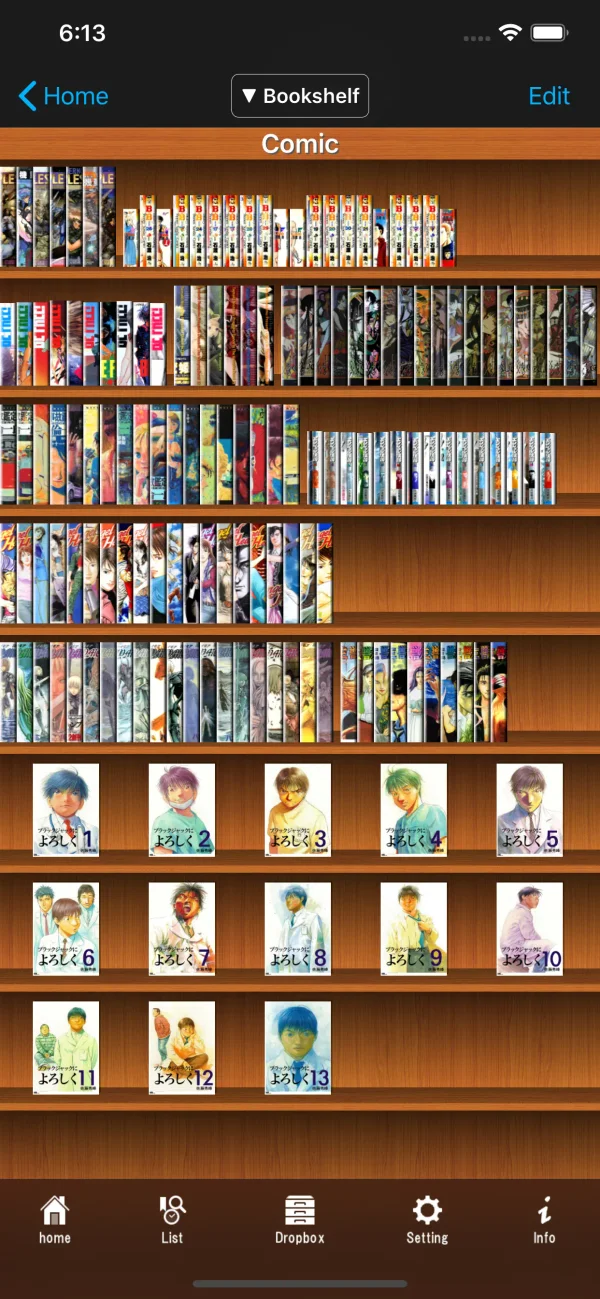
Real visual bookshelf function that corresponds to back cover style display.
Files can be imported by 3 methods, Network transfer through Dropbox, USB transfer through iTunes and direct transfer from other applications.
Books can be protected so others cannot view them by using the password protected locking function.
This is a universal application that operates on the iPhone, iPod Touch and iPad.
=Functions=
Overall:
*Brightness Adjustment
*Screen rotates to match the orientation of the device
*Screen Rotation Lock
*Password Protected Start-up Lock
Viewer:
*Support PDF,ZIP,CBZ,RAR and CBR format
*Page Turning: Choose from slide or curl
*Viewing Directions: Choose from opening left to right / right to left / vertically
*Page Spacing: Choose form wide / narrow / none
*Facing Pages: Choose the pair of facing pages by setting the cover to on or off
*Trim function within the range of page display
*Cache pre-read function for the previous and next pages
*Set the display for each book and remember the page number of the last page read
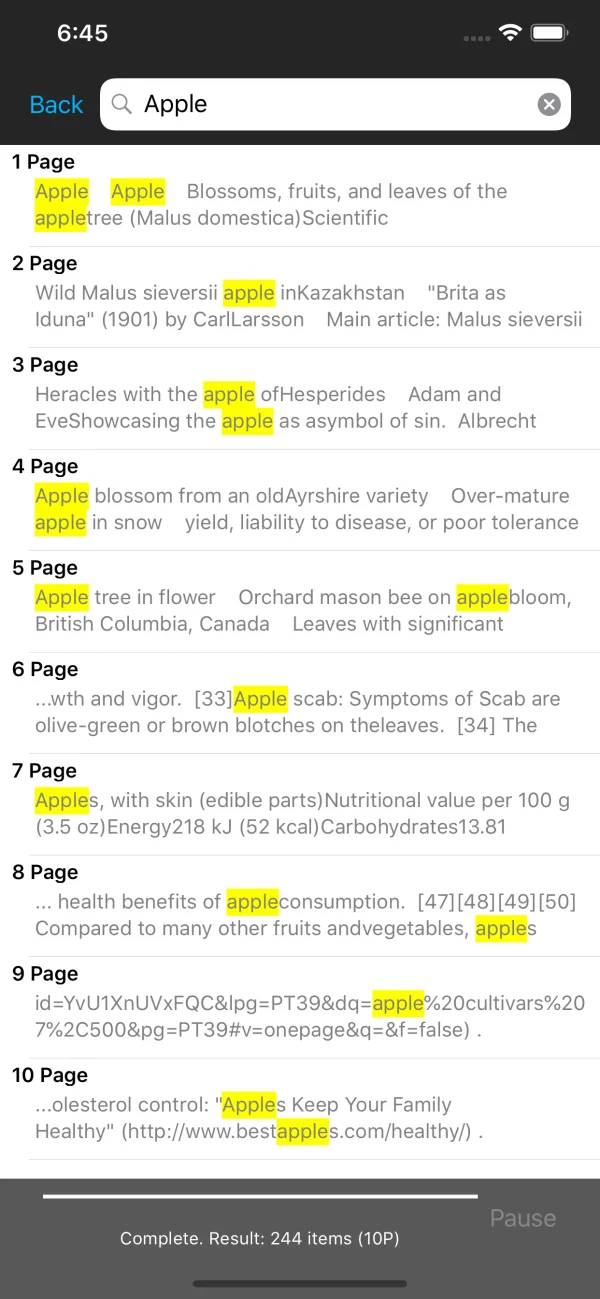
*Text search function (list display type)
*Contents function (also supports hierarchy type)
*Bookmark function (with editable memos)
*Edit handwritten notes
*Send to other applications (Open-In)
*Send by email
*Printing function (Air Print)
*In-page link function
*Link to outside URL function (built-in browser / Safari / Printing)
*Display / Don't Display link buttons
*Page turning function using tap or swipe
*Expansion / Contraction function using pinch and double tap (1-1024x zoom)
*Viewing of encrypted PDF files with password protection
*Display / non-display of statusbar when reading
Bookshelf:
*Display form: Choose form list bookshelf / visual bookshelf
*Function to set theme of visual bookshelf with each folder
*Bookshelf thema extension pack (Add-On)
*Cover editing function (corresponds to the trim)
*File editing function: create, move, delete, setting for all books in folder
*Bookmark list
*Reading history list
*Unread list
*Edit of mark choose form already read / unread
*Book name search function
*Network transfer through Dropbox
*USB transfer through iTunes
*Direct transfer from other applications
Special thanks to,
"Give My Regards to Black Jack"
SHUHO SATO
Manga on Web
http://mangaonweb.com
What’s new
Version 2.91.2 · Nov 15, 2026
*Minor functional adjustments and bug fixes.
App privacy
What Tatsumi-system Co., Ltd. declares on the App Store about how this app handles data.
-
Data not collected
The developer does not collect any data from this app.
Privacy practices may vary, for example with the features you use or your age.
Information
- Seller
- Tatsumi-System Co., Ltd.
- Category
- Books
- Version
- 2.91.2
- Updated
- Nov 15, 2026
- Released
- Dec 19, 2010
- Size
- 33.0 MB
- Requires
- iOS 15.0 or later
- Age rating
- 4+
- Price
- Free
- In-app purchases
- Yes
- Languages
- English, Japanese, Korean, Simplified Chinese, Traditional Chinese
- Copyright
- © Tokyo Interplay Corporation
You might also like
-
 Manga Viewer - CBZ(CBR) ReaderAll Manga & Comic Files Reader
-
 KedaReaderImage reader with NAS support
-
 Comic Book ViewerView your favorite comic books
-
 WebToon Reader - WebComic FileWebToon & Manga Files Viewer
-
 Panels - Comic ReaderThe best comic & manga reader
-
 ComicReader: Comic Book ReaderCBR, CBZ & PDF for iPhone Duo
-
 Flippy: AI PDF & EPUB ReaderRead Aloud, Chat & Flashcards
-
 WoWo Comics - Local ReaderZIP&RAR&EPUB&MOBI&PDF&Editor
-
 PureLibro: eBook ReaderRead EPUB, MOBI, PDF & comics
-
 ComicShare - Streaming ReaderZIP,RAR,PDF Image book Viewer