
SightPiano
Learn Piano from Real Scores
Designed for iPhone, iPad, Mac, iPod touch
Free · In-app purchases
- Age rating4+
- CategoryEducation
- DeveloperOriginal Device LLC
- LanguagesEnglish
- Size388.5 MB
Links to the official App Store page
Download.org hosts no file of SightPiano. The button opens its official App Store page, published by Original Device LLC. Listing last checked on Nov 24, 2026.
Screenshots



About
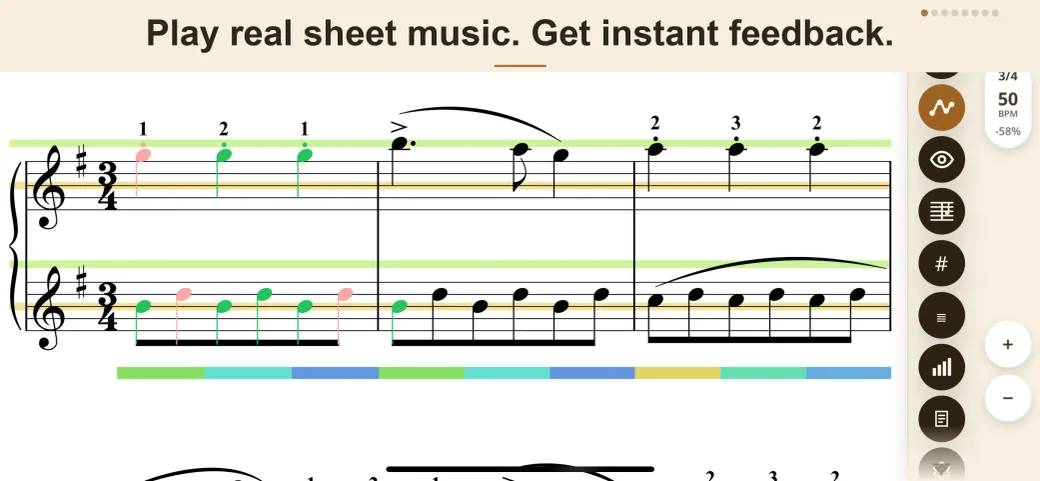
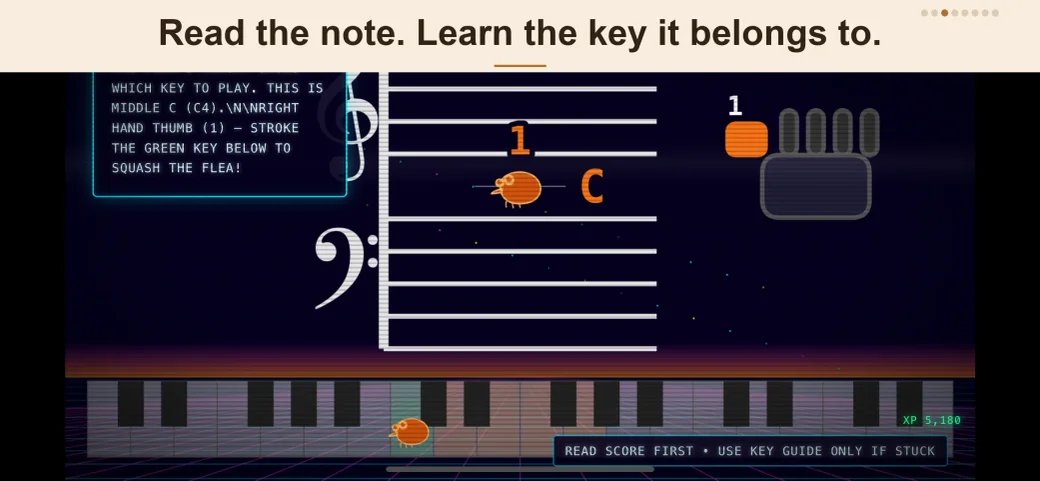
SightPiano is a notation-first piano-learning app for beginners. Learn from real sheet music on a digital piano or MIDI keyboard, with instant feedback on every note and its timing.
Build core piano skills as you learn from music — not by following falling-note games. Choose structured method courses, train one hand at a time, and see exactly where your playing needs work.
Start free with about a month of real method repertoire — often more — across three classical method paths. No account, no trial clock; every feature is permanently unlocked at no cost during the free foundation.
WHY IT’S DIFFERENT
Real notation, not diagrams. Every piece is full sheet music, read the way a musician reads it.
The beat never stops. Metronome on by default; every note is judged for timing as well as pitch.
You track your own position on the page. No bouncing ball, no auto-scroll — the skill a real sight-reader needs.
No upsell modals, no locked-until-you-pay progression on the free foundation. Payment expands content, not the practice system.
THE SIGHT- PRACTICE PIPELINE Sight-reading is five skills in sequence, and SightPiano trains all five, in order:
Hear it first — SightPlay highlights each note as reference audio plays, with a visible beat and human (non-mechanical) timing.
Play it through, off the clock — SightTrace colors every note green or red the instant you strike it, looping until you clear the passage.
Read ahead, off the clock — SightPeek lets you preview the next measure at your own pace.
Read ahead, at tempo — SightAhead runs the same drill under real tempo pressure.
Get the truth immediately — SightMark and SightError show exactly what landed and where the misses went.
A PROGRESSIVE CURRICULUM Choose from three historical method paths to intermediate playing — the balanced German Path (Beyer, Burgmüller, Czerny), the lyrical French Path (Le Couppey), or the technical Viennese Path (Czerny) — plus Hanon, SightJazz, and SightPops. The beginner foundation of every path is free, permanently, with every feature enabled — about a month of practice for most learners, often more.
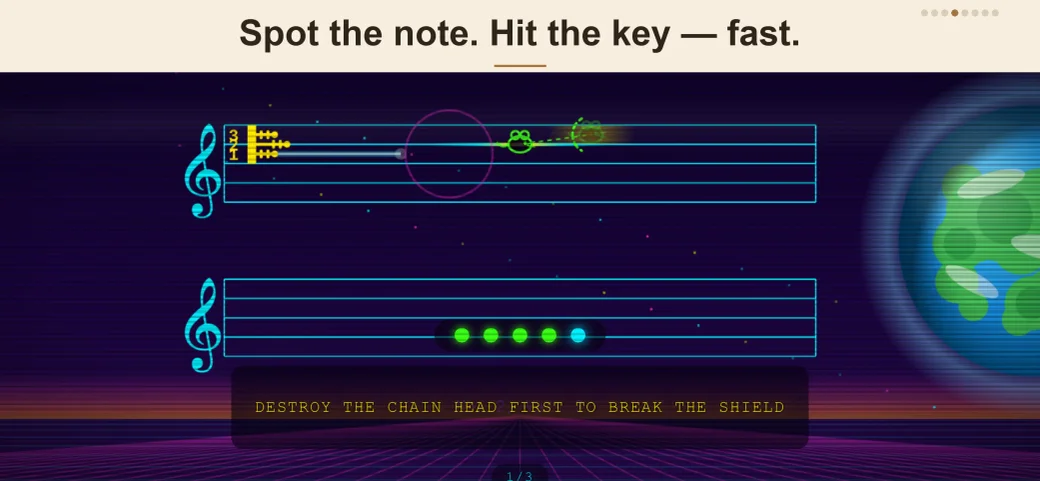
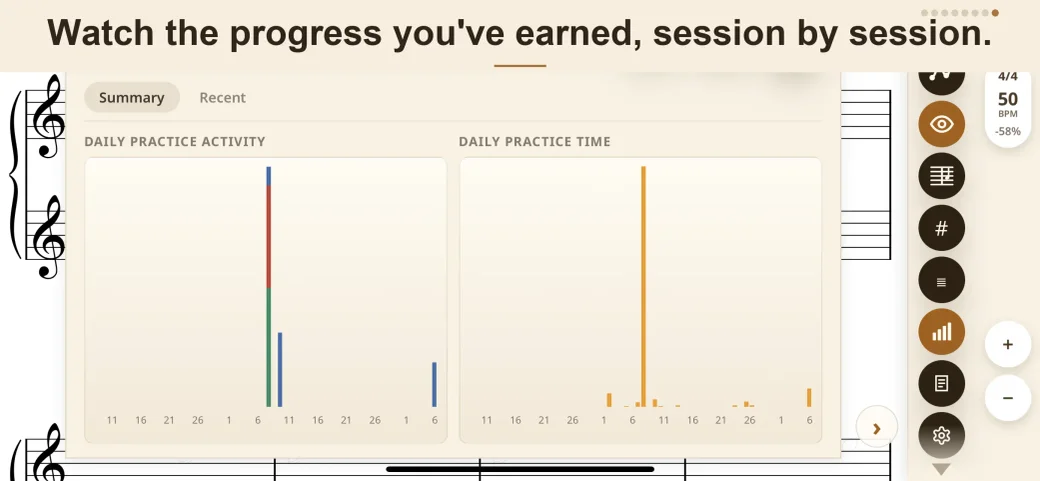
BUILT-IN PRACTICE TOOLS SightMastery and SightTrend track real progress across months, not minutes. SightRight/SightLeft isolate a hand. SightDyna shows touch evenness. SightJuke turns a songbook into a jukebox — pick a first and last piece and SightPiano performs the whole range hands-free, with optional repeat. SightCade turns nine retro arcade games into focused drills on rhythm, pitch, hand independence, dynamics, memory, and chord leaps — including ChordRally, which steers with block chords. SightMaestro is an optional AI practice coach — bring your own API key and pay your provider directly, at wholesale, instead of a subscription markup.
A NOTE ON HARDWARE For the full real-keyboard feedback experience, connect a digital piano or MIDI keyboard by wired USB. Bluetooth MIDI and acoustic-piano input are not currently supported. The app also includes a virtual piano for a quick try without MIDI hardware.
Built and maintained by one person. Feedback goes straight to the developer, not a support queue.
What’s new
Version 1.13.1 · Nov 23, 2026
What's New in 1.13.1
SightAnalog
• New No-MIDI mode: practice on an acoustic piano or without a keyboard. The score, accompaniment and metronome keep running; only note judging is off
• After a session, rate how it went with one tap on a face
• Log practice done away from the app; logged days count toward your streak and stay separate from judged results
SightCade
• BrainCleaver, SumoBeat and FingerRoll can be played without a keyboard: tap the screen, use the F/J or A/S/D/J/K keys, or use FingerRoll's on-screen pads
• Accent stages that grade how hard you play still need a MIDI keyboard
SightMastery
• One four-colour scale for every piece: red, yellow, green and blue. Self-ratings use the same colours
• Reset the colours of chosen pieces from the pieces panel
Also
• SightBasics fingering review: standard A-flat scale start and clearer leap landings
App privacy
What Original Device LLC declares on the App Store about how this app handles data.
-
Data not collected
The developer does not collect any data from this app.
Privacy practices may vary, for example with the features you use or your age.
Information
- Seller
- Original Device LLC
- Category
- Education
- Version
- 1.13.1
- Updated
- Nov 23, 2026
- Released
- Aug 11, 2026
- Size
- 388.5 MB
- Requires
- iOS 15.0 or later
- Age rating
- 4+
- Price
- Free
- In-app purchases
- Yes
- Languages
- English
- Copyright
- © 2026 Original Device LLC
You might also like
-
 Pianeer - Sight ReadingLearn piano with sheet music
-
 Security Plus Exam prepPractice exams & flashcards
-
 BetterMuse: Piano PracticeSheet Music & MIDI Feedback
-
 Online Piano LessonsEducation
-
 Soupir: Rhythm TrainerRead, tap & scan sheet music
-
 Angelschein Rheinland-Pfalz 26Education
-
 Noteon - Current Note DetectorEducation
-
 PlayPiano Smart Practice CoachLearn piano with real feedback
-
 PianoAI TutorAI-powered piano learning
-
 Pianista: Piano PracticeImport scores. Real notation.