
SigMap - WiFi Heatmap
Find the best Wi-Fi spot in AR
Designed for iPhone
Free · In-app purchases
- Age rating4+
- CategoryUtilities
- DeveloperKian Fong Wong
- LanguagesEnglish+ 1 more
- Size2.3 MB
Links to the official App Store page
Download.org hosts no file of SigMap - WiFi Heatmap. The button opens its official App Store page, published by Kian Fong Wong. Listing last checked on Nov 23, 2026.
Screenshots

About
See your Wi-Fi on the floor and find the best spot in the room.
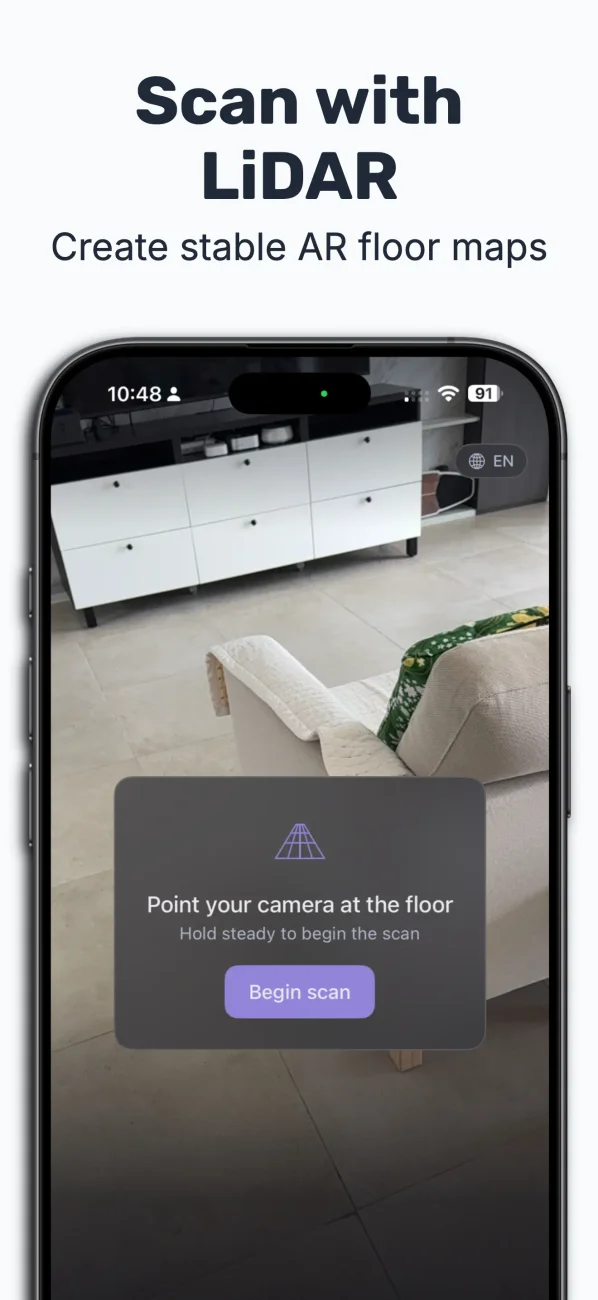
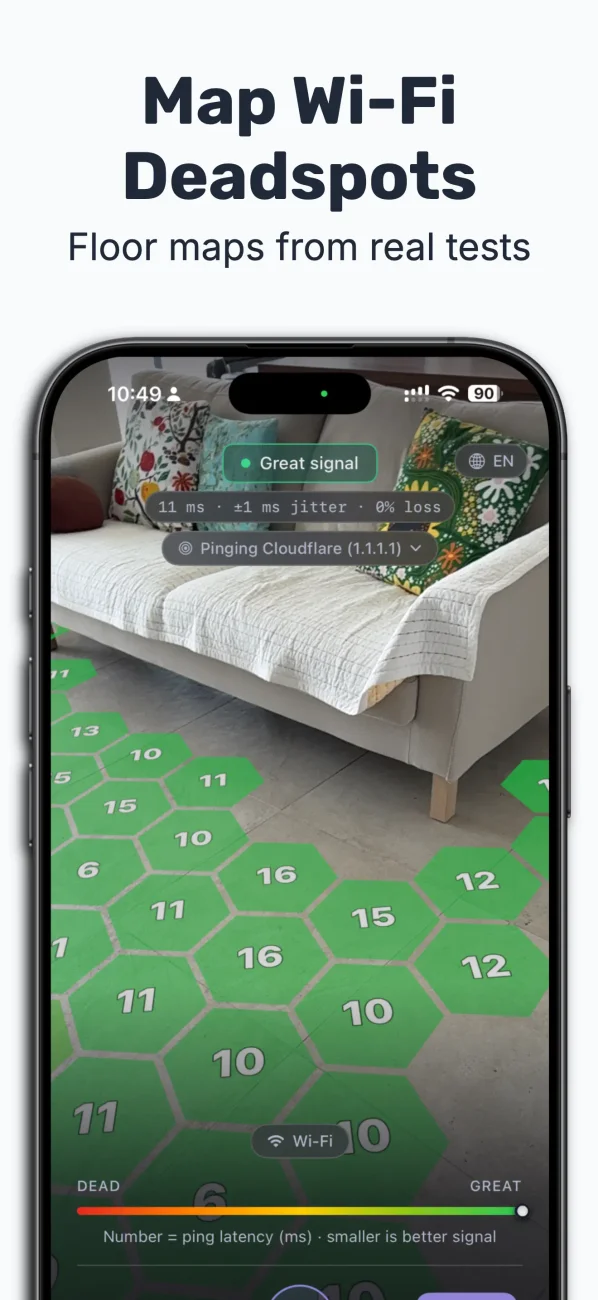
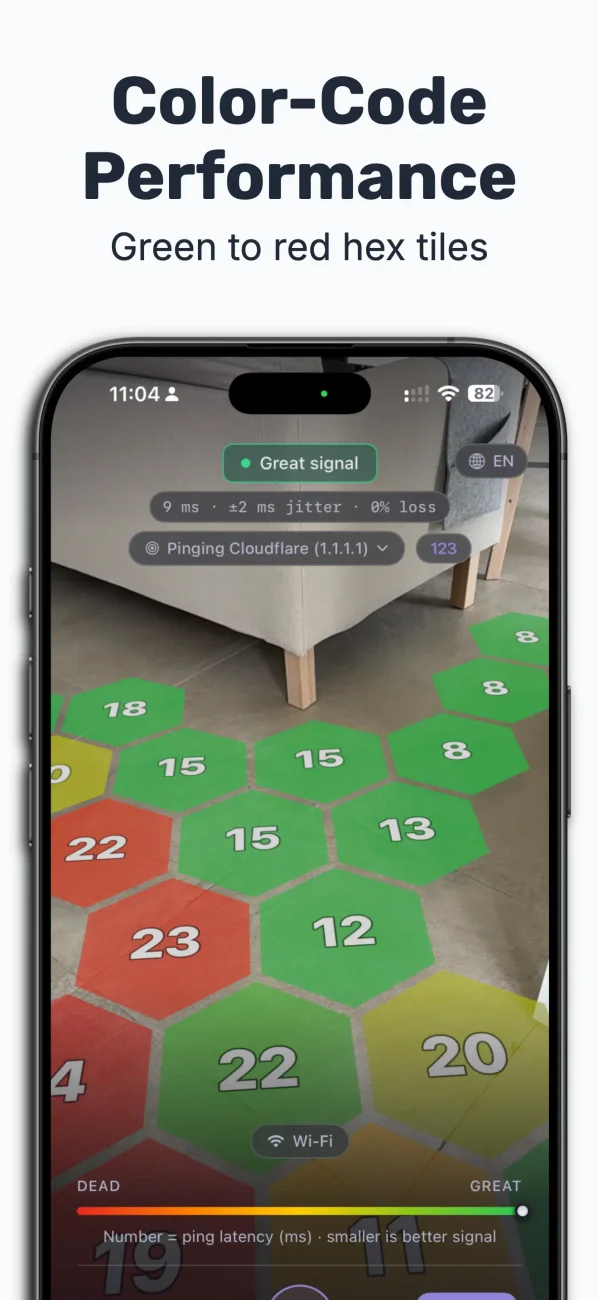
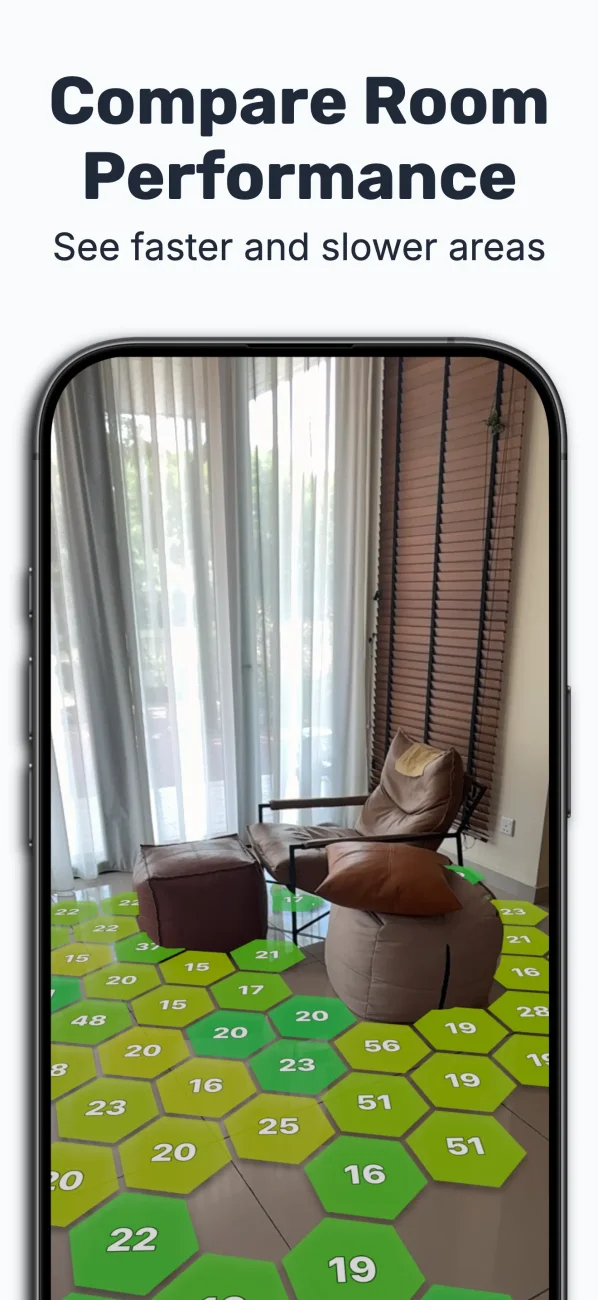
SigMap turns your iPhone into a kind of thermal camera for Wi-Fi. Point it at the floor and walk: it paints a live heatmap of signal quality onto the real room in AR. Green is strong, red is dead, and the greenest patch is where you want your desk, your router, or your chair. Now you can measure in three ways: RSSI for raw signal strength, SNR for signal above the noise, or DNS Latency for connection time to a target you pick.
HOW IT WORKS
- Pick how to measure: RSSI, SNR, or DNS Latency.
- For RSSI or SNR, install the matching Apple Shortcut once. The app guides you through it, and the Shortcut reads your Wi-Fi signal and streams it into SigMap while you walk.
- Point at the floor and hold still while it locks on.
- Walk the space. Tiles paint under your feet, each one numbered with its reading.
- Read the map: the best spot is the greenest one.
- Tap Heat Map any time to see the whole map from above, then come back and keep scanning. Save a photo of the map to share it.
WHAT IT MEASURES
RSSI maps raw signal strength in dBm. SNR maps how far the signal rises above the noise floor in dB, the reading network engineers watch most. DNS Latency maps real round-trip time in milliseconds to a target you pick: your own router, Cloudflare (1.1.1.1), or Google. Every tile is sampled continuously as you move, so each tile on a scan is comparable. DNS Latency works over Wi-Fi or cellular, whichever the phone is on when the scan starts. RSSI and SNR need Wi-Fi.
FREE AND FULL
A free scan paints 30 tiles, about nine metres of walking, enough to see the map land on your floor and take its colour from the signal. A one-time $1.99 unlock lifts that to 300 tiles: a whole room, enough to actually find the best spot and see where the signal falls off.
PRIVACY
Nothing is collected. The camera feed is never stored or sent anywhere, the signal and latency readings never leave your device, and a snapshot you take goes only to your own photo library. No account, no analytics, no tracking.
REQUIREMENTS
- iPhone running iOS 18 or later (ARKit world tracking is required; a physical device is needed, the Simulator has no ARKit).
- Works best in a room with a textured floor and reasonable light.
- RSSI and SNR need Apple's Shortcuts app (built into iOS) and the matching SigMap Shortcut, installed once from inside the app.
- Wi-Fi mapping needs to be on Wi-Fi; Local Network permission is used only to ping your own router.
What’s new
Version 2 · Nov 23, 2026
New in 2.0: two new ways to map your Wi-Fi, RSSI and SNR. Pick RSSI to see raw signal strength in dBm, or SNR to see how far your signal rises above the noise in dB. The signal modes work through an Apple Shortcut, which reads your Wi-Fi signal and streams it into SigMap while you walk. Install it once from inside the app and the setup guide walks you through it. DNS Latency mode is unchanged and still needs no Shortcut. You can also open the Heat Map mid-scan now and keep scanning when you come back.
App privacy
What Kian Fong Wong declares on the App Store about how this app handles data.
-
Data not collected
The developer does not collect any data from this app.
Privacy practices may vary, for example with the features you use or your age.
Information
- Seller
- Kian Fong Wong
- Category
- Utilities
- Version
- 2
- Updated
- Nov 23, 2026
- Released
- Nov 12, 2026
- Size
- 2.3 MB
- Requires
- iOS 18.0 or later
- Age rating
- 4+
- Price
- Free
- In-app purchases
- Yes
- Languages
- English, Simplified Chinese
- Copyright
- © 2026 Wong Kian Fong
You might also like
-
 FilaStash: Filament Inventory3D Printing Spool Tracker
-
 Kickstand CamOld iPhone to webcam & scanner
-
 Sonic MotionFeel motion through sound
-
 Birth AlarmUtilities
-
 Wi-DAS by American BandwidthUtilities
-
 Glance Hong KongOne app. Your Hong Kong.
-
 Timerly - Minimalist TimerUtilities
-
 The Next Shift WidgetA better work calendar widget.
-
 DoubMinimalist Bookkeeping - AI
-
 SoundLoggerAI Sound Recognizer