Silhouette - Image Maker App
Shadow Effects Photo Editor
Designed for iPhone, iPad
Free · In-app purchases
- Age rating4+
- CategoryPhoto & Video
- DeveloperTAIKI HIRATA
- LanguagesEnglish+ 1 more
- Size13.6 MB
Links to the official App Store page
Download.org hosts no file of Silhouette - Image Maker App. The button opens its official App Store page, published by TAIKI HIRATA. Listing last checked on Nov 14, 2026.
Screenshots
About
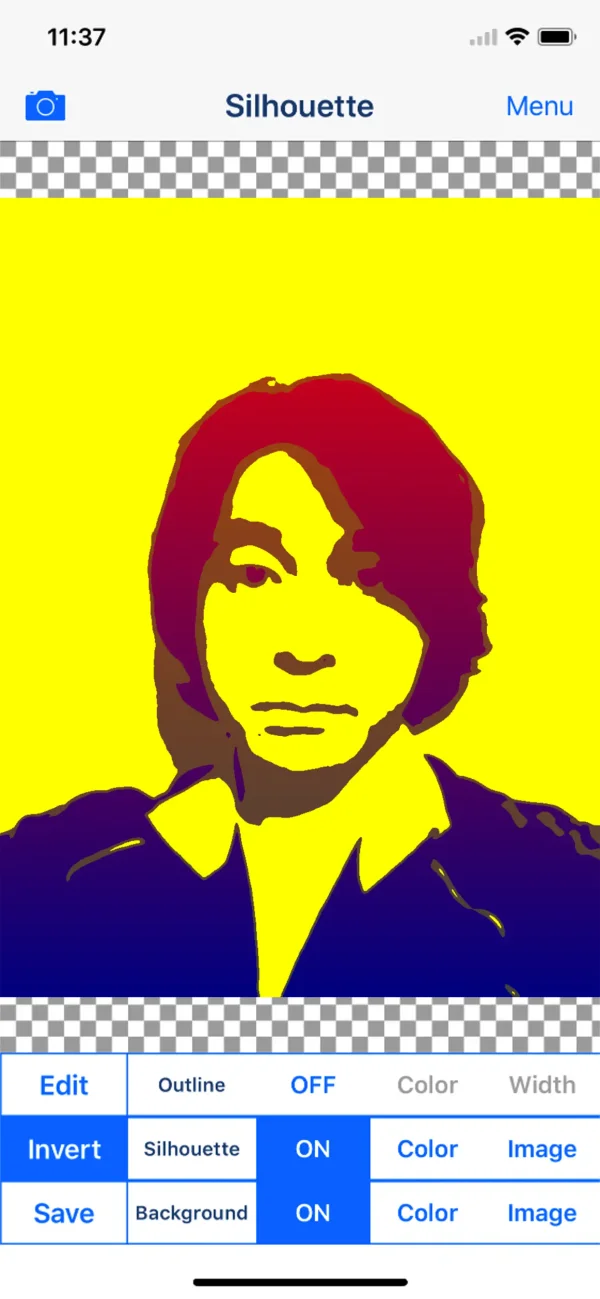
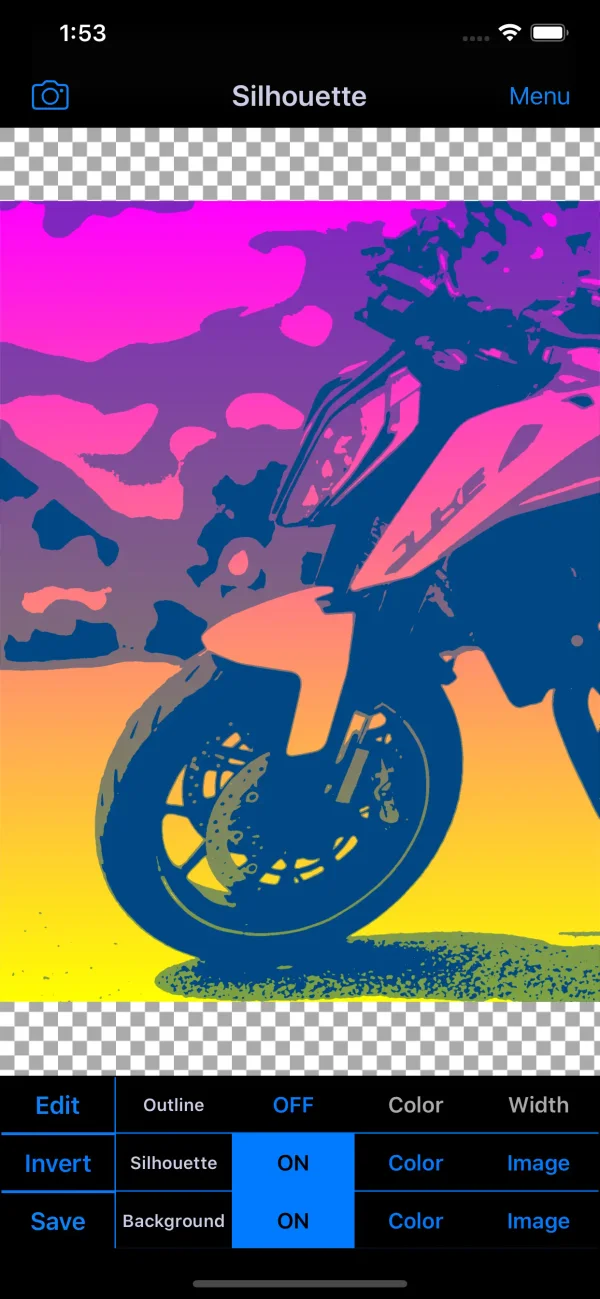
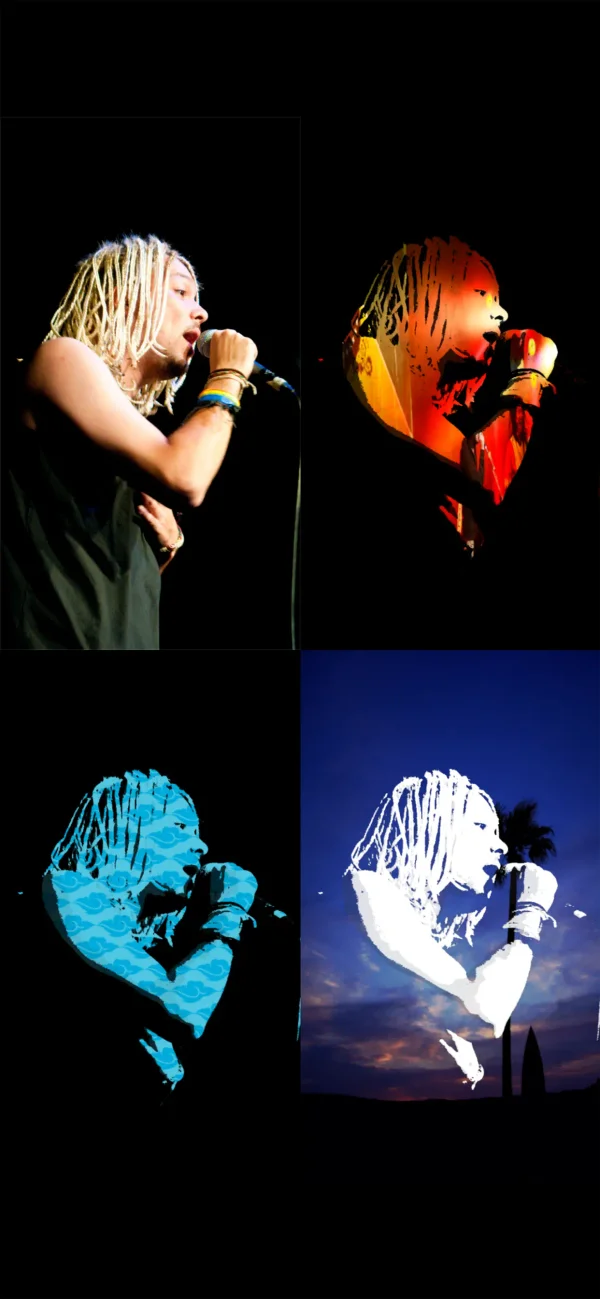
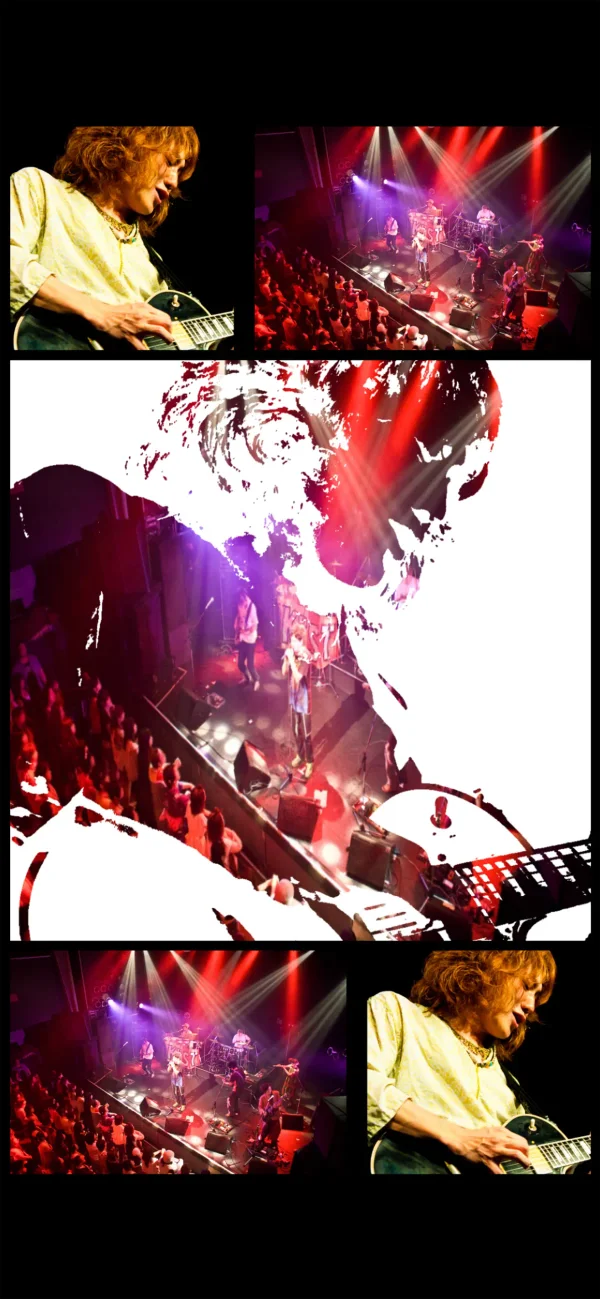
Let's create Cool Silhouette Art like advertising posters and TV CM!
You will be able to create cool silhouette art easily!
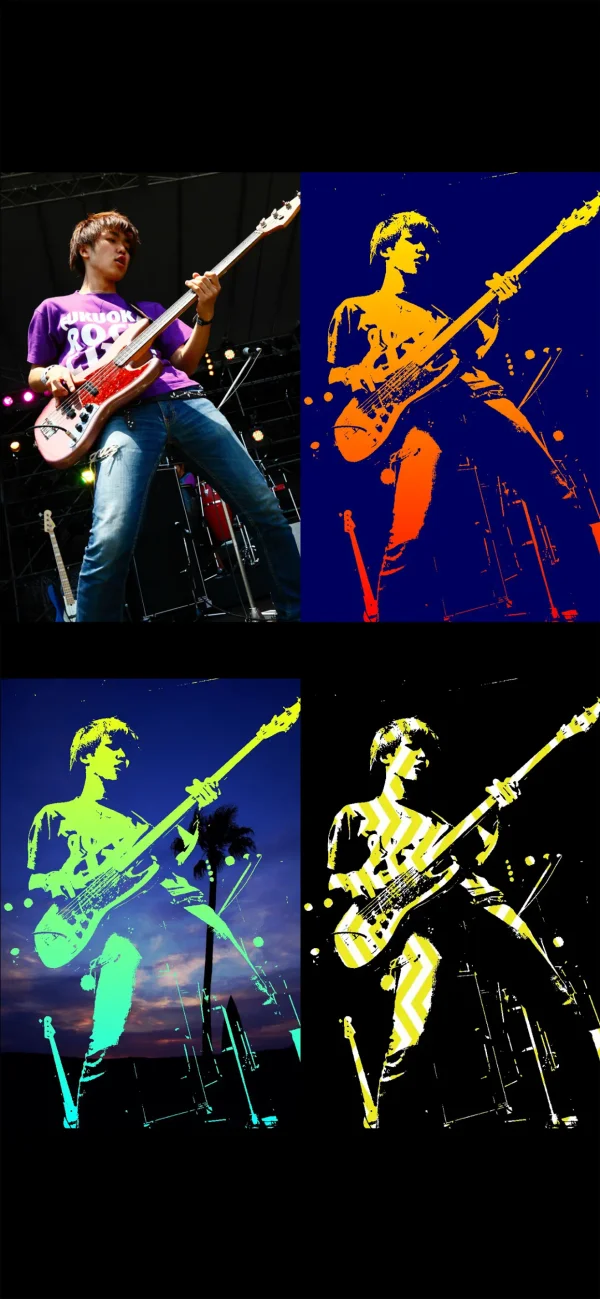
You will be able to merge photos to silhouette image!
You will be able to collage pattern picture to silhouette image!
Let's share your cool silhouette art with your friends by using Facebook, Twitter, Instagram and other SNS!
Silhouette - Silhouette Effects Image Blender and Shadow Collage Picture Maker Free Photo Editor Apps -
■Description of App
"Silhouette" is the free photo editor apps for creating silhouette effects image and collage picture.
You will be able to edit your photo or image and create silhouette effects image easily by this photo collage editor apps.
You will be able to create artistic image from your photo or image by blending photo or image from photo album or camera to silhouette effects image.
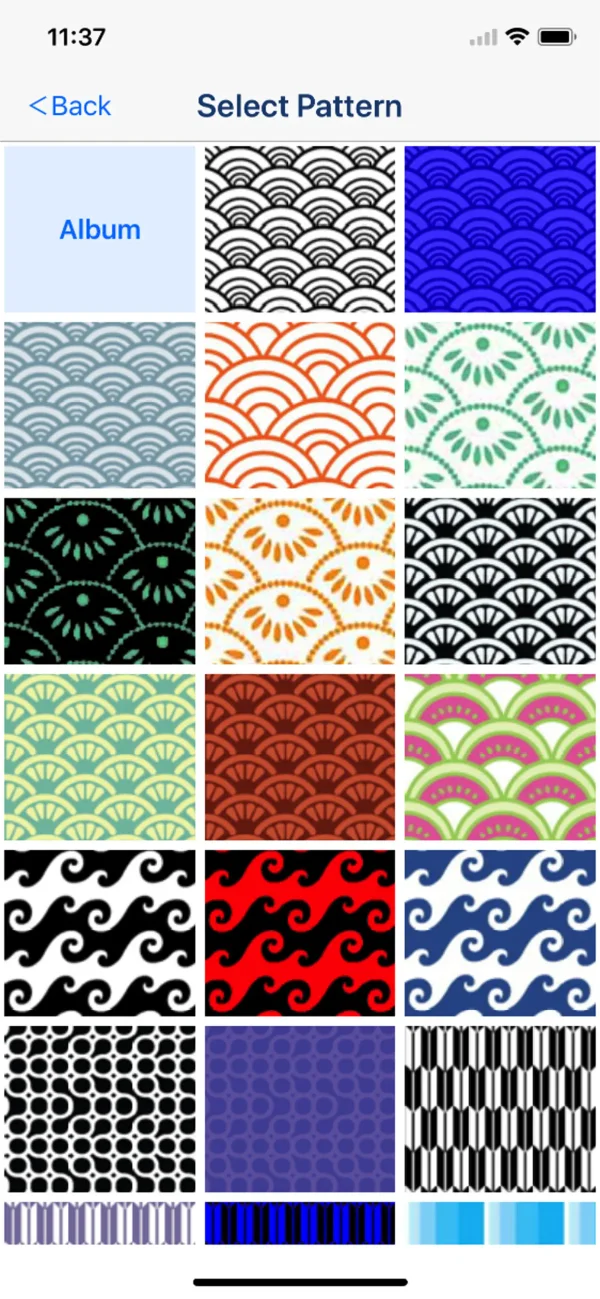
In addition, you can edit silhouette effects image like collage using various pattern image which is incorporated in the apps.
*You can save only one image that used blender effect or used pattern image per day. You can remove the restriction by purchasing "Additional Functions" Add-on in In-App Purchase.
You can create image with transparent background like stamp from your photo by hiding the background.
You can use pattern image of 155 type to edit your photo and image.
In addition, you can use pattern image that saved in the photo album of your device.
I plan to add new pattern image in the future.
■Function List
1. Extraction of Outline.
○You can extract outline from photo or image.
○Outline is hidden in the initial state.
○When you edit silhouette effects image from the photo with little contrast, you might be able to extract the silhouette relatively cleanly by using outline.
○You can edit outline color and outline width.
○You can hide outline.
2. Create Silhouette Effects Image
○You can create silhouette effects image from your photo or image.
○This is main function of this photo editor apps.
○You can edit silhouette color, silhouette threshold, silhouette transparency and silhouette smoothness.
○You can merge photo or image from photo album or camera as silhouette inner image.
○You can collage pattern image as silhouette inner image.
○You can invert and hide silhouette.
3. Edit Silhouette Background
○You can edit background of silhouette.
○You can edit background color.
○You can merge photo or image from photo album or camera as background.
○You can collage pattern image as background image.
○You can create image with transparent background like stamp from your photo by hiding the background.
*You can save only one image that used blender effect or used pattern image per day. You can remove the restriction by purchasing "Additional Functions" Add-on in In-App Purchase.
■How to create Silhouette Effects Image
1. Select image you want to edit from "Camera" Button.
2. When Image was displayed, edit image to the desired image by Edit Items.
3. You can merge photo or image from photo album or camera as background by selecting "Image" button.
4.You can collage pattern image as background image by selecting "Image" button.
5. When you touch "Save" Button, current image will be saved in "Photos (Camera Roll)".
*Full Screen Advertising will be displayed, after you have saved the picture. You can hide this Advertising by purchasing "Add-on".
*You can save only one image that used blender effect or used pattern image per day. You can remove the restriction by purchasing "Additional Functions" Add-on in In-App Purchase.
■About In-app Advertising
Banner Advertising is displayed in Home Screen.
Full Screen Advertising will be displayed, after you have saved the picture.
You can hide these Advertising by purchasing "Additional Function Add-on".
What’s new
Version 2.5 · Sep 11, 2025
Supported iOS18.
App privacy
What TAIKI HIRATA declares on the App Store about how this app handles data.
-
Data not linked to you
May be collected but is not linked to your identity.
- Usage data
Privacy practices may vary, for example with the features you use or your age.
Information
- Seller
- TAIKI HIRATA
- Category
- Photo & Video
- Version
- 2.5
- Updated
- Sep 11, 2025
- Released
- Oct 20, 2014
- Size
- 13.6 MB
- Requires
- iOS 18.0 or later
- Age rating
- 4+
- Price
- Free
- In-app purchases
- Yes
- Languages
- English, Japanese
- Copyright
- © TAIKI HIRATA
You might also like
-
 Photo Silhouette MakerSilhouette Art Creator
-
 Silhouette MakerCreate silhouettes from photos
-
 Fx StencilCreate stencil art
-
 ArtistA: Cartoon Photo EditorOil Painting Sketch AI Pop Art
-
 Simple Black and White PhotoEasy convert Image
-
 Portrait SilhouettePhoto & Video
-
 InkworkTurn photos into art
-
 Sketch Me!Over 10 million downloads
-
 Vector Q by ImaengineVectorizer and Editor
-
 Pencil Sketch Photo Editor +Pencil & Ink Sketches