Simple Diary - Daily Journal
Simple photo journal with lock
Designed for iPhone, iPad, iPod touch
Free · In-app purchases
- Age rating4+
- CategoryLifestyle
- DeveloperKomorebi Inc.
- LanguagesEnglish+ 34 more
- Size242.6 MB
Links to the official App Store page
Download.org hosts no file of Simple Diary - Daily Journal. The button opens its official App Store page, published by Komorebi Inc. Listing last checked on Nov 29, 2026.
Screenshots


About
Simple Diary is a simple, easy-to-use free diary app where you can save photos along with your entries.
Use it for daily journaling, baby milestones, travel memories, a record of your pet's growth, or a secret diary just for you.
Clean, simple screens help you keep going, even if diaries never stuck before.
No account registration. Download it and start writing.
Your diary stays on your device, and the app works offline.
[Features]
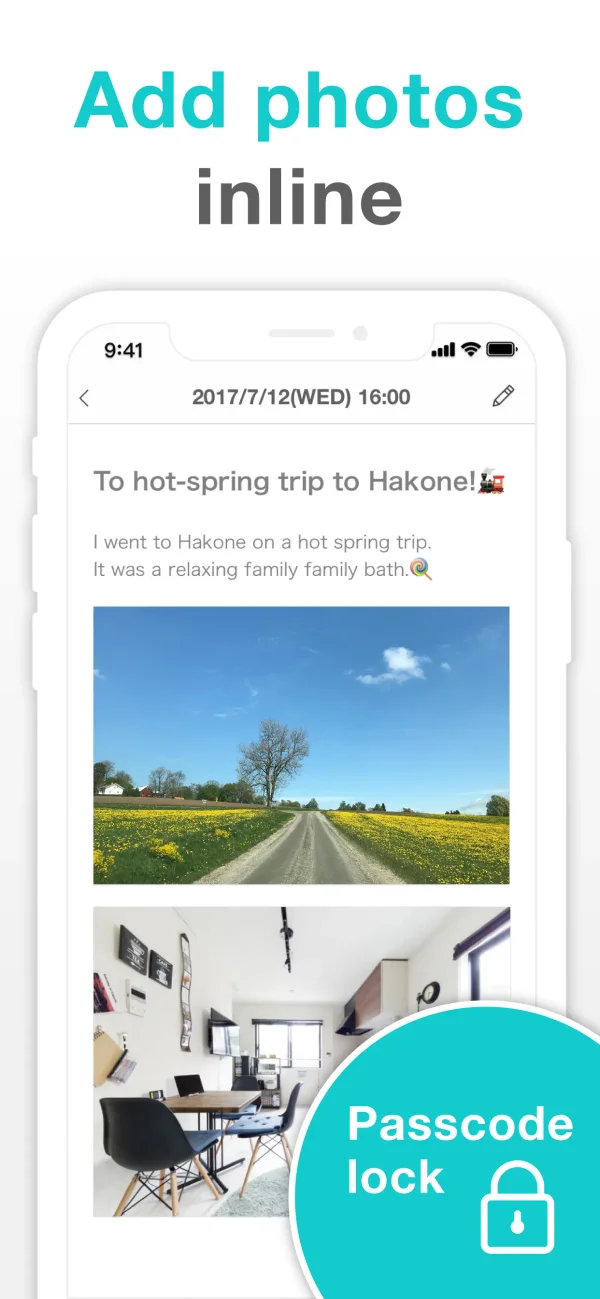
■ Add Photos to Entries (Up to 10 per Entry)
Like a blog, insert images between paragraphs. Attach photos from your camera roll.
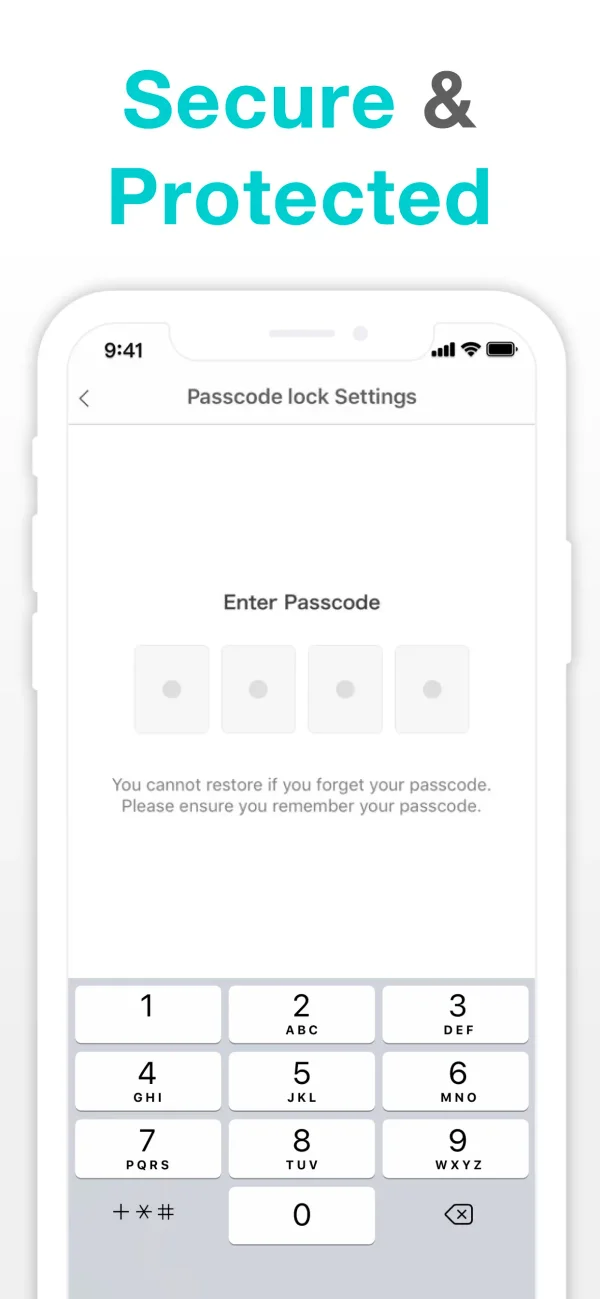
■ Secure Passcode Lock
Protect your diary with a passcode. Supports Face ID and Touch ID for quick, secure access.
■ 22 Font Styles
Change the look of your diary with 22 font styles, from cute to classic serif. (Some fonts are premium.)
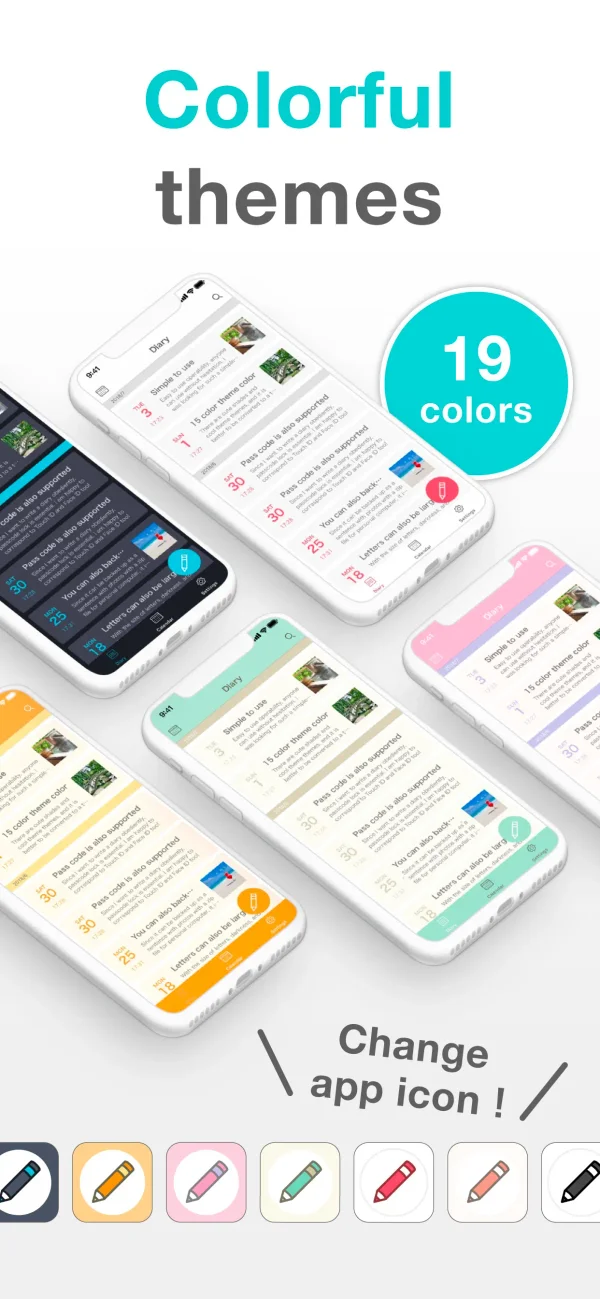
■ Theme Colors and App Icons
Choose from 19 theme colors, from cute to cool. You can also change the app icon. (Requires the latest iOS version.)
■ Data Export
Export your diary as PDF, HTML, RTFD, or TXT files (premium service). Open them on a computer to reread your diary on a bigger screen, or print entries on paper.
■ Turn an Entry into an Image or PDF
Save an entry as one image or a PDF to post to social media, send to family, or print.
■ Data Backup
Back up your data to iCloud or your computer. RTFD export (premium service) lets you move your entries to your notes app or cloud storage.
■ iCloud Backup
Back up your diary to iCloud and restore it on another device (premium service). It is a manual backup, not automatic sync: back up on your iPhone, then restore on your iPad.
■ Calendar and List Views
Look back at your diary on a calendar or as a list. Tap a date to reread that day.
■ Tag Search
Use the built-in search to find entries quickly. Write a tag such as "#travel" in the text, and searching for it brings up just those entries.
■ Font Settings
Adjust text size, contrast, and line spacing. Great if you prefer larger text.
■ Reminders
Set a reminder time and get a push notification, so you don't forget to write.
■ Multiple Entries Per Day
Write one entry per day, or add several for memos, work records, or passing thoughts. Change an entry's date and time to write about past days. There is no limit on entry length.
[Pricing]
The core diary features are all free: entries, photos, passcode lock, search, and reminders. The free version shows ads.
The premium service removes all ads and unlocks iCloud backup, data export, all theme colors, and all font styles.
Premium is available as a monthly plan, a yearly plan, or a one-time purchase, all with the same features, and covers both your iPhone and iPad under the same Apple Account.
[Your Data]
Your diary is stored on your device and is not synced to the cloud automatically. To protect your data, use the premium iCloud backup or Apple's iPhone backup.
There is no feature to publish your diary or share it with other users. To show someone an entry, turn it into an image and send it.
A backup moves your data to a new iPhone. Data transfer to or from other operating systems is not supported.
[Perfect For]
■ Students
A secret diary for your day, your feelings, and your crushes. Writing out what you can't post online helps you feel lighter.
■ Parents
Record your pregnancy and your baby's growth as a photo diary. Write several entries a day, and share special pages with family as images.
■ Anyone Who Wants to Keep a Record
Travel journals, reading and movie notes, food diaries, dream journals, daily work logs, or your pet's growth. Simple Diary fits whatever you want to remember, one day at a time.
[Help, Feedback]
For help, go to "Help / FAQ" in the app settings. Still have questions? Tap "Feedback" on the settings screen to contact us for faster support.
Terms of Use:
https://komorebi-studio.com/tos_en.html
Privacy Policy:
https://komorebi-studio.com/policyredirect.html
What’s new
Version 5.4.0 · Nov 15, 2026
• Now supports iPhone Duo.
• Fixed an issue where the blank lines between paragraphs disappeared when pasting copied text.
• Other bug fixes.
App privacy
What Komorebi Inc. declares on the App Store about how this app handles data.
-
Data used to track you
May be used to track you across apps and websites owned by other companies.
- Identifiers
- Usage data
-
Data not linked to you
May be collected but is not linked to your identity.
- Purchases
- Identifiers
- Usage data
- Diagnostics
Privacy practices may vary, for example with the features you use or your age.
Information
- Seller
- Komorebi Inc.
- Category
- Lifestyle
- Version
- 5.4.0
- Updated
- Nov 15, 2026
- Released
- Aug 5, 2018
- Size
- 242.6 MB
- Requires
- iOS 15.0 or later
- Age rating
- 4+
- Price
- Free
- In-app purchases
- Yes
- Languages
- English, Arabic, Bulgarian, Catalan, Croatian, Czech, Danish, Dutch, Finnish, French, German, Greek + 23 more
- Copyright
- © Simple Diary - Komorebi Inc.
You might also like
-
 Diary, Journal, Notes - DiaroYour Personal & Secure Diary
-
 Diary - Journal with passwordBeautiful diary with password
-
 DAILY NOTE - Day Note, DiaryLifestyle
-
 Secret Diary with Lock - MuseJournal, Mood, Audio, Video
-
 Secret Diary With PasscodeSecret diary
-
 PenCake: Minimal Writing AppPrivate journal, diary & notes
-
 DailyLife - Diary, JournalKeep your precious daily life.
-
 Momento: Private Journal DiaryEasily capture life's memories
-
 My Wonderful Days JournalPrivate Daily Journal / Diary
-
 Everlog: Daily Journal & DiaryPrivate Notes, Writing Prompts