
- Age rating4+
- CategoryBusiness
- DeveloperSIMPLEFILE APP, INC
- LanguagesEnglish
- Size35.6 MB
Links to the official App Store page
Download.org hosts no file of Simple File - Case Management. The button opens its official App Store page, published by SIMPLEFILE APP, INC. Listing last checked on Nov 22, 2026.
Screenshots
About
SimpleFile is the app your law firm gives you to stay on top of your case from your iPhone.
Sign in with the mobile number on your case and your password. From there you can message your legal team, sign documents your firm sends, check case updates, see assigned providers, and keep a private journal.
CHAT WITH YOUR FIRM
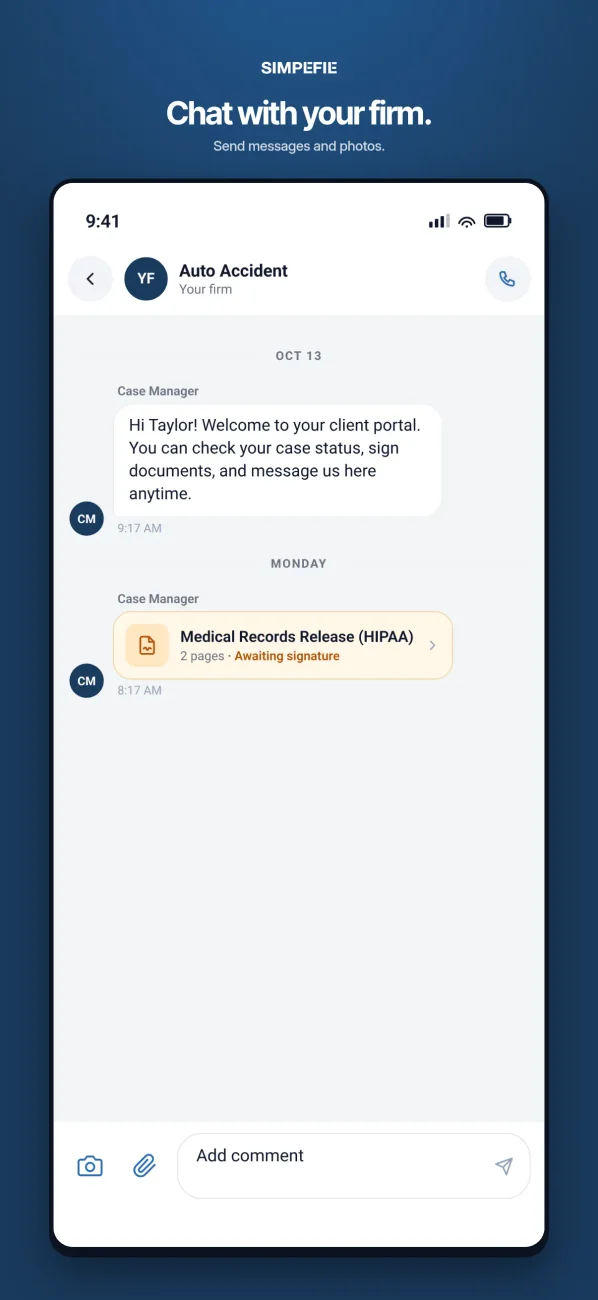
Send messages to your attorney and legal team in one conversation your firm can see. Attach a photo from your camera or your photo library.
SIGN DOCUMENTS
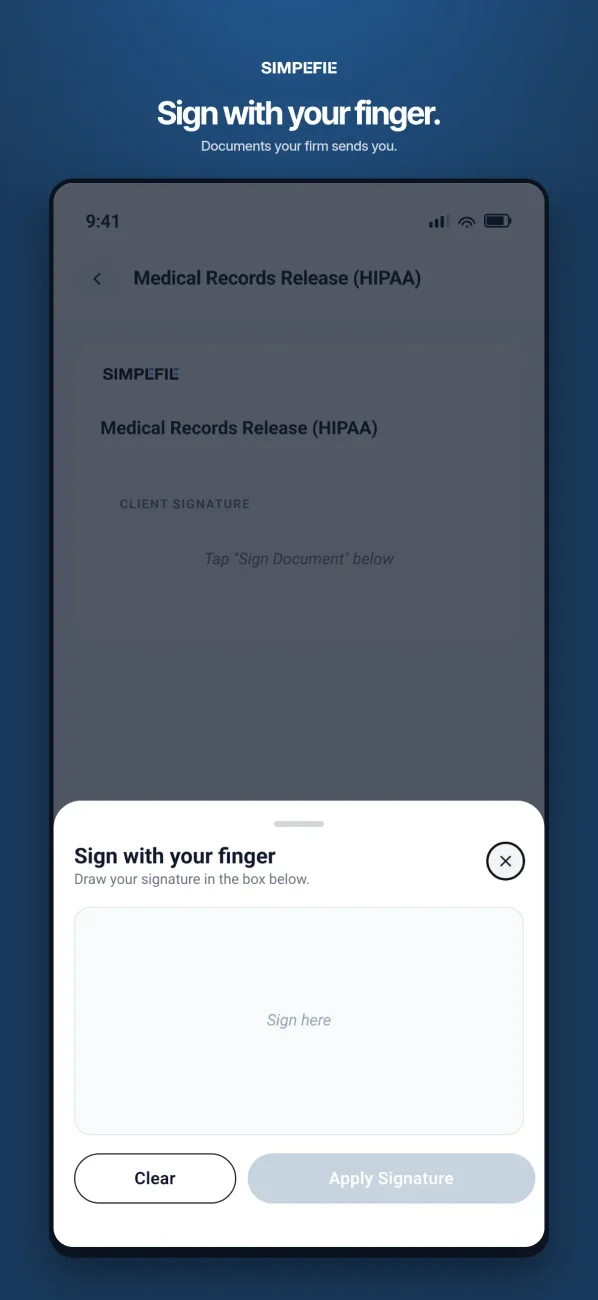
When your firm sends a document that needs your signature, sign it with your finger on your phone.
CASE DOCUMENTS
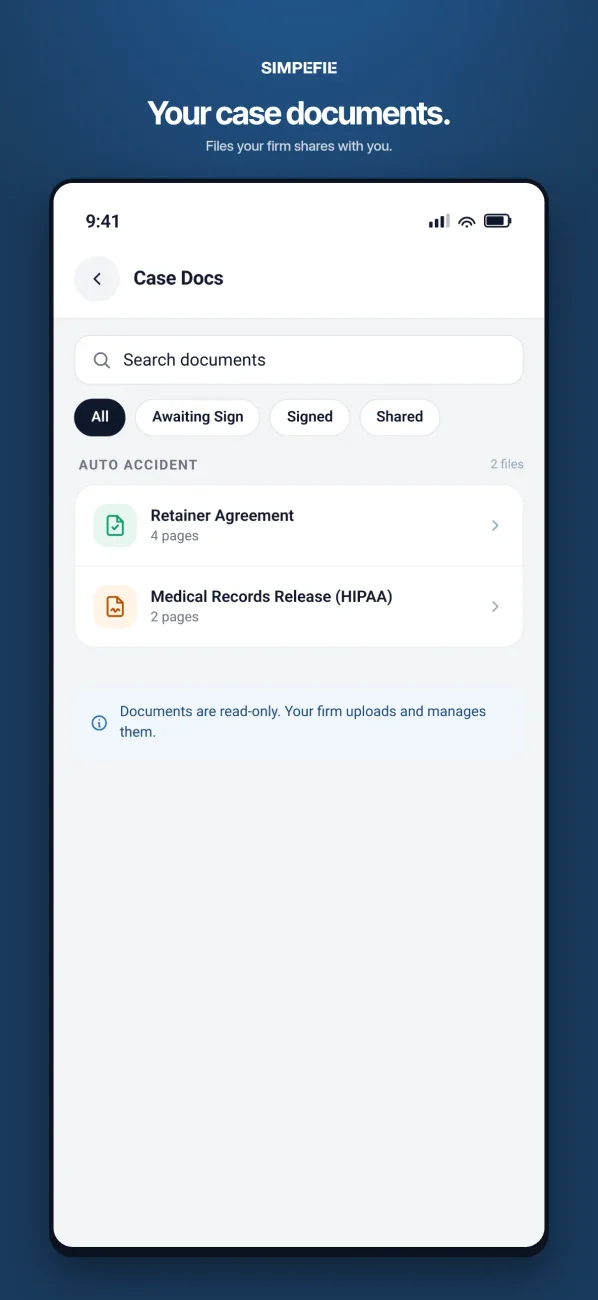
See the files your firm has shared, search by name, and filter by awaiting signature, signed, or shared. Documents in this list are read-only; your firm uploads and manages them. Photo files can be opened in the app.
CASE UPDATES
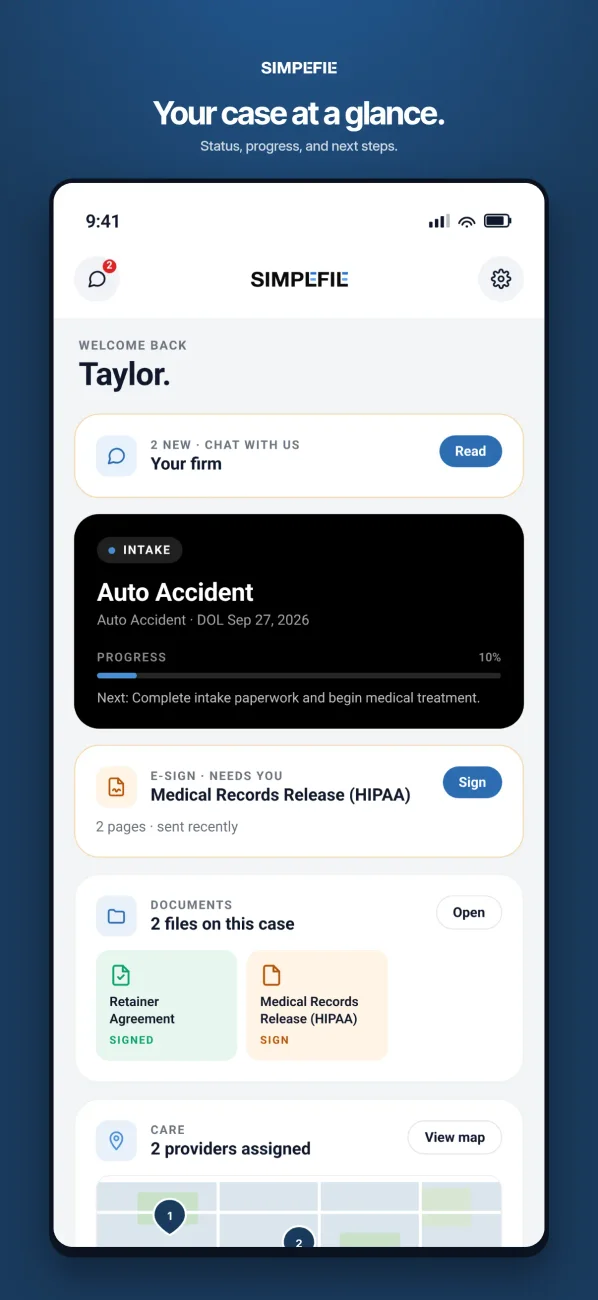
See your case name, type, status, date of loss, progress, and next step. If your firm adds a status timeline, you'll see that too. If you have more than one case, you can switch between them.
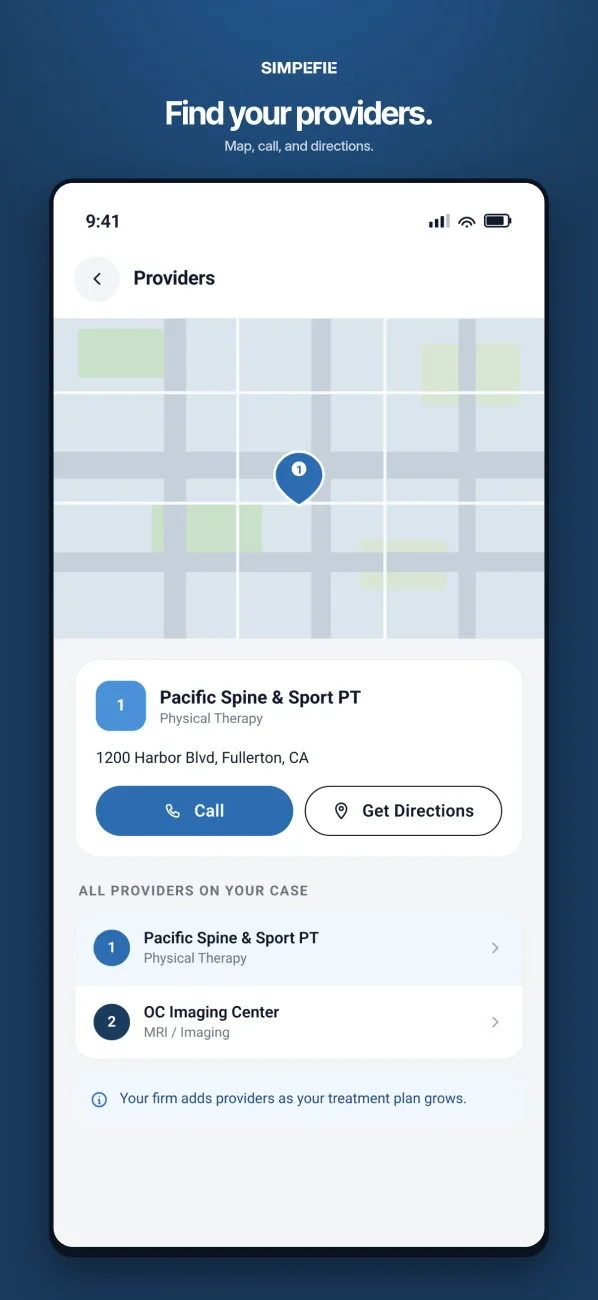
PROVIDERS
See the medical providers assigned to your case on a map. Call a provider or get directions.
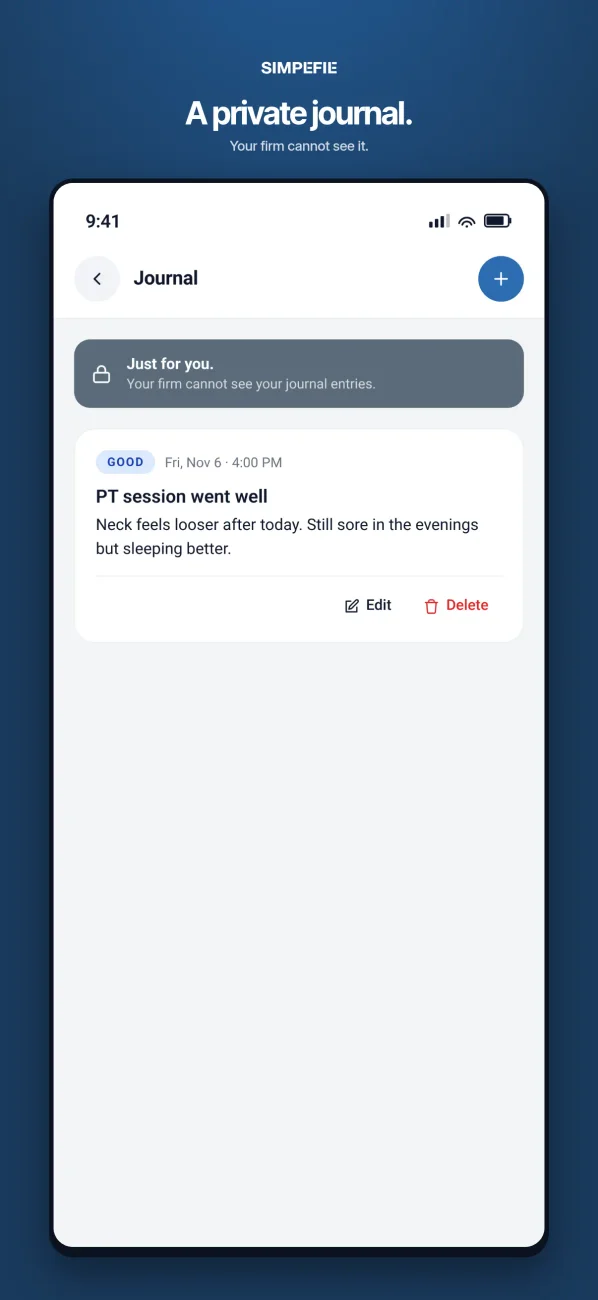
PRIVATE JOURNAL
Write your own notes — like pain levels, appointments, and how you're feeling. You can add, edit, or delete entries. Your firm cannot see your journal.
YOUR FIRM
See your firm's name on Home. If a phone number is on file, you can call them from the app.
YOUR ACCOUNT
Update your name and email, change your password, or delete your sign-in. Your phone number comes from your case and can't be edited in the app. If you forget your password, the app tells you to contact your firm.
SimpleFile is free to download. You use it after your firm has opened a case for you.
What’s new
Version 1.1.9 · Nov 15, 2026
This update refreshes SimpleFile and makes sign-in easier to use on iPhone.
• A redesigned home screen shows your case status, progress, and next step
• Chat with your firm and attach photos from your camera or photo library
• Sign documents your firm sends with your finger
• See the documents your firm shares, and search or filter the list
• See assigned medical providers on a map, then call or get directions
• Keep a private journal your firm cannot see
• Call your firm from the app when a number is on file
• Update your name and email, change your password, or delete your account
• Sign In, Create account, and Next stay visible above the keyboard
• Clearer messages if text sign-in isn't available
• Forgot password now tells you to contact your firm
This update requires iOS 16.4 or later.
App privacy
What SIMPLEFILE APP, INC declares on the App Store about how this app handles data.
-
Data not collected
The developer does not collect any data from this app.
Privacy practices may vary, for example with the features you use or your age.
Information
- Seller
- SIMPLEFILE APP, INC
- Category
- Business
- Version
- 1.1.9
- Updated
- Nov 15, 2026
- Released
- Nov 18, 2021
- Size
- 35.6 MB
- Requires
- iOS 16.4 or later
- Age rating
- 4+
- Price
- Free
- Languages
- English
- Copyright
- ©2024 - SIMPLEFILE APP, INC
You might also like
-
 Jusnote for Law FirmsManage your law firm on the go
-
 LawLogic AI Legal Assist LiteMaking Legal Law Logical
-
 Case.oneA Perfect Solution For Lawyers
-
 LegalFileAI: Legal DocumentsAI-Legal Docs & Court Filing
-
 SmartCase ManagerProductivity
-
 SurePoint Practice ProCloud-Based Law Firm Software
-
 Case BenchCase Management for Lawyers
-
 AI Legal Case AnalyzerAI Legal Case Brief in Seconds
-
 Amberlo for Law FirmsLegal Practice Management
-
 Law Ruler Legal CRM SoftwareWork from Anywhere! For Legal!