Simple Schedule: Month Planner
Repeat events in a few taps
Designed for iPhone
Free · In-app purchases
- Age rating4+
- CategoryProductivity
- DeveloperLuis Arosemena
- LanguagesEnglish
- Size4.7 MB
Links to the official App Store page
Download.org hosts no file of Simple Schedule: Month Planner. The button opens its official App Store page, published by Luis Arosemena. Listing last checked on Nov 17, 2026.
Screenshots

About
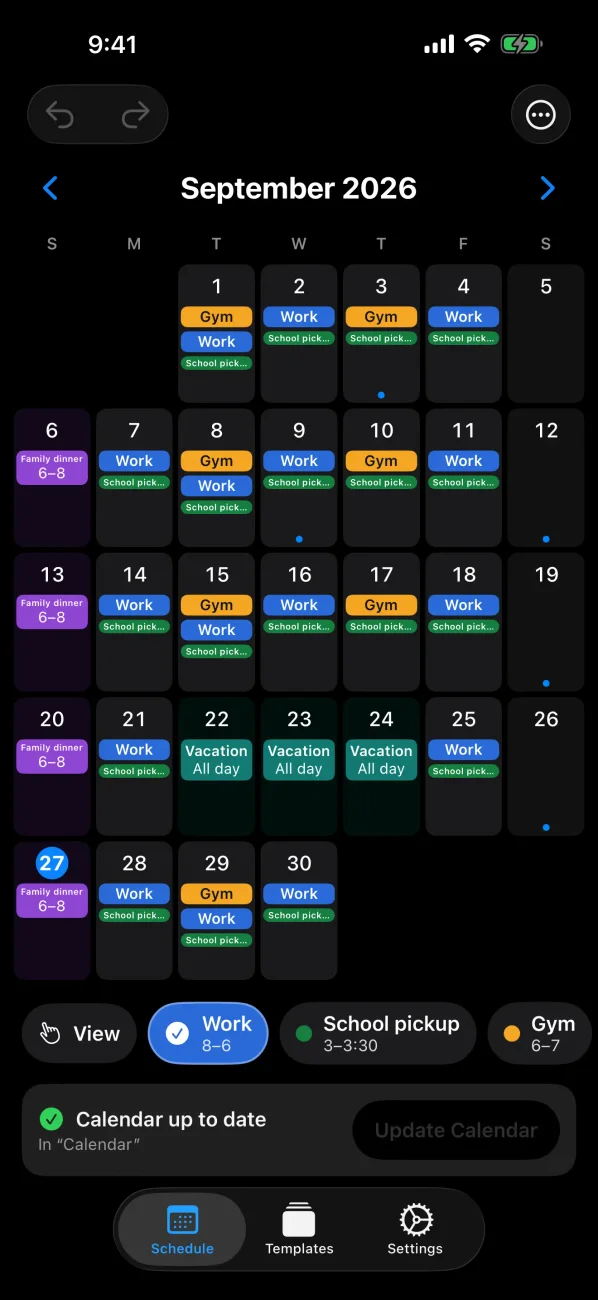
Simple Schedule turns a month of repeat events into a few taps.
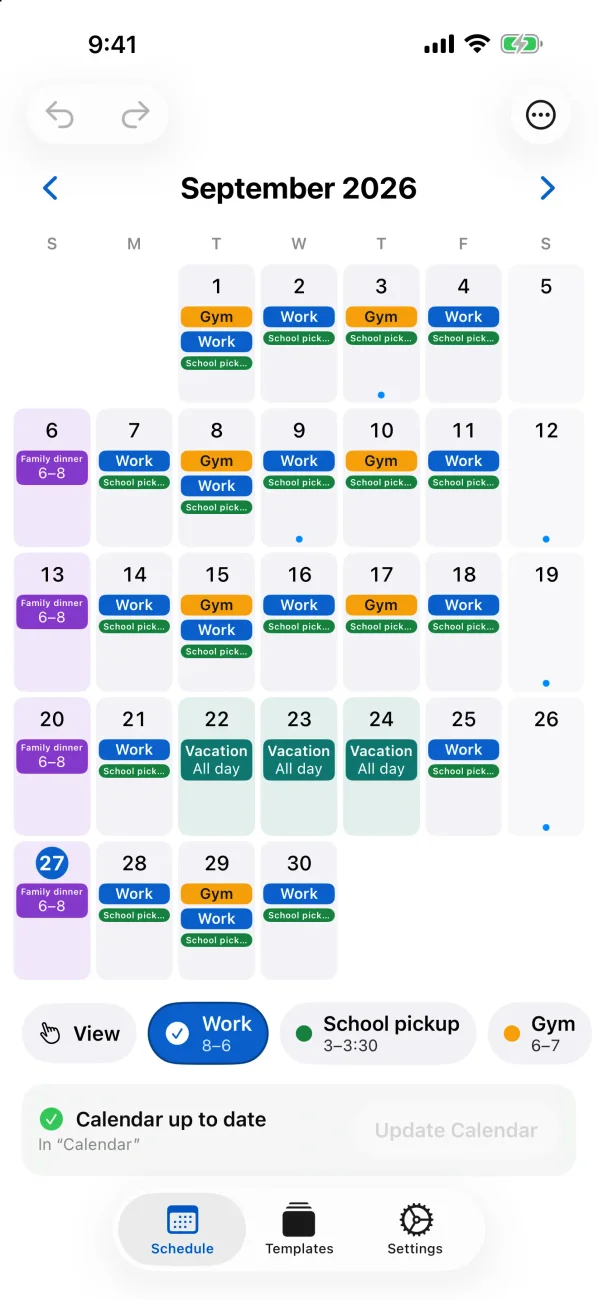
Create templates for the things you do again and again: work shifts, classes, school pickup, the gym, family dinners. Pick one, then tap or drag across the days it happens. Different templates can share a day, so your work, the kids' school and family plans all fit together.
Publish the month to the calendar you already use: iCloud, Google, or any calendar on your iPhone. Each template can go to its own calendar. Change a day later and tap Update Calendar; the same event is updated, never duplicated.
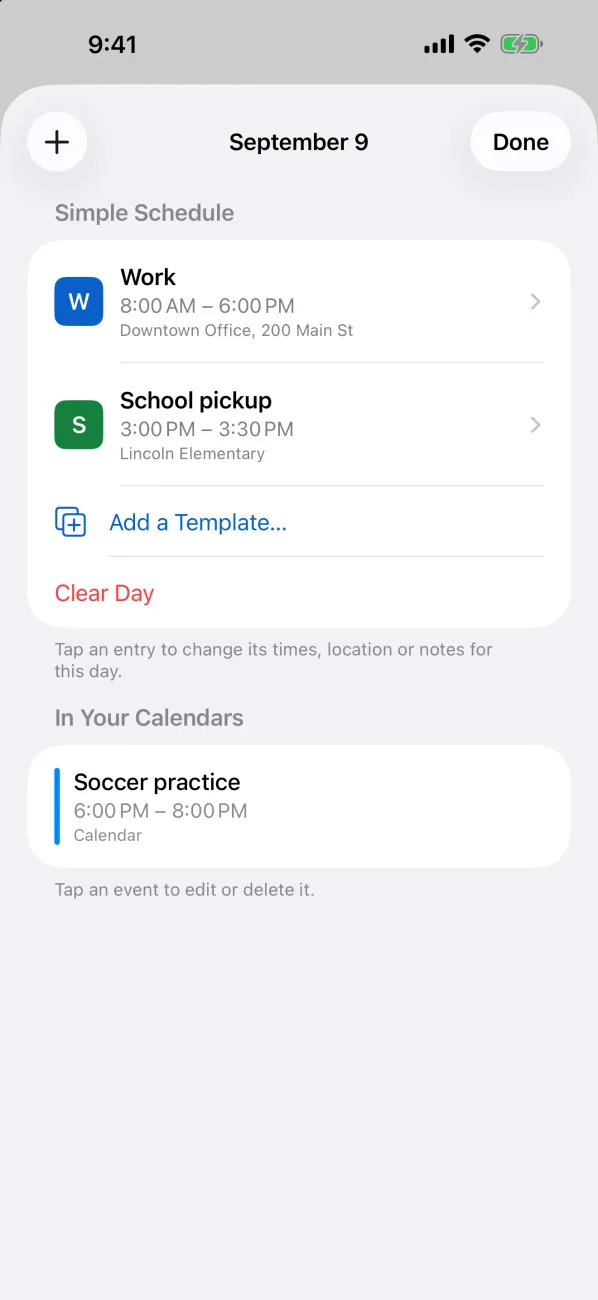
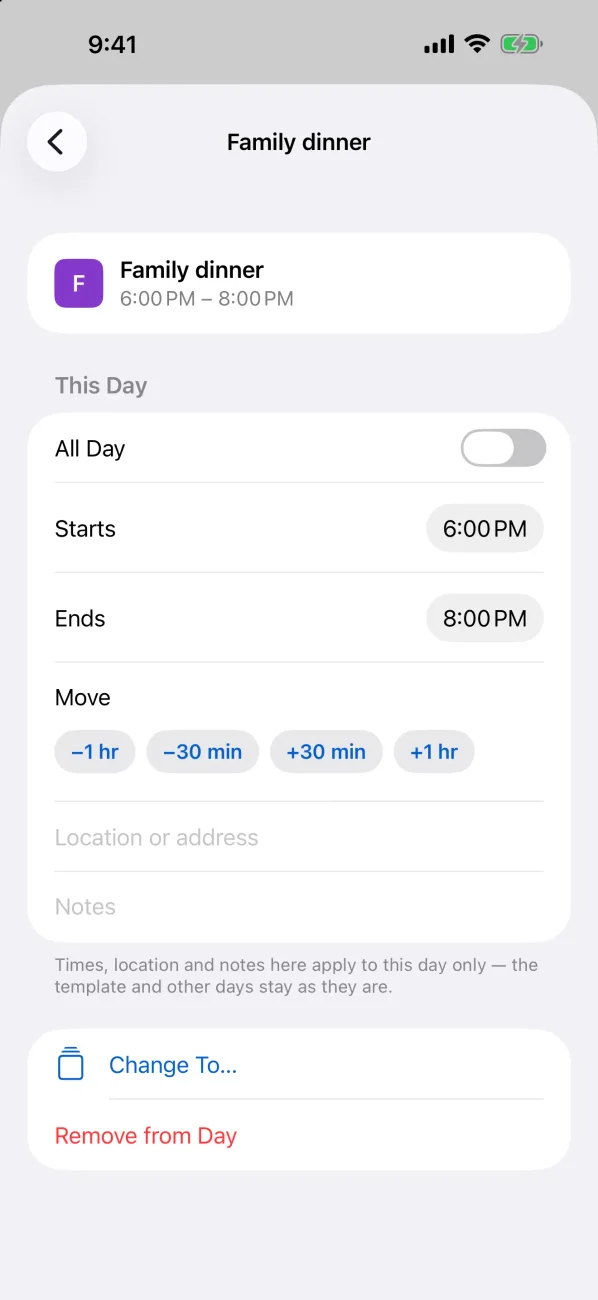
• Edit just one day: new times, a different location, notes, or slide it earlier or later
• All-day templates for vacations, days off and custody days
• Address suggestions, so iOS Calendar can give Time to Leave alerts
• See what's already on your calendars, and edit or delete it
• Undo and redo, light and dark mode, VoiceOver and Dynamic Type
• Export any month as an .ics file
No account, no ads, no tracking. Your schedule stays on your iPhone. Free, with optional tips that unlock nothing.
What’s new
Version 1.1 · Nov 11, 2026
Your schedule now follows you to your other iPhones.
• Templates, scheduled days, past months and one-day edits sync through your private iCloud account. No Simple Schedule account, nothing on our servers.
• Moving to a new iPhone? Open Simple Schedule and your schedule comes back on its own.
• Events you already published are recognised on your other iPhone and updated in place, never added twice.
• Publishing still only happens when you tap Publish. Each iPhone asks for its own Calendar access and confirms which of its calendars your templates use.
• Settings › iCloud shows whether syncing is on and when it last finished.
App privacy
What Luis Arosemena declares on the App Store about how this app handles data.
-
Data not collected
The developer does not collect any data from this app.
Privacy practices may vary, for example with the features you use or your age.
Information
- Seller
- Luis Arosemena
- Category
- Productivity
- Version
- 1.1
- Updated
- Nov 11, 2026
- Released
- Oct 1, 2026
- Size
- 4.7 MB
- Requires
- iOS 17.0 or later
- Age rating
- 4+
- Price
- Free
- In-app purchases
- Yes
- Languages
- English
- Copyright
- © 2026 Luis Arosemena
You might also like
-
 DeadlineNest: Class PlannerScan deadlines, export safely
-
 Sevn: Simple weekly plannerMinimalistic planning
-
 Murmur: Promise BoxRemember commitments by person
-
 TimeBlock - Planner for ADHDVisual Planner for ADHD
-
 Rivet: Life PlannerYour world, in order
-
 Dreamie Planner v2Productivity
-
 Stamp MailAI Email Client and Assistant
-
 CalendaricControl your time!
-
 ProFlytProFlyt Aviation Group
-
 Kora - Family AI AssistantA new way to live organized.