Simple Weight Tracker:SlimLog
Weight tracking made simple
Designed for iPhone, iPad
In-app purchases
- Age rating4+
- CategoryHealth & Fitness
- DeveloperYosuke Kubota
- LanguagesJapanese+ 10 more
- Size2.8 MB
Links to the official App Store page
Download.org hosts no file of Simple Weight Tracker:SlimLog. The button opens its official App Store page, published by Yosuke Kubota. Listing last checked on Nov 16, 2026.
Screenshots
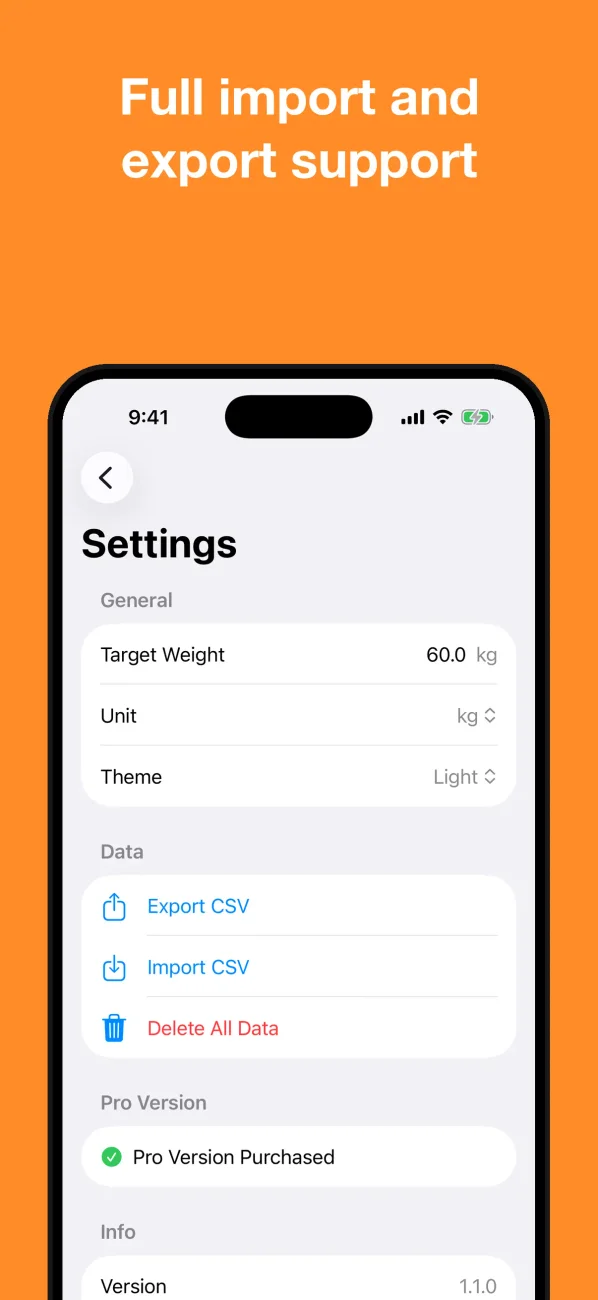
About
Log your weight every day and track your progress with a clean, simple chart. No clutter — just open the app and record.
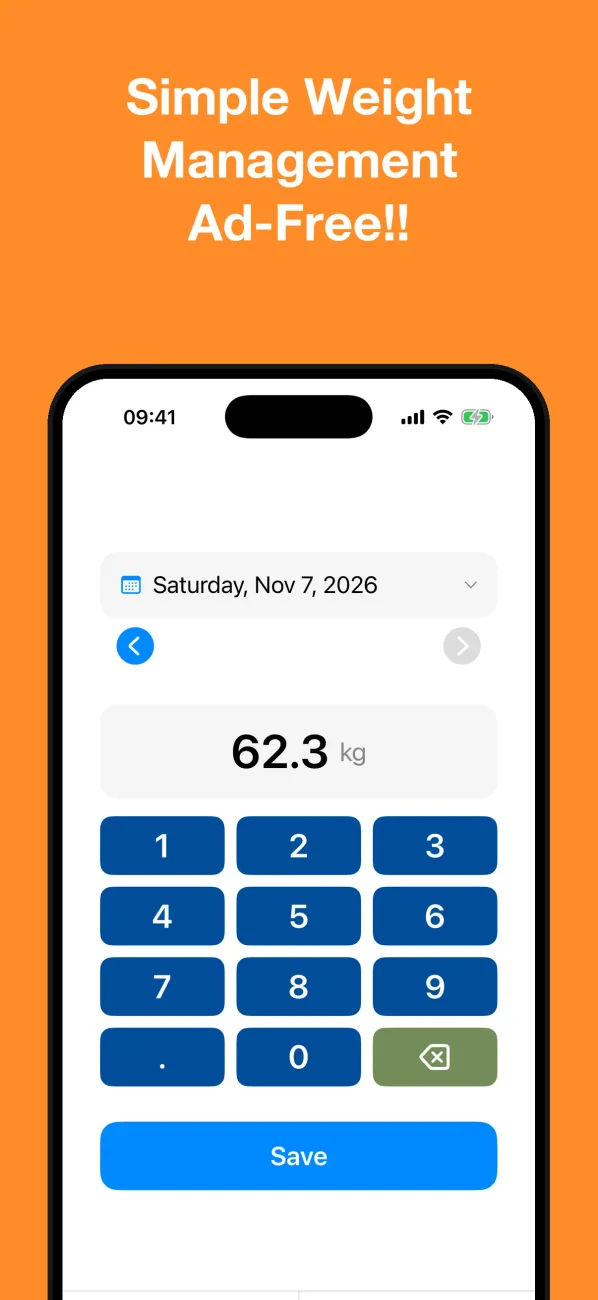
Enter your weight with the number pad and tap Save. That's it.
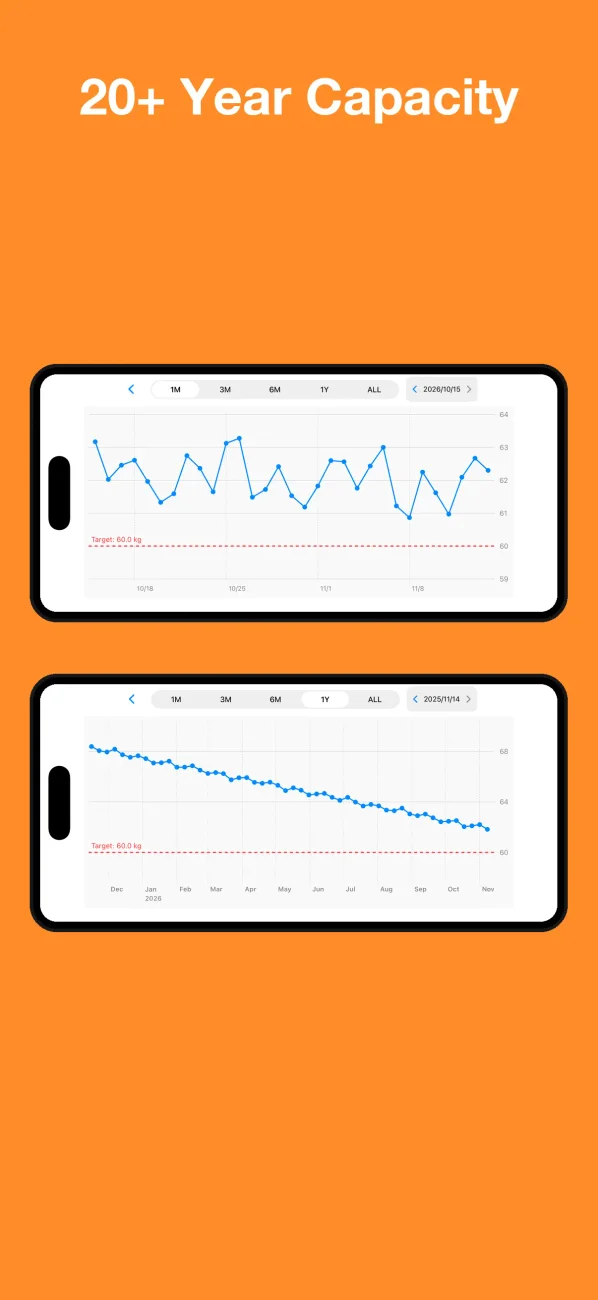
The landscape chart gives you a clear view of your weight trend, with your target weight always visible as a red dashed line.
【Features】
• Quick entry with number pad — effortless daily logging
• Landscape chart — see your weight trend at a glance
• Target weight line — stay motivated with a clear visual goal
• Log past dates — catch up on missed days anytime
• kg / lbs toggle — values convert automatically when you switch
• Dark mode support
• Japanese and English support
• No Ads
【Chart】
• Periods: 1W / 1M / 3M / 6M / 1Y / All Time
• Tap any point to see the exact date and weight
• Y-axis auto-scales to fit your data and target weight
【Free】
• Add, edit, and delete weight entries
• 1-month chart view
• CSV import (migrate data from other apps)
【SlimLog Pro (One-time purchase)】
• All chart periods: 3M, 6M, 1Y, All Time
• Swipe back through your full history
• CSV export (backup and data sharing)
Pay once. No subscription.
【Privacy】
All data is stored locally on your device.
Nothing is ever sent to external servers.
What’s new
Version 1.1.0 · Nov 15, 2026
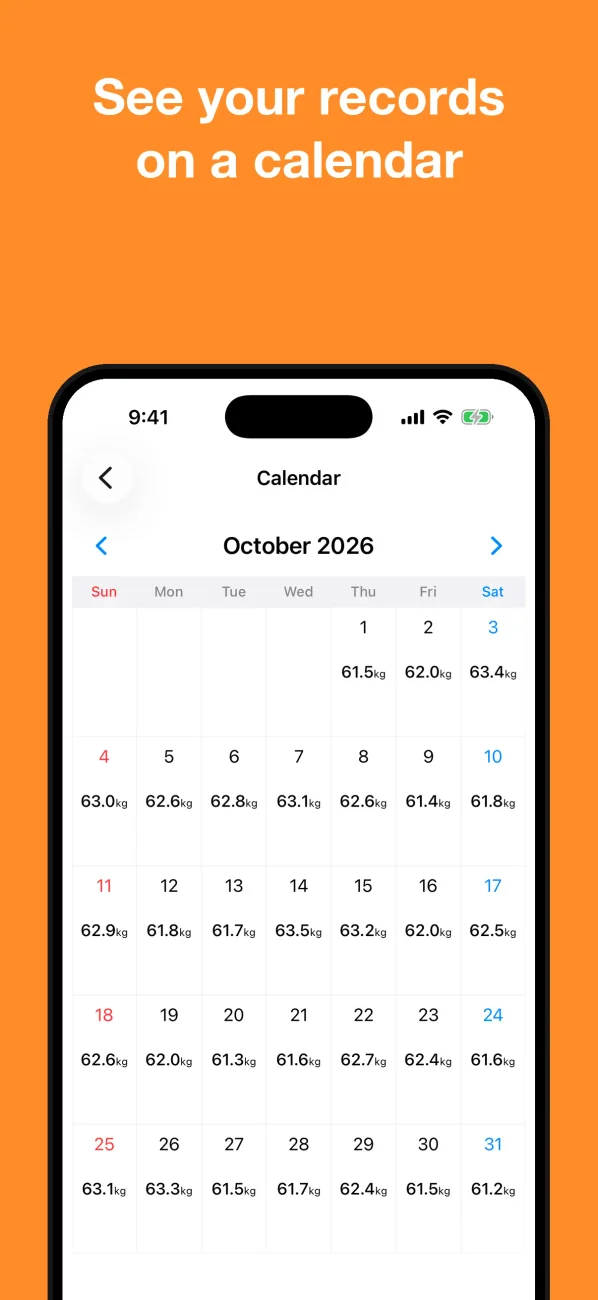
- Added a Calendar screen. See the weight you recorded on each day, month by month. Tap a date to jump to that day's entry screen. (Free: current month only. Pro: past months too.)
- The bottom bar on the Home screen now has three icons: Graph, Calendar, and Settings.
- Improved the graph's vertical axis: added margin above and below the data, and moved the value labels to the right side of the graph.
App privacy
What Yosuke Kubota declares on the App Store about how this app handles data.
-
Data not collected
The developer does not collect any data from this app.
Privacy practices may vary, for example with the features you use or your age.
Information
- Seller
- Yosuke Kubota
- Category
- Health & Fitness
- Version
- 1.1.0
- Updated
- Nov 15, 2026
- Released
- Mar 9, 2026
- Size
- 2.8 MB
- Requires
- iOS 17.0 or later
- Age rating
- 4+
- In-app purchases
- Yes
- Languages
- Japanese, Italian, Spanish, German, French, Portuguese, Russian, Simplified Chinese, Traditional Chinese, English, Korean
- Copyright
- © 2026, outerlimits
You might also like
-
 かるっと体重 − 体重・体脂肪・BMI記録Health & Fitness
-
 Weight Diet LogWeight & Body Fat Log
-
 DietWidget: Weight TrackerFree, no ads. Log weight fast
-
 NyanGram: Cat Weight DiaryCherish your cat every day
-
 Kiroku: Photo Food DiaryWeight tracker & meal journal
-
 W8TrackrSimple Weight Tracking
-
 Average Weight: 7-Day TrackerDaily weight, clearer trends
-
 Habit Tracker: HabitsDotsDaily Goals, Routines& Streaks
-
 Body Graph - Beautiful WeightEasy and simple weight tracker
-
 10-Year WeightLong-term weight & BMI viewer