
- Age rating4+
- CategoryPhoto & Video
- DeveloperJames Moore
- LanguagesEnglish
- Size4.9 MB
Links to the official App Store page
Download.org hosts no file of Simply B&W. The button opens its official App Store page, published by James Moore. Listing last checked on Nov 14, 2026.
Screenshots


About
Simply B&W is an easy, focused way to explore monochrome on iPhone. Start with tone, brightness and contrast, then go further with photographic filters, grain, optical effects and selective focus.
FIND THE BLACK & WHITE WITHIN
Black and white is about more than taking the color away.
Simply B&W lets you change how the colors in your photograph translate into shades of grey. Red filters can turn a blue sky dark and dramatic. Yellow filters brings out clouds more gently. Green changes the balance of foliage and skin. Orange falls somewhere in between.
They work like the familiar color filters used by black and white photographers, but applied to the photograph you’ve already made. There’s infrared too, for luminous foliage and dark skies, and a polariser effect for deeper skies and stronger definition.
GIVE IT CHARACTER
Not every photograph needs to be perfectly sharp.
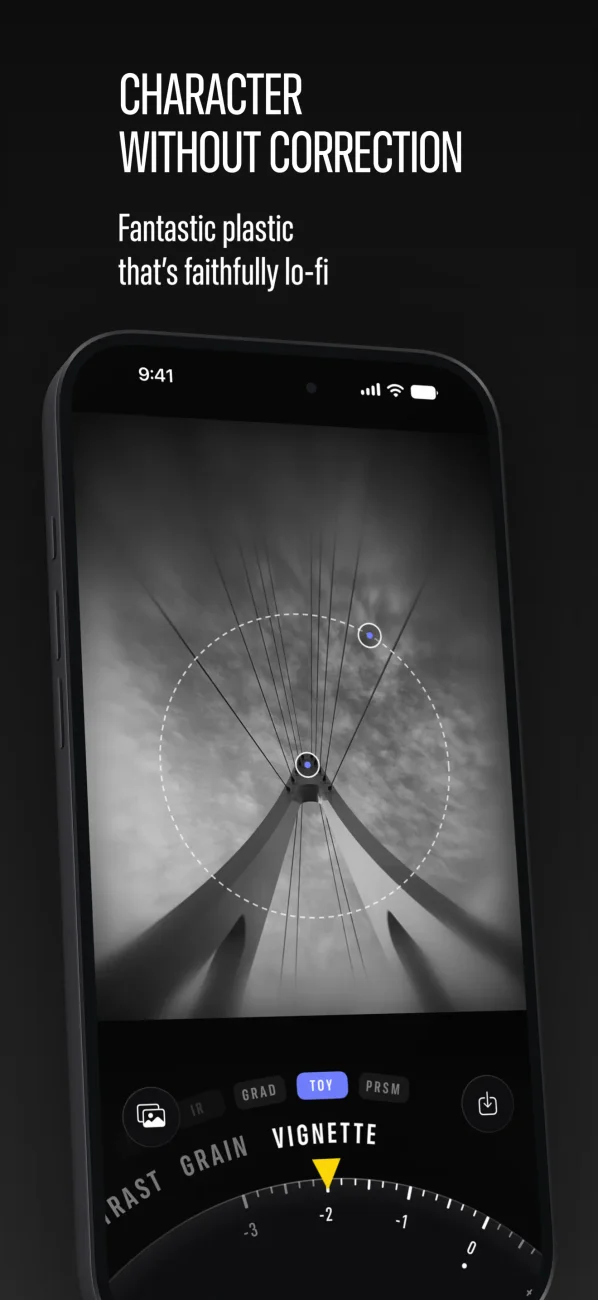
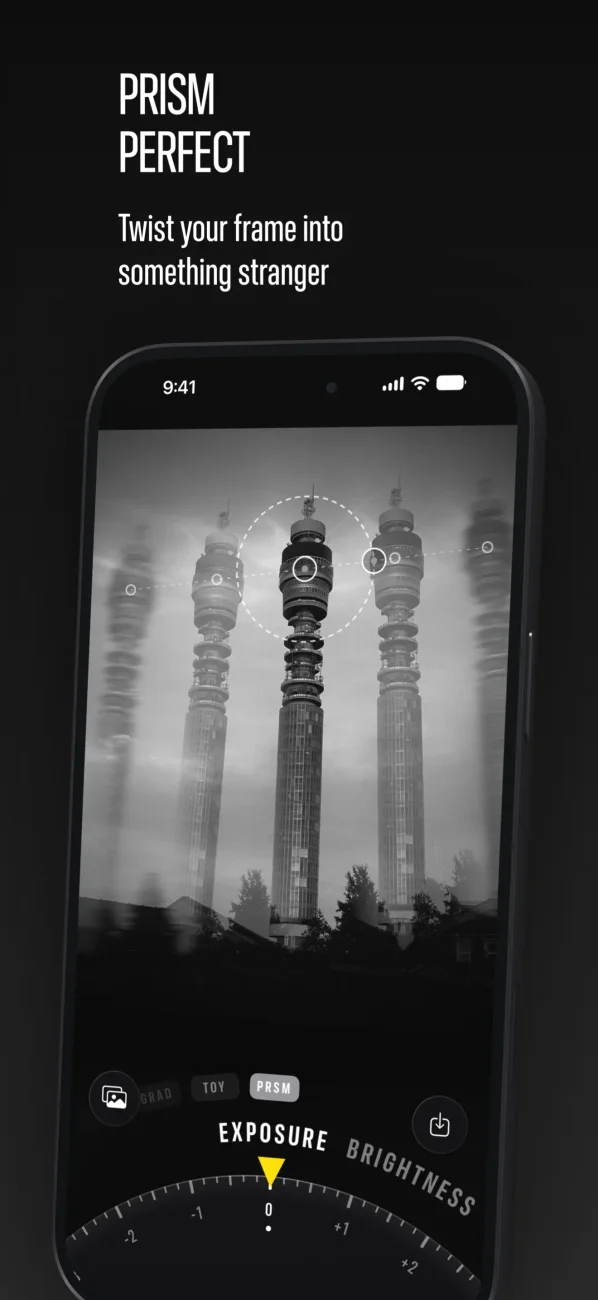
Toy adds the soft corners, swirl and gentle vignette of a plastic lens, with a sharp area you can position anywhere in the frame. Prism fractures and repeats your subject, inspired by the faceted filters of the seventies.
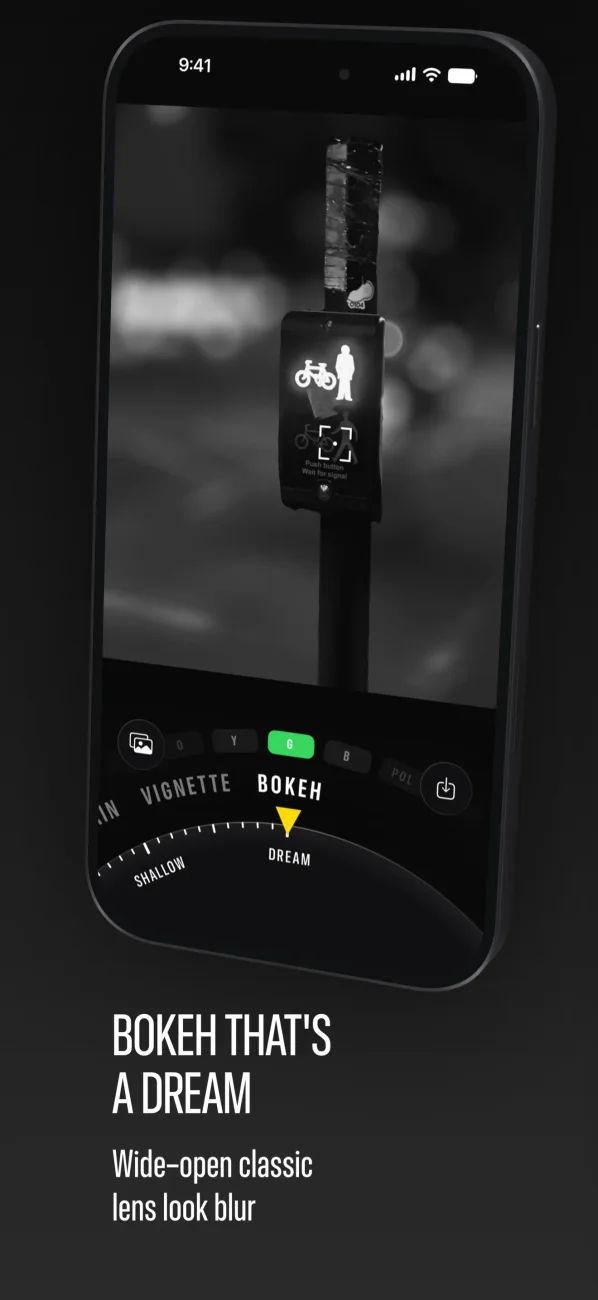
Bokeh uses Portrait depth information to soften backgrounds and draw attention to your subject. Out-of-focus highlights can bloom into luminous, softly edged bubbles, creating the dreamy optical character of classic vintage lenses.
THE FEEL OF FILM
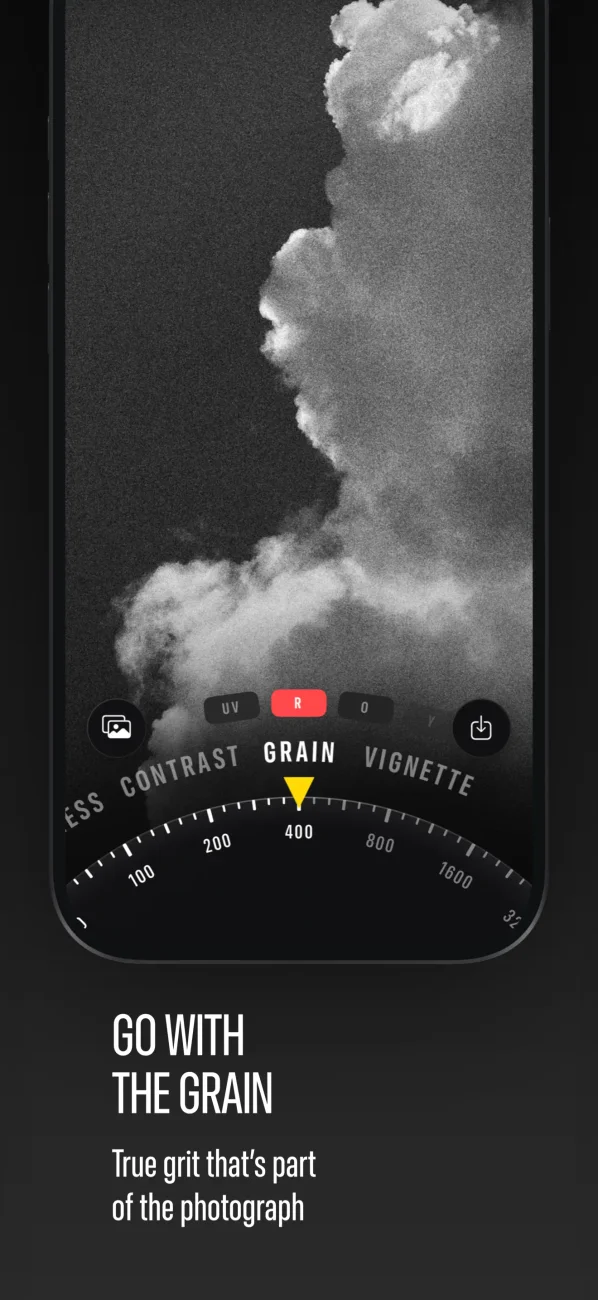
Add grain from the almost invisible texture of ISO 25 to the gritty character of ISO 3200.
Shape the finished photograph with exposure, brightness, contrast, shadows, highlights and vignette.
Everything is controlled from one set of dials, right under your thumb. Choose what you want to change on the outer ring, then turn the inner one to adjust it.
The controls stay out of the way. Your photograph fills the screen.
MADE FOR YOUR PHOTOGRAPHS
Simply B&W works with JPEG, HEIC and RAW photographs from your library. With RAW files, it develops the original image data rather than using the embedded preview.
Save your finished photograph as JPEG, HEIC or lossless TIFF, with EXIF, IPTC and location details preserved.
Find a look you love and it stays with you, photograph after photograph.
Everything happens on your iPhone. Nothing is uploaded.
No account. No subscription.
Simply Photography. Simply B&W.
What’s new
Version 4.1 · Oct 31, 2026
Better bokeh. Smoother, more natural background blur for portrait-mode images.
Bug fixes for Landscape orientations in iPad and iPhone Duo.
Other bug fixes and improvements.
App privacy
What James Moore declares on the App Store about how this app handles data.
-
Data not collected
The developer does not collect any data from this app.
Privacy practices may vary, for example with the features you use or your age.
Information
- Seller
- James Moore
- Category
- Photo & Video
- Version
- 4.1
- Updated
- Oct 31, 2026
- Released
- Feb 22, 2013
- Size
- 4.9 MB
- Requires
- iOS 17.0 or later
- Age rating
- 4+
- Price
- $3.99
- Languages
- English
- Copyright
- © 2019 Fotosyn
You might also like
-
 Filmono - Retro B&W Film CamY2K black & white photo, grain
-
 Monochromia - B&W PhotosBlack & White Photography
-
 hotshot - compare selfiesSwipe your photoshoot
-
 Argentum CameraPro black & white camera
-
 ChronoSnapMultiple pics with one click
-
 Black and White Filter CameraRetro Vintage B&W Photo Editor
-
 BlackieBlack & White Photography
-
 Helio Black&White Film CameraAuthentic Film Grain & Styles
-
 Blark: Pro Black&White CameraProRAW, Black And White Photos
-
 LineEngraver Photo Editor LiteGreyscale / monochrome, camera