
Simply Customize It!
Templates & Custom Screens
Designed for iPhone, iPad, Mac
Free · In-app purchases
- Age rating4+
- CategoryUtilities
- DeveloperSimplyKyra LLC
- LanguagesEnglish
- Size42.8 MB
Links to the official App Store page
Download.org hosts no file of Simply Customize It!. The button opens its official App Store page, published by SimplyKyra LLC. Listing last checked on Nov 14, 2026.
Screenshots


About
Customizing your reMarkable shouldn’t require SSH commands, terminal windows, or the fear of breaking something. Simply Customize It handles the technical side so you can focus on making your tablet feel like yours.
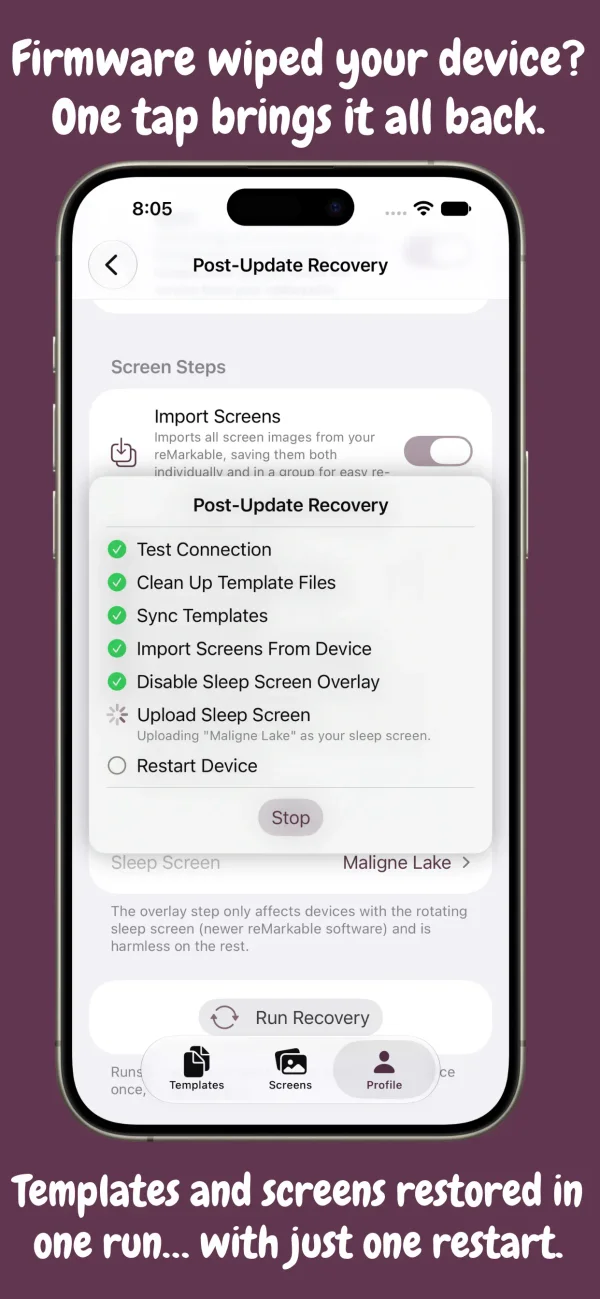
Every reMarkable firmware update wipes your custom templates and screens. It’s just how the device works. Simply Customize It keeps a copy of everything, so when an update happens, one tap cleans up, syncs, and puts your device back exactly how you had it.
WHAT YOU CAN DO
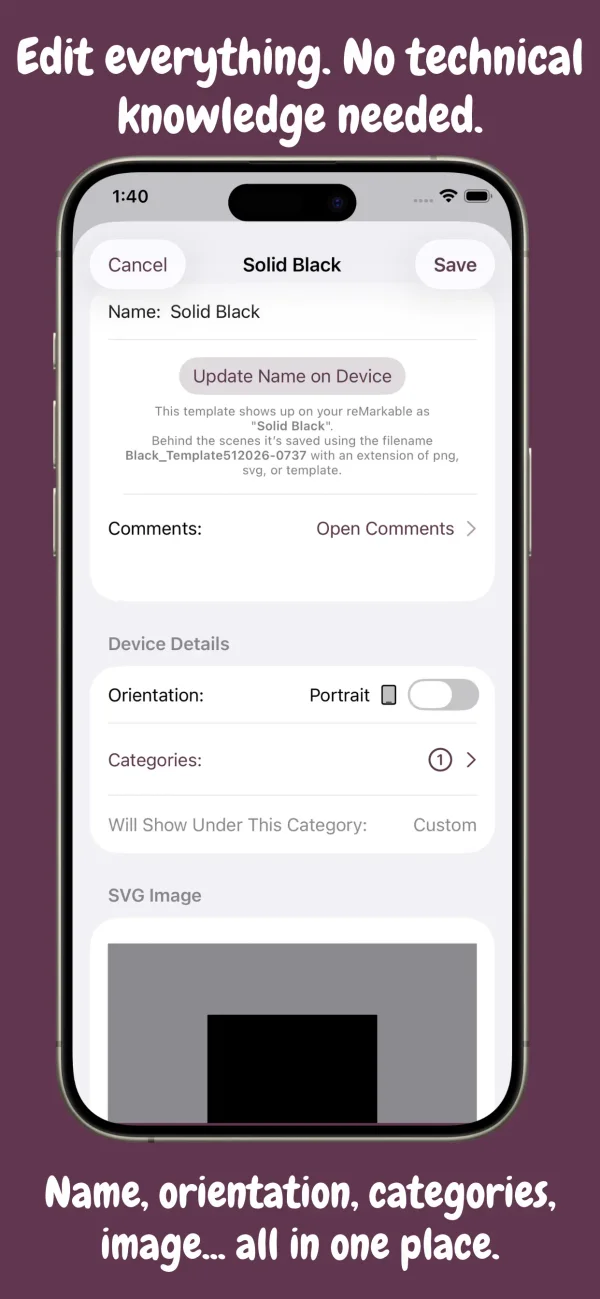
• Templates: import, edit, and sync PNG, SVG, and native .template files, with filtering, sorting, and multi-select cleanup
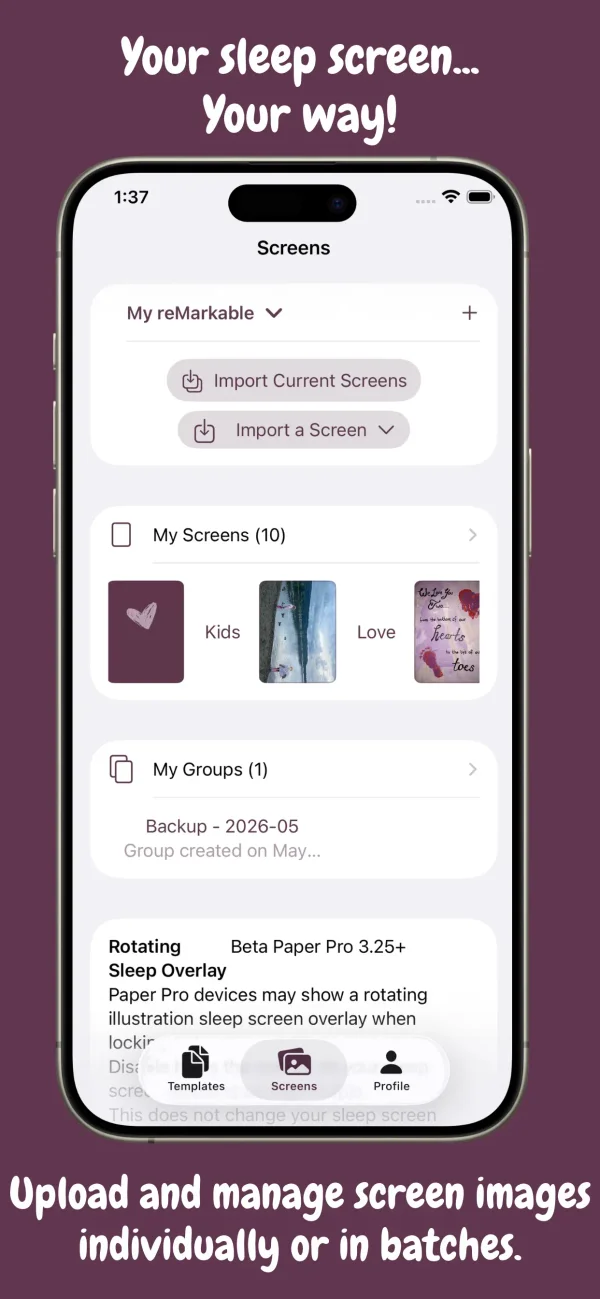
• Screens: add, preview, and upload sleep, startup, and other screen images one at a time or combine them into groups to upload at once
• One-tap recovery: set it up once per device, then restore everything an update undoes
• Add faster: drag images straight into the Mac app, or share from Photos on iPhone and iPad
• Multiple devices: separate profiles for each tablet
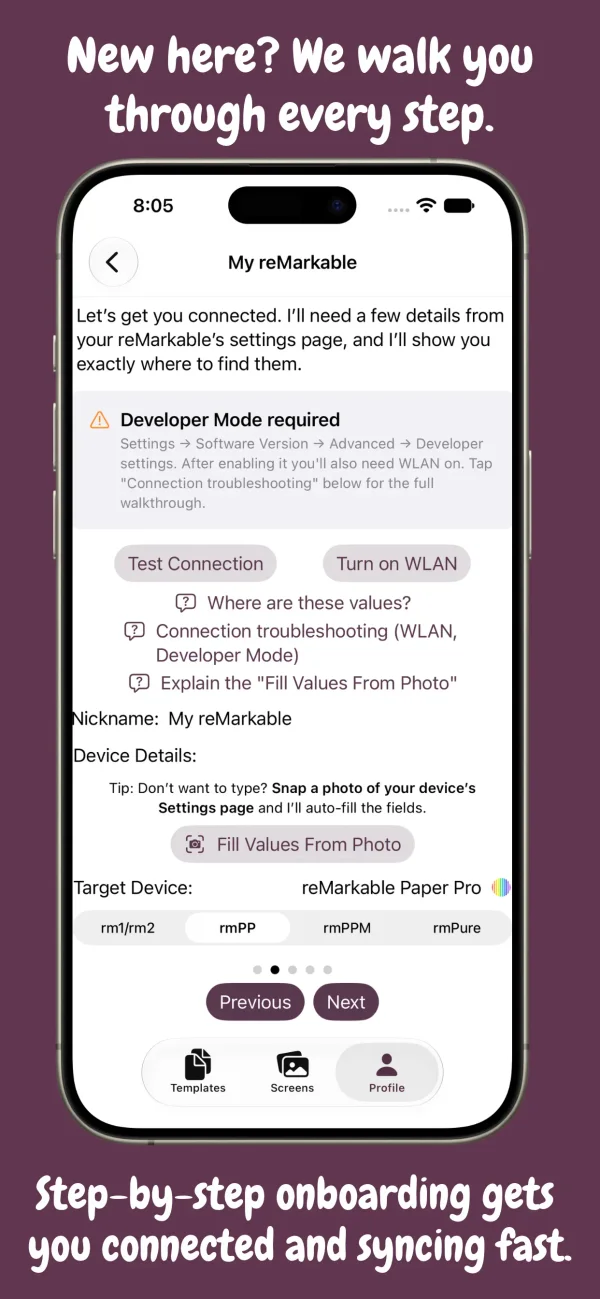
• Guided setup: step-by-step help connecting, including Developer Mode on Paper Pro and Paper Pro Move
WORKS WITH
reMarkable 1, reMarkable 2, Paper Pro, Paper Pro Move, and Paper Pure (beta)
PLANS
Free to set up unlimited devices and test the connection. Then choose Templates, Screens, or All Access, monthly or yearly, with a free trial on each.
Built by an indie developer who uses her reMarkable daily. Not affiliated with reMarkable AS. Simply a fellow user who wanted a calmer way to customize.
---
Questions or feedback? Email mail@simplykyra.com
Learn more: simplykyra.com/simply-customize-it
Newsletter: simplykyra.com/#/portal/account
Terms of Use: simplykyra.com/simply-customize-it-terms-and-conditions/
Privacy Policy: simplykyra.com/simply-customize-it-privacy-policy/
What’s new
Version 1.5.2 · Nov 12, 2026
Adding an option to run template steps on reMarkable 3.30+ for anyone who’d like to try for themselves. You’ll find it in each device’s details in Profile. It’s off by default and your templates stay safe in the app either way. Syncing, uploading, and clean up also now let you know when 3.30 may not show your templates.
App privacy
What SimplyKyra LLC declares on the App Store about how this app handles data.
-
Data not collected
The developer does not collect any data from this app.
Privacy practices may vary, for example with the features you use or your age.
Information
- Seller
- SimplyKyra LLC
- Category
- Utilities
- Version
- 1.5.2
- Updated
- Nov 12, 2026
- Released
- Jun 12, 2024
- Size
- 42.8 MB
- Requires
- iOS 17.0 or later
- Age rating
- 4+
- Price
- Free
- In-app purchases
- Yes
- Languages
- English
- Copyright
- © 2024 SimplyKyra LLC
You might also like
-
 Notable UtilityUtilities
-
 Aviary for reMarkableSend documents to reMarkable
-
 Phishbowl: AI Scam DetectorScam & Digital Safety Tools
-
 Supernote PartnerUtilities
-
 AINOTE mobileUtilities
-
 Pebble CoreUtilities
-
 Wider - Fullscreen BrowsingMore room for the internet
-
 Intiface CentralUtilities
-
 Kagi for SafariSend Safari searches to Kagi
-
 Clicks KeyboardSet up your typing experience