Sinkstack: Paycheck Budget
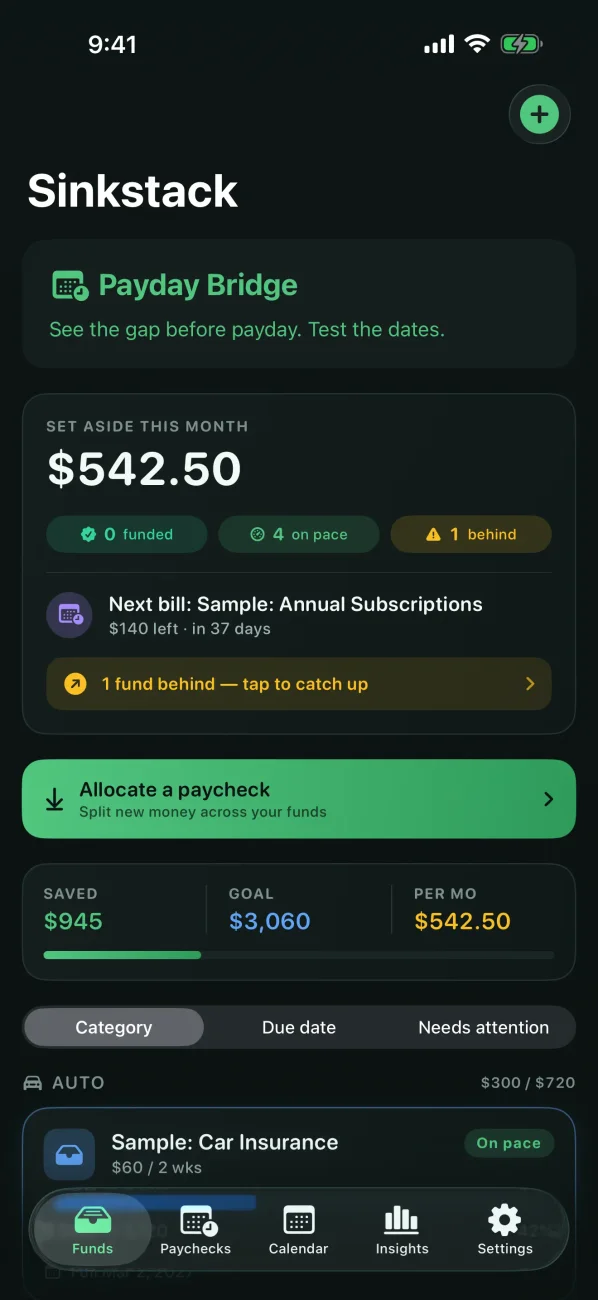
See the gap before payday
Designed for iPhone, iPad
$1.99
- Age rating4+
- CategoryFinance
- DeveloperRobert Corbin
- LanguagesEnglish
- Size6.4 MB
Links to the official App Store page
Download.org hosts no file of Sinkstack: Paycheck Budget. The button opens its official App Store page, published by Robert Corbin. Listing last checked on Nov 26, 2026.
Screenshots
About
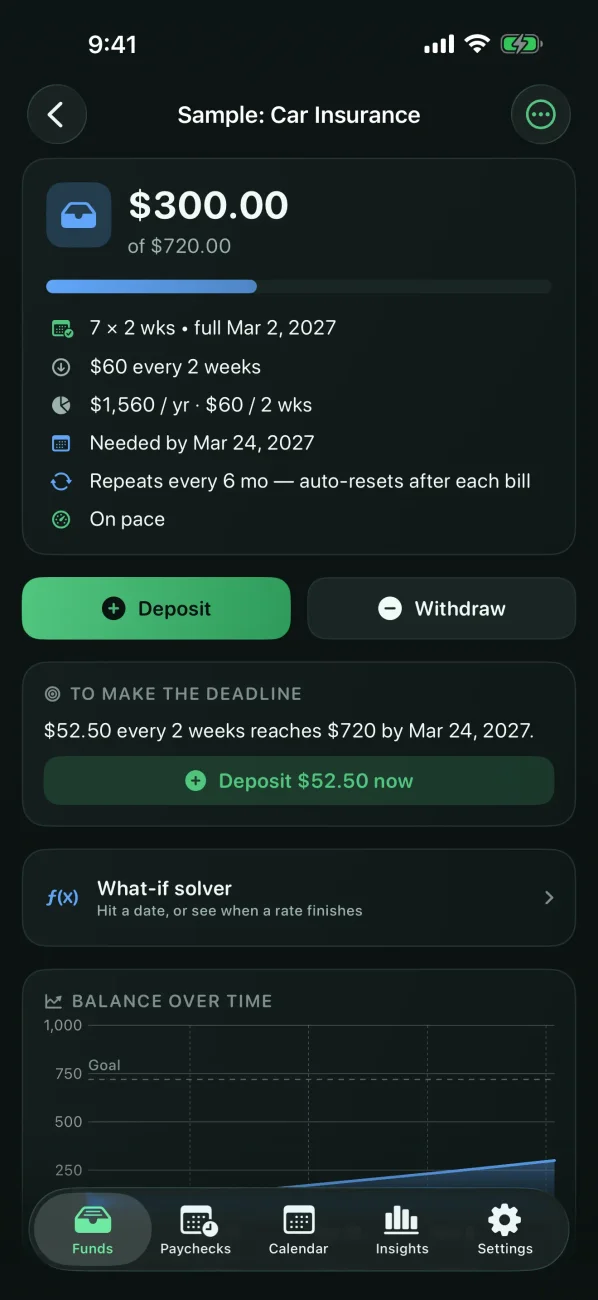
Sinkstack turns irregular bills into a plan for every paycheck. Create a sinking fund for each bill you only see a few times a year, such as car insurance, holidays, renewals and repairs, and Sinkstack shows what to set aside from each upcoming paycheck so each one is covered by its due date.
NEW IN 5.0
• Starting balances are kept for good. A fund created with money already in it now records that amount as a Starting balance entry. In 4.0 that amount could disappear from the balance after the app was reopened; 5.0 books it back from your saved data.
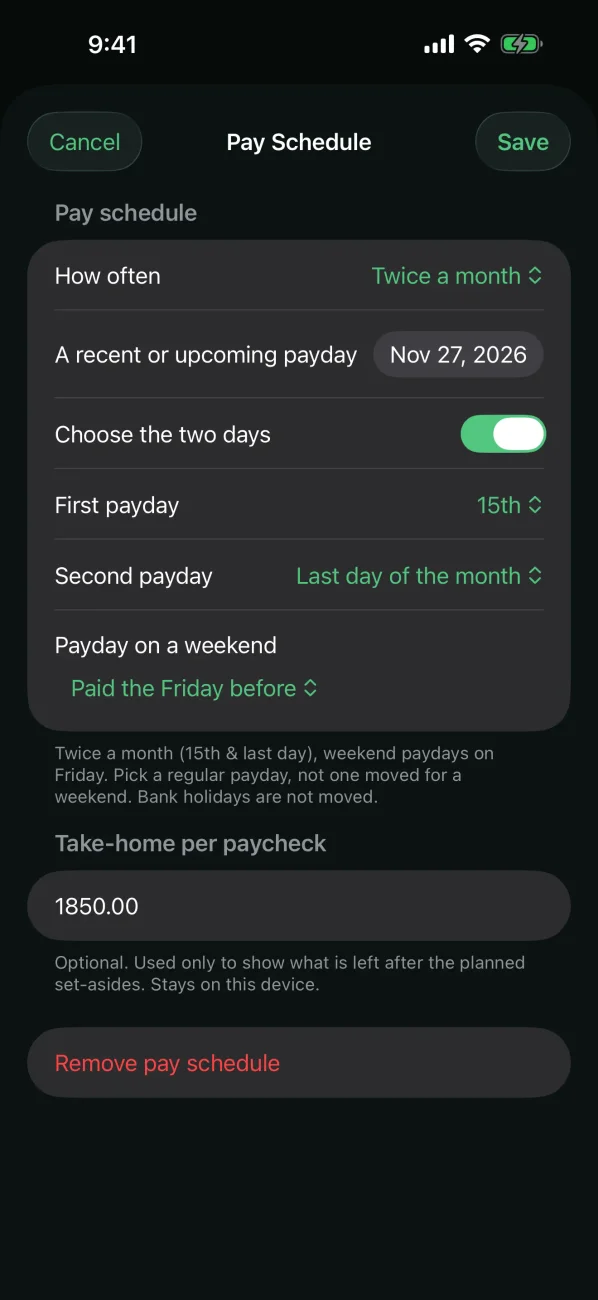
• Pay schedules that match real payroll: choose both days of twice-a-month pay (1st and 15th, 15th and last day, or any pair) and move weekend paydays to the Friday before or the Monday after.
• Extra-paycheck months: see which of the next 12 months bring a third paycheck (every 2 weeks) or a fifth one (weekly), and whether a year has 27 or 53 paydays.
• Recurring bills keep their day: a bill due on the 31st comes back to the 31st after a short month.
• Behind or on track is judged by the money you put in, not by how many deposits you made.
• Safer data: a damaged save file or backup no longer hides or blocks everything. Readable records load, damaged ones are set aside in Settings, and Undo last restore puts your previous data back.
• CSV exports use your local dates and keep spreadsheet formulas from running.
• Amounts typed as 1.234,56 or 1,234.56 are both read correctly.
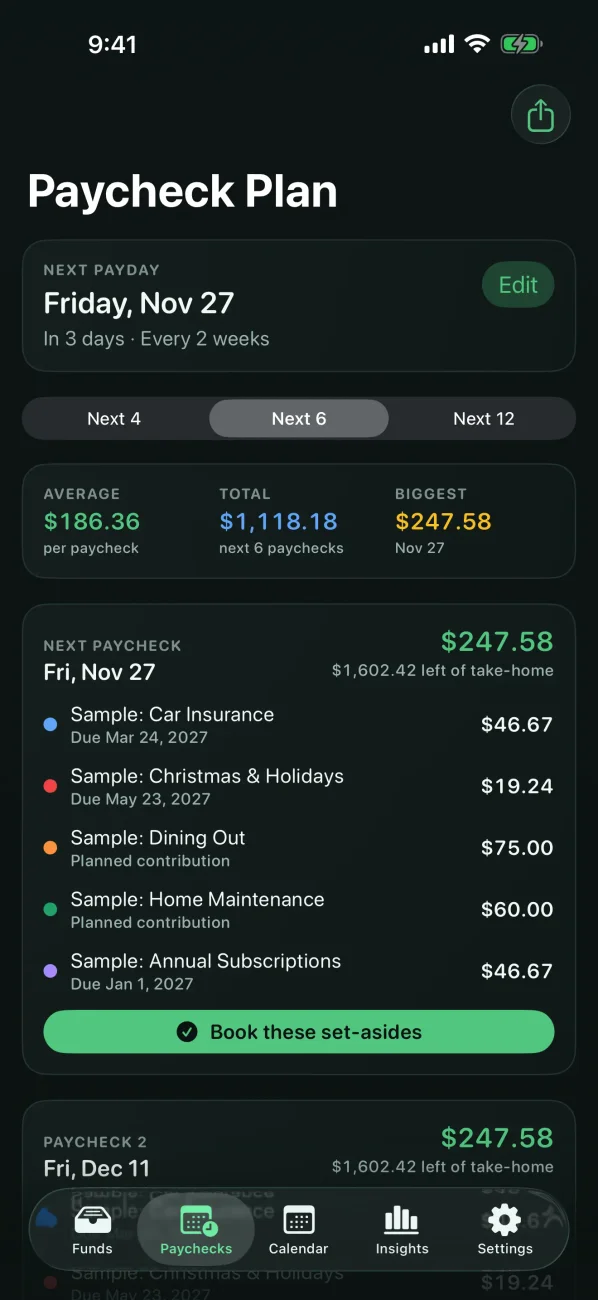
PAYCHECK PLAN
Choose how often you are paid and one payday. Each of your next 4, 6 or 12 paychecks lists what to set aside for every fund:
• Funds with a due date spread what they still need evenly across the paydays before that date, to the cent.
• Recurring bills start their next cycle after each due date.
• Funds without a due date use the contribution you planned.
• Bills that land before your next payday are flagged with the amount still needed.
• Enter your take-home pay (optional) to see what is left after the set-asides.
• Book the next paycheck's set-asides as deposits in one step, or export the plan as CSV.
EVERYTHING ELSE
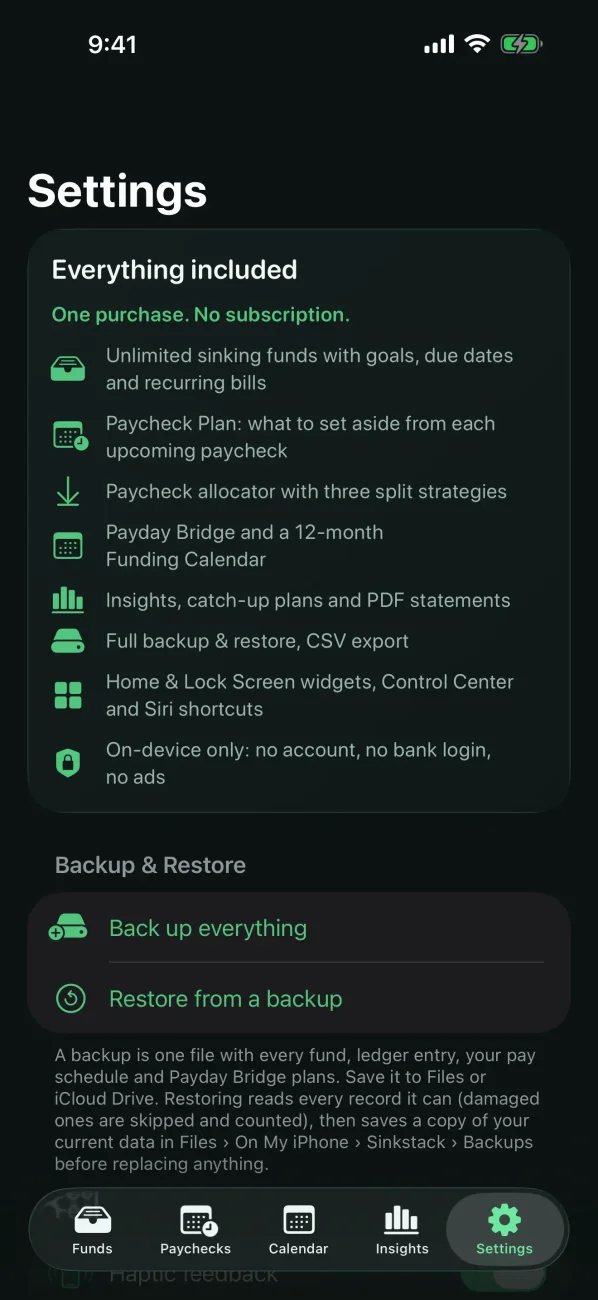
• Unlimited sinking funds with goals, due dates, weekly to annual contributions, revolving funds and recurring bills.
• Paycheck allocator: split new money across your funds proportionally, by priority or evenly, booked as dated deposits.
• Payday Bridge: put income and payments on real dates to find the lowest balance before payday and test a late payday (amounts in US dollars).
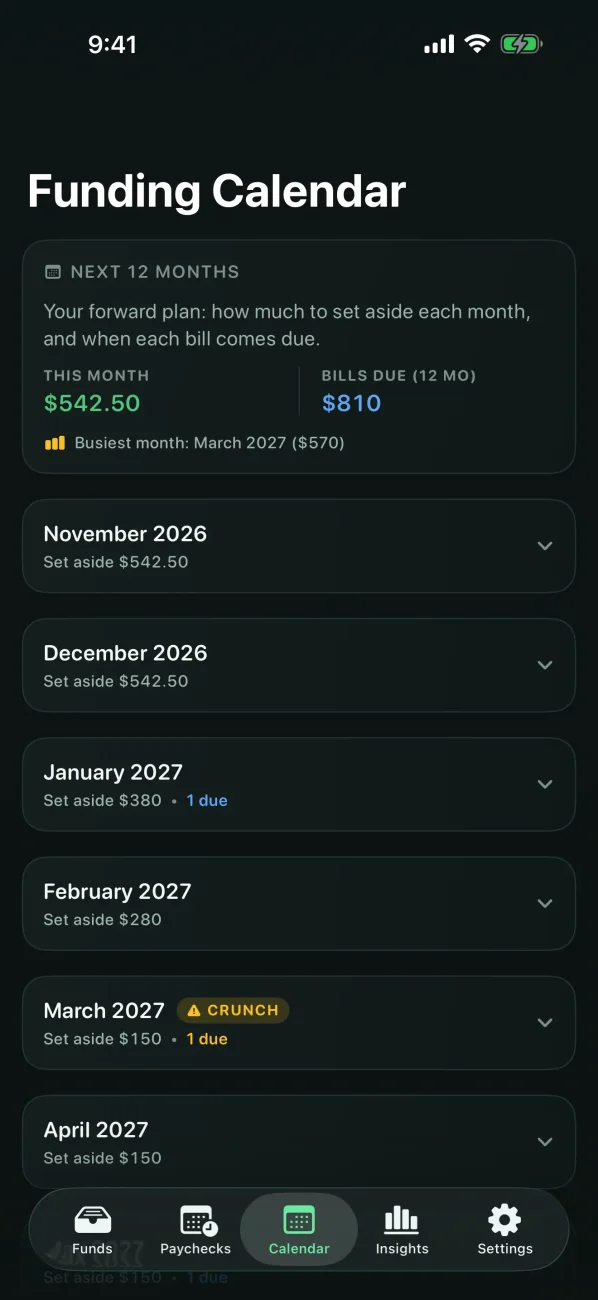
• Funding Calendar: 12 months of set-asides and bill dates, with busy months marked.
• Insights, catch-up options for funds that fell behind, a what-if solver, PDF statements and CSV export.
• Backup and restore in one file, Next Payday and Quick Actions widgets, a Control Center control and Shortcuts actions.
• 60+ templates for common irregular expenses.
PRIVATE BY DESIGN
No account, no bank login, no ads, no tracking. Your data stays on your device. Amounts use exact decimal math, rounded to the cent.
One purchase. No subscription.
Sinkstack is a planning tool. It does the arithmetic on the numbers you enter; it does not move money, connect to a bank or give financial or tax advice. Bank holidays are not taken into account.
iPhone and iPad.
What’s new
Version 5.0 · Nov 25, 2026
Sinkstack 5.0
• Starting balances are now ledger entries and are kept after the app is reopened or a backup is restored. In 4.0 a starting balance could drop out of the balance after the next launch; 5.0 books it back from your saved data.
• Twice-a-month pay on the two days you choose (such as 1st and 15th or 15th and last day), and weekend paydays moved to Friday or Monday.
• Extra-paycheck months and 27- or 53-payday years on the Paycheck Plan.
• Recurring bills due on the 29th to 31st keep their day after short months.
• Behind or on track now compares the money deposited with the money planned.
• Damaged files and backups: readable records load, damaged ones are set aside in Settings > Damaged copies, and Undo last restore puts back your previous data.
• CSV dates are local and formula-like text is kept as text. Removing a pay schedule now asks first.
• 1.234,56 and 1,234.56 are both read as one thousand two hundred thirty-four and 56 cents.
App privacy
What Robert Corbin declares on the App Store about how this app handles data.
-
Data not collected
The developer does not collect any data from this app.
Privacy practices may vary, for example with the features you use or your age.
Information
- Seller
- Robert Corbin
- Category
- Finance
- Version
- 5.0
- Updated
- Nov 25, 2026
- Released
- Jun 8, 2026
- Size
- 6.4 MB
- Requires
- iOS 17.0 or later
- Age rating
- 4+
- Price
- $1.99
- Languages
- English
- Copyright
- © 2026 Robert Corbin
You might also like
-
 Free SpendWidget for mindful spending
-
 Tabi: Subscription TrackerBill reminders & spending
-
 Mintseed - Daily BudgetsSpend Money Wisely
-
 FinCalc: EMI CalculatorEMI, SIP, FD & Loan Planner
-
 Military Retire PayMilitary Retirement Calculator
-
 Creddy: Credit Card RewardsCredit card benefits tracker
-
 SpendBalance: Expense TrackerPrivate budget, no ads
-
 Georgia Banking Company MobileFinance
-
 Expense Tracker: Budget Book8 Languages, Receipts & Charts
-
 US Military Pay Calculator2026 Pay Charts & Compensation