
SiteBoard
Jobsite punch list and hours
Designed for iPhone, iPad
Free · In-app purchases
- Age rating4+
- CategoryBusiness
- DeveloperCameron Walker
- LanguagesEnglish
- Size2.0 MB
Links to the official App Store page
Download.org hosts no file of SiteBoard. The button opens its official App Store page, published by Cameron Walker. Listing last checked on Nov 23, 2026.
Screenshots
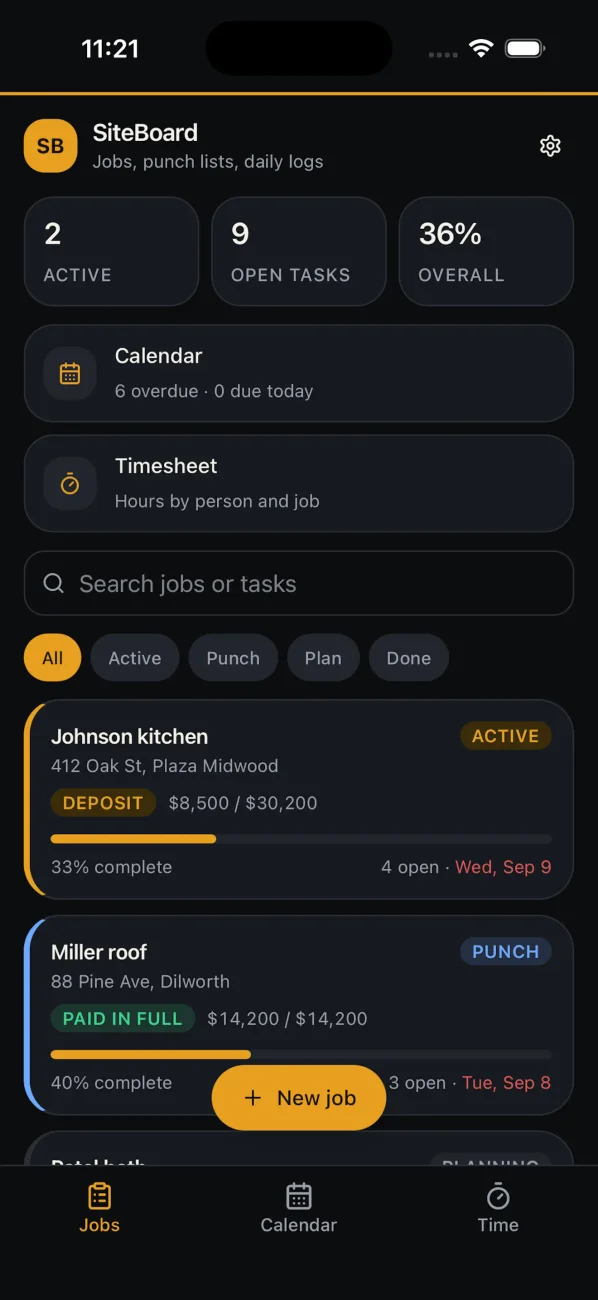

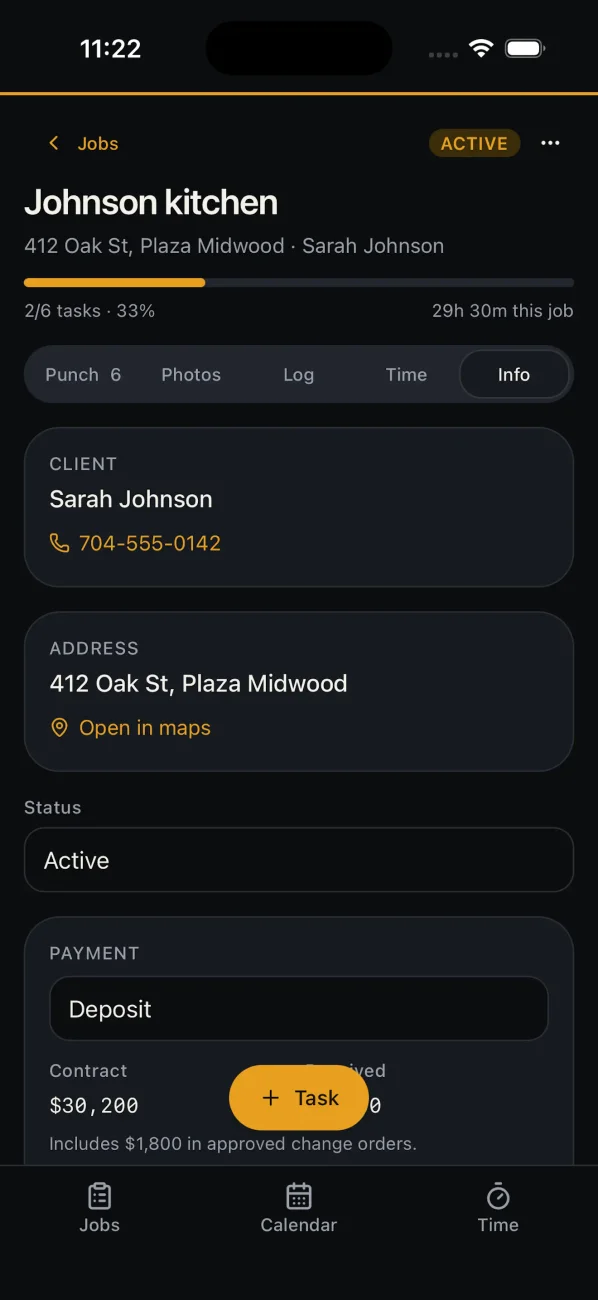
About
**SiteBoard – Keep Your Jobs in Order**
SiteBoard is a simple job management app built for contractors who want to stay organized and keep their projects running smoothly.
Manage your jobs, keep track of important dates, organize tasks, and save project photos—all in one place.
**Features:**
• **Job Management:** Keep all your projects organized in one app.
• **Job Locations:** Easily keep track of where your jobs are located.
• **Project Dates:** Stay on top of important dates and deadlines.
• **Task Lists:** Organize your to-do lists and keep track of what needs to get done.
• **Project Photos:** Save photos of your work and keep project details together.
**Built for Contractors**
Whether you're a general contractor, remodeler, handyman, or small construction business, SiteBoard helps you keep your jobs in order without complicated software.
Spend less time trying to remember everything and more time getting the job done.
**Download SiteBoard today and take control of your projects.**
SiteBoard — Simple. Organized. Built for the Job.
Terms of Use (EULA): https://www.apple.com/legal/internet-services/itunes/dev/stdeula/
What’s new
Version 1.4.4 · Nov 18, 2026
**What's New in 1.4.4**
Clock in is simpler. Finished jobs stay out of the list, and "what is this for" is a category you pick. Add your own, or tap the × to remove one you don't use.
Hours can be filtered by category, along with person and job.
Tasks can be Morning, Afternoon, or All day. Finished tasks stay hidden until you tap Show.
The new-task box stays open while you type. Chalk, Sand, Barn, and Slate are new color options, and the type is easier to read.
App privacy
What Cameron Walker declares on the App Store about how this app handles data.
-
Data not collected
The developer does not collect any data from this app.
Privacy practices may vary, for example with the features you use or your age.
Information
- Seller
- Cameron Walker
- Category
- Business
- Version
- 1.4.4
- Updated
- Nov 18, 2026
- Released
- Sep 21, 2026
- Size
- 2.0 MB
- Requires
- iOS 17.0 or later
- Age rating
- 4+
- Price
- Free
- In-app purchases
- Yes
- Languages
- English
- Copyright
- © 2026 SiteBoard
You might also like
-
 Workly: Work Order MakerWork Order Form PDF
-
 ContractorHUB OSField Jobs, Tasks & Meetings
-
 FieldSheet for ContractorsUnlimited job site photos
-
 SheetPlannerOrganize. Plan. Do.
-
 ServiceForge24/7 Growth for Service Pros
-
 Artistico: Tile DrawingHome Interior Design Build
-
 IOU-MarkerAgreements, e‑sign, payments
-
 Ponce Bank MobileFinance
-
 PitneyShip®-Ship and TrackShip and Save across carriers
-
 GetCost: Estimate & InvoiceContractor, Dispatch, Payments