
Skeer
Stop being Skeer all the time.
Designed for iPhone, iPad, iPod touch
Free · In-app purchases
- Age rating4+
- CategoryFinance
- DeveloperBram Beekman
- LanguagesEnglish
- Size73.4 MB
Links to the official App Store page
Download.org hosts no file of Skeer. The button opens its official App Store page, published by Bram Beekman. Listing last checked on Nov 13, 2026.
Screenshots


About
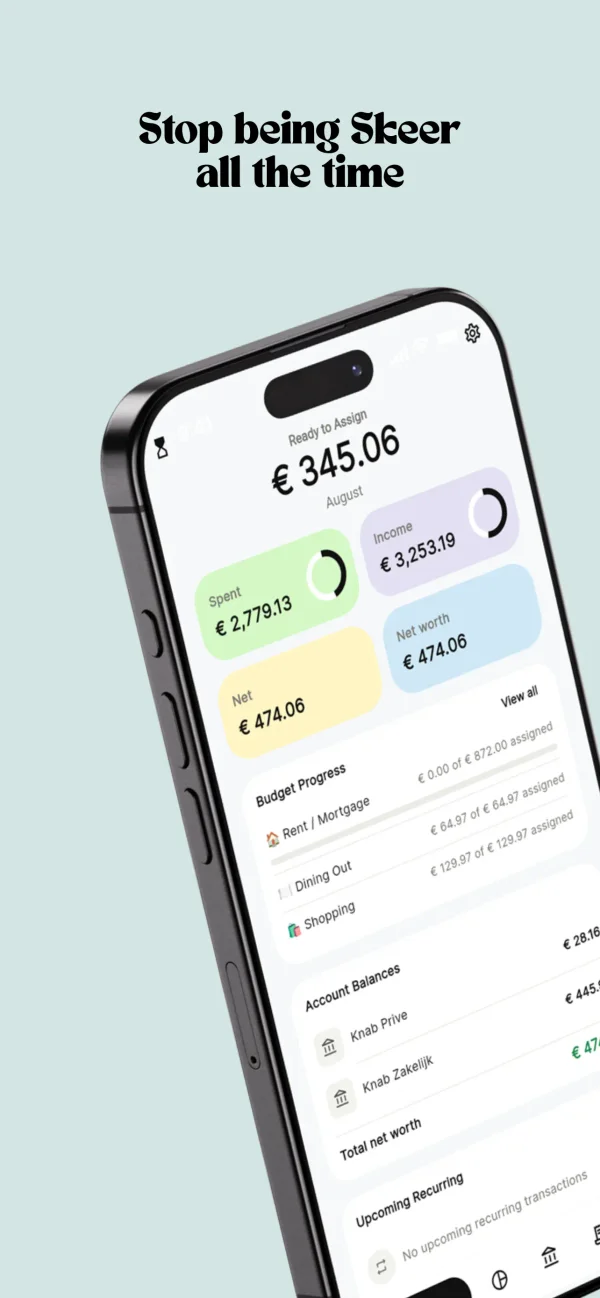
Skeer is the calm, no-drama way to budget every euro you earn, inspired by the envelope method, built for how you actually spend money.
Stop wondering where your money went. Give every euro a job the moment it hits your account, watch your categories fill up, and know exactly what's safe to spend before you tap your card.
WHY PEOPLE SWITCH TO SKEER
- Zero-based budgeting - assign 100% of your income to categories, so nothing is ever "unaccounted for."
- Unspent money carries over - leftover budget rolls into next month automatically, and past months lock so you can't accidentally mess up your history.
- Multiple accounts - checking, savings, and credit cards, with transfers and split transactions handled automatically.
- Payees - save who you pay once, then pick them from a list next time.
- Recurring transactions - bills and income repeat on schedule so your budget stays accurate without manual entry.
- Debt payoff tracking - link a debt to a category, watch the balance drop with every payment, and it disappears from your budget the moment it's paid off.
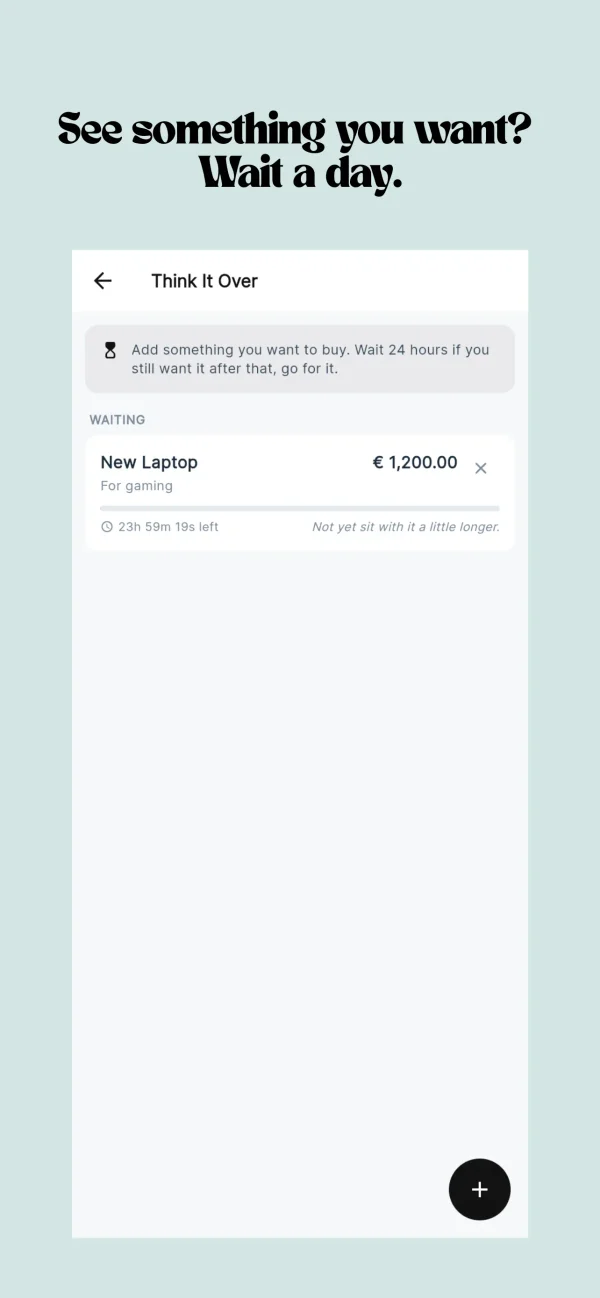
- "Think It Over" list - feel the urge to buy something? Park it here for 24 hours before you decide. Impulse spending, tamed.
- Category targets - set a monthly or savings goal per category and get a one-tap "assign the rest" shortcut when you're close.
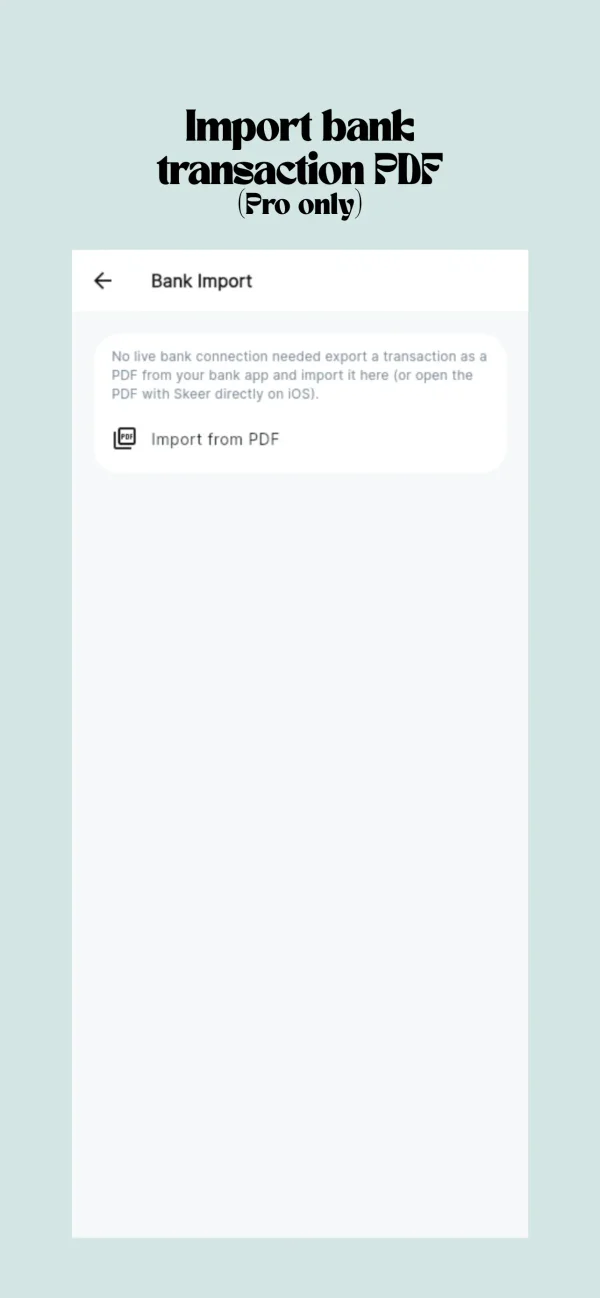
- Bank statement (PDF) import - drop in a PDF and Skeer pulls out the transactions, with duplicate detection so you never import the same purchase twice.
- Home Screen widget - add or check spending straight from your Home Screen, no need to open the app.
- Face ID / Touch ID lock - your budget, protected.
- Built-in support chat - questions get answered right inside the app, no AI chatbot.
SKEER PRO
Skeer is free for day-to-day budgeting. Upgrade to Skeer Pro for:
- Real-time cloud sync between your iPhone and the free Skeer web app - edit on the go, review on your laptop.
- Automatic encrypted backup, so switching phones is never scary.
- Unlimited PDF bank statement import.
- Track your debt.
YOUR DATA, YOUR CALL
No ads. No selling your data. Delete your account and everything with it, permanently, any time from Settings.
Whether you're paying off debt, saving for something specific, or just tired of guessing what's left in your bank account, Skeer gives you the structure to plan your money with confidence - and the flexibility to fix it when life doesn't go as planned.
Download Skeer and give every euro a job today.
Terms of Use (EULA): https://skeerapp.com/terms/
Privacy Policy: https://skeerapp.com/privacy/
App privacy
What Bram Beekman declares on the App Store about how this app handles data.
-
Data linked to you
May be collected and linked to your identity.
- Contact info
Privacy practices may vary, for example with the features you use or your age.
Information
- Seller
- Bram Beekman
- Category
- Finance
- Version
- 1.1
- Updated
- Oct 18, 2026
- Released
- Oct 18, 2026
- Size
- 73.4 MB
- Requires
- iOS 15.0 or later
- Age rating
- 4+
- Price
- Free
- In-app purchases
- Yes
- Languages
- English
- Copyright
- © Bram Beekman
You might also like
-
 SpendWithPlanTrack income, expenses, budget
-
 Cat Cheltui: Expense TrackerDaily spending, monthly budget
-
 Upfine: Family Budget TrackerFamily finance made simple
-
 Tappel — Private Expense LogSpending tracker & budget app
-
 My Daily LimitExpense & Budget Tracker
-
 Fince: AI Budget TrackerPrivate expense & goal planner
-
 Wally: Budget TrackerExpense & income tracking
-
 TradepediaLearn to Earn
-
 chestnut: envelope budgetingplan payday with ease
-
 ChartDepth | Forex SignalsAI Forex Analysis & Signals