
- Age rating4+
- CategoryUtilities
- DeveloperShigeki Karouji
- LanguagesJapanese+ 1 more
- Size11.0 MB
Links to the official App Store page
Download.org hosts no file of Skill Simulator for Wilds. The button opens its official App Store page, published by Shigeki Karouji. Listing last checked on Nov 12, 2026.
Screenshots
About
A build simulator designed to streamline your Monster Hunter equipment crafting—helping you reach the optimal build in the shortest time possible.
It automatically optimizes weapons, skills, and series/group bonuses all at once, and syncs with your owned data to show only the combinations you can actually create.
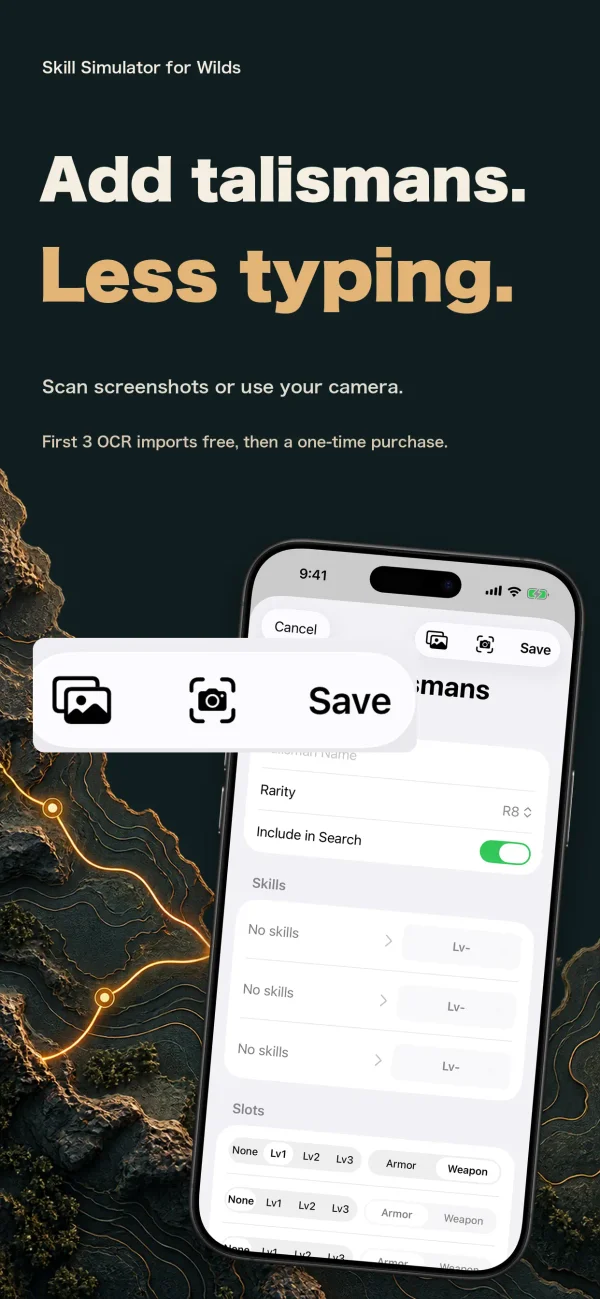
With Talisman OCR, you can instantly register charms from a screenshot or camera scan, minimizing manual input.
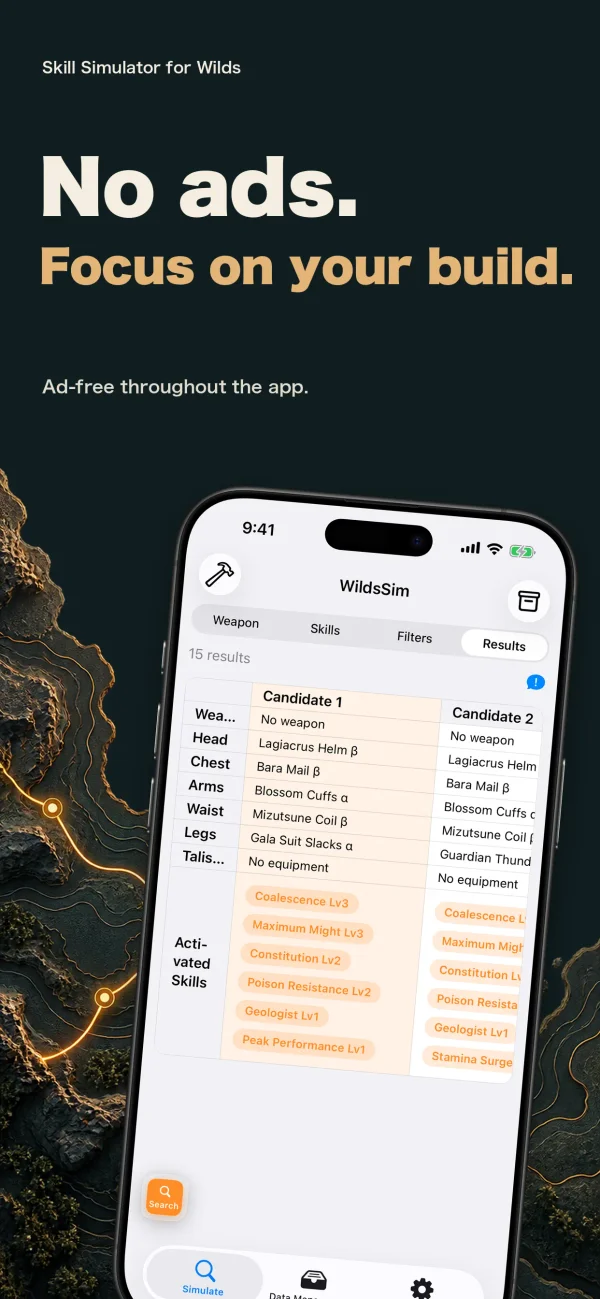
Results are displayed with clean, chip-style skill tags and a detailed breakdown view—making it easy to grasp excess slots, missing skills, and replacement options at a glance.
Key Features
・High-speed search engine: Finds realistic optimal builds across weapons, armor, decorations, and charms.
・Series / Group support: Automatically evaluates set-bonus requirements.
・Talisman OCR (optional): Instantly registers from screenshots or camera to eliminate manual entry.
・Inventory sync: Reflects owned gear and custom charms—no more theory-only builds.
・Readable results: Visualize activated skills as chips, easily check surplus slots or replacements.
・Save & share: Save good builds, re-search later, or generate shareable text in one tap.
If you want to know “what’s the best you can make with what you have right now,”
this tool delivers that answer instantly—backed by both data and user experience.
In hunting, what you need isn’t more time—it’s the optimal setup.
Find your perfect build faster with Skill Simulator for Wilds.
Notes
・Search results depend on your owned data and input conditions. Unrealistic or impossible combinations are excluded, but full completeness is not guaranteed.
・Talisman OCR accuracy may vary by image quality and device; you can correct recognition errors manually.
・Please test the simulator’s usefulness for your playstyle before purchasing Talisman OCR.
・This is an unofficial tool and is not affiliated with or endorsed by the game’s publisher.
Terms of Use: https://studiok-apps.studio-k-developer.workers.dev/en/apps/skill-simulator-for-wilds/terms/
What’s new
Version 2.6 · Oct 30, 2026
Version 2.6
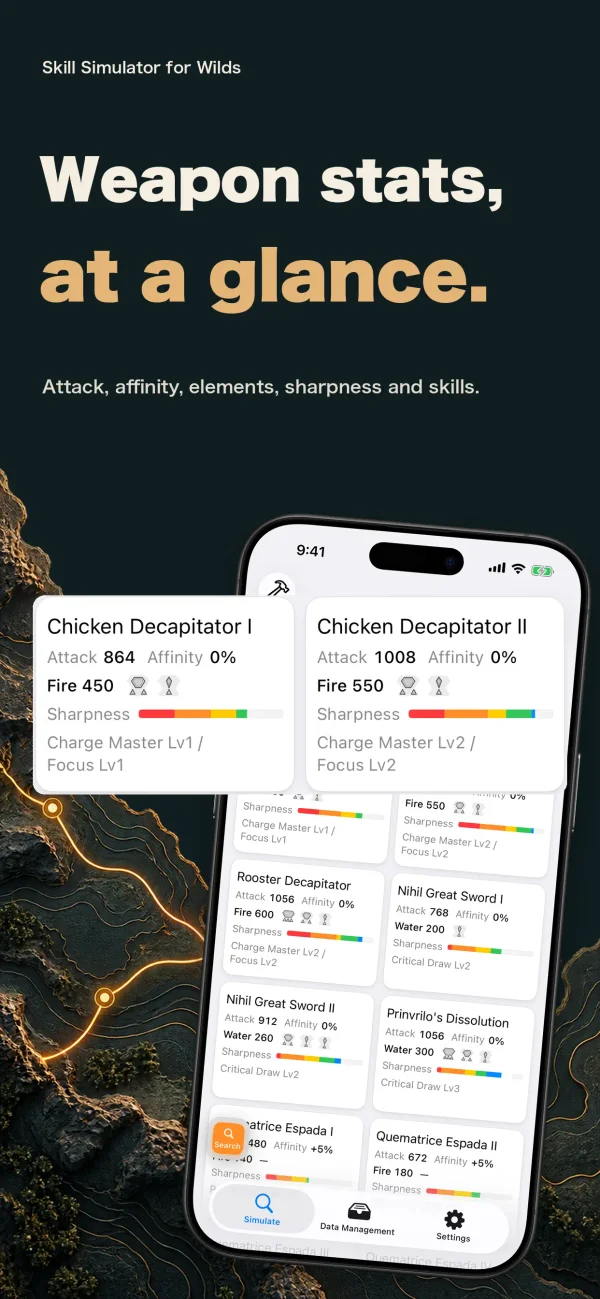
Compare weapon stats and adjust skill levels more easily from the selection screens.
New Features
- Crafted weapon cards now show attack, affinity, element/status, sharpness, slots and innate skills.
- Added per-level effects for 136 skills, with your selected level highlighted.
How to Use
- Tap ⓘ on a skill card, or touch and hold it and choose Details, to see its effects.
- Touch and hold a skill to set its level, clear its selection or add/remove it from Favorites.
- Favorite weapons now appear first in weapon lists.
Improvements
- Simplified layouts and spacing across search, equipment building and detail screens.
- Unified decoration-slot icons and improved dark mode and larger-text layouts.
- Added 11 armor pieces and Chainblade Charm III, Phoenix Charm III and Exploiter Charm III.
- Corrected armor stats, skills and slots, along with the weapon types of some weapons.
- Added links to official support and terms pages in Settings and updated the privacy policy link.
App privacy
What Shigeki Karouji declares on the App Store about how this app handles data.
-
Data not collected
The developer does not collect any data from this app.
Privacy practices may vary, for example with the features you use or your age.
Information
- Seller
- Shigeki Karouji
- Category
- Utilities
- Version
- 2.6
- Updated
- Oct 30, 2026
- Released
- Oct 23, 2025
- Size
- 11.0 MB
- Requires
- iOS 18.0 or later
- Age rating
- 4+
- In-app purchases
- Yes
- Languages
- Japanese, English
- Copyright
- © 2025 STUDIO.K
You might also like
-
 MHWilds Skill SimulatorArmor Search & Charm Scanner
-
 Hunter’s Note for MHWildsMonster hunter hunting log app
-
 Red Gauge: WildsWilds build planner
-
 MHWilds Tools Skill SimulatorUtilities
-
 MHLabスキルシュミレーターとダメージ計算をオフラインで
-
 護石・錬成マネージャー | モンハンライズ:サンブレイク専用Utilities
-
 装備防具のデータベース for モンハンライズUtilities
-
 Brook Controller CenterUtilities
-
 素早さチェックUtilities
-
 数字スキャンUtilities