- Age rating4+
- CategoryProductivity
- DeveloperRicardo Serrano
- Size168.3 MB
Links to the official App Store page
Download.org hosts no file of SkyNotes App. The button opens its official App Store page, published by Ricardo Serrano. Listing last checked on Nov 20, 2026.
Screenshots
About
Transform the way you capture and organize information with SkyNotes—your intelligent voice note and transcription companion.
KEY FEATURES
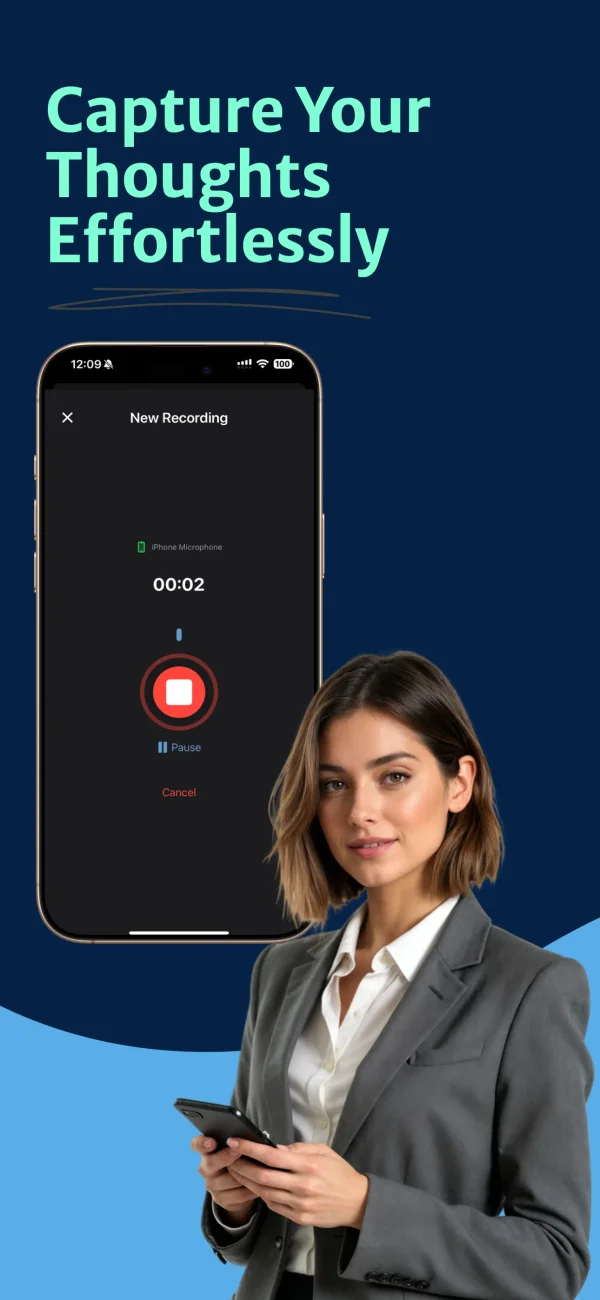
SMART VOICE RECORDING & TRANSCRIPTION
• One-tap recording: start a voice note instantly from the app or Home Screen widget
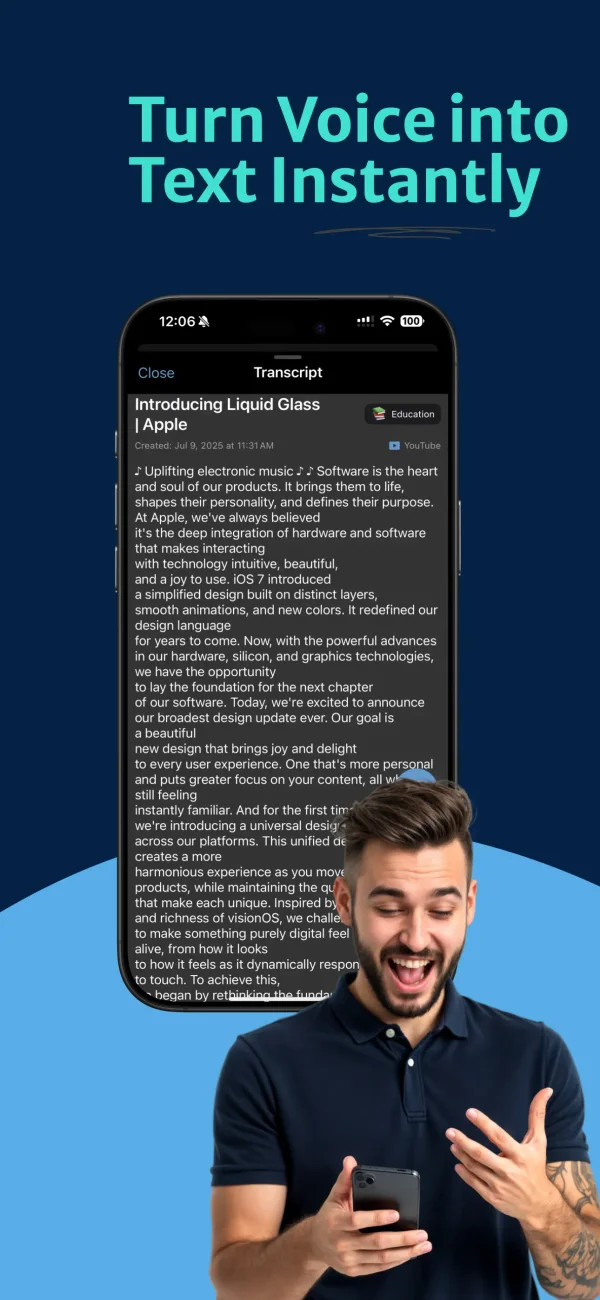
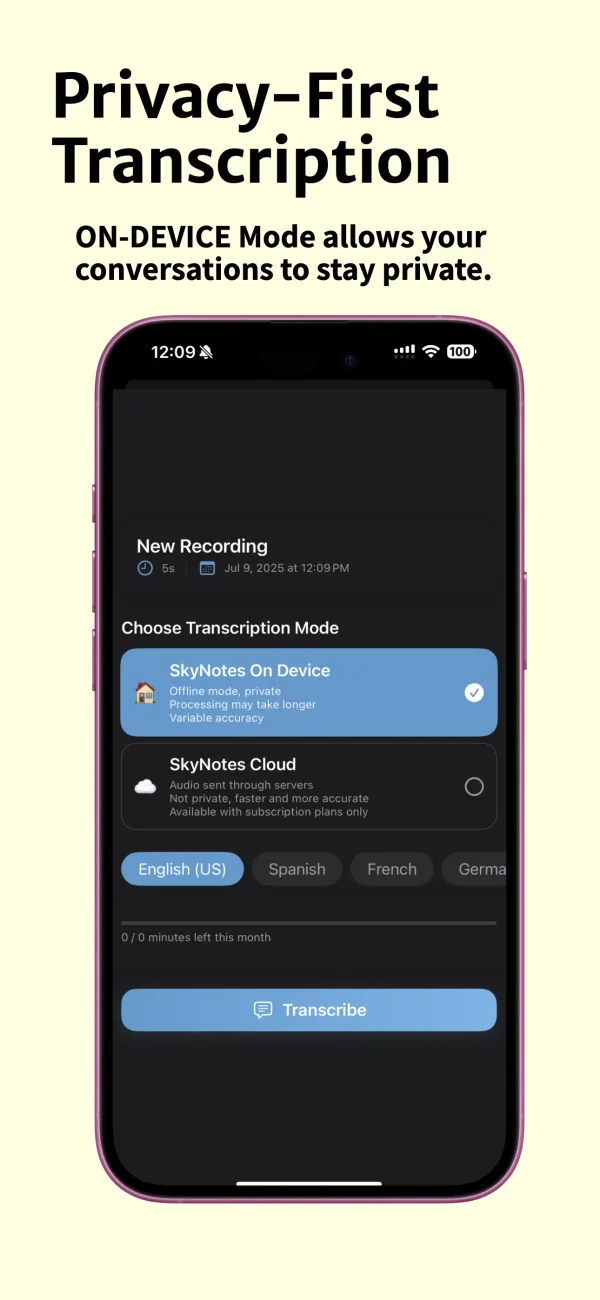
• Convert recordings into searchable text (on-device or cloud transcription)
• Crystal-clear audio with optional noise reduction
• Bookmarks: mark moments during playback and jump back anytime
• Variable playback speed (0.5x–2x) and per-recording volume control
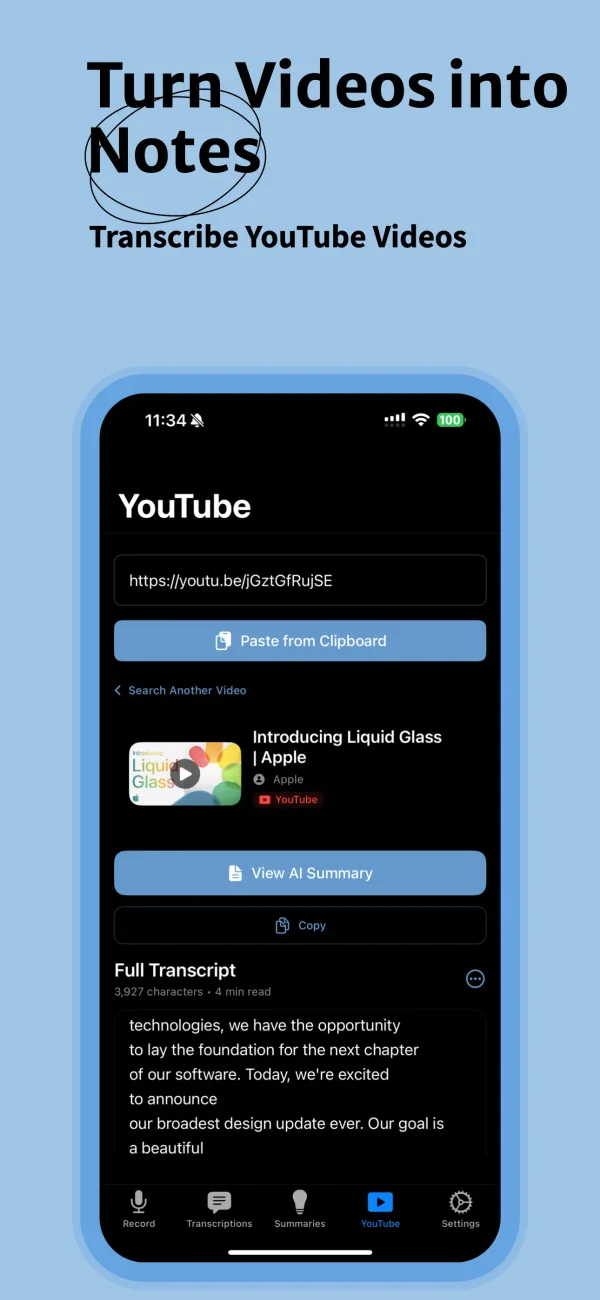
VIDEO & YOUTUBE
• Import video and extract audio into SkyNotes (Photos or Files)
• Transform YouTube content into readable, searchable text
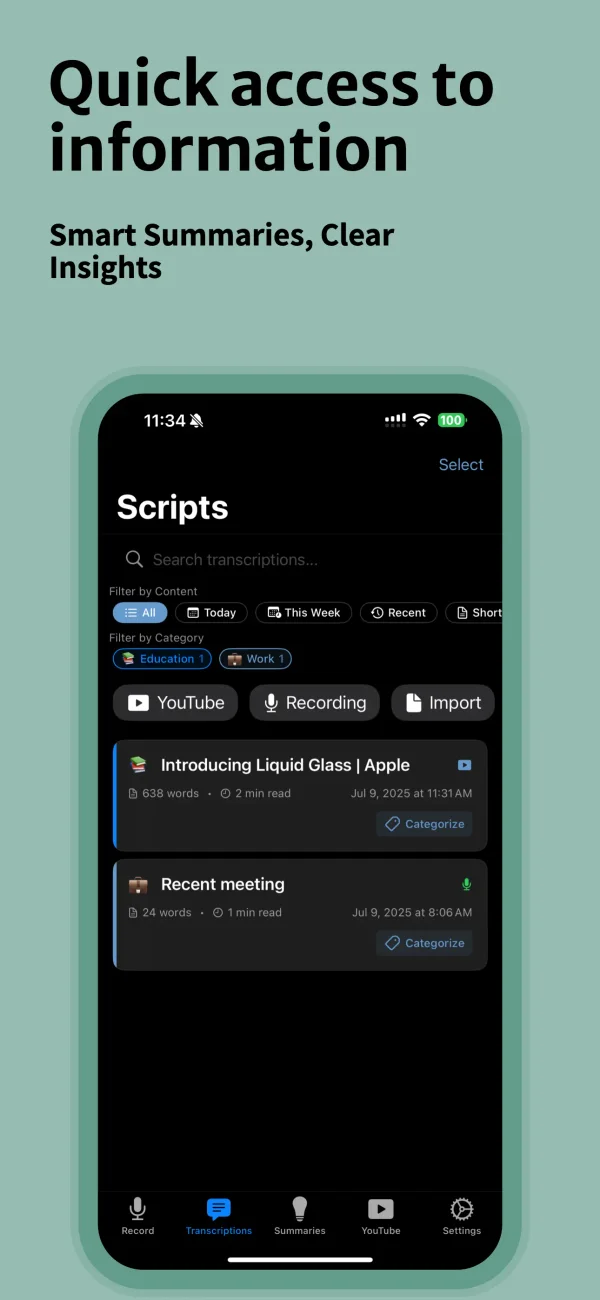
• Save and organize video transcriptions in one place
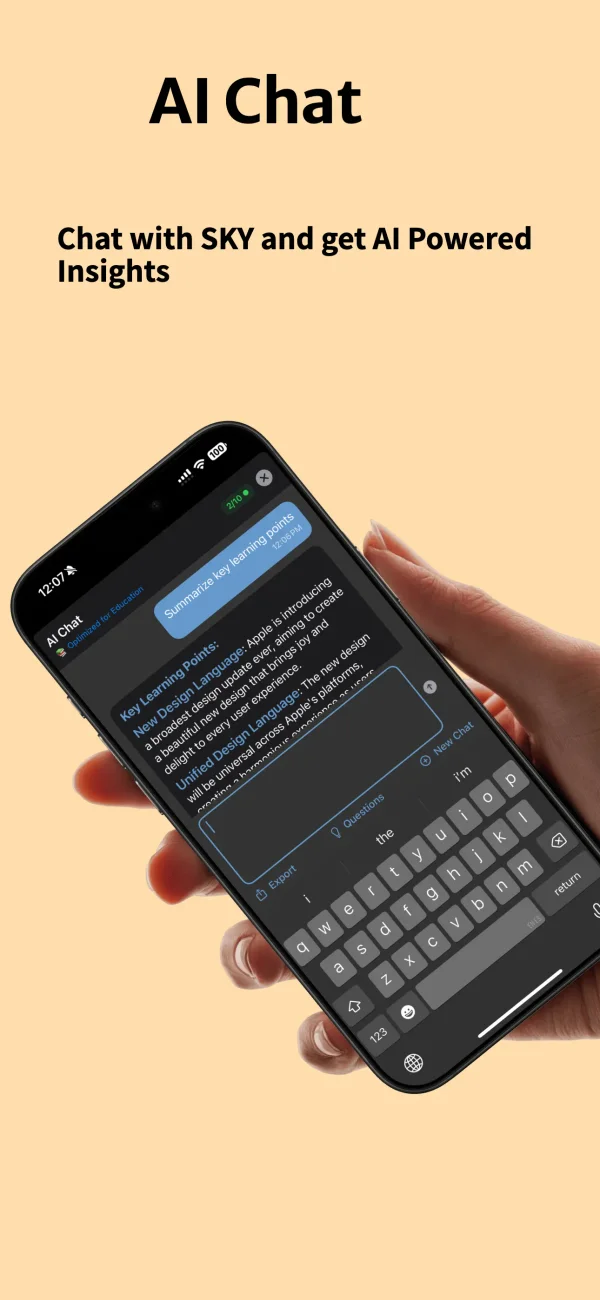
AI-POWERED SUMMARIES & ACTION ITEMS
• Instant summaries of your recordings and transcriptions
• Action Items extracted from Smart Analysis—manage and export to PDF
• Text-to-speech: listen to summaries with premium voice options
• Extract key points and save time on long content
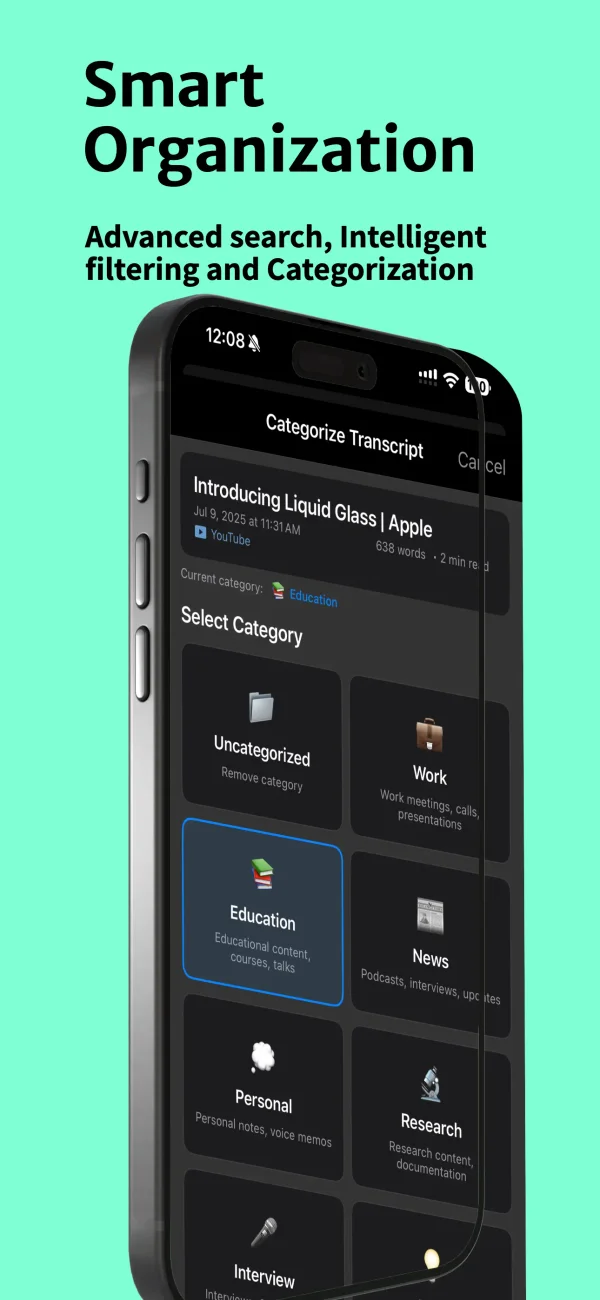
EXPORT & ORGANIZATION
• Export transcripts, Smart Analysis, and AI Chat as PDFs with custom filenames
• Search all transcriptions with highlighted matches
• Intuitive navigation and organization
• Access your notes across devices with optional cloud sync
PREMIUM FEATURES
• Unlimited recordings and transcriptions
• Advanced AI summaries and Action Items
• YouTube and video transcription
• Premium TTS voices and full export options
PERFECT FOR
• Students capturing lecture notes
• Professionals recording meetings
• Content creators working with video and YouTube
• Researchers and anyone who prefers speaking over typing
WHY SKYNOTES
• Clean, modern interface (Liquid Glass design, dark mode)
• On-device transcription option for privacy; cloud mode available
• Home Screen widget for quick access and recording count
• Regular updates and a single, simple Premium tier
Download SkyNotes and turn your voice into organized, searchable notes. Never lose an important thought again.
Note: Use of background audio for recording may affect battery life. Transcription can use on-device processing or cloud services; cloud features require internet connectivity.
PRIVACY & SECURITY
Your privacy matters. Data is processed with industry-standard encryption, and you keep full control of your content.
SUBSCRIPTION INFORMATION
• Monthly and annual subscriptions available
• Payment is charged to your Apple ID account at confirmation of purchase
• Subscription automatically renews unless auto-renew is turned off at least 24 hours before the end of the current period
• Your account is charged for renewal within 24 hours prior to the end of the current period
• Manage and cancel subscriptions in your App Store account settings after purchase
ON-DEVICE TRANSCRIPTION REQUIREMENTS
• Minimum iOS version: 15.0
• On-device processing requires:
– iPhone: iPhone 13 or newer (A15 Bionic)
– iPad 10th gen or newer (A14 Bionic)
– iPad Air 5th gen or newer (M1)
– iPad Pro 5th gen or newer (M1)
• Unsupported devices can use cloud transcription (subscription required)
SUPPORT
Questions or feedback? Contact us at managerskynotesapp@gmail.com
We’re constantly improving—your feedback helps make SkyNotes better.
Terms of Use: https://www.skynotesapp.com/terms-of-service
Privacy Policy: https://www.skynotesapp.com/privacy-policy
Licensed Application End User License Agreement: https://www.skynotesapp.com/eula
What’s new
Version 2.0 · Mar 31, 2026
• One-tap recording — start a voice note instantly from the home screen or widget
• Home Screen widget — see your recording count and start recording with one tap
• Bookmarks — mark moments during playback and jump back anytime
• Video import — bring in videos and extract audio; optional compression and size warnings
• Playback speed — 0.5x to 2x on all recordings
• Per-recording volume and speaker control
• Transcript search with highlighted matches
• PDF export for transcripts, Smart Analysis, and AI Chat (with custom filenames)
• Text-to-speech for summaries with premium voice options
• Action Items in Smart Analysis, with PDF export
• Refreshed design (Liquid Glass, dark mode, accent colors)
• Simplified subscription: one Premium tier with clearer Free vs Premium limits
• Bug fixes and performance improvements
App privacy
What Ricardo Serrano declares on the App Store about how this app handles data.
-
Data linked to you
May be collected and linked to your identity.
- Financial info
- Contact info
- User content
- Identifiers
- Usage data
- Diagnostics
Privacy practices may vary, for example with the features you use or your age.
Information
- Seller
- Ricardo Serrano
- Category
- Productivity
- Version
- 2.0
- Updated
- Mar 31, 2026
- Released
- Jul 19, 2025
- Size
- 168.3 MB
- Requires
- iOS 18.0 or later
- Age rating
- 4+
- In-app purchases
- Yes
- Copyright
- © Aktivbrain LLC
You might also like
-
 Nodule AI: Voice to NotesTurn meetings into notes
-
 AiLinks - AI Chat & Voice NoteAI Chat Bot & Image Creator
-
 Memo WizardAutomatic meeting memos
-
 PDF Scanner: AI Doc ScanPhoto, Receipt & OCR
-
 Voice Recorder, Voice MemosRecord audio and voice notes
-
 Mastery: Habit & Goal TrackerDaily Planner, To Do, Reminder
-
 CraftAI - AI Chat, Art DrawingFace Swap, Cosplay, Cartoon
-
 Auto Minutes: AI Meeting NoteTranscribe & Summarize Audio
-
 WeScan - PDF Scanner & OCR AppScan, Sign & to Text in 1 app
-
 SirrusProductivity