
- Age rating4+
- CategoryPhoto & Video
- DeveloperBalanceCG
- LanguagesEnglish
- Size52.0 MB
Links to the official App Store page
Download.org hosts no file of Slapp Pro. The button opens its official App Store page, published by BalanceCG. Listing last checked on Nov 23, 2026.
Screenshots
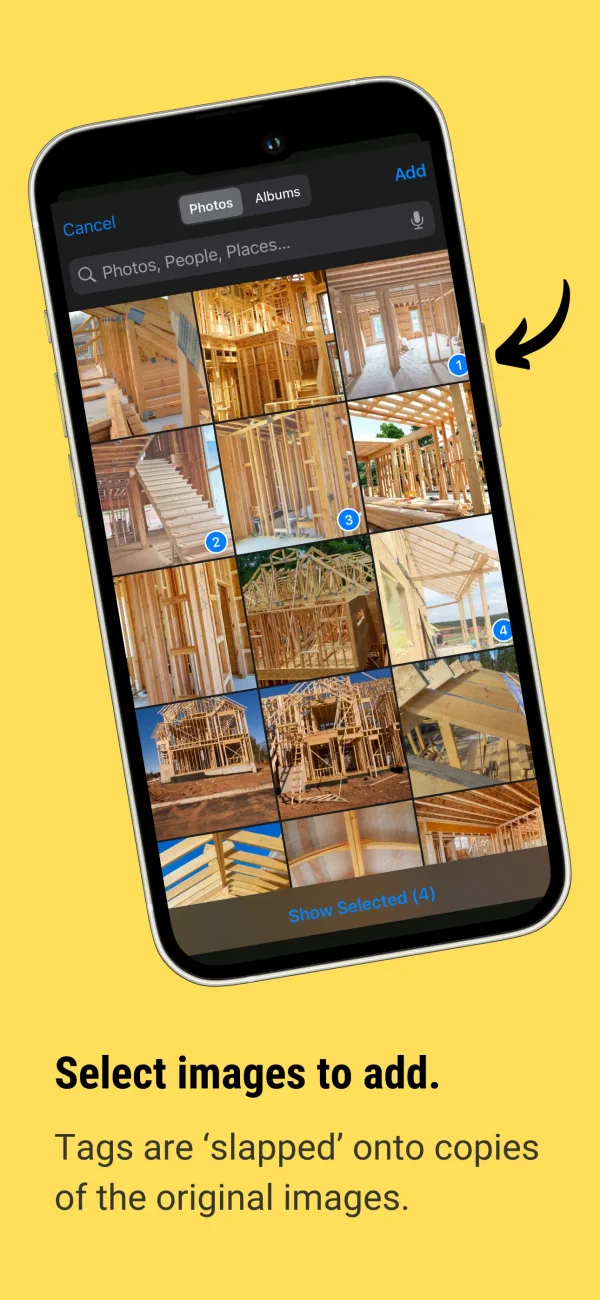

About
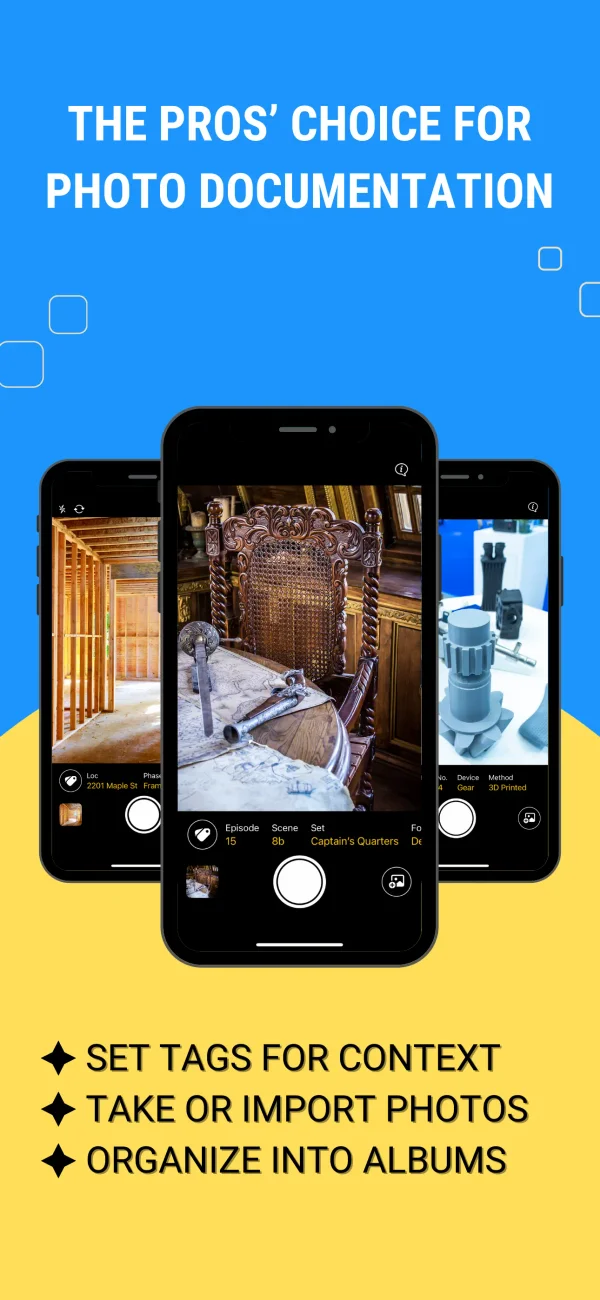
Slapp Pro isn’t just another camera app—it’s a must-have photo documentation tool for anyone working in construction, filmmaking, prototyping & design, real estate, and more.
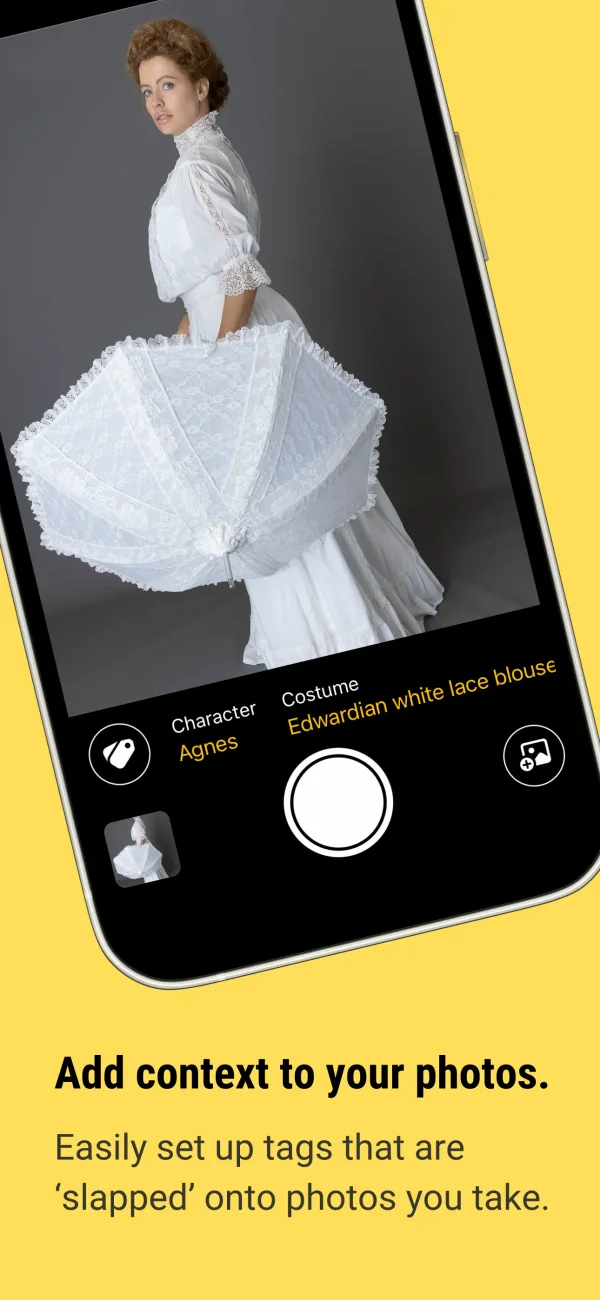
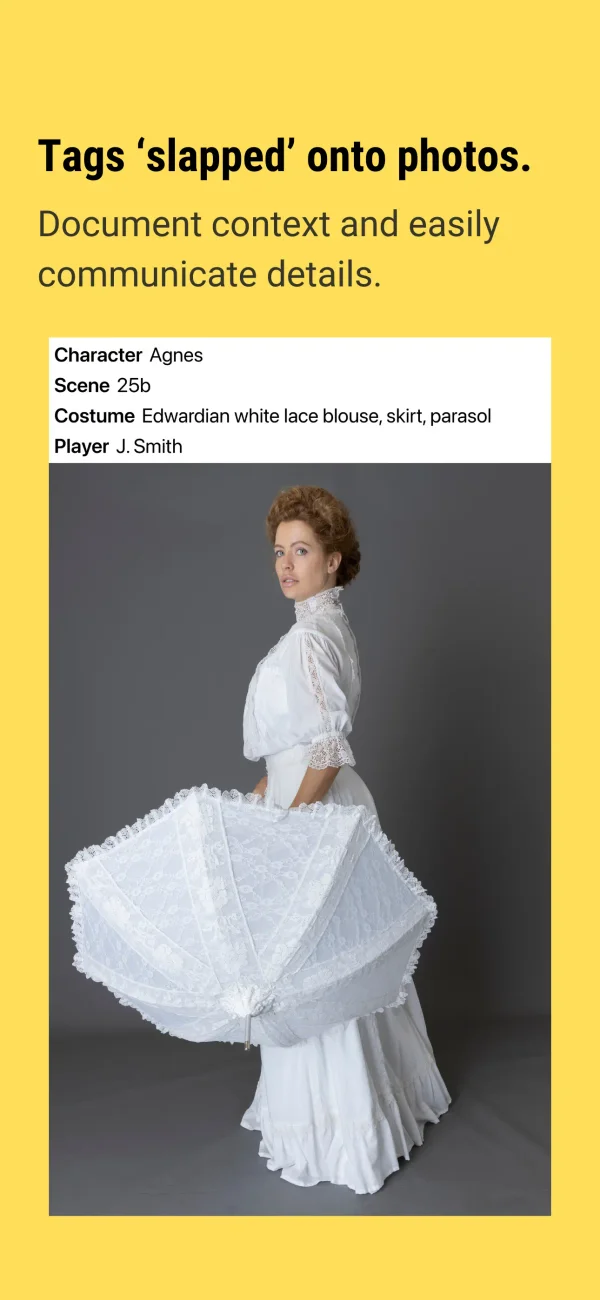
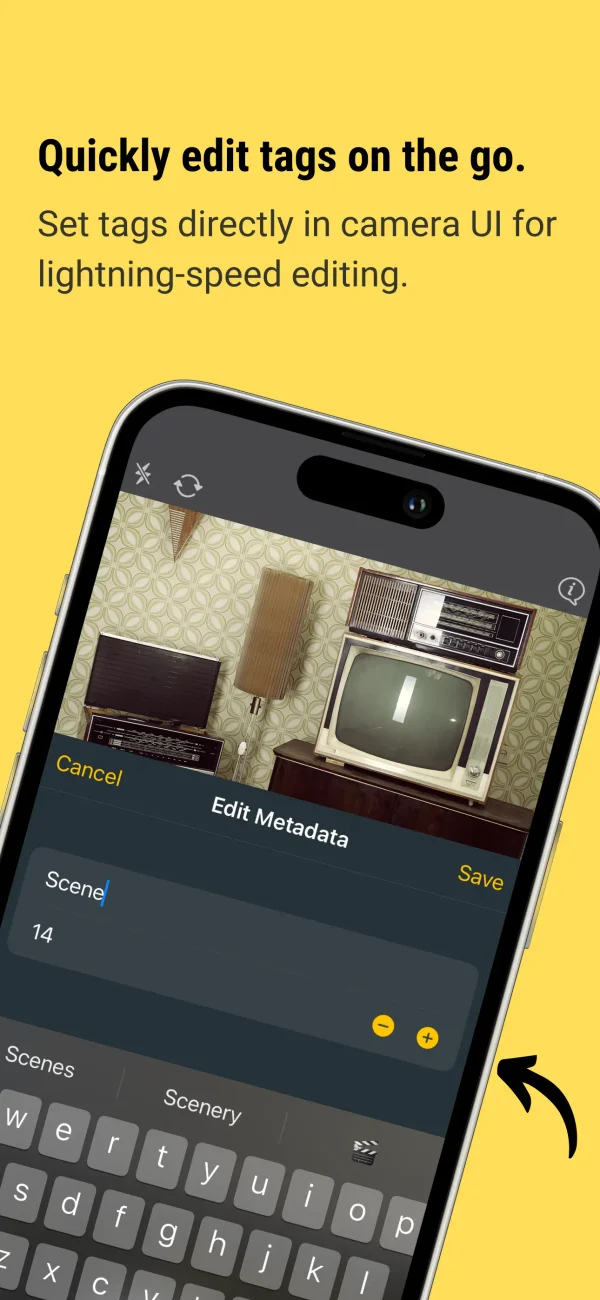
With Slapp Pro, you start by quickly and easily creating tags that give your photos context. The tags are then ‘slapped’ onto the photos you take or import with the app, ensuring critical info sticks with the image, no matter where it's shared or stored.
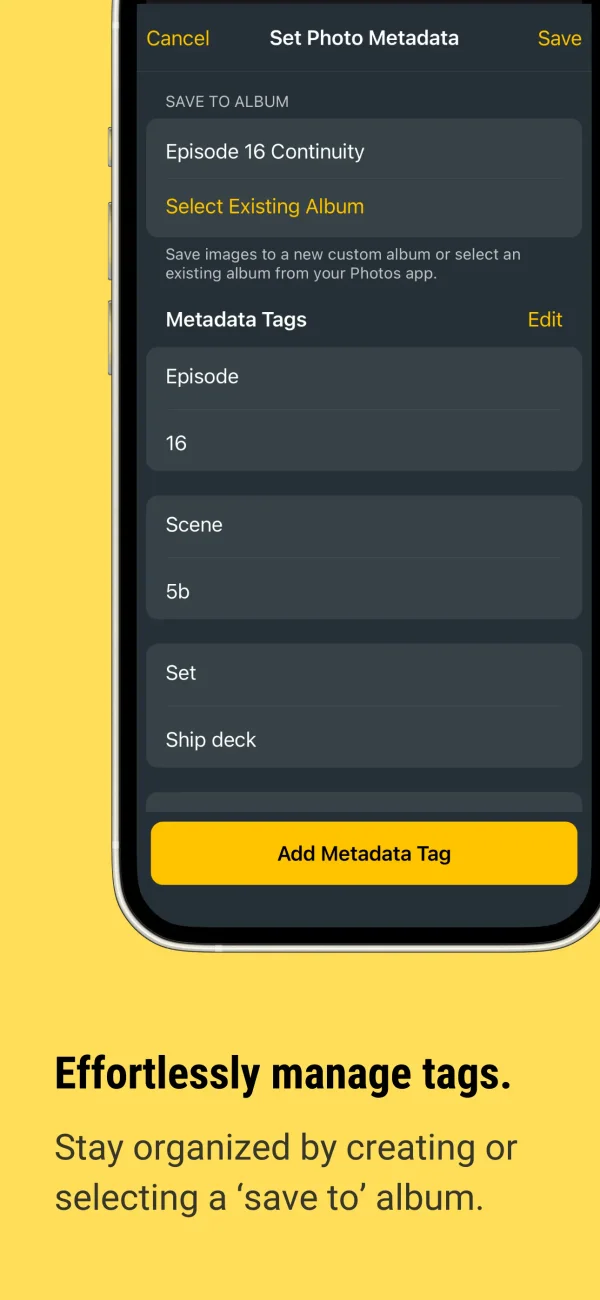
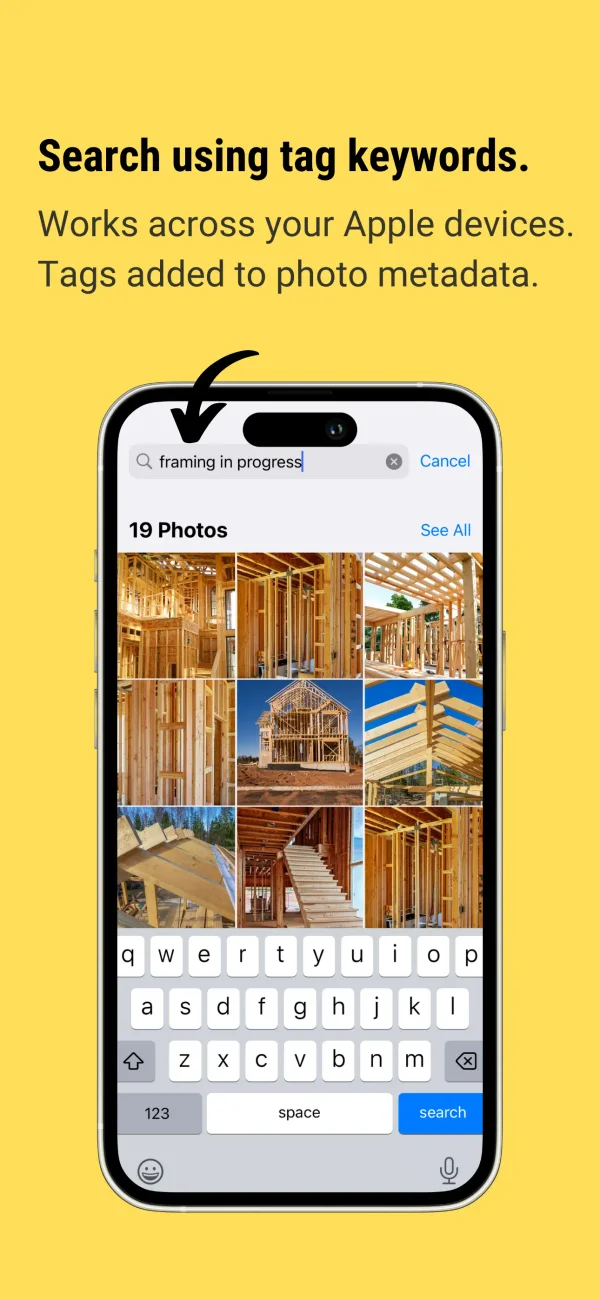
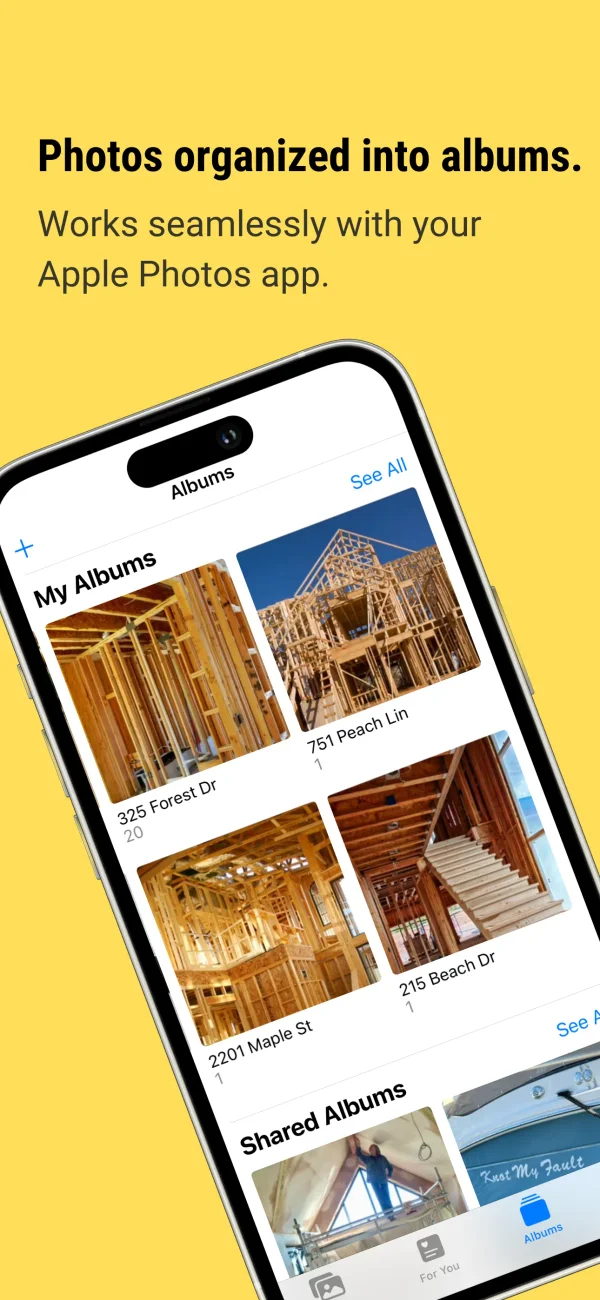
Slapp Pro seamlessly integrates with your Photos albums across all of your Apple devices. Stay organized by creating or selecting existing Photos albums directly from within the Slapp Pro app. Tags are embedded into the photo metadata, allowing you to easily search for and retrieve images.
Initially built for filmmakers who use photo documentation for set decorating, scene continuity, location scouting, and more, Slapp Pro has found enthusiastic support from many other industries with its fast and easy-to-use interface, convenient features, and low cost. Slapp Pro is rapidly becoming a critical tool in job site and progress documentation, used on construction projects and renovations, archeological digs, and research and development.
Slapp Pro has greatly reduced the tedious need to mark up and annotate photos after the fact or to use physical slates when capturing images. It puts on-the-go photo documentation in your pocket. Simply set your tags and fire away.
Key Features
• Custom tags ‘slapped’ onto your photos.
• Seamless integration with the Photos albums across your Apple devices.
• Effortlessly create or switch ‘save to’ albums within the app.
• Quickly find photos by searching for your tags.
• Lightning-fast interface for on-the-go efficiency.
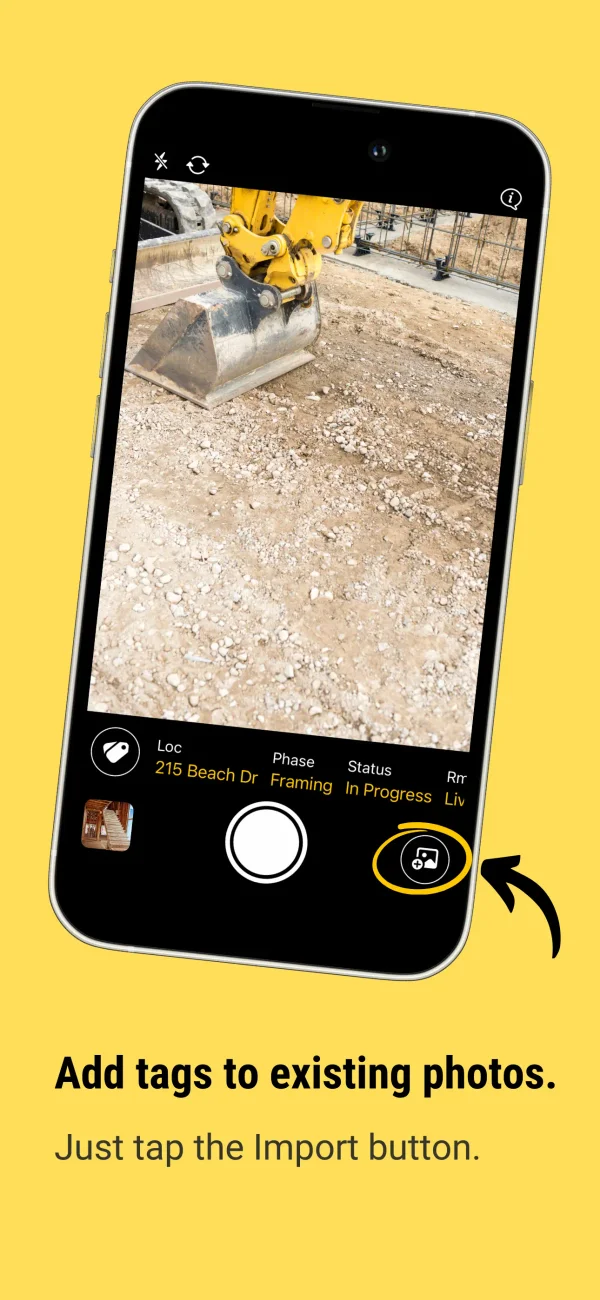
• ‘Slapp’ tags on up to 20 existing photos at a time with the ‘Import’ feature.
• Works on iPhone and iPad, and on compatible Apple silicon Macs.
• Security: your tags and photos are saved exclusively on your device and iCloud Photos albums.
• Switch between front and rear cameras, toggle on/off flash.
• Smooth camera zoom with pinch gestures, quick presets and a precise dial on supported iPhone and iPad cameras.
• Edit tags from the camera: tap to edit, or long press to rearrange and delete.
Join others in your field who are using Slapp Pro to streamline their processes. Download Slapp Pro now and start making your project photos work smarter for you!
Slapp Pro is now the top choice for pros in:
• Set design
• Scene continuity
• Prop management
• Location scouting
• Costume and wardrobe
• Casting
• Job site documentation
• Construction
• Renovations
• Building inspection
• Real estate
• Forensic photography
• Artifact cataloging, archiving, and curation
• Field research and lab experiments
• Progress documentation
• Retail display management
• Site surveys
• Event setup
• Design prototyping
• Horticulture
• And more!
What’s new
Version 1.1.1 · Nov 20, 2026
Camera zoom and faster tag editing are here.
• Frame your photos with smooth pinch-to-zoom, quick zoom presets and a precise zoom dial. Available zoom levels and automatic lens switching adapt to your iPhone or iPad.
• Edit Slapp tags right from the camera. Long press to rearrange or delete tags, and tap a tag to update its details.
• Improved camera stability and smoother interactions.
App privacy
What BalanceCG declares on the App Store about how this app handles data.
-
Data not linked to you
May be collected but is not linked to your identity.
- Usage data
- Diagnostics
Privacy practices may vary, for example with the features you use or your age.
Information
- Seller
- Balance Consulting Group Inc.
- Category
- Photo & Video
- Version
- 1.1.1
- Updated
- Nov 20, 2026
- Released
- Oct 20, 2023
- Size
- 52.0 MB
- Requires
- iOS 16.4 or later
- Age rating
- 4+
- Languages
- English
- Copyright
- © 2026 Balance Consulting Group, Inc.
You might also like
-
 Livegrade ViewerStreaming App for Livegrade
-
 Remove Object - Photo RetouchQuickly erase object from pics
-
 Prop ScreenPropScreen: Film & TV Phone UI
-
 Raptor MonitorView Raptor streaming video
-
 VideoTimeSlicePhoto & Video
-
 Photo Grid: Split Grid PostsLayout Maker for Instagram
-
 Comic Cam - Comic,Manga Cameracomic book pictures camera
-
 the VFX screenvisual effects screen inserts
-
 Disposable Camera DisCam 2000sY2K Editing Retro Photo Editor
-
 Vuer HDRLive Video Monitor