Sleep Widget & Tracker - zZz
Lock Screen Sleep Log
Designed for iPhone, iPad
Free · In-app purchases
- Age rating4+
- CategoryHealth & Fitness
- DeveloperHuy Nguyen
- LanguagesEnglish+ 21 more
- Size23.9 MB
Links to the official App Store page
Download.org hosts no file of Sleep Widget & Tracker - zZz. The button opens its official App Store page, published by Huy Nguyen. Listing last checked on Nov 24, 2026.
Screenshots

About
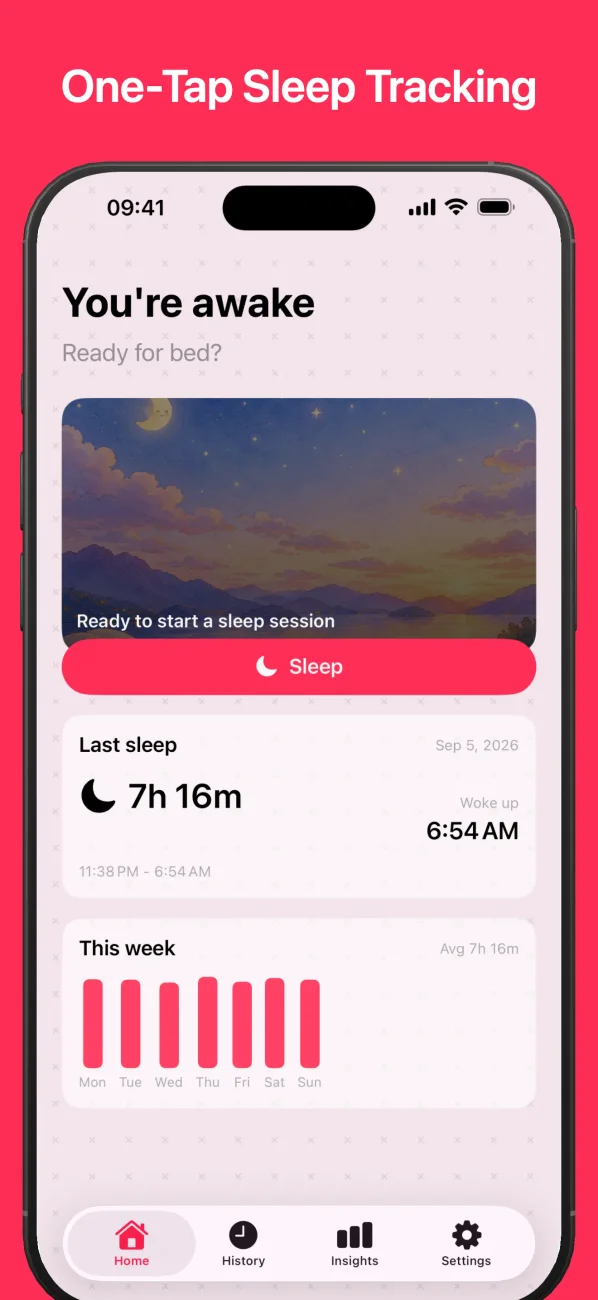
Track your sleep with a single tap. Just add the widget to your home or lock screen, tap it when you turn in and when you wake up, and you're done. Sleep tracking doesn't get easier than this.
No wearable required. No microphone tracking. No sleep stage claims. Just a calm, manual sleep diary you can correct anytime.
HOW IT WORKS
• Tap Sleep when you are ready to sleep
• Tap Still awake if you have not fallen asleep yet - zZz adjusts your sleep start time automatically
• Tap Wake when you get up
• Adjust your sleep log anytime
WIDGET SLEEP LOGGING
zZz helps you log sleep from the places you already use:
- Lock Screen widget: track your full sleep flow - Sleep → Still awake → Wake → Review
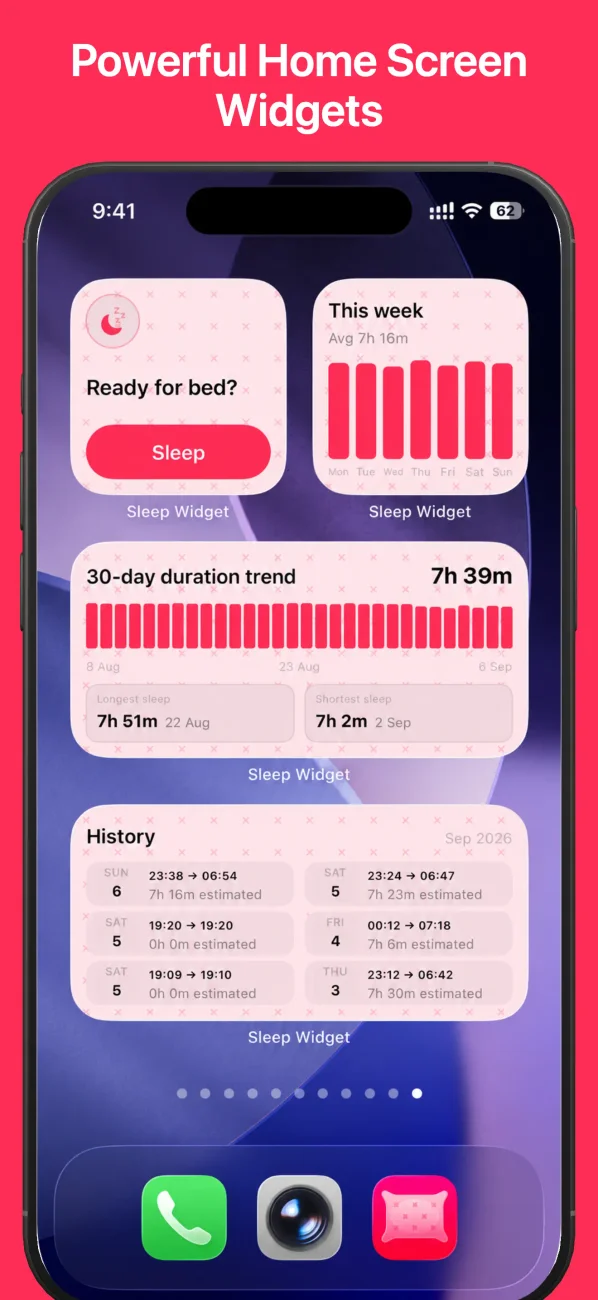
- Home Screen widget: see last night's sleep and weekly average at a glance
The widget changes based on your current state, so you always see the next useful action.
HANDS-FREE WITH SIRI
When the lights are already off, say it instead of tapping:
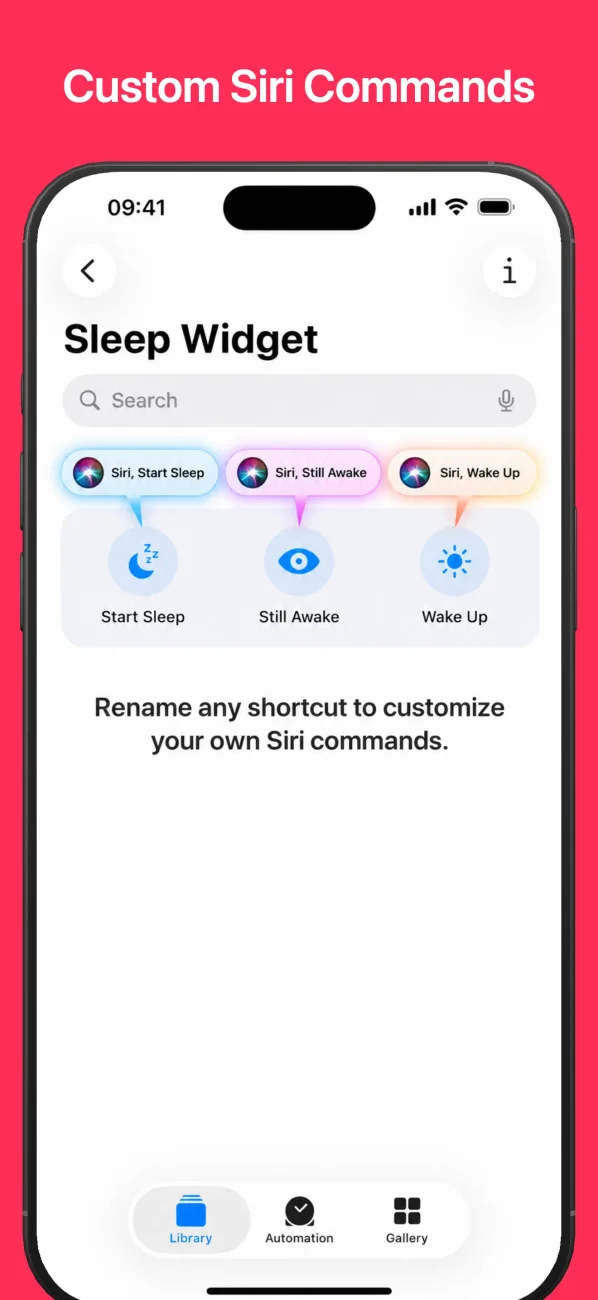
- "Hey Siri, Sleep Widget sleep"
- "Hey Siri, Sleep Widget still awake"
- "Hey Siri, Sleep Widget I'm up"
You can also log bedtime, and go back to sleep after waking in the night. Every command works without opening the app, and your widgets update straight away.
All five actions appear in the Shortcuts app too, so you can build them into your own routines - one shortcut that starts your sleep log and turns on Do Not Disturb together.
SIMPLE SLEEP TRACKING
zZz does not try to guess your sleep stages. It focuses on what you can log reliably:
- Sleep start time and wake time
- Still awake resets
- Sleep duration estimate
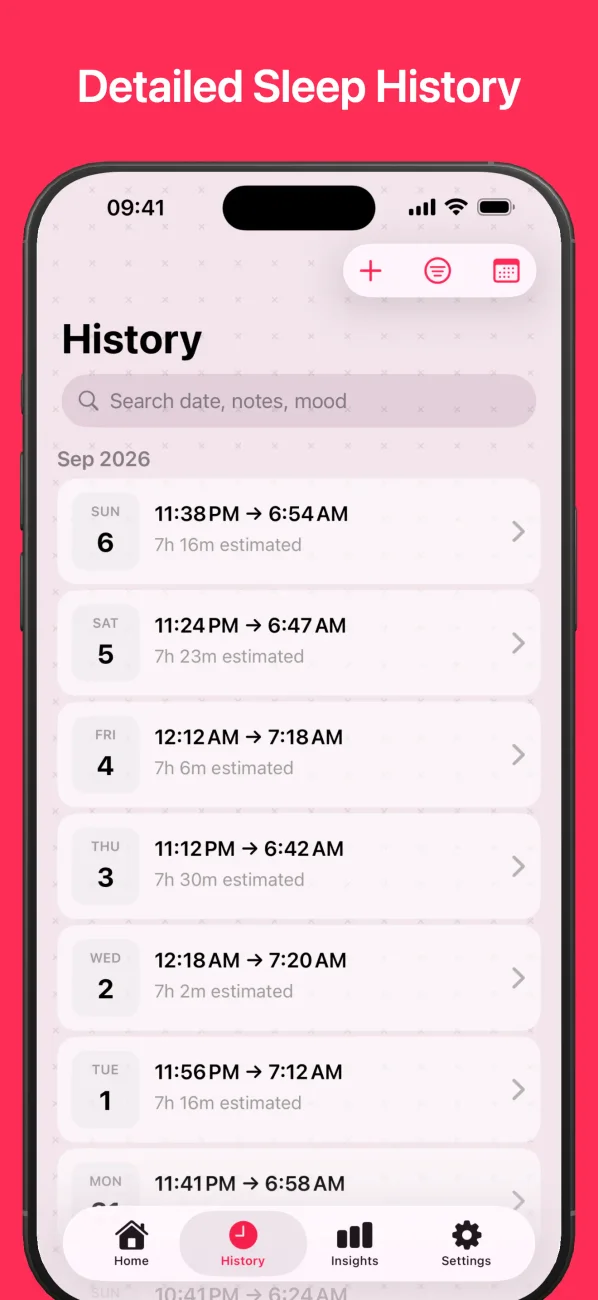
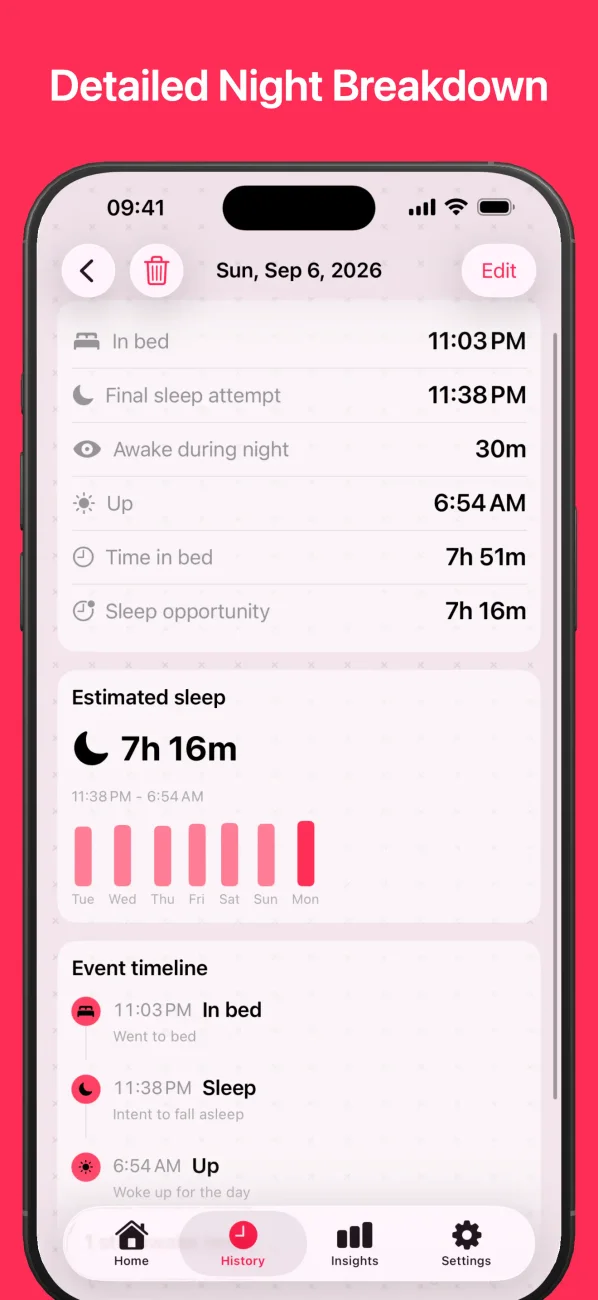
- Nightly history and event timeline
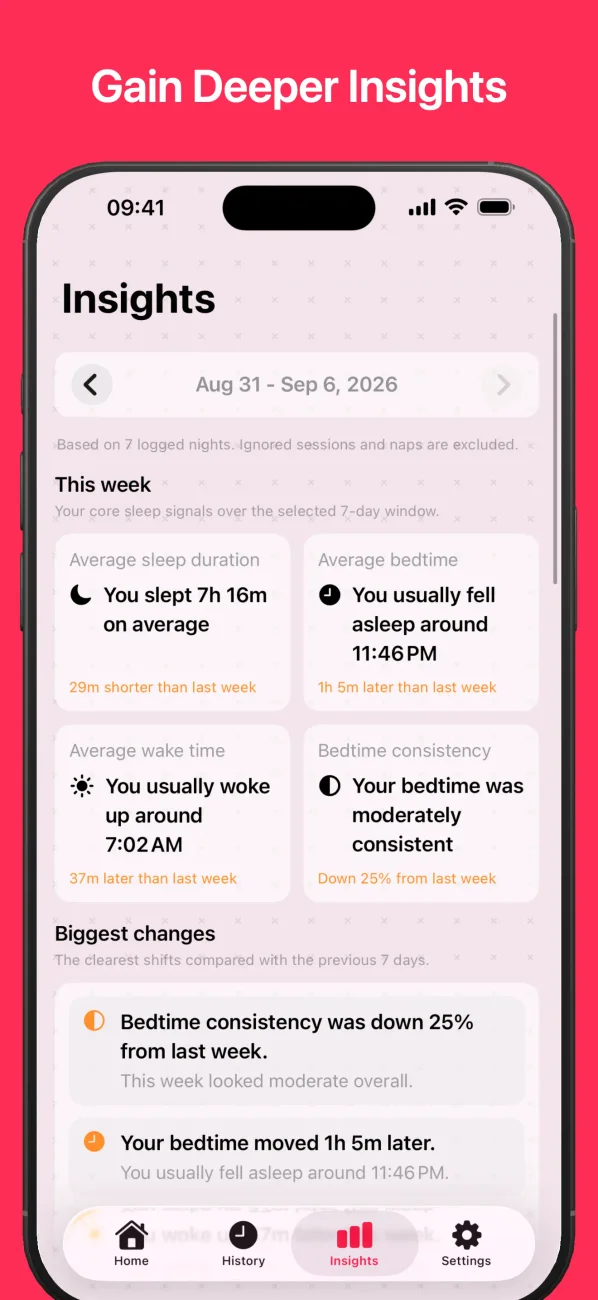
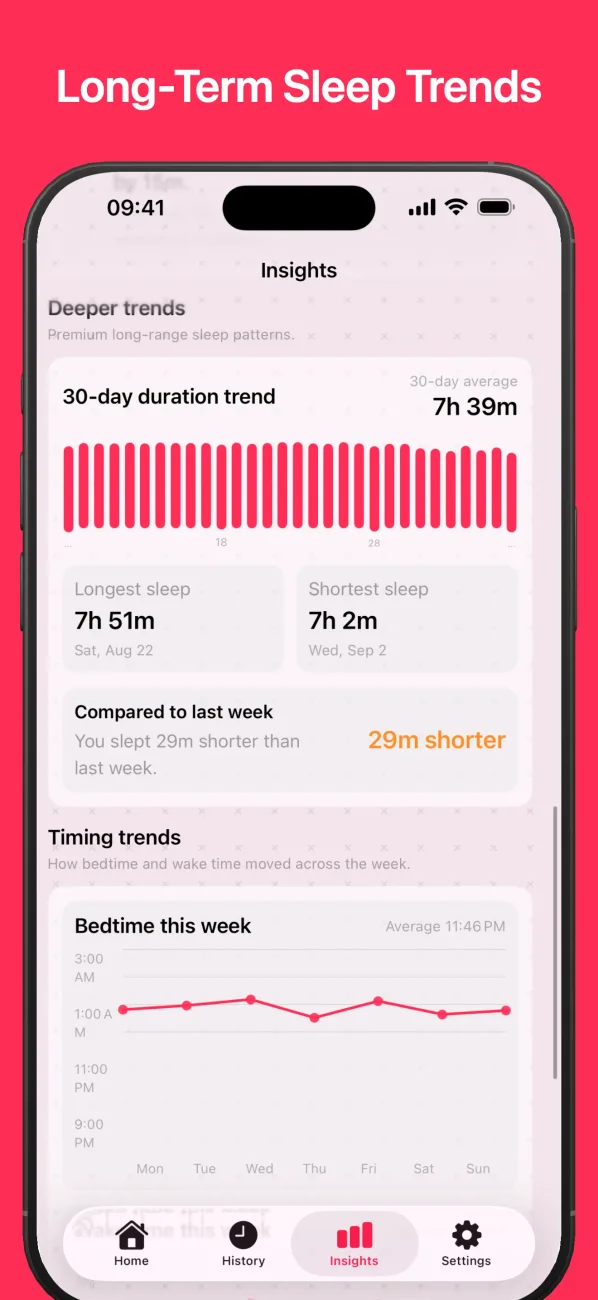
- Weekly insights: average duration, bedtime consistency, wake time trends
- 30-day duration chart
BUILT FOR REAL LIFE
If you tap too early, forget to log, or wake up at a different time, you can edit your sleep session later. Said the wrong thing to Siri? Every session can be edited or deleted afterwards. Add notes and tags to remember what affected your sleep - travel, caffeine, late nights.
PRIVATE BY DEFAULT
Your sleep data is stored on your device by default. iCloud sync and Apple Health sync are optional.
zZz is for people who want a lightweight sleep diary, not a complicated sleep lab.
LEGAL
Privacy Policy: https://rainbow-heather-30a.notion.site/Privacy-Policy-369894864cb880539fbdea444b48d9f3
Terms of Use: https://www.apple.com/legal/internet-services/itunes/dev/stdeula/
What’s new
Version 1.4 · Oct 10, 2026
- Bug fixes and performance improvements
App privacy
What Huy Nguyen declares on the App Store about how this app handles data.
-
Data not collected
The developer does not collect any data from this app.
Privacy practices may vary, for example with the features you use or your age.
Information
- Seller
- Huy Nguyen
- Category
- Health & Fitness
- Version
- 1.4
- Updated
- Oct 10, 2026
- Released
- Jun 11, 2026
- Size
- 23.9 MB
- Requires
- iOS 18.0 or later
- Age rating
- 4+
- Price
- Free
- In-app purchases
- Yes
- Languages
- English, Danish, Dutch, Finnish, French, German, Italian, Japanese, Korean, Norwegian Bokmål, Polish, Portuguese + 10 more
- Copyright
- © 2026 zZz Widgets. All Rights Reserved.
You might also like
-
 Pill Reminder: Med-AlarmMed Tracker, Medicine Reminder
-
 LastCup: Caffeine & Sleep LogCoffee Cut-Off & Half-Life
-
 WaveFast - Fasting TrackerVisual timer, zero sub!
-
 Parallel Rest TimerSmart gym rest & set timer
-
 Home Workout for Women: FitWeight Loss & Glute Workouts
-
 健康修仙传-随时随地的赛博“修仙”之旅Health & Fitness
-
 Telo: AI Health Coach, HRV LogSleep Tracker & Recovery Score
-
 VitalQuest: Medication TrackerPill Reminder & Medicine Log
-
 Steps Tracker & PedometerWalk Tracker & Calorie Burn
-
 Quit Habit Tracker: StreaksCount sober & clean days