
Sleepy Schedule
Light, fast college timetable
Designed for iPhone, iPad, iPod touch
Free
- Age rating4+
- CategoryEducation
- Developer令今 孔
- LanguagesEnglish+ 4 more
- Size62.0 MB
Links to the official App Store page
Download.org hosts no file of Sleepy Schedule. The button opens its official App Store page, published by 令今 孔. Listing last checked on Nov 23, 2026.
Screenshots

About
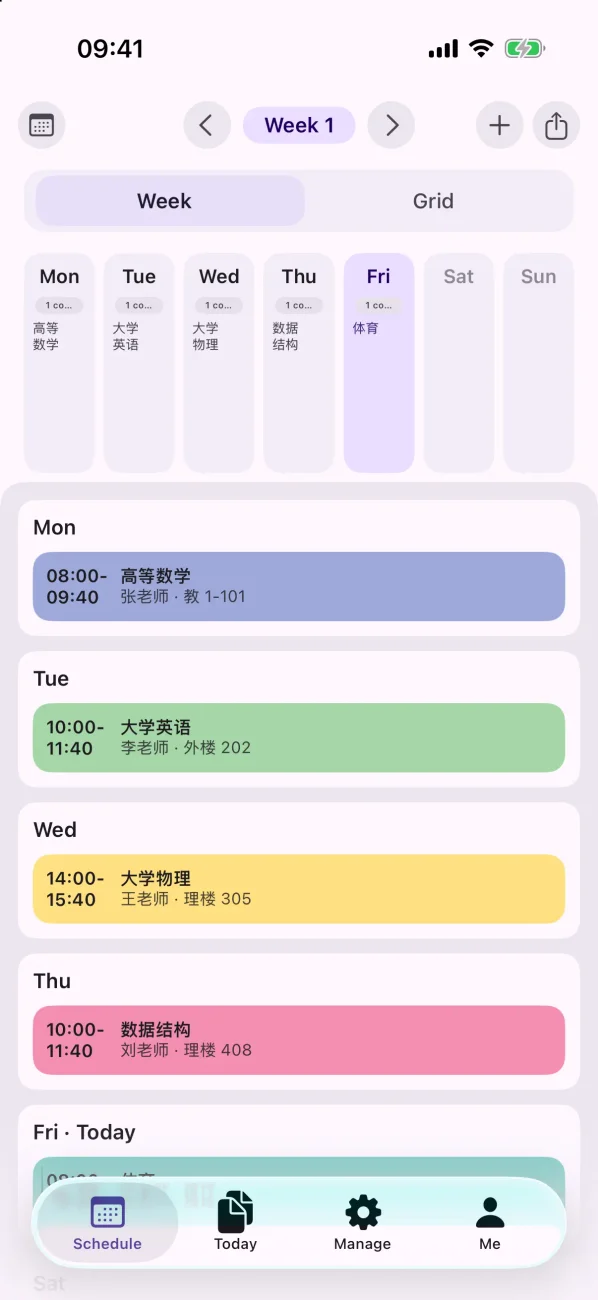
Sleepy is an open-source college timetable app. Light, fast and accurate — no accounts, no ads, no tracking. All schedule data stays on your device.
【Views】
· Week view: 7-day columns × N periods, swipe to change week, live week number
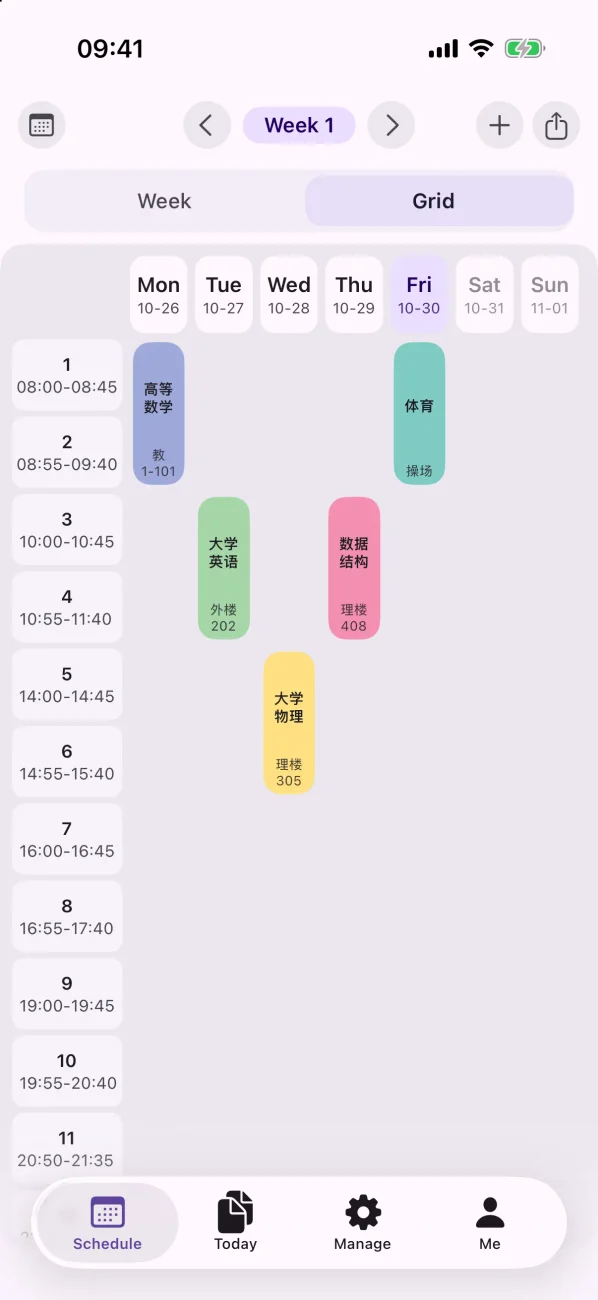
· Grid view: classic timetable grid with colored course blocks
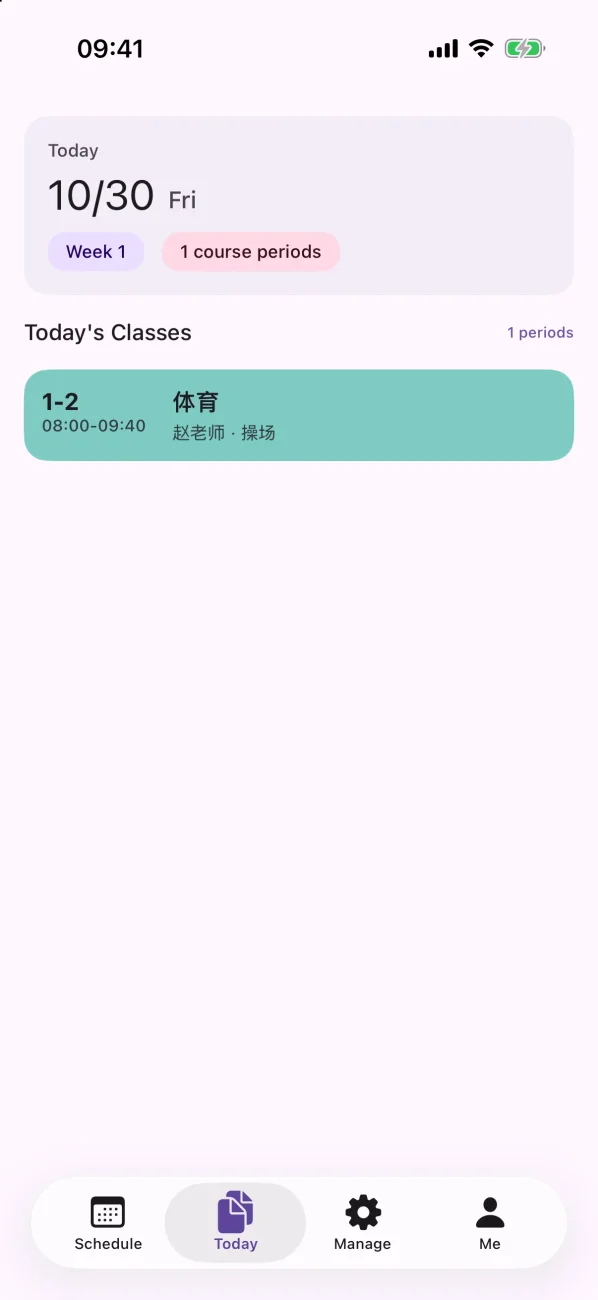
· Today: only what's on today
【Multiple timetables】
Manage several independent timetables, each with its own period times, term start date and max weeks.
【Adding & importing courses】
· Manual entry: name, teacher, room, notes, weekday, periods, weeks, odd/even week, color
· University portal import: sign in to your own campus system in an in-app web view and parse the schedule (supports Zhengfang, Wisedu, New URP and more). Credentials go only to your university and are never stored
· File import: WakeUp JSON, shared text
【Home-screen widgets】
Five widget kinds — Today, Two-Day, Week List, Week Grid, Week View — in small/medium/large, themed to match the app.
【Reminders】
Daily schedule reminder and pre-class notifications; times and switches are fully yours.
【Export & share】
One tap to WakeUp JSON , share text, or ICS calendar file.
【Appearance】
Light / dark / system; five built-in theme presets plus custom theme colors.
【Privacy & open source】
No sign-up, no login, no third-party analytics or ad SDKs; everything stays on device.
For college students and anyone who lives by a weekly schedule.
What’s new
Version 1.0.64 · Nov 13, 2026
• Add a class from an empty timetable cell and adjust its period range with two handles. Edit a single occurrence or move it across weeks.
• Undo and redo now support multiple steps, with an adjustable history limit.
• Choose whole course groups before adding them to a specific timetable, review conflicts, and optionally back up the original. Importing WakeUP share codes is also supported.
• Course Live Activities show the class, room, and countdown on the Lock Screen or Dynamic Island on supported devices.
• A new Apple Watch complication shows a fixed 90-minute course timeline, with an optional preview of tomorrow after today ends. Home Screen widgets also have corrected course layouts and midnight refreshes.
• Fixed timetable scrolling and quick-add touch handling on iOS 15. Adjusted editing layouts for narrow iPad windows and the onscreen keyboard.
• Reorganized timetable settings and secondary panels. Schedule-adjustment groups start collapsed, and selection colors and the language picker now display correctly.
• Pages now use native iOS navigation and swipe-back. Returning from a new timetable keeps the original import draft. Week switching uses native paging, and repeated timetable and theme calculations are cached.
• Long-press a course to lift it, then confirm a move or period-range change before saving. Added separate seven-day vertical and three-day horizontal grid widgets, with shared display preferences.
• Updated university import parsers and the school directory, with clearer source and verification notices. Availability still depends on the university portal.
• Fixed backup restoration of themes and widget bindings, calendar exports after a time-zone change, export names containing path characters, and the backup picker remaining busy after cancellation.
• Game Center sign-in and achievement reporting are paused; local achievement progress is retained.
App privacy
What 令今 孔 declares on the App Store about how this app handles data.
-
Data not collected
The developer does not collect any data from this app.
Privacy practices may vary, for example with the features you use or your age.
Information
- Seller
- 令今 孔
- Category
- Education
- Version
- 1.0.64
- Updated
- Nov 13, 2026
- Released
- Nov 4, 2026
- Size
- 62.0 MB
- Requires
- iOS 15.6 or later
- Age rating
- 4+
- Price
- Free
- Languages
- English, Japanese, Simplified Chinese, Spanish, Traditional Chinese
- Copyright
- © 2026 Lingion Kong