Slideshow Maker GIF Creator
GIF maker,video to GIF editor
Designed for iPhone, iPad
Free · In-app purchases
- Age rating4+
- CategoryPhoto & Video
- DeveloperSandeep Bhandari
- LanguagesEnglish+ 15 more
- Size11.7 MB
Links to the official App Store page
Download.org hosts no file of Slideshow Maker GIF Creator. The button opens its official App Store page, published by Sandeep Bhandari. Listing last checked on Nov 13, 2026.
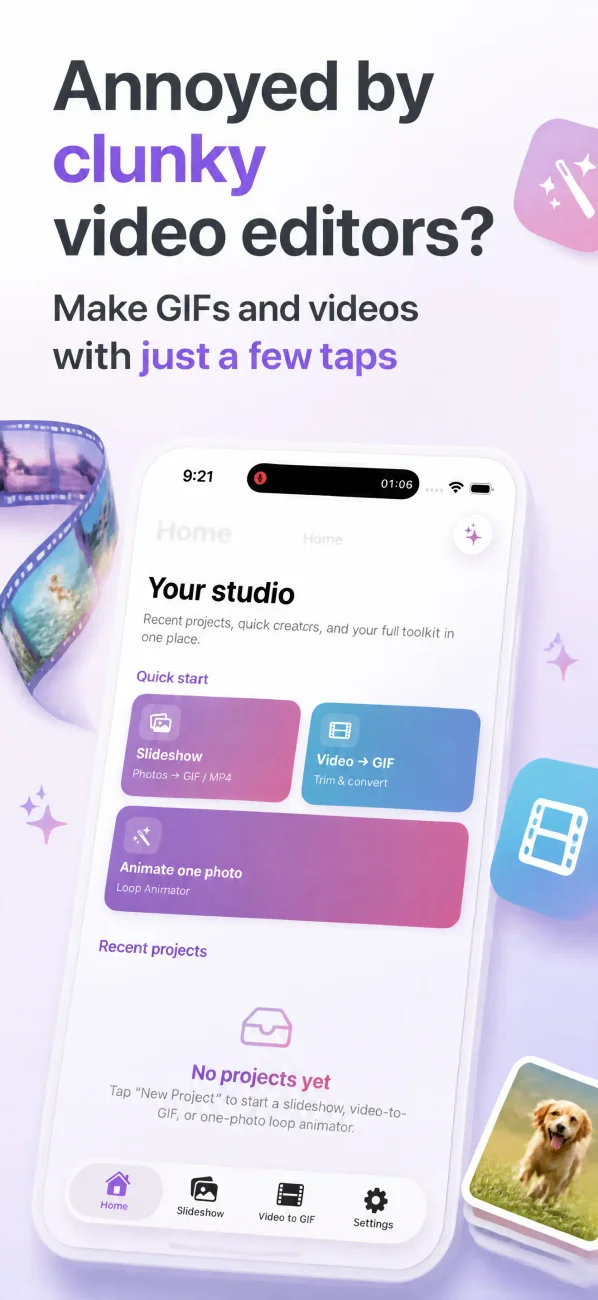
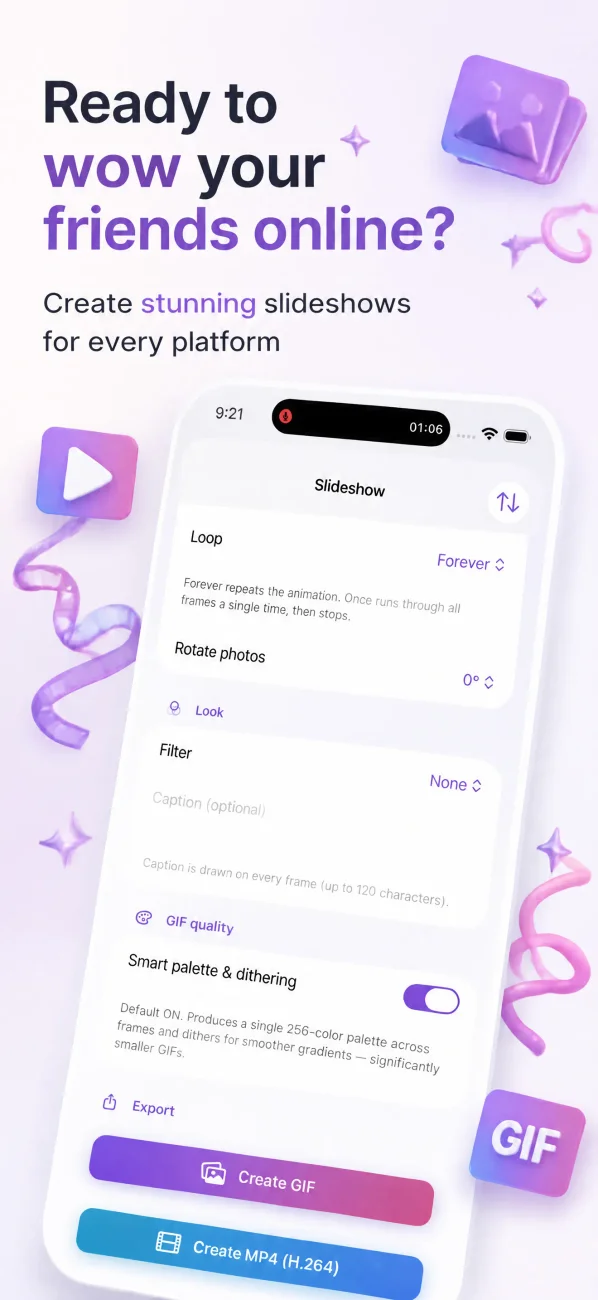
Screenshots



About
Turn scattered photos and short clips into a polished GIF or video without wrestling with complicated editors. Make a slideshow, convert video to GIF, and save or share the result in just a few taps.
WHAT IT DOES
Build a photo slideshow with per-slide captions, choose a duration for each slide, reorder shots, swipe to delete, and pick a transition for every slide. Use cut or crossfade for free, preview your result, then create a GIF or create a video and share it or save it to Photos. You can also choose canvas templates for Square, Twitter, Stories, Reels, TikTok, and Pinterest layouts, with a safe-zone overlay to help place text.
Make a video to GIF or video from your clips with the same editing controls, then check the GIF preview before you save. If you want smoother-looking animated GIF results with smaller files, turn on Smart palette & dithering. For single-photo motion, Loop Animator turns one picture into a looping GIF with zoom-in, pan-left, parallax, sparkle, or rain presets.
Add the finishing touches with a built-in music library, color controls like brightness, contrast, and saturation, and per-slide voiceover in Pro. You can also place stickers, remove a background and swap in a solid or gradient backdrop, and choose custom transitions like cross zoom, glitch, push, ripple, or polaroid flip.
GREAT FOR
Make a birthday slideshow from your photo library, turn a product clip into a GIF for messages or social posts, create a looping profile animation from one selfie with the parallax or sparkle preset, fit travel photos into a Stories or Reels canvas, add captions to each slide for a recap, or save a quick highlight video with music for sharing later.
WHY IT WORKS
Slideshow Maker GIF Creator helps people turn photos and clips into shareable GIF and video projects on iPhone. Your recent slideshow, video to GIF, and loop animation projects are autosaved on the Projects home screen, so you can come back and keep editing instead of starting over. It also keeps GIF and video creation separate and clear, with dedicated Create GIF and Create MP4 actions, plus preview, Share, and Save options after export.
PRO FEATURES
Free exports include a small app watermark, while Pro removes it. Pro also adds unlimited saved projects, premium canvas templates, more music tracks, custom transitions, more stickers, per-slide voiceover, background removal, cloud sync for projects, and higher export quality options including 4K on supported devices. Pricing: $4.99/week (3-day free trial) · $24.99/year (SAVE 90% vs weekly) · $49.99 lifetime. Photos access is used to pick media and save GIFs or videos to Photos. Microphone access is only for recording per-slide voiceover, and recordings stay on your device until export.
Start a new project, make your first GIF or slideshow, and keep your favorite moments moving.
Terms of Use (EULA) - http://www.apple.com/legal/itunes/appstore/dev/stdeula
What’s new
Version 2.2 · Sep 5, 2026
Bug fixes and enhancements
App privacy
What Sandeep Bhandari declares on the App Store about how this app handles data.
-
Data used to track you
May be used to track you across apps and websites owned by other companies.
- Identifiers
- Usage data
-
Data linked to you
May be collected and linked to your identity.
- Identifiers
- Usage data
-
Data not linked to you
May be collected but is not linked to your identity.
- Diagnostics
Privacy practices may vary, for example with the features you use or your age.
Information
- Seller
- Sandeep Bhandari
- Category
- Photo & Video
- Version
- 2.2
- Updated
- Sep 5, 2026
- Released
- Nov 23, 2016
- Size
- 11.7 MB
- Requires
- iOS 26.0 or later
- Age rating
- 4+
- Price
- Free
- In-app purchases
- Yes
- Languages
- English, Arabic, Dutch, French, German, Hindi, Italian, Japanese, Korean, Polish, Portuguese, Russian + 4 more
- Copyright
- © Indrani Solutions
You might also like
-
 Photo & Slideshow Video MakerVideo with Music, Reels Editor
-
 Digital Photo Frame with MusicPicture Show ・ Slideshow Maker
-
 Slideshow Maker -Photo Video Maker With Music
-
 Photos & Slideshow PixFolioCloud Gallery & Digital Frame
-
 GIF Maker Studio - Create FunVideo Loop, Stickers & Text
-
 GIF Maker ◐Create from Photos or Videos
-
 GIF Maker - Turn Video to GIFsGIF Editor,GIF Creator,gifs
-
 Slideshow Maker (SlidePlus)Photo Slideshow with Music
-
 ImgPlay: GIF Maker & MemeVideo to GIF Creator & Editor
-
 Slideshow Maker with Music +Photo video slide show maker