Smart Convert - Base Converter
Bases 2 to 62, instantly.
Designed for iPhone, iPad
Free · In-app purchases
- Age rating4+
- CategoryEducation
- DeveloperKoya Nambo
- LanguagesEnglish+ 8 more
- Size4.4 MB
Links to the official App Store page
Download.org hosts no file of Smart Convert - Base Converter. The button opens its official App Store page, published by Koya Nambo. Listing last checked on Nov 15, 2026.
Screenshots

About
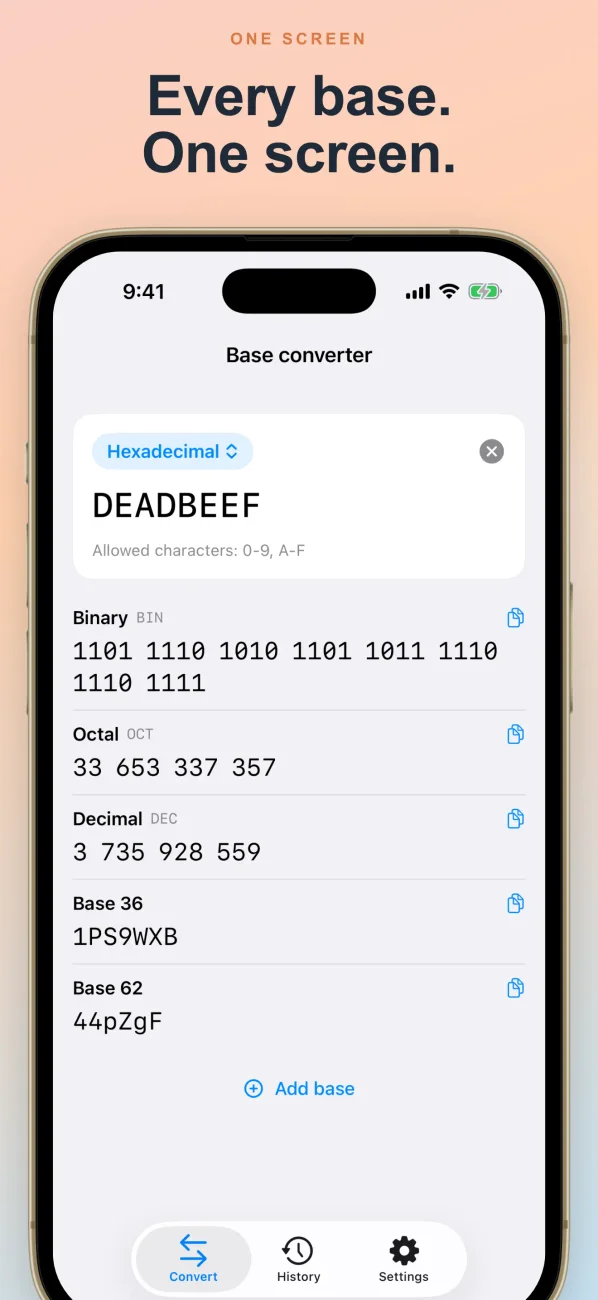
Smart Convert converts numbers between any bases from 2 to 62 — all on one screen. Type a value and the results for your pinned bases appear instantly.
Whether you're debugging hex, learning binary, or curious about base 36 and base 62, just tap a result to copy it.
KEY FEATURES
• One screen for everything: pick the input base, type a value, and see every result as a card
• Bases 2 to 62: binary, octal, decimal and hex by default — pin any other base to add it to your results
• No digit limit: arbitrary-precision math converts huge numbers (well beyond 64 bits) exactly, with no rounding
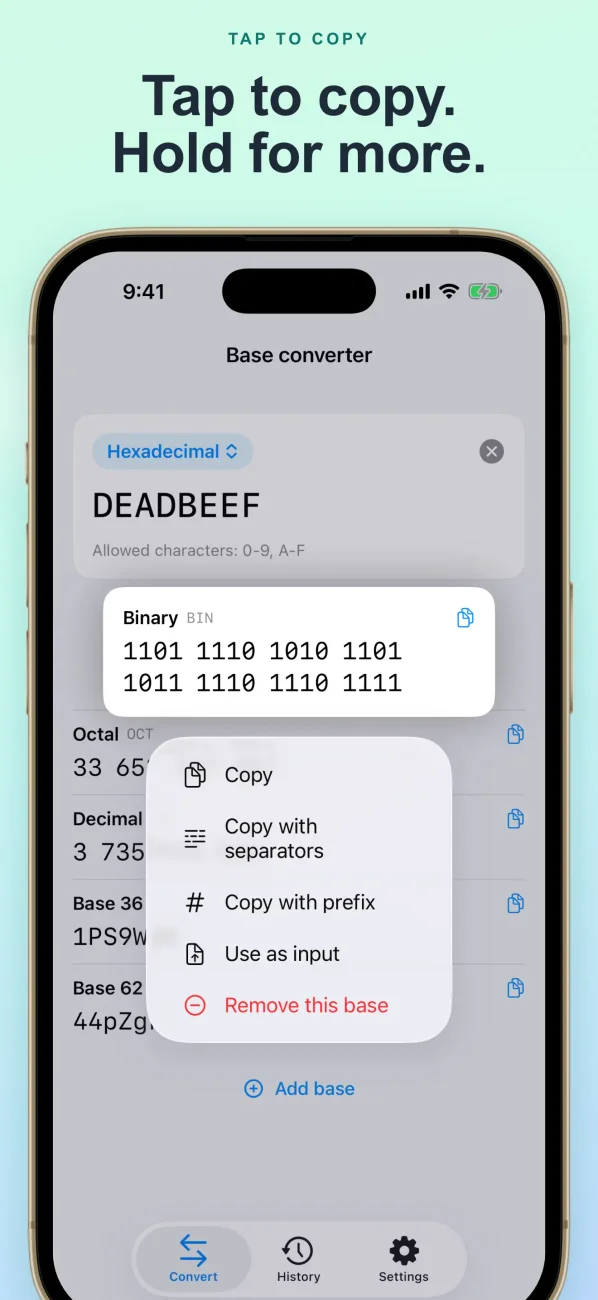
• Tap to copy: tap a result card to copy it. Touch and hold to copy with separators or a prefix (0x, 0b, 0o), or to use the value as your new input
• Forgiving input: paste values with prefixes like 0x, spaces or underscores as separators, or full-width digits
• Fractions and negative numbers: choose 8, 16 or 32 digits for fractions that don't terminate
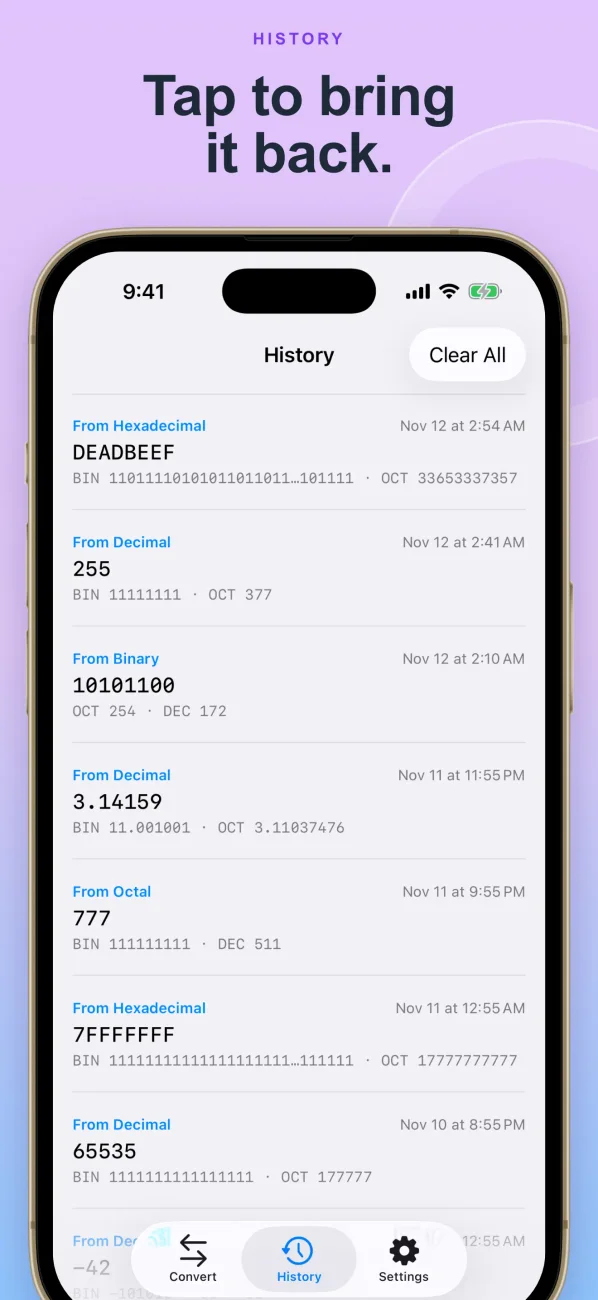
• History: values are saved automatically — tap one to bring it back to the converter
• Light & Dark themes: follow the system or choose your own
• Localized in 9 languages, on iPhone and iPad
DESIGNED FOR
• Software engineers working with hex, binary, or unusual encodings
• Computer science students learning number systems
• Math enthusiasts curious about base 36, base 62, and beyond
• Anyone who needs a quick, reliable converter
HOW TO USE
1. Choose the input base above the input field
2. Type a value — results for your pinned bases appear instantly
3. Tap a result to copy it, or touch and hold for more options
4. Use "Add base" to pin any base from 2 to 62
Free to use, with an optional in-app purchase to remove ads. No account needed.
Ads are provided by Google AdMob. On first launch, the app asks for permission to track for personalized ads — every feature works whether or not you allow it.
What’s new
Version 2.1.3 · Nov 12, 2026
Removed the boxes around conversion results and history for a cleaner look.
App privacy
What Koya Nambo declares on the App Store about how this app handles data.
-
Data used to track you
May be used to track you across apps and websites owned by other companies.
- Location
- Identifiers
- Usage data
- Diagnostics
-
Data not linked to you
May be collected but is not linked to your identity.
- Location
- Identifiers
- Usage data
- Diagnostics
Privacy practices may vary, for example with the features you use or your age.
Information
- Seller
- Koya Nambo
- Category
- Education
- Version
- 2.1.3
- Updated
- Nov 12, 2026
- Released
- Jun 20, 2023
- Size
- 4.4 MB
- Requires
- iOS 17.0 or later
- Age rating
- 4+
- Price
- Free
- In-app purchases
- Yes
- Languages
- English, Indonesian, Japanese, Korean, Simplified Chinese, Spanish, Thai, Traditional Chinese, Vietnamese
- Copyright
- © 2023 Koya Nambo
You might also like
-
 Base to Base ConverterFor Integers and Fractions
-
 The Base ConverterConvert all your bases!
-
 Base Converter.Convert to a different base
-
 AllBaseConvertEducation
-
 A list of namesReference
-
 2s Complement CalculatorTwo's Compliment Calculator
-
 Hex Base ConverterEducation
-
 Dozenal CalcA calculator in base twelve
-
 The Prime Number FinderTons Of Primes In Your Pocket!