Smart Dictation Keyboard
Speech to Text with AI
Designed for iPhone, iPad
Free · In-app purchases
- Age rating12+
- CategoryProductivity
- DeveloperKalp AI Solutions LLC
- LanguagesEnglish
- Size12.4 MB
Links to the official App Store page
Download.org hosts no file of Smart Dictation Keyboard. The button opens its official App Store page, published by Kalp AI Solutions LLC. Listing last checked on Nov 16, 2026.
Screenshots


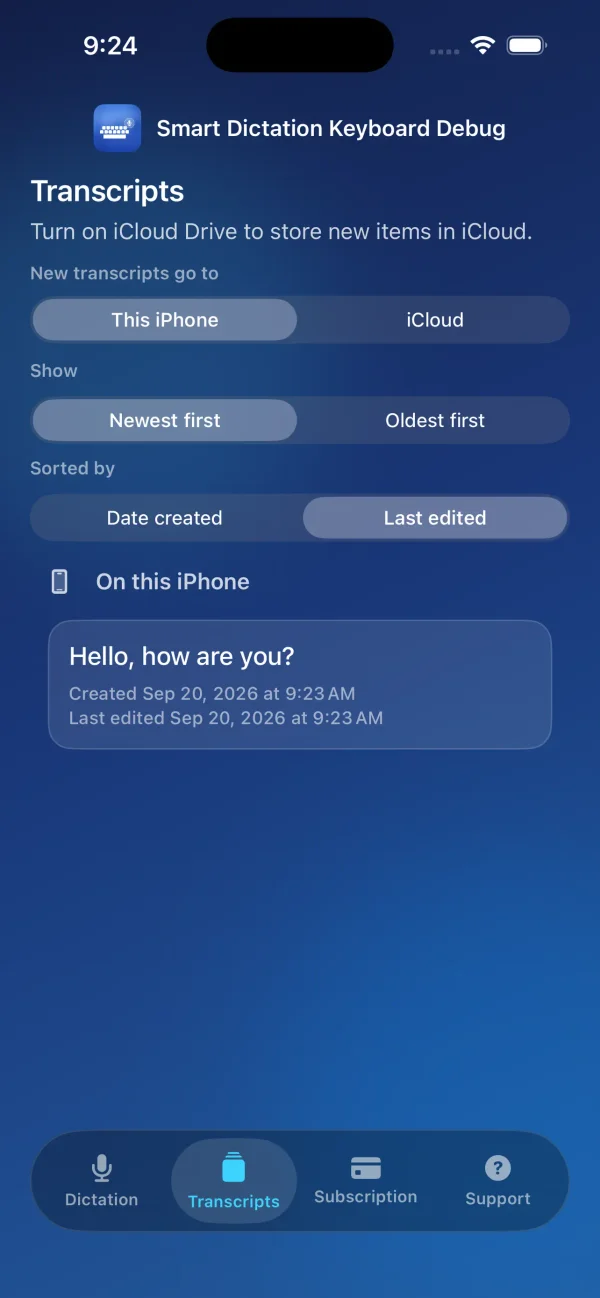
About
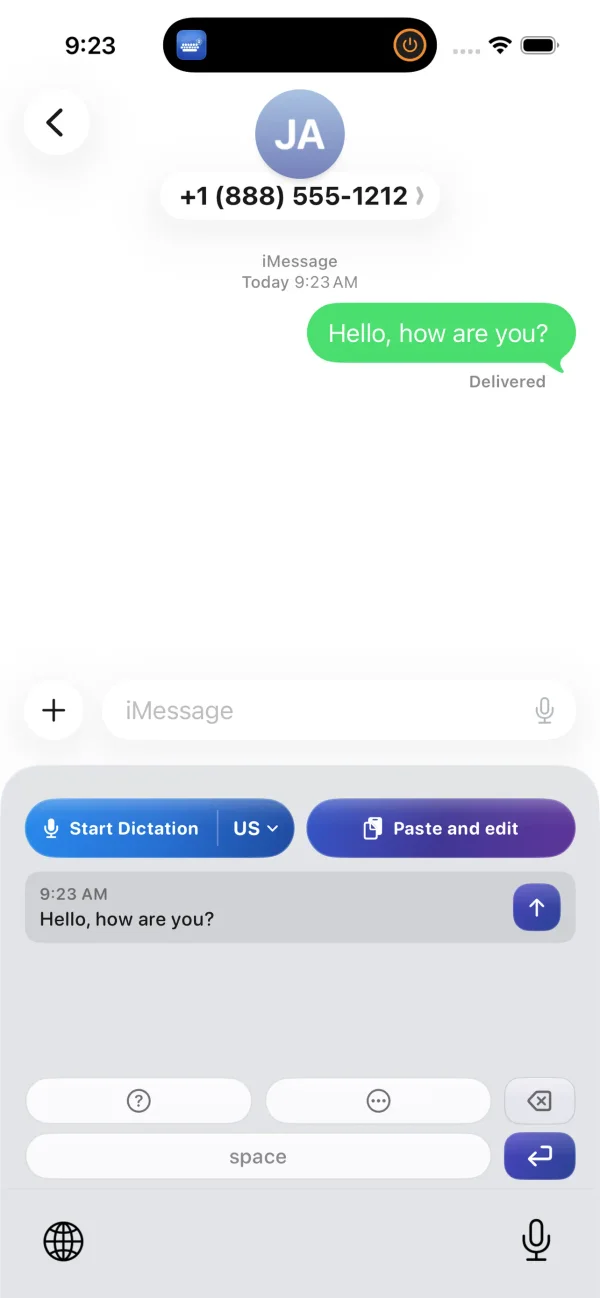
Smart Dictation Keyboard turns speech into text you can insert in almost any iPhone or iPad app—Messages, Notes, email, and more. Dictate, polish or translate with AI, then voice-edit the draft before it goes into the field.
You never create a name, email, or password account. What you say is not tied to a user identity we can profile. If you do not want to expose private emails, messages, notes, or other personal information to a chatbot, you can dictate, rewrite, translate, and edit here—in the app you are already typing in.
HOW IT WORKS
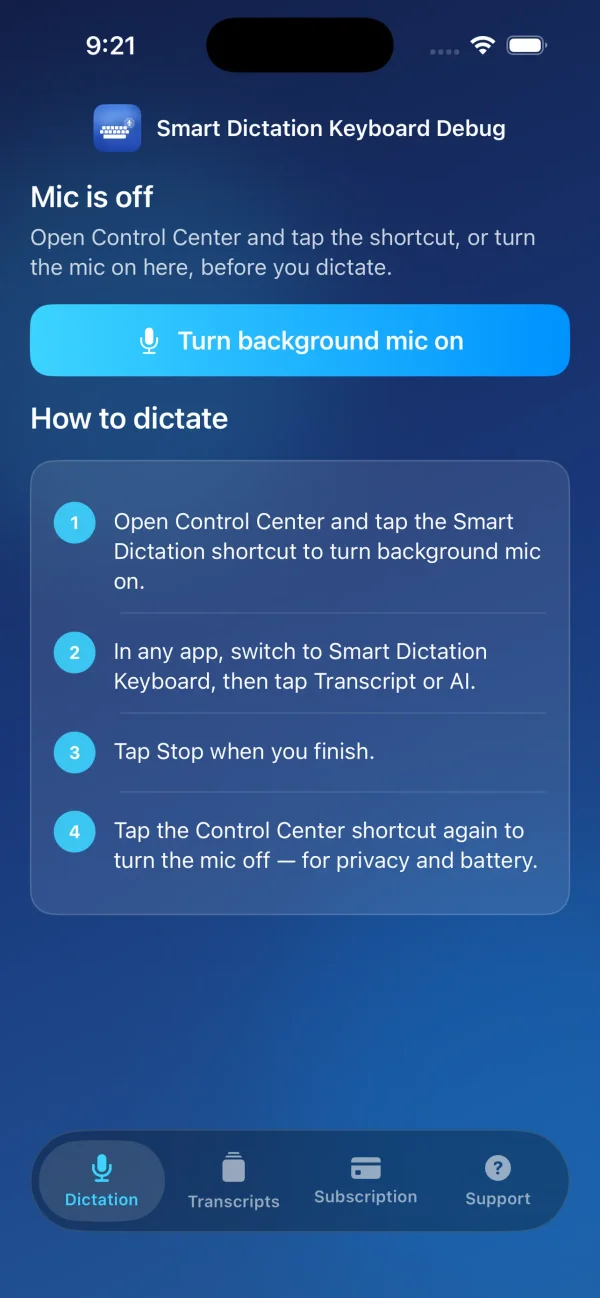
• Enable Smart Dictation Keyboard in Settings (Full Access required) and turn on Background mic readiness in the app
• In any text field, switch to this keyboard with the globe key
• Choose your speaking language
• Tap Start Dictation, choose reasoning effort or leave at none
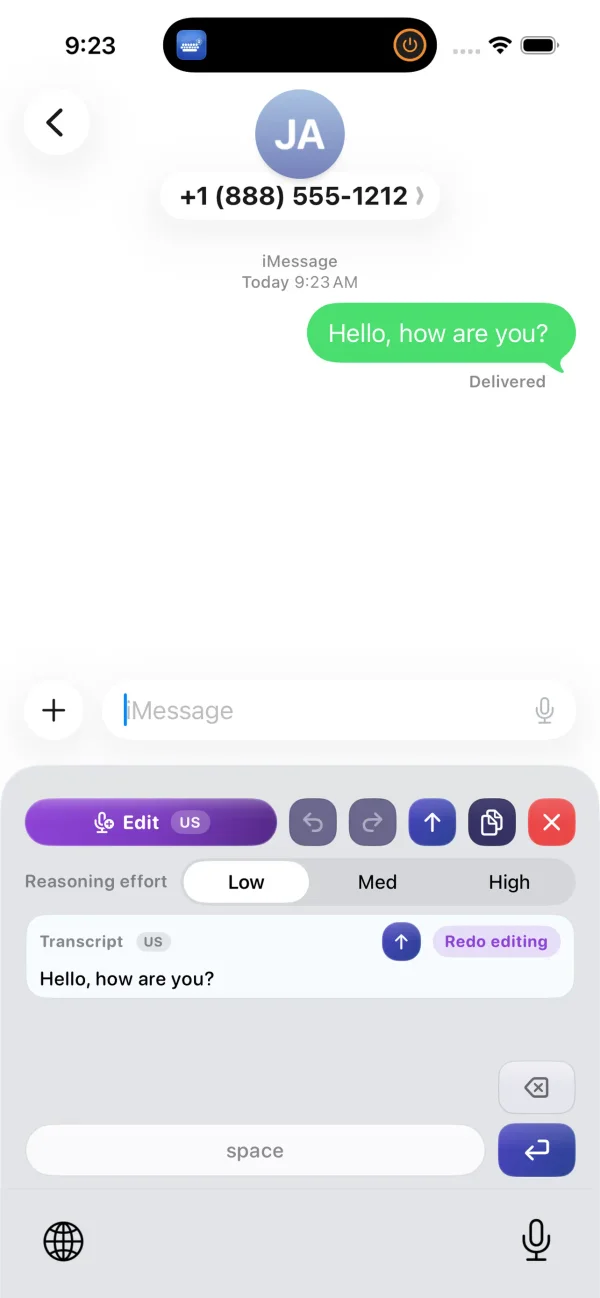
• Review, tap Edit and speak changes if you want, then insert
FEATURES
• Speech-to-text with high accuracy for everyday and professional use—medical, legal, business, technical, and general content
• 28 languages, including English (US, UK, India), Hindi, Gujarati, Tamil, Telugu, Kannada, Malayalam, Marathi, Bengali, Punjabi, and more
• Optional AI polish for clearer, better-formatted text on verbal instructions
• Voice Edit: after Transcript or AI, speak revisions (shorten, rephrase, add a greeting, fix a name, text format change) and insert the updated text
• Works system-wide where you already type
• Copy text from your device and rewrite using ai
• Reply to message or tweet using AI - copy the message and then ask AI to respond the way you want - right into the keyboard.
• No chatbot account, no conversation history under your name, no ads, and no profile built from what you dictate
• We do not store your audio or transcripts on our servers. Speech is processed to produce the text you insert; when that job is done, that content is not kept in a durable archive on our end—only limited subscription and usage records needed to run the service
• Store notes locally on device or on iCloud for multi-device access.
SUBSCRIPTIONS
• Weekly and monthly auto-renewable plans
• 1-week free trial for eligible first-time subscribers (subject to Apple’s eligibility rules)
• Manage or cancel anytime in your Apple ID subscription settings
• Payment is charged to your Apple ID account; subscription renews automatically unless cancelled at least 24 hours before the end of the current period
REQUIREMENTS
• Microphone permission, internet connection, and Full Access (required for network transcription)
Privacy Policy: https://kalpaisolutions.com/products/smart-dictation-keyboard/privacy
Support: admin@smartdictationpro.com
What’s new
Version 1.4 · Oct 2, 2026
Minor Bug Fixes
App privacy
What Kalp AI Solutions LLC declares on the App Store about how this app handles data.
-
Data not linked to you
May be collected but is not linked to your identity.
- Purchases
- User content
- Identifiers
- Usage data
Privacy practices may vary, for example with the features you use or your age.
Information
- Seller
- Kalp AI Solutions LLC
- Category
- Productivity
- Version
- 1.4
- Updated
- Oct 2, 2026
- Released
- Aug 27, 2026
- Size
- 12.4 MB
- Requires
- iOS 18.0 or later
- Age rating
- 12+
- Price
- Free
- In-app purchases
- Yes
- Languages
- English
- Copyright
- © 2026 Kalp AI Solutions
You might also like
-
 ListenUp DictationSpeak instead of typing
-
 koedeskVoice keyboard for AI agents
-
 NanoVoice: AI Voice KeyboardPrivate on-device dictation
-
 Breeze AI Email WriterWrite & Manage Emails Smarter
-
 A Good Custom KeyboardAutocorrect & Calculator
-
 AI Keyboard: Reply & RewriteFix Grammar, Translate, Chat
-
 VoiceType: AI Voice KeyboardFast Flow Dictation & Typing
-
 HanDBase Database ManagerLife. Organized.
-
 Ethiopian Calendar & WidgetsEthiopian, Time, Widget
-
 BossAI: AI Voice KeyboardDictation & Speech to Text