
Smart Expense Tracker: Budget
Budget & Spending Tracker
Designed for iPhone, iPad
In-app purchases
- Age rating4+
- CategoryFinance
- DeveloperAlperen Turker
- LanguagesEnglish+ 1 more
- Size59.9 MB
Links to the official App Store page
Download.org hosts no file of Smart Expense Tracker: Budget. The button opens its official App Store page, published by Alperen Turker. Listing last checked on Nov 12, 2026.
Screenshots
About
Most budget apps want your bank password first. This one wants ten seconds.
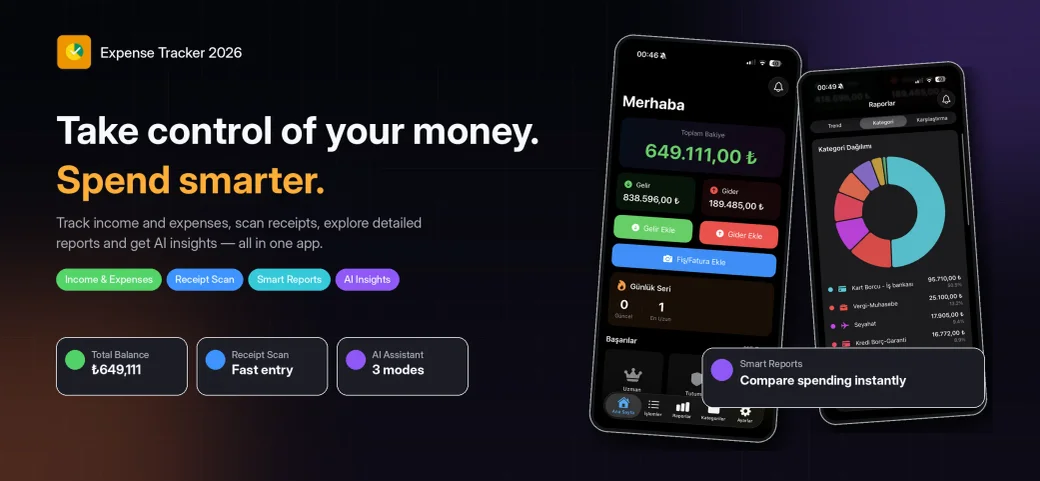
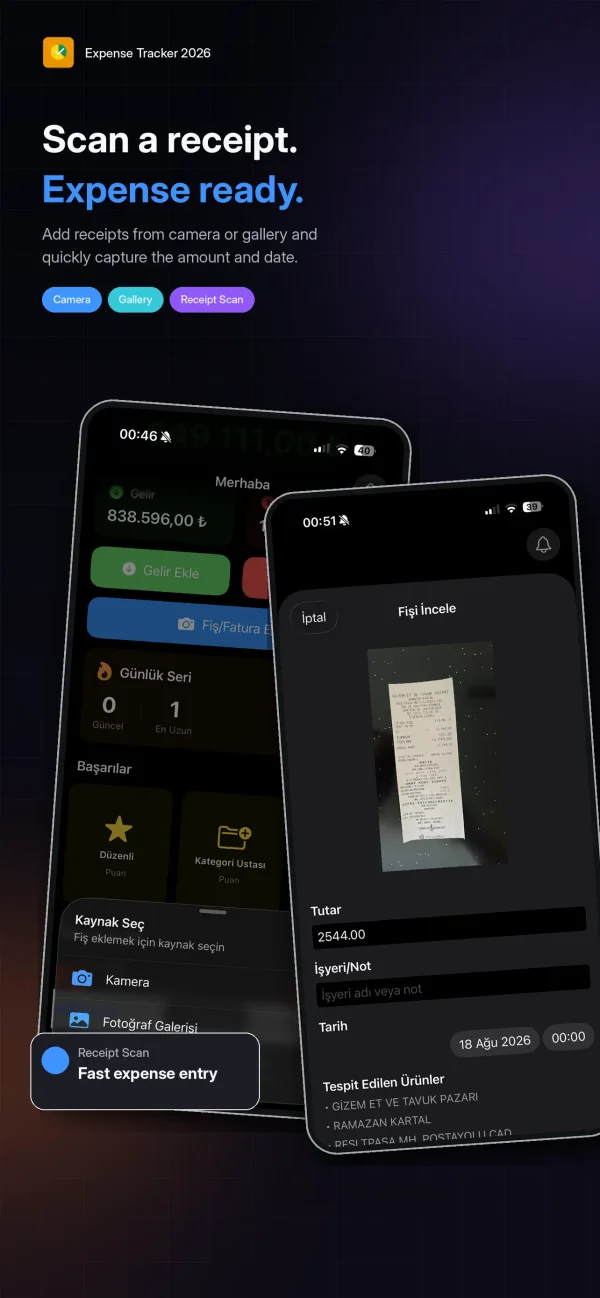
Point the camera at a receipt — the total, the merchant and the date are read on your own device and become an entry. No bank connection, no sign-up, nothing to configure.
• Receipt scanning that reads the text on your phone, not on a server
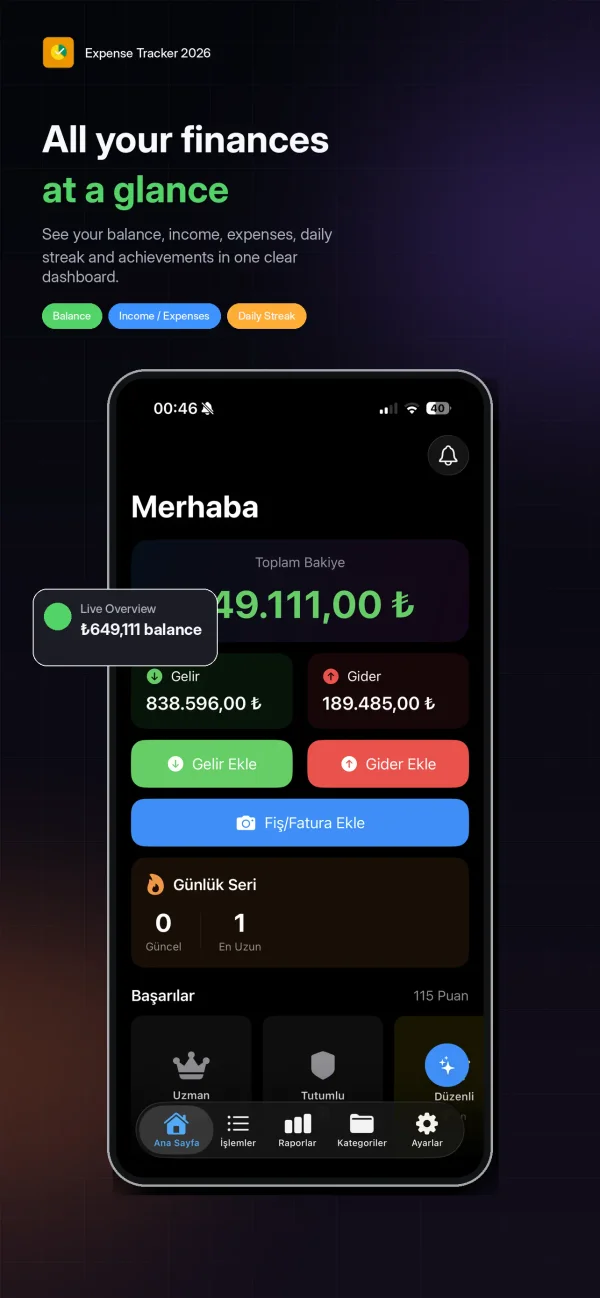
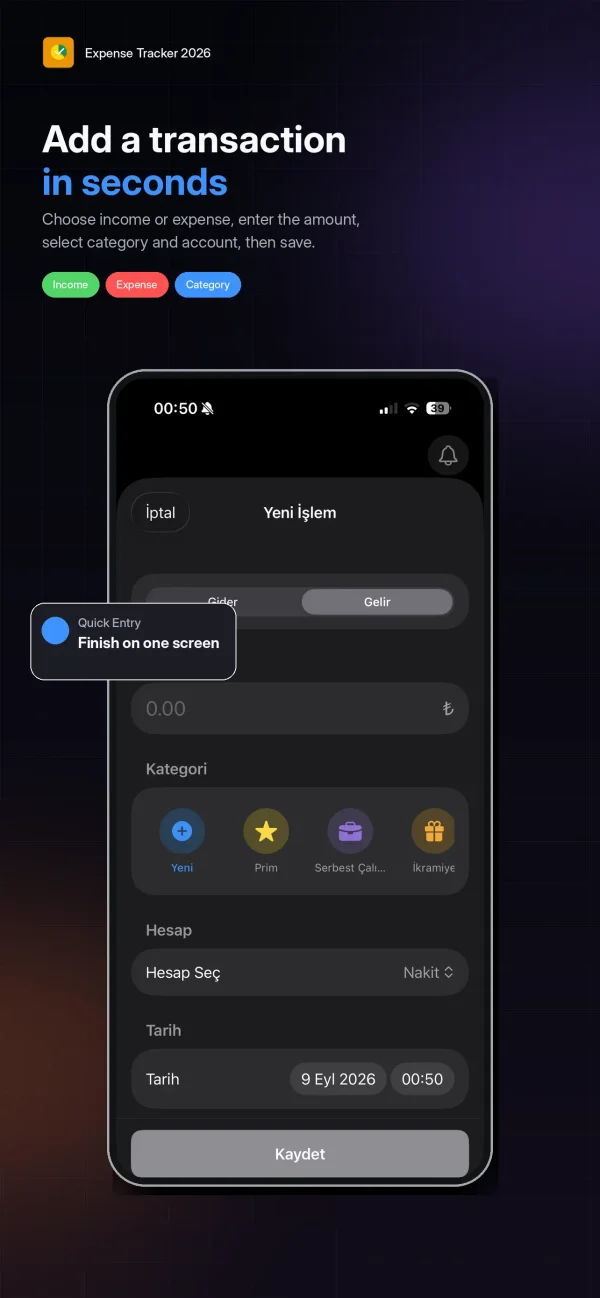
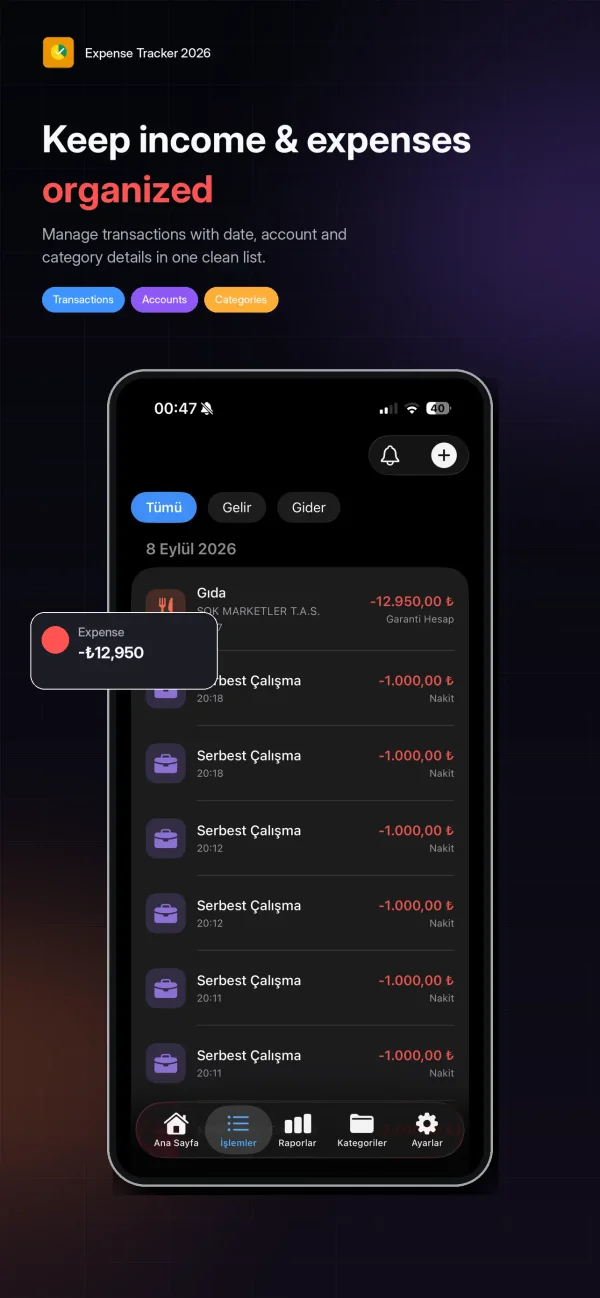
• Income and expenses across several accounts and currencies
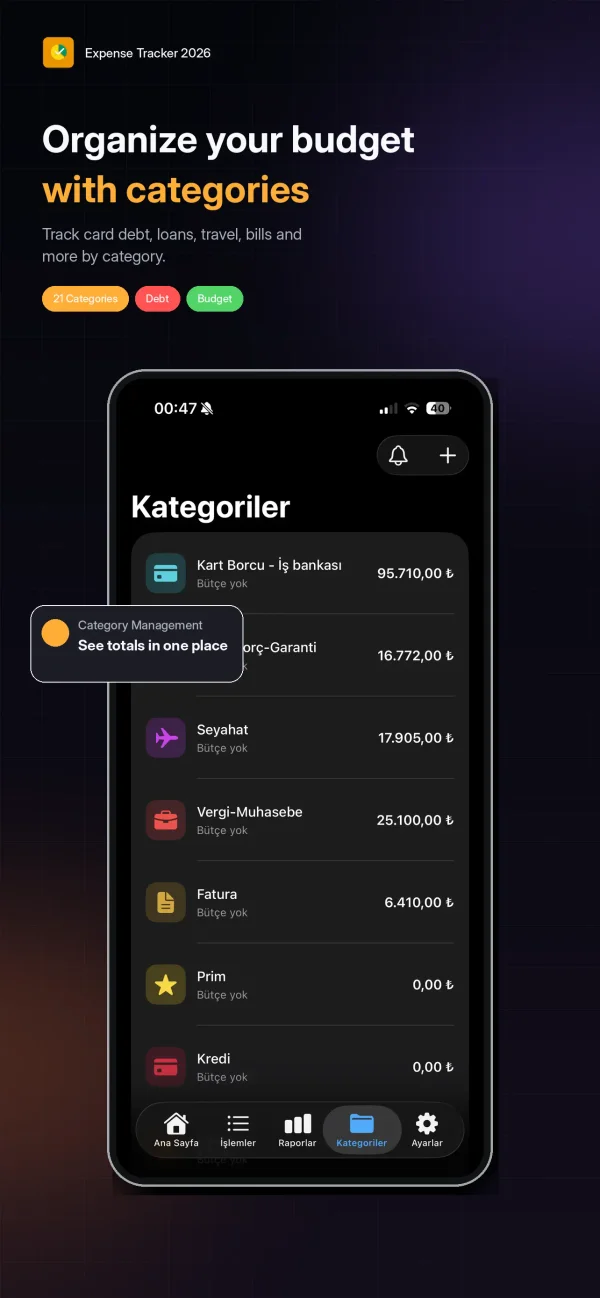
• Category budgets that warn you before you overspend, not after
• Recurring bills that post themselves every month
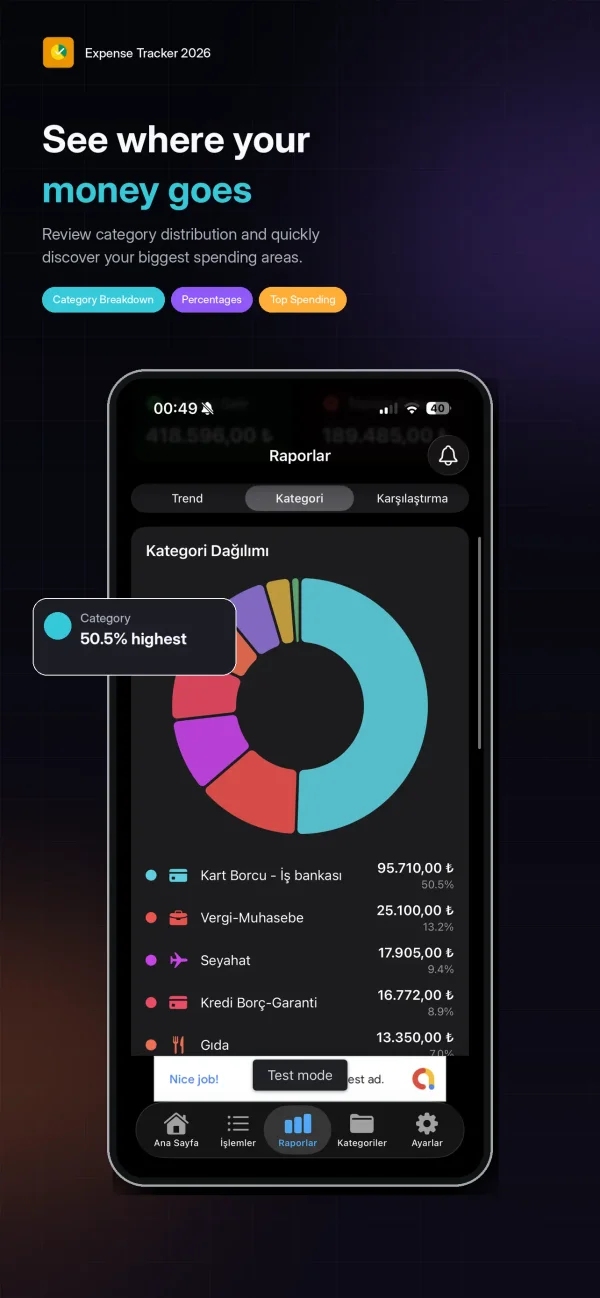
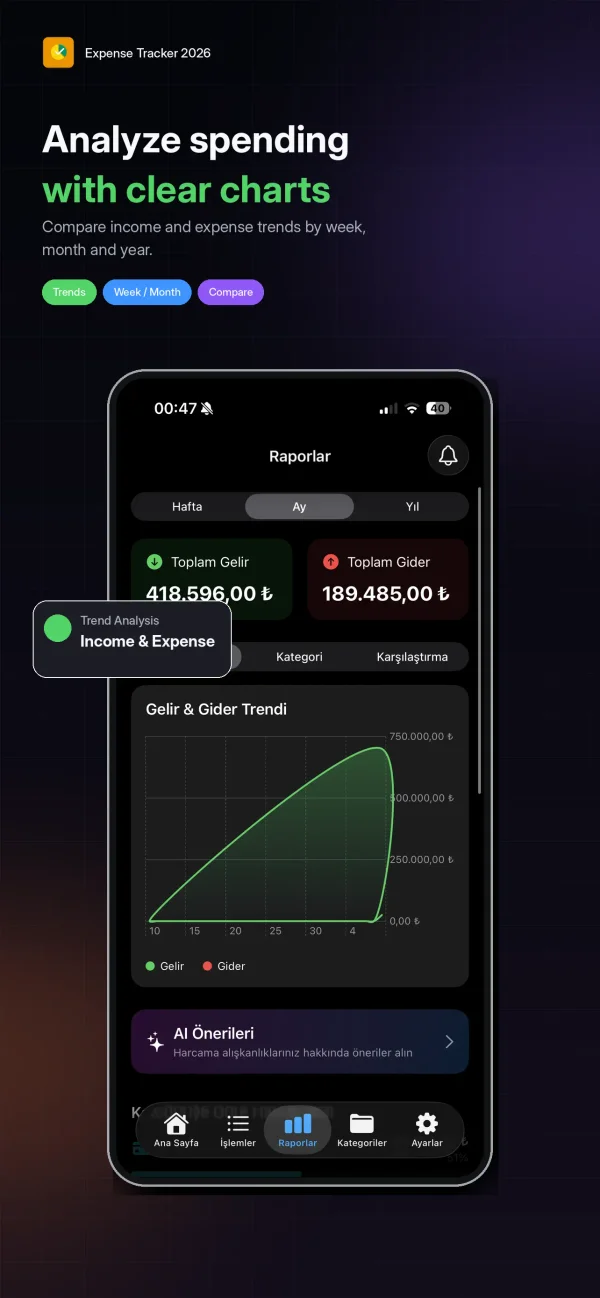
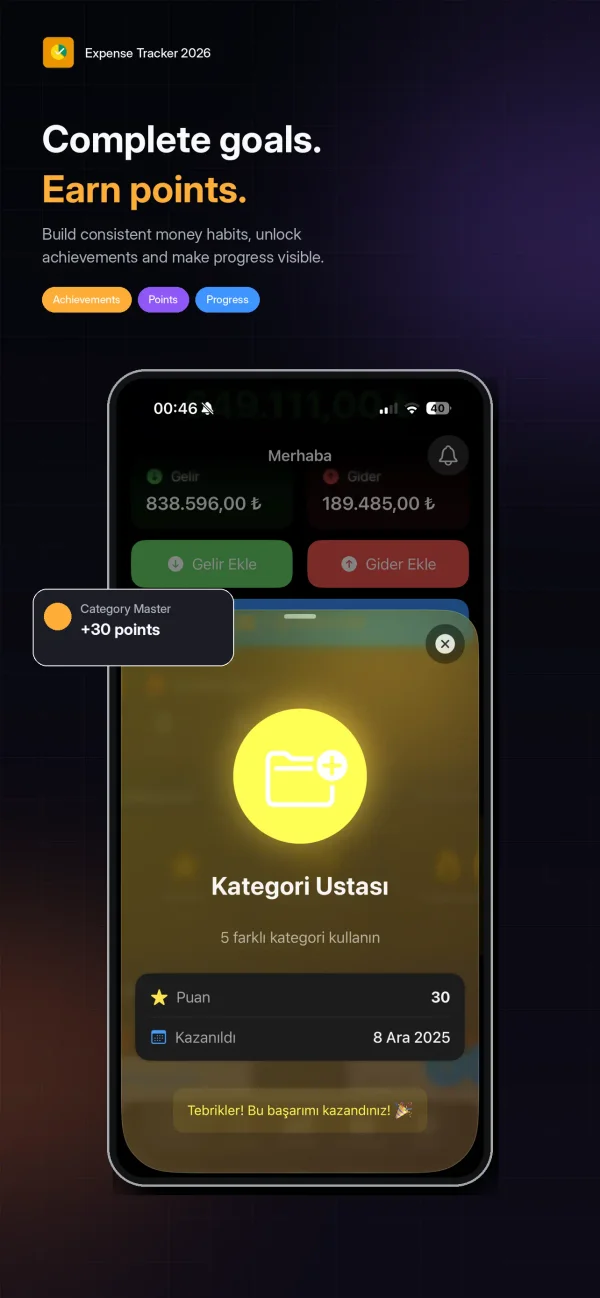
• Reports, charts, a daily streak and achievements that make tracking stick
• An AI advisor that turns your spending into plain-language advice
• Face ID lock and CSV, PDF or JSON export — your data moves only when you say so
• Full Turkish and English
Free to use. Premium removes the ads and lifts the limits.
RECEIPTS, WITHOUT THE TYPING
Point the camera at a receipt or an invoice and the app reads it: total, merchant, date. The text recognition runs on your iPhone, so the photo never leaves the device — you get the entry, nobody else gets your shopping list. Correct anything that looks off before you save.
AN ADVISOR THAT ACTUALLY READS YOUR NUMBERS
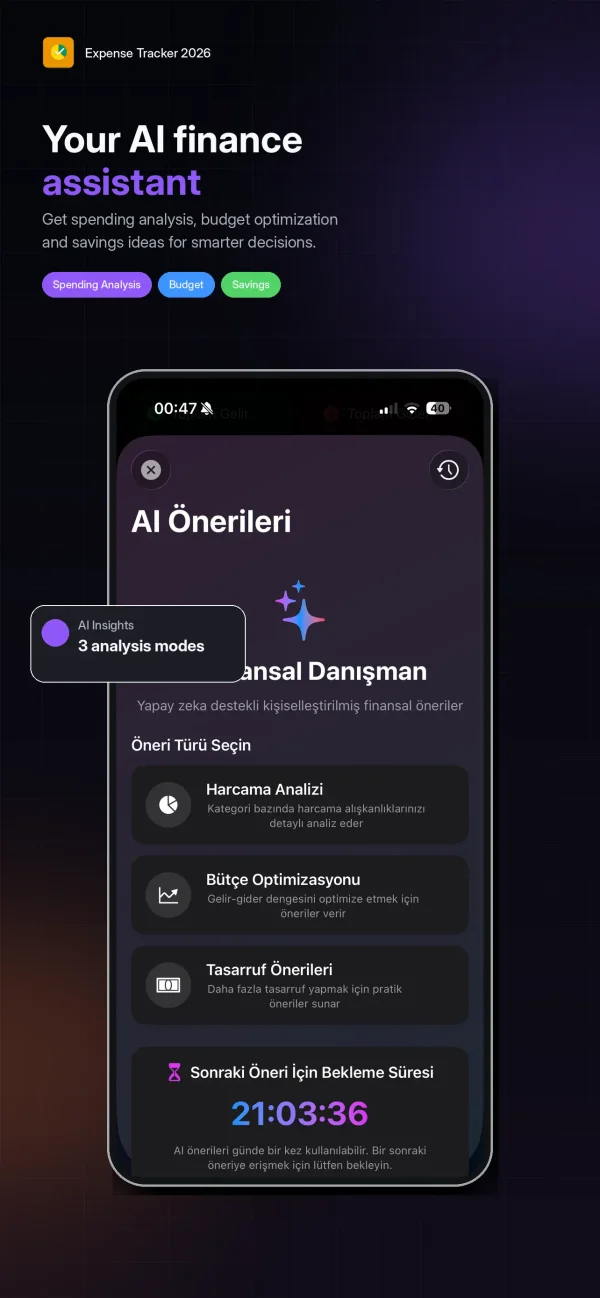
The new AI section looks at your own spending and answers in plain language: where the month went, which budget is unrealistic, what to cut first. Three kinds of advice — spending analysis, budget optimisation and savings suggestions — each one written around your categories, not generic tips from the internet.
PREMIUM, IF YOU WANT IT
An optional subscription removes every ad, lifts the budget limit and opens the AI advisor. Seven days free, cancel from Settings at any time. Everything that was free before is still free — the ledger, the budgets, the reports, the export.
YOUR DATA, YOUR RULES
Face ID or Touch ID can lock the app on launch. Export takes your whole history out as JSON, CSV or a PDF report whenever you like, and import brings it back. There is still no account to create and no bank to connect.
Terms of Use (EULA):
https://www.apple.com/legal/internet-services/itunes/dev/stdeula/
Privacy Policy:
https://theturker.github.io/SpendCraft/
What’s new
Version 3.0.1 · Sep 11, 2026
Version 3.0.1 is the biggest release so far — a new engine under the app, and a few things you asked for out loud.
RECEIPTS, WITHOUT THE TYPING
Point the camera at a receipt or an invoice and the app reads it: total, merchant, date. The text recognition runs on your iPhone, so the photo never leaves the device — you get the entry, nobody else gets your shopping list. Correct anything that looks off before you save.
AN ADVISOR THAT ACTUALLY READS YOUR NUMBERS
The new AI section looks at your own spending and answers in plain language: where the month went, which budget is unrealistic, what to cut first. Three kinds of advice — spending analysis, budget optimisation and savings suggestions — each one written around your categories, not generic tips from the internet.
PREMIUM, IF YOU WANT IT
An optional subscription removes every ad, lifts the budget limit and opens the AI advisor. Seven days free, cancel from Settings at any time. Everything that was free before is still free — the ledger, the budgets, the reports, the export.
YOUR DATA, YOUR RULES
Face ID or Touch ID can lock the app on launch. Export takes your whole history out as JSON, CSV or a PDF report whenever you like, and import brings it back. There is still no account to create and no bank to connect.
FIXES AND POLISH
• Fixed a database upgrade that could drop transactions when moving from an older version — this was the reason for the release
• Language switching between Turkish and English now applies instantly, without restarting
• Faster dashboard and reports on large ledgers
• Recurring transactions no longer duplicate after the app is reopened
• Currency formatting corrected for several regions
• Dozens of smaller layout and dark-mode fixes across the app
Thanks for every review and email — a good part of this list came from them. Keep them coming.
RECEIPTS, WITHOUT THE TYPING
Point the camera at a receipt or an invoice and the app reads it: total, merchant, date. The text recognition runs on your iPhone, so the photo never leaves the device — you get the entry, nobody else gets your shopping list. Correct anything that looks off before you save.
AN ADVISOR THAT ACTUALLY READS YOUR NUMBERS
The new AI section looks at your own spending and answers in plain language: where the month went, which budget is unrealistic, what to cut first. Three kinds of advice — spending analysis, budget optimisation and savings suggestions — each one written around your categories, not generic tips from the internet.
PREMIUM, IF YOU WANT IT
An optional subscription removes every ad, lifts the budget limit and opens the AI advisor. Seven days free, cancel from Settings at any time. Everything that was free before is still free — the ledger, the budgets, the reports, the export.
YOUR DATA, YOUR RULES
Face ID or Touch ID can lock the app on launch. Export takes your whole history out as JSON, CSV or a PDF report whenever you like, and import brings it back. There is still no account to create and no bank to connect.
App privacy
What Alperen Turker declares on the App Store about how this app handles data.
-
Data not collected
The developer does not collect any data from this app.
Privacy practices may vary, for example with the features you use or your age.
Information
- Seller
- Alperen Turker
- Category
- Finance
- Version
- 3.0.1
- Updated
- Sep 11, 2026
- Released
- Oct 21, 2025
- Size
- 59.9 MB
- Requires
- iOS 16.0 or later
- Age rating
- 4+
- In-app purchases
- Yes
- Languages
- English, Turkish
- Copyright
- © 2025 Alperen Türker
You might also like
-
 TekBütçem: BudgetCards, gold, and portfolio
-
 GelirGider: Budget PlannerBudget, savings & net worth
-
 Budget Tracker - ExpenseReceipt Scan & Money Manager
-
 AccountralTrack & Analyze Your Expenses
-
 Gelir Gider – Bütçe TakibiFinance
-
 ParaPlanBudget and Expense Tracking
-
 Bütçe Kontrol.Finance
-
 Nolyo: Gelir Gider TakipFinance
-
 CuzdanApp - Budget TrackerTrack income, expenses & debts
-
 Monthly Income Expense TrackSimple and secure record book