Smart Keyboard AI
Rewrite Text, Tone & Grammar
Designed for iPhone, iPad
Free · In-app purchases
- Age rating9+
- CategoryProductivity
- DeveloperVladimirs Matusevics
- LanguagesEnglish
- Size27.7 MB
Links to the official App Store page
Download.org hosts no file of Smart Keyboard AI. The button opens its official App Store page, published by Vladimirs Matusevics. Listing last checked on Nov 16, 2026.
Screenshots


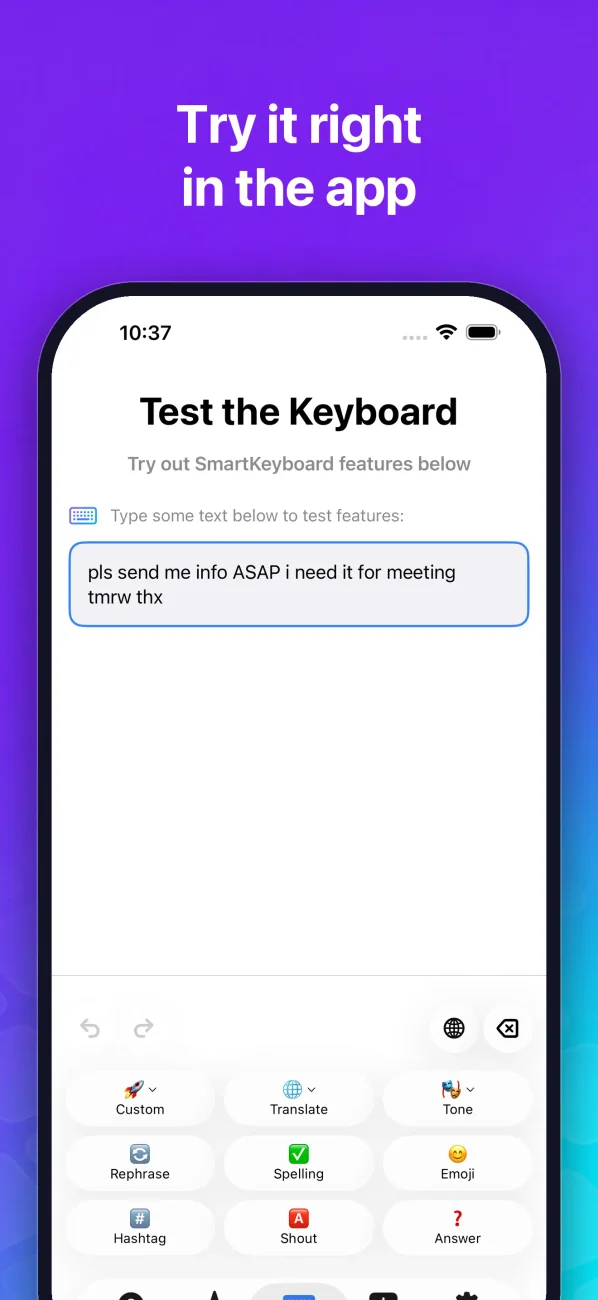

About
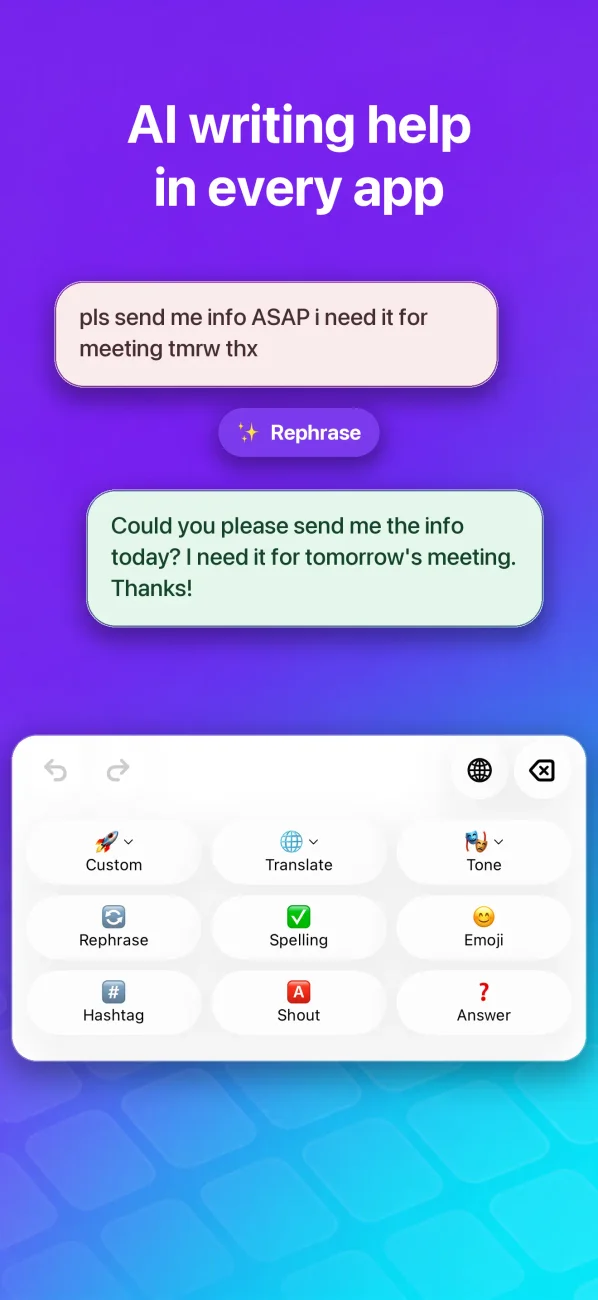
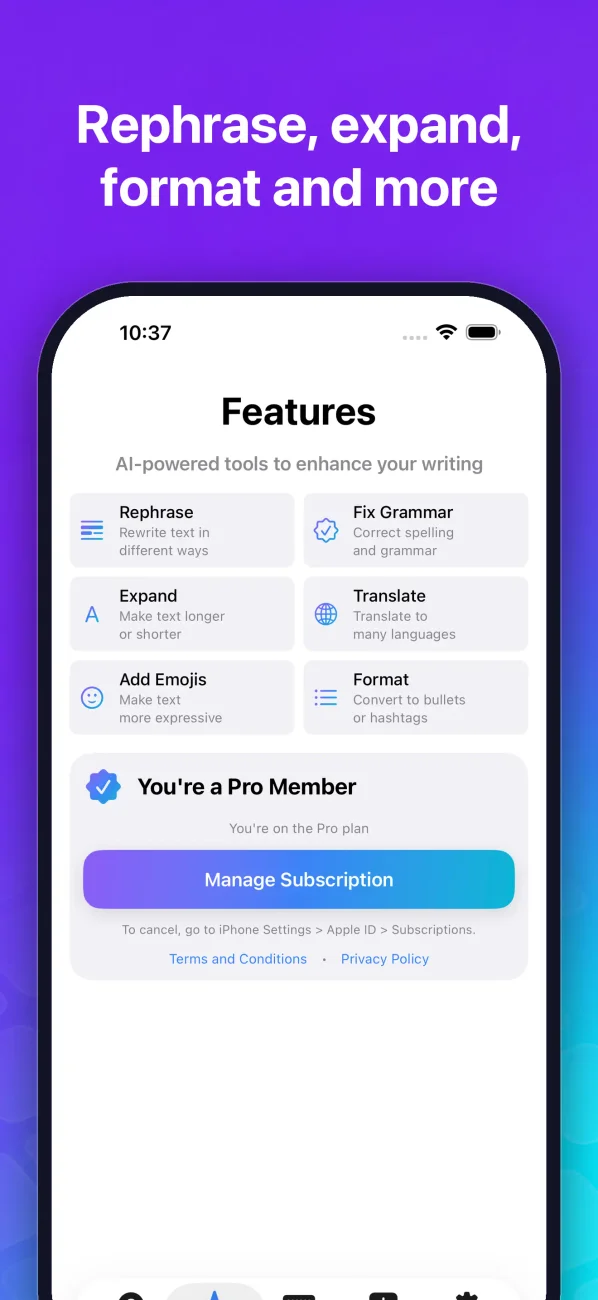
Smart Keyboard AI puts AI-powered writing help at your fingertips - across apps on your iPhone and iPad. Select text and instantly rewrite, paraphrase, translate, fix grammar, or summarize it with smart AI prompts, all from a custom keyboard extension.
PRIVACY-FIRST WITH APPLE INTELLIGENCE
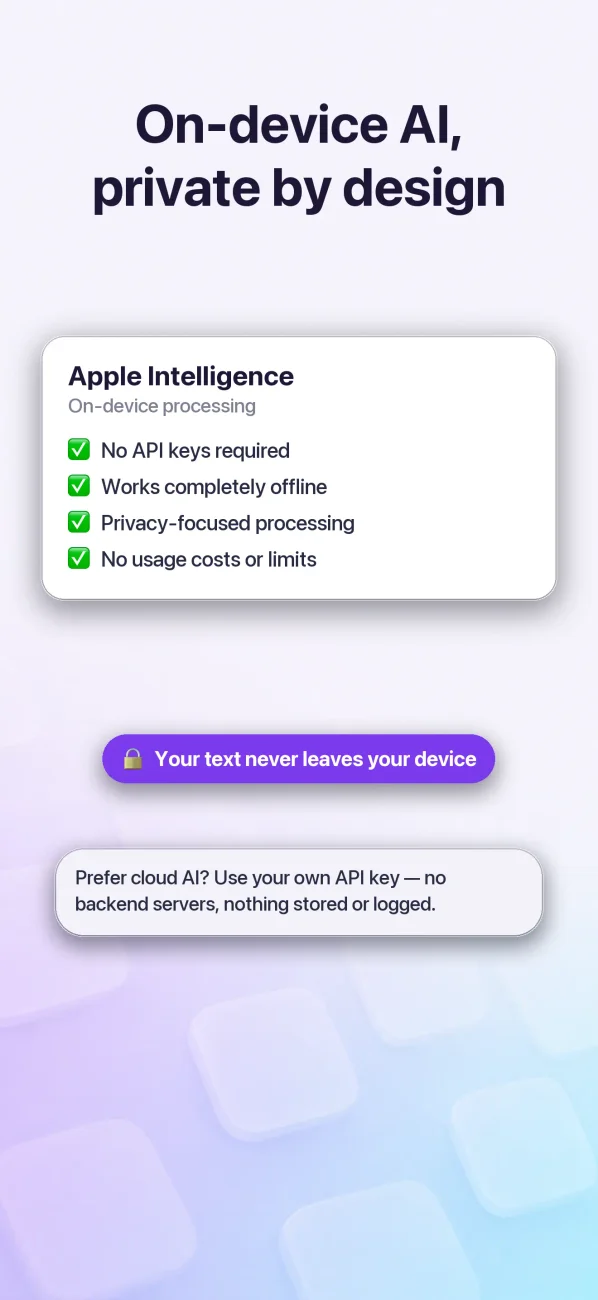
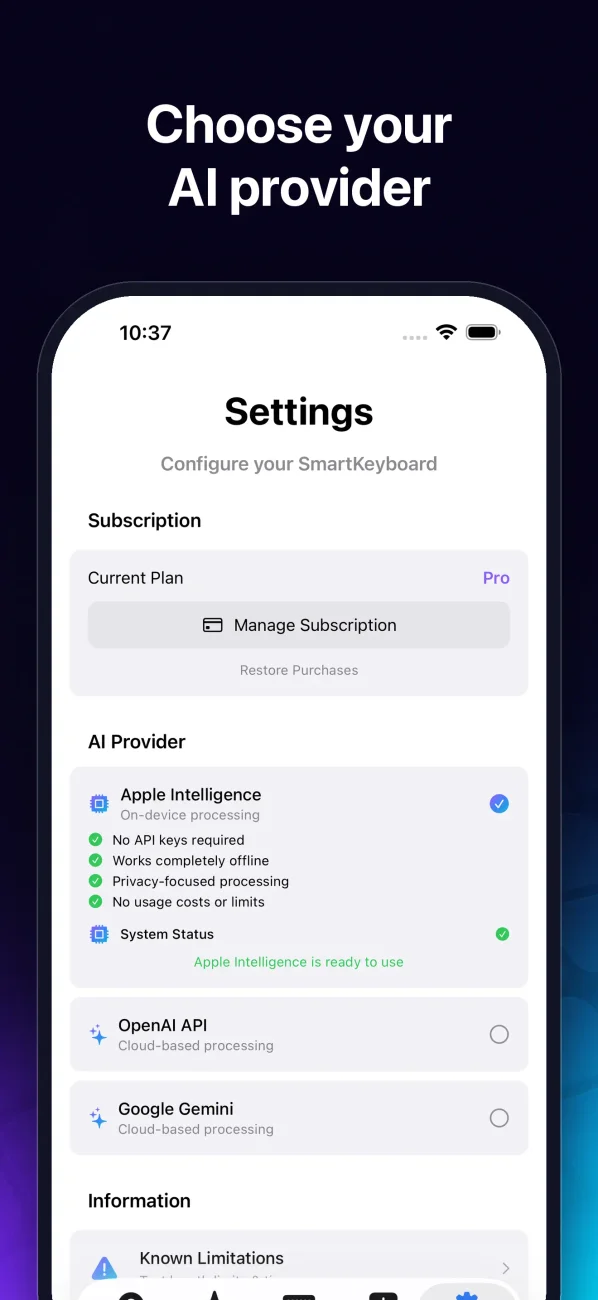
Smart Keyboard AI defaults to Apple Intelligence, which processes text entirely on your device. Your text never leaves your phone - no account required, no cloud servers touch your text. Just fast, private AI right where you type.
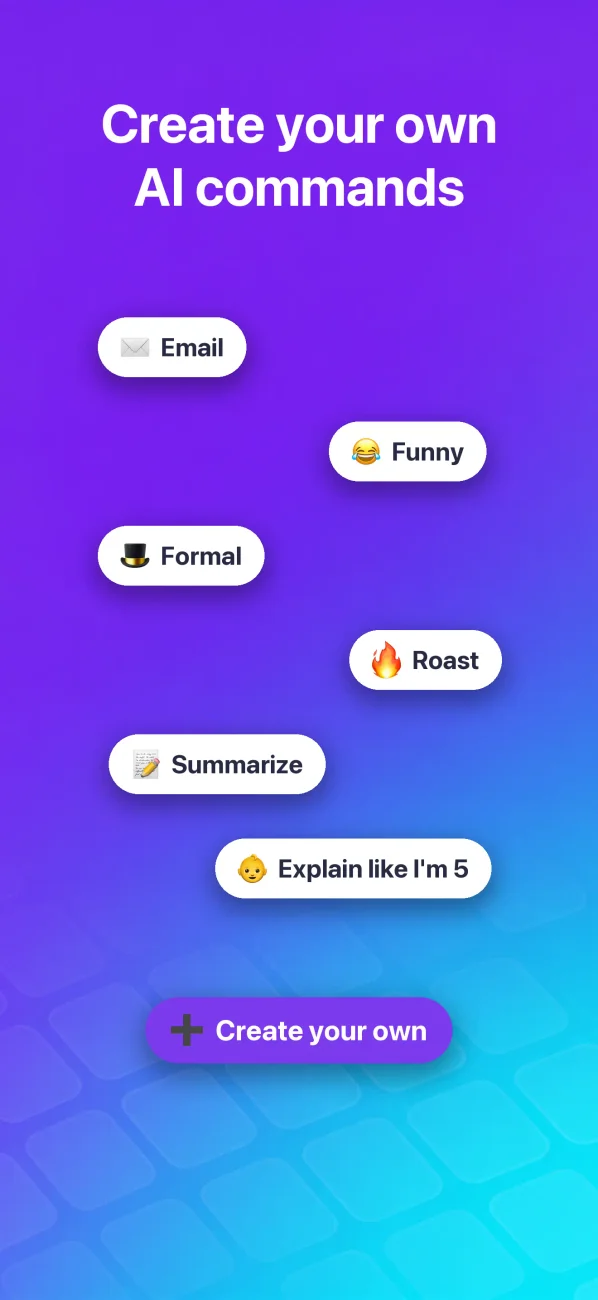
17 BUILT-IN PROMPTS
Get started immediately with ready-to-use prompts:
- Email - polish casual messages for work
- Summarize - condense long text into key points
- Explain - break down complex text simply
- Social - make text casual for social media
- Formal / Casual - adjust tone to match the situation
- Expand / Bullet Points - restructure text your way
- Funny / Sarcastic / Pirate - have fun with creative rewrites
- Motivational / Poem / Haiku - transform text into something special
...and more!
CREATE YOUR OWN PROMPTS
Build custom prompts tailored to your needs. Give each one an emoji icon for quick recognition. Whether you write emails all day, post on social media, or study in a second language, create prompts that work for how you actually write.
MULTIPLE AI PROVIDERS
Choose the AI that fits your workflow:
- Apple Intelligence (free, on-device, private)
- OpenAI GPT (cloud, advanced reasoning)
- Google Gemini (cloud, fast responses)
Switch providers anytime from Settings. Free tier users enjoy unlimited Apple Intelligence transforms.
WORKS EVERYWHERE
Smart Keyboard AI is a system-wide keyboard extension. Use it in Messages, Mail, Notes, Safari, social media apps, and more. No copy-pasting to a separate app needed.
HOW IT WORKS
1. Enable Smart Keyboard AI in Settings > Keyboards
2. Switch to Smart Keyboard AI when typing
3. Select text and tap a prompt
4. AI transforms your text instantly
SUBSCRIPTION PLANS
- Free: Unlimited Apple Intelligence, 5 built-in prompts, 1 custom prompt
- Basic: All 17 prompts, unlimited custom prompts, cloud AI providers (OpenAI & Gemini)
- Pro: Premium AI models, model selection
Smart Keyboard AI Pro available as $5.99/month or $49.99/year auto-renewable subscription. Basic plan available at $2.99/month or $24.99/year auto-renewable subscription. Payment is charged to your Apple ID account at confirmation of purchase. Subscription automatically renews unless canceled at least 24 hours before the end of the current period. Your account is charged for renewal within 24 hours prior to the end of the current period. You can manage and cancel subscriptions in your Apple ID account settings.
Privacy Policy: https://smartkeyboard.app/privacy
Terms of Service: https://smartkeyboard.app/terms
What’s new
Version 1.3 · Sep 7, 2026
Error messages are now actionable: transient failures get a Retry button, and setup issues (API keys, Full Access, cloud consent) show clear step-by-step hints right on the toast.
Also in this update:
- Refined App Store listing
- General stability improvements
App privacy
What Vladimirs Matusevics declares on the App Store about how this app handles data.
-
Data not linked to you
May be collected but is not linked to your identity.
- Purchases
- Identifiers
- Diagnostics
Privacy practices may vary, for example with the features you use or your age.
Information
- Seller
- Vladimirs Matusevics
- Category
- Productivity
- Version
- 1.3
- Updated
- Sep 7, 2026
- Released
- Jul 22, 2026
- Size
- 27.7 MB
- Requires
- iOS 26.0 or later
- Age rating
- 9+
- Price
- Free
- In-app purchases
- Yes
- Languages
- English
- Copyright
- © Vladimirs Matusevics
You might also like
-
 Typace: AI Keyboard & PromptsGrammar, Rewrite & Translate
-
 Mindscend TypeGrammar fixes, fully on-device
-
 SwissBoardAI keyboard, your key
-
 AI Keyboard: ClearWriteGrammar, Rewrite & Translate
-
 Phrase CoreLocal AI text rewriter
-
 OnChip AIOn-Device Private AI
-
 TidyType KeyboardOn-device AI text rewrites
-
 ThelemailPrivate encrypted email
-
 Inbox Imp: AI Email OrganizerTriage for Gmail and Outlook
-
 Aegis Mail: Secure EmailBusiness email, no spectators