Sms Planner E - Send your SMS
Plan, Sync and Send your SMS
Designed for iPhone, iPad, iPod touch
Free · In-app purchases
- Age rating4+
- CategoryProductivity
- DeveloperAlessandro de Sanctis
- LanguagesEnglish+ 5 more
- Size13.2 MB
Links to the official App Store page
Download.org hosts no file of Sms Planner E - Send your SMS. The button opens its official App Store page, published by Alessandro de Sanctis. Listing last checked on Nov 23, 2026.
Screenshots
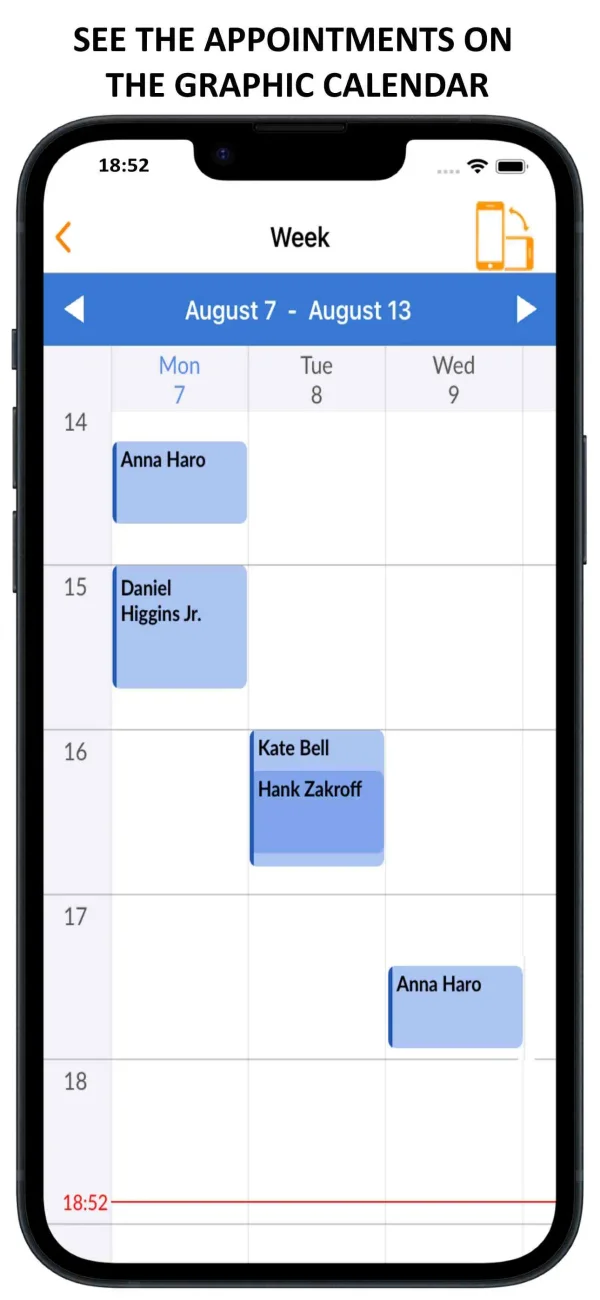
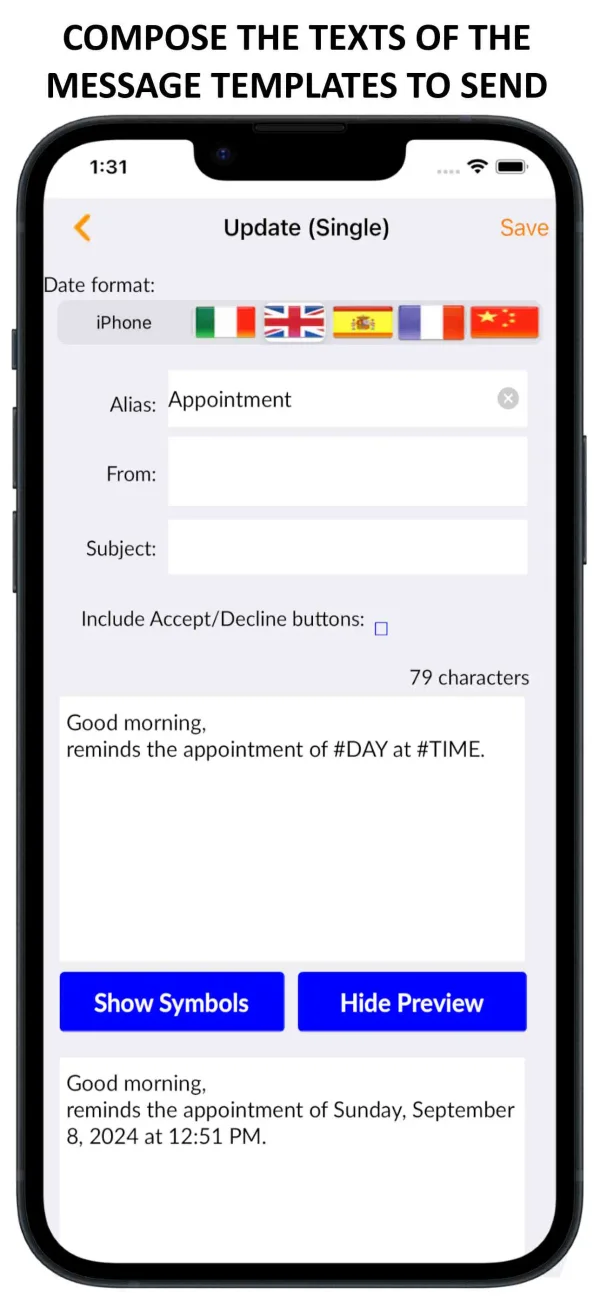
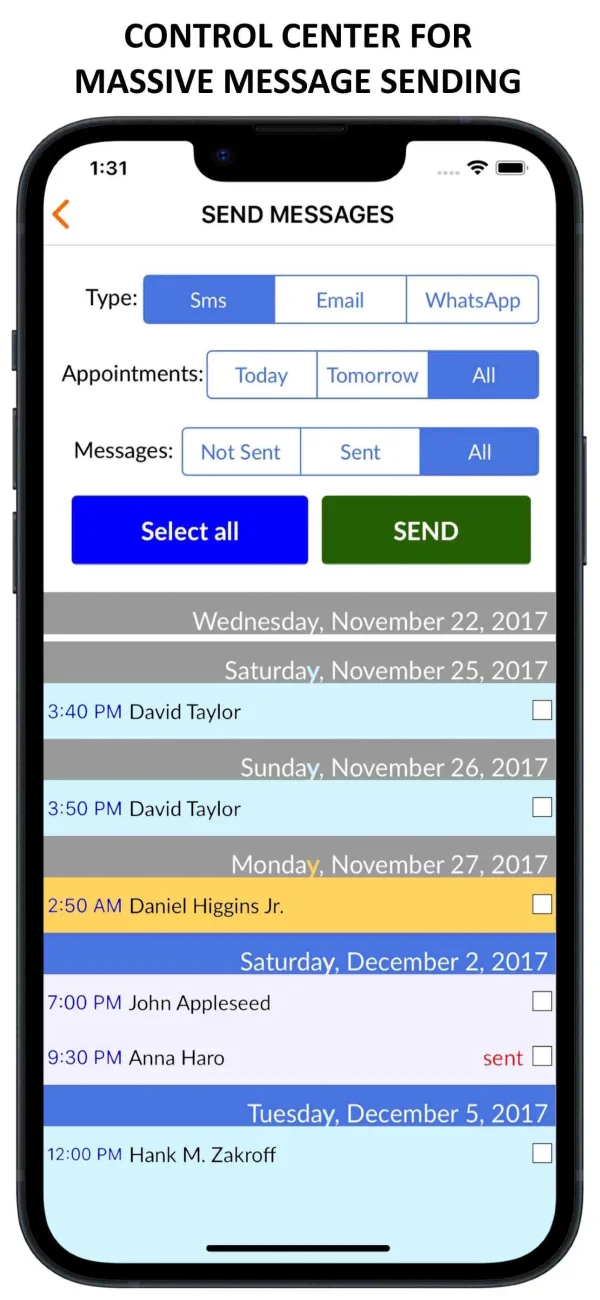
About
Sms Planner E is dedicated to professionals who work with customers by appointment.
Are you a doctor, lawyer, or do you offer services of various kinds?
Do you want to remember appointments or the various deadlines to your customers?
Sms Planner E is for you !!!
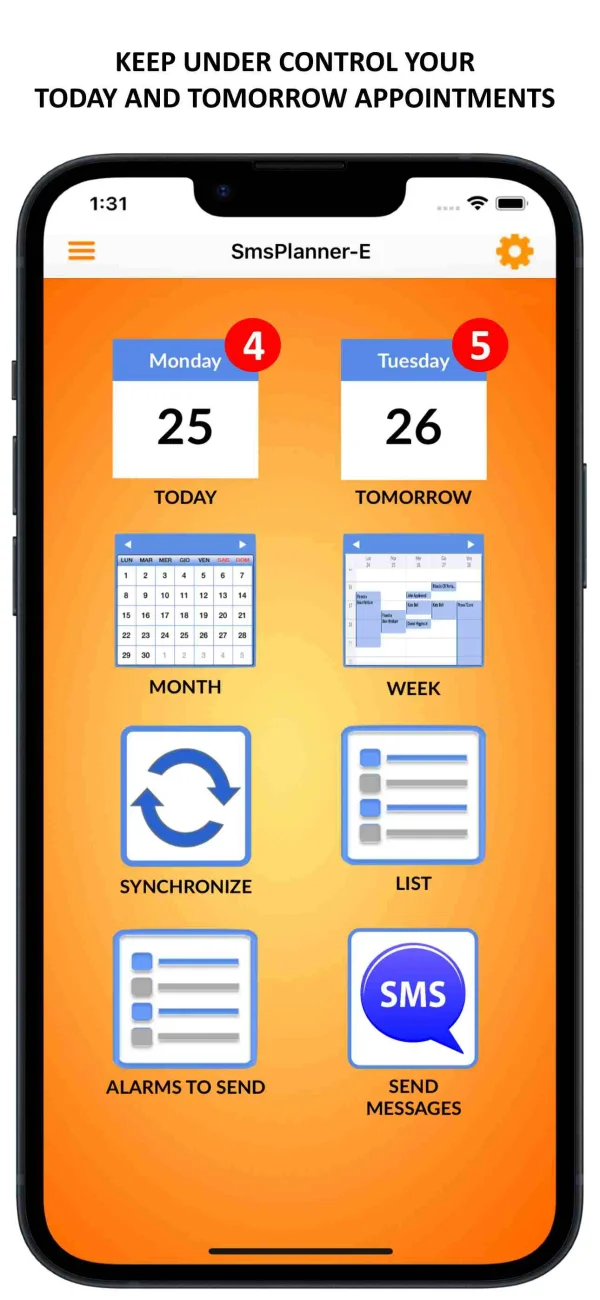
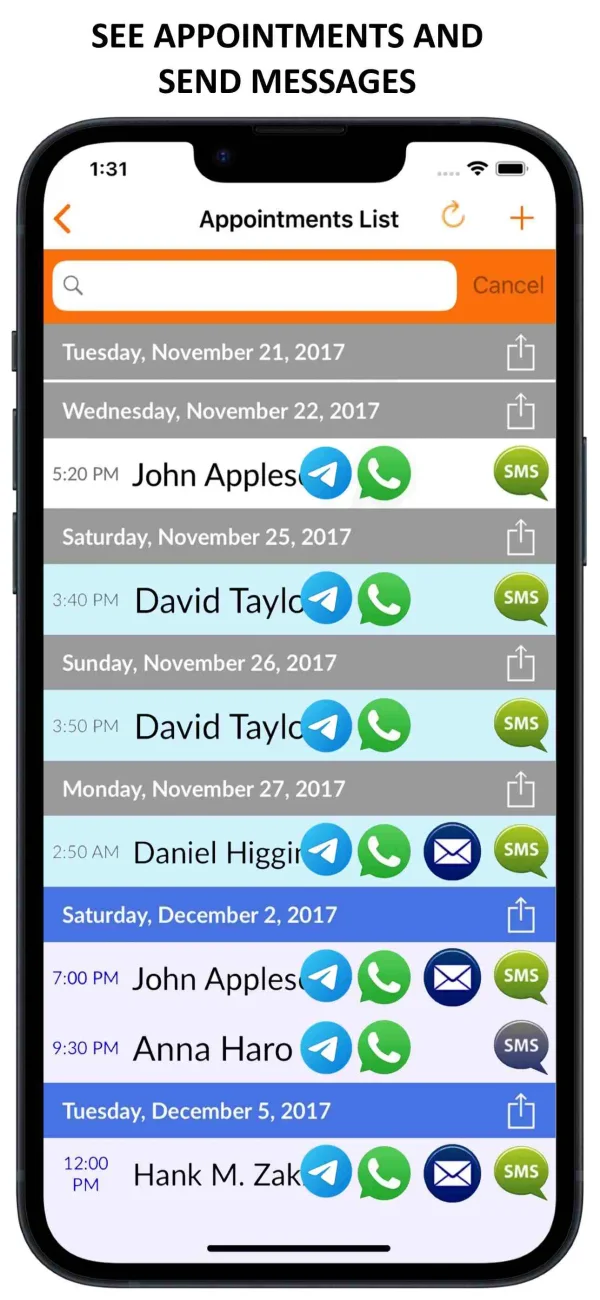
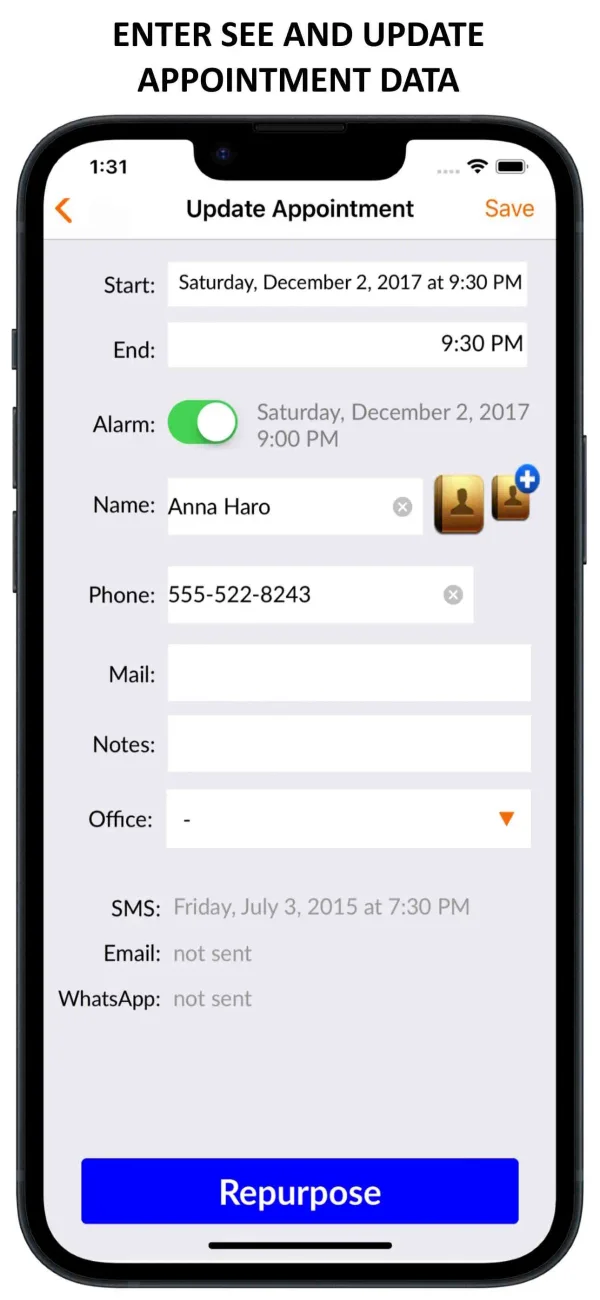
With Sms Planner E you can schedule appointments and deadlines of your customers and then send your personalized SMS, email, WhatsApp and Telegram, to remind individual appointments.
This new version of Sms Planner allows you to SHARE and SYNCHRONIZE your appointments with all your devices.
In addition, you can PAIR your devices with those of OTHER PEOPLE (collegues, friends, etc.) via QR code.
To work properly WhatsApp, you must enter the international prefix of cellular numbers in your contacts (eg "+44" for United Kingdom numbers).
You can send a SINGLE message for appointment, or a single message with the SUMMARY of the appointments of a given period.
It is also possible to send SPECIAL messages (greetings, announcements, communications, etc ...).
Sms Planner E allows you to specify days and hours for each appointment, but if you get your customers in multiple locations, you can also specify the single address (street and city).
In addition, you can print the weekly calendar of appointments.
If you need to enter appointments on your iPhone calendars, but also need to synchronize those configured on your Google account, you can download the dedicated version Sms Planner.
For suggestions, requests and comments, please write to:
info@smsplanner.it
NOTE: sending of SMS is done from your iPhone, then the cost of the messages will be charged according to the tariff plan subscribed by your telephone company.
What’s new
Version 2026.11.2 · Nov 22, 2026
Small fixes and performance improvements.
Send requests, suggestions and error reports to:
info@smsplanner.it
Do not write negative reviews, but please contact us to improve the APP... thanks!
App privacy
What Alessandro de Sanctis declares on the App Store about how this app handles data.
-
Data not collected
The developer does not collect any data from this app.
Privacy practices may vary, for example with the features you use or your age.
Information
- Seller
- Alessandro de Sanctis
- Category
- Productivity
- Version
- 2026.11.2
- Updated
- Nov 22, 2026
- Released
- Aug 4, 2020
- Size
- 13.2 MB
- Requires
- iOS 15.0 or later
- Age rating
- 4+
- Price
- Free
- In-app purchases
- Yes
- Languages
- English, French, German, Italian, Simplified Chinese, Spanish
- Copyright
- © 2026 Alessandro de Sanctis
You might also like
-
 Pro SMS SchedulerStay on top of your messaging
-
 Scheduled for Messages & WASchedule Text Reminders
-
 Reminderbase: Scheduled TextSchedule Text Messages & Email
-
 Kyew - Schedule Text MessagesSMS Reminder & Bulk Group Text
-
 Reminder Text: SMS RemindersEasily schedule sms reminders
-
 Fext - Group Text MessagingBulk SMS - Private Texting
-
 Moxy MessengerThe Message Planner for iPhone
-
 Scheduled - Send text laterAuto Text, Reminders, Bulk SMS
-
 Text Me ThatReminders That Text You
-
 Goldie: Appointment SchedulerBookings, Reminders & Payments