
Snaglist: Snagging & Defects
Site audit & Contractor links
Designed for iPhone, iPad
In-app purchases
- Age rating4+
- CategoryBusiness
- DeveloperDaniel McCann
- LanguagesEnglish
- Size27.5 MB
Links to the official App Store page
Download.org hosts no file of Snaglist: Snagging & Defects. The button opens its official App Store page, published by Daniel McCann. Listing last checked on Nov 14, 2026.
Screenshots



About
Send a Contractor link. Get completion photos back. Stay in control of sign-off.
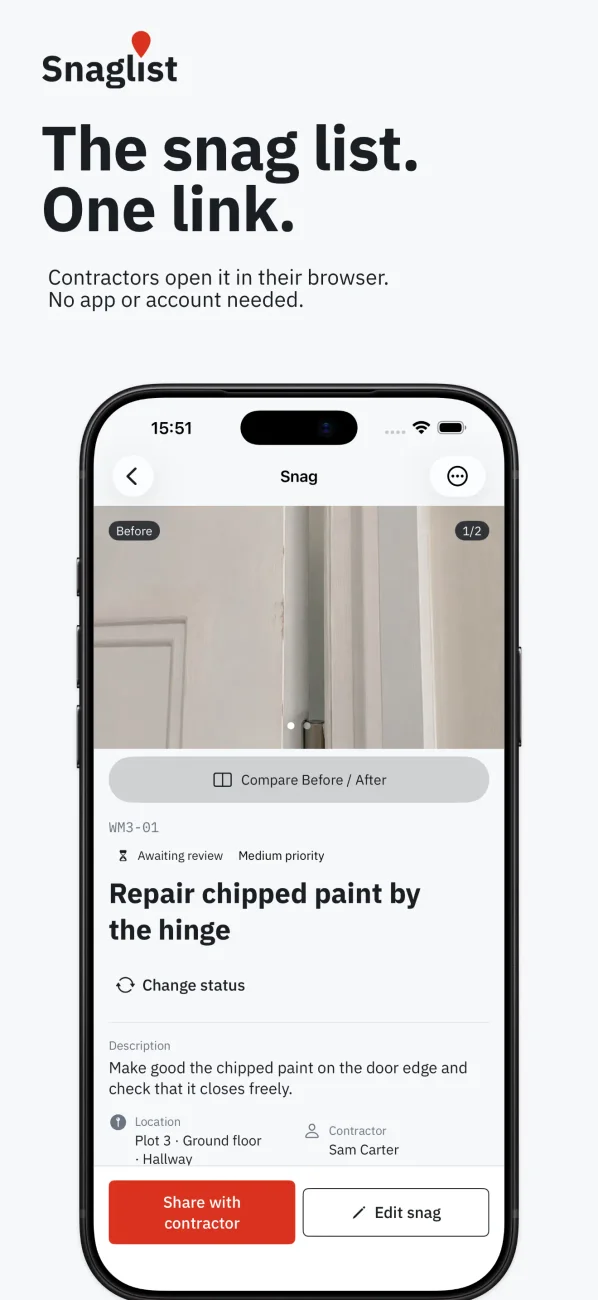
Snaglist helps site managers and builders manage snags on new builds, refurbishments and handovers. Capture the problem, share it with the right person and keep a clear record of what still needs doing.
Share the work
Send selected snags through a Contractor link. Your contractor opens it in a browser, with no app, account or subscription needed. They see the photos, location and notes, then send back completion evidence.
A personal Snaglist account is enough to send Contractor links. You do not need to create or join a company. Add an optional PIN, choose an expiry and revoke access when needed.
Review before sign-off
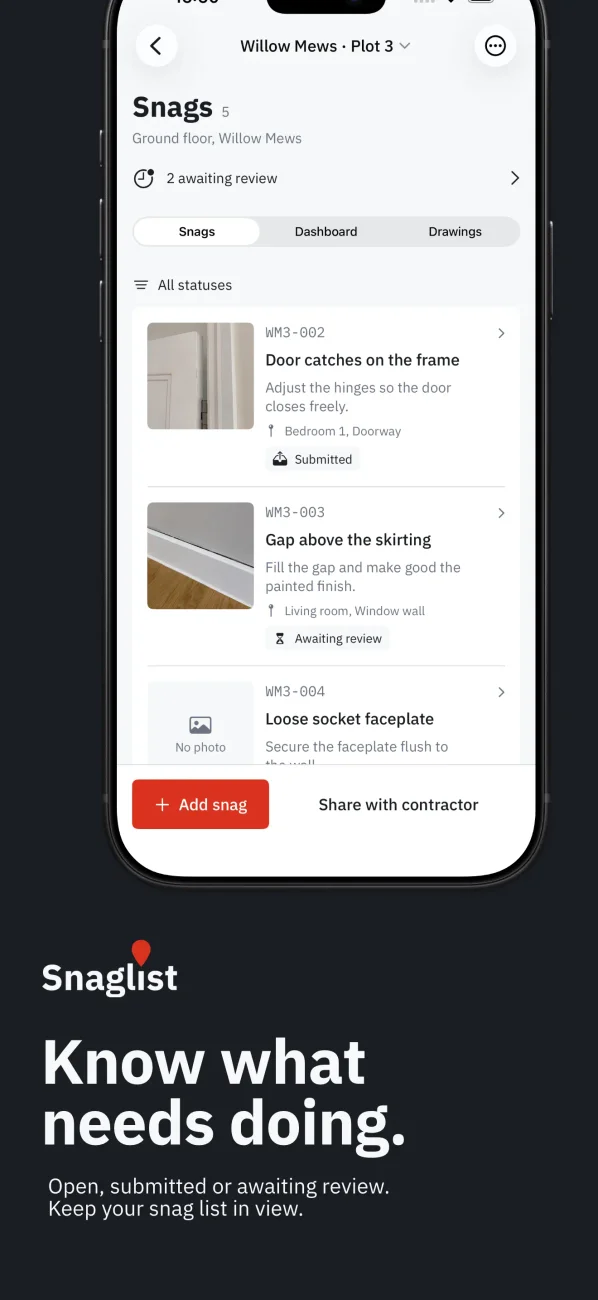
A contractor's submission stays awaiting review until an authorised manager accepts the work. Compare the completion photos with the original snag, then accept it or send it back with a reason.
Make every snag clear
• Take photos on site or add them from your library.
• Keep the description, location, priority, contractor and due date together.
• Mark up photos to show exactly what needs attention.
• See outstanding work and progress across the project.
Keep going without a signal
Start recording snags without an account. Photos and notes are saved on your device. Sign in to share work online; creating Contractor links and exchanging project updates need a connection.
Guest projects stay separate from your account. Choose to copy a guest project into your account when you are ready; the original stays on your device. Projects from earlier versions remain available in Older device work.
Work on your own or with a team
Use your personal account for your own projects, or work with invited colleagues on company projects they have permission to access. Company membership is free at launch. Snaglist Pro remains a separate subscription.
Be ready for handover
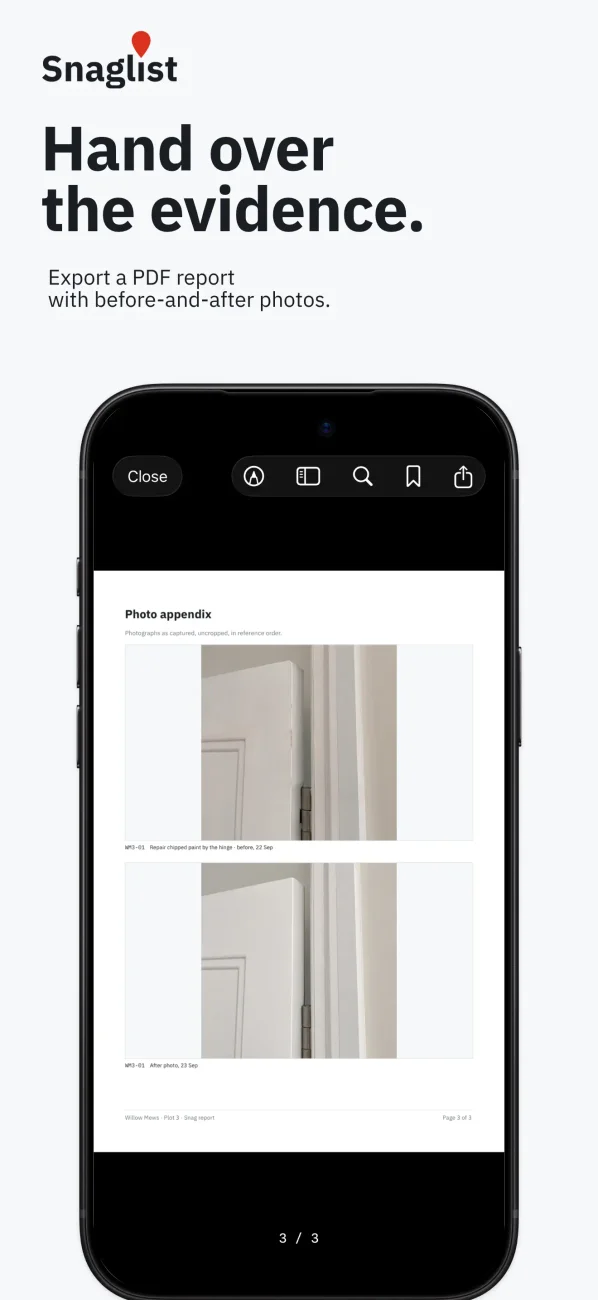
Export PDF reports with a snag schedule, photos, locations and status. Keep completion evidence and manager decisions clear in the project record. Add your own report branding with Snaglist Pro.
Free and Pro
Snaglist is free to start. Optional Snaglist Pro adds unlimited projects, snags, photos per snag and Contractor links, plus custom report branding. Contractors opening your links never need a subscription. Current plans and prices are shown in the app before purchase.
Snaglist Pro is an auto-renewable subscription, billed monthly or annually. Payment is charged to your Apple Account when you confirm the purchase. The subscription renews automatically unless cancelled at least 24 hours before the end of the current period. Your account is charged for renewal within 24 hours before that period ends. Manage or cancel your subscription in your Apple Account settings.
Support: https://usesnaglist.com/support
Terms of Use: https://usesnaglist.com/terms
Privacy Policy: https://usesnaglist.com/privacy
What’s new
Version 2.0.1 · Oct 15, 2026
Snaglist 2.0.1 makes Pro clearer and brings your site work closer to the web portal.
• Clearer Pro prompts explain the Free limit you have reached. Once Pro is confirmed, return to the task you were doing.
• Improved purchase, cancellation and restoration messages.
• Review the original snag and Before photos alongside a contractor’s completion evidence. Missing completion photos are clearly flagged before you accept work.
• Open the web portal from Settings or a project’s menu.
• Improved account-deletion cleanup, accessibility and Reduce Motion support.
Prices, Free limits and existing subscriptions are unchanged. Contractors still need no app or account to use a Contractor link.
Questions? support@usesnaglist.com
App privacy
What Daniel McCann declares on the App Store about how this app handles data.
-
Data linked to you
May be collected and linked to your identity.
- Purchases
- Location
- Contact info
- User content
- Identifiers
- Usage data
- Other data
Privacy practices may vary, for example with the features you use or your age.
Information
- Seller
- Daniel McCann
- Category
- Business
- Version
- 2.0.1
- Updated
- Oct 15, 2026
- Released
- Mar 2, 2026
- Size
- 27.5 MB
- Requires
- iOS 17.0 or later
- Age rating
- 4+
- In-app purchases
- Yes
- Languages
- English
- Copyright
- © 2026 Snaglist
You might also like
-
 CarbonDataDesigned by sweeps for sweeps
-
 Tenday - Habit TrackerBuild daily routines & goals
-
 Invoice Maker: InvyEstimate, Receipt & PDF Export
-
 Skift: Mental LoadChore Split for Couples
-
 Spark RingCapture ideas. Stay on track.
-
 Punch Me (1f4c9c)Productivity
-
 Auditr-Punch list,Snag reportsPunch list, snag reporting App
-
 Site Report Expert: Punch ListInspection, Audit & Snag List
-
 SnagList Pro: Just Report ItSnag list reports effortlessly