SnapCards Revision
AI Flashcards study app
Designed for iPhone, iPod touch
In-app purchases
- Age rating4+
- CategoryEducation
- DeveloperAmber Cook
- LanguagesEnglish
- Size44.5 MB
Links to the official App Store page
Download.org hosts no file of SnapCards Revision. The button opens its official App Store page, published by Amber Cook. Listing last checked on Nov 12, 2026.
Screenshots

About
Turn Your Notes Into Flashcards and quizzes Instantly, Powered by AI.
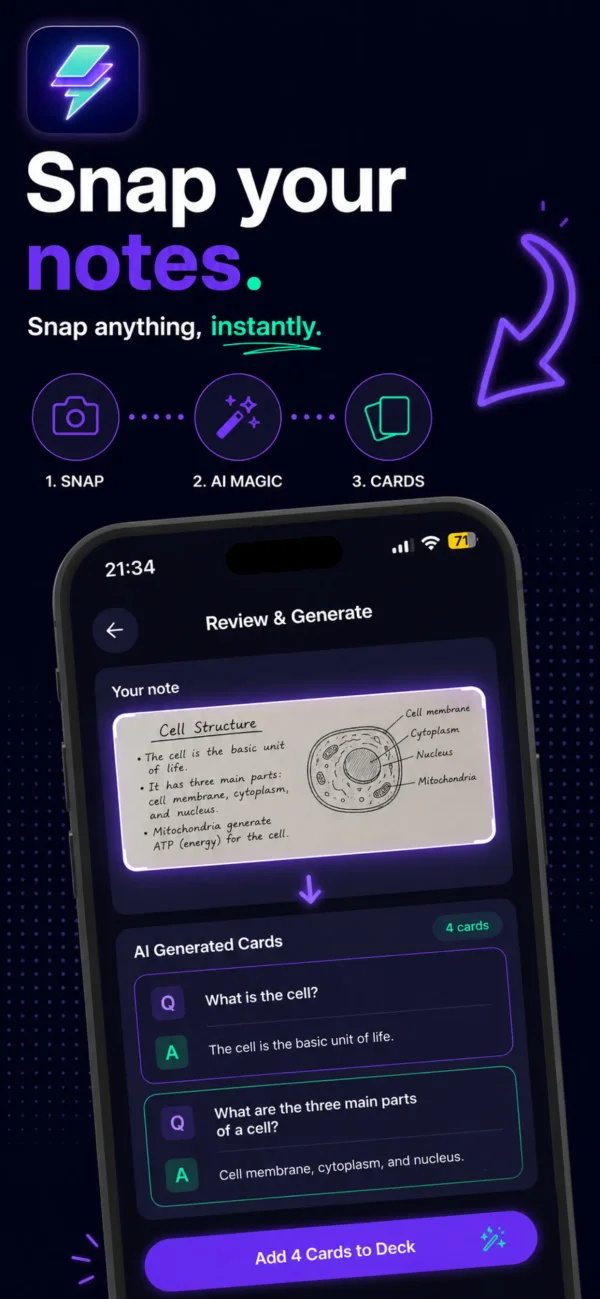
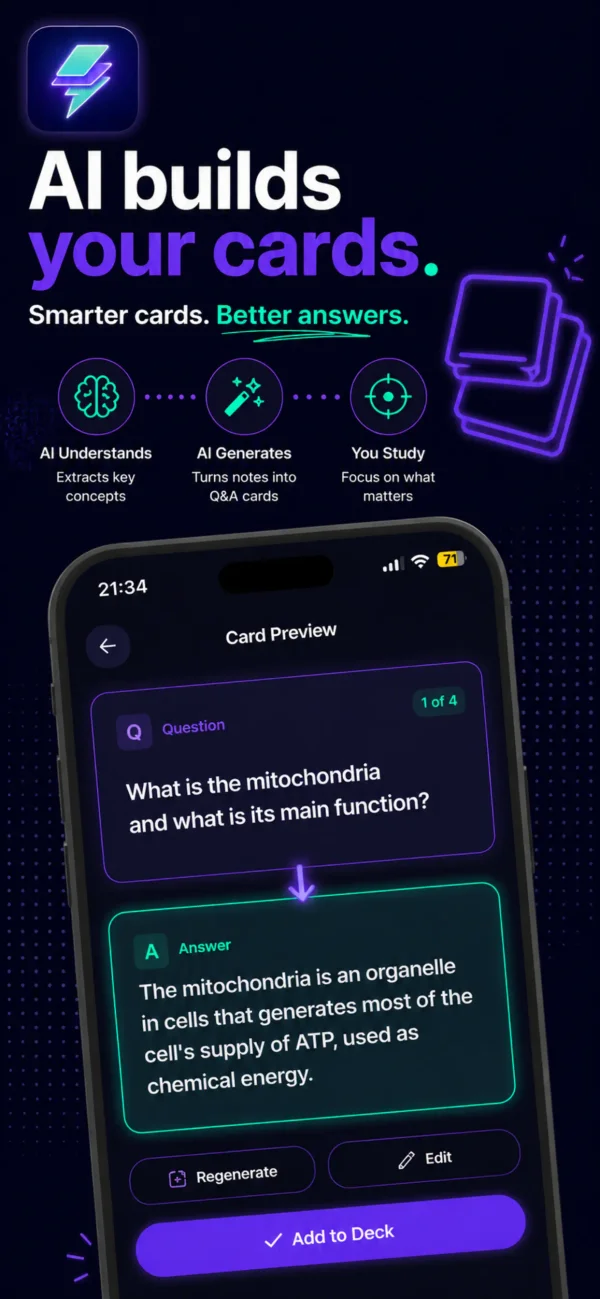
Revision just got smarter. SnapCards uses AI to transform your handwritten notes, textbook pages, diagrams, and screenshots into ready-to-study flashcards in seconds. No more spending hours making cards, just snap, review, and study.
How It Works:
Take a photo of your notes or import a screenshot from any app. SnapCards’ AI reads your content — including diagrams and labelled illustrations — and generates a set of focused question and answer flashcards automatically. Review the cards, keep the ones you want, and start studying immediately.
Study Smarter With the Leitner Method
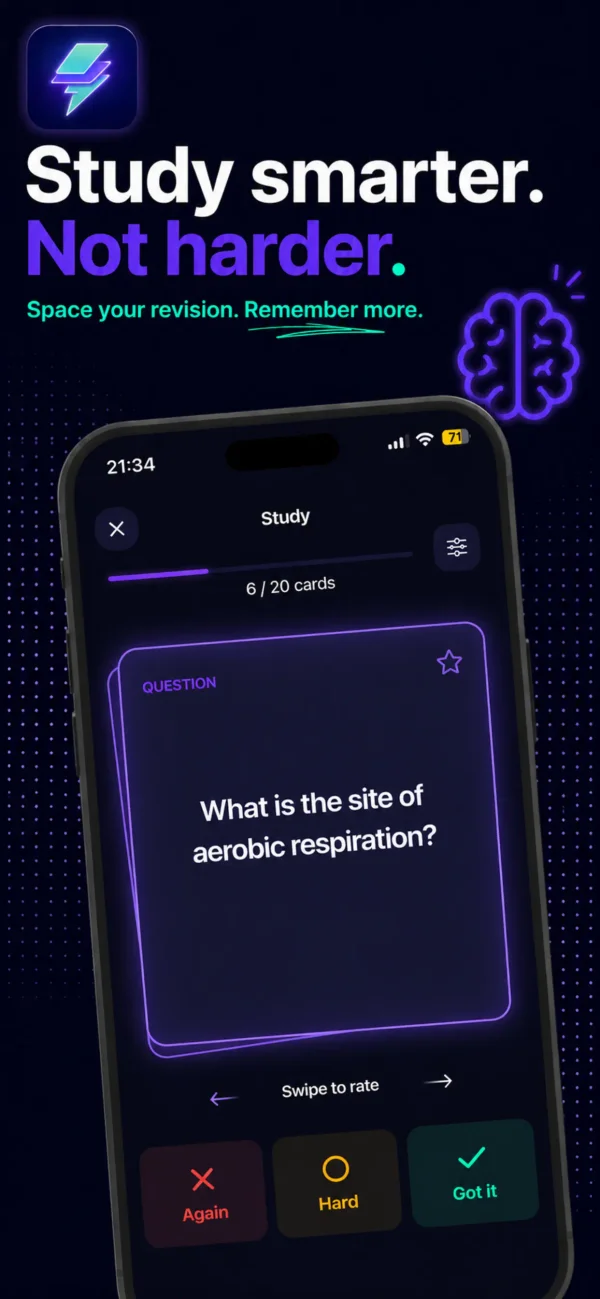
SnapCards uses the proven Leitner spaced repetition system to make sure you study the right cards at the right time. Every card lives in one of 5 boxes. Get it right and it moves up — get it wrong and it drops back to Box 1. Cards you struggle with appear daily. Cards you have mastered appear less often. The result? You spend your revision time where it actually counts.
Organised the Way You Think
Create subjects for each of your courses — Biology, Chemistry, Maths, History, whatever you need. Inside each subject, organise your cards by topic. Everything stays neat, structured, and easy to find — exactly how your brain works before an exam.
Built for GCSE and A-Level Students
SnapCards is designed specifically for UK secondary school students. Whether you are revising AQA Biology, OCR Chemistry, Edexcel History or any other subject, SnapCards handles the heavy lifting so you can focus on actually learning.
Snap From Anywhere
• Photograph your handwritten notes
• Screenshot revision content from any app or website
• Capture textbook pages and diagrams
• Works with labelled biology and science diagrams
Stay Motivated
• Daily streaks keep you coming back
• XP points reward every study session
• Weekly progress tracking
• Milestone celebrations at 3, 7, 14 and 30 day streaks
Simple, Fair Pricing
SnapCards offers 10 free snaps to get started — no credit card needed. Upgrade to Pro for unlimited snaps, unlimited subjects, and full access to all features. Monthly, annual, and lifetime options available. No lives system. No lockouts. Study as much as you want, whenever you want.
Why SnapCards?
Other revision apps make you create cards manually or lock you out when you run out of lives. SnapCards is different. Snap your notes, let AI do the work, and get straight to studying. Affordable pricing, no tricks, no interruptions.
Snap it. Study it. Smash it.
Privacy policy: https://amplified-cast-6db.notion.site/SnapCards-Privacy-policy-34474a030a0180ccbfecdd0f7c8bd515?source=copy_link
Terms and Conditions: https://amplified-cast-6db.notion.site/SnapCards-terms-and-conditions-34474a030a01807aadafe0086cc078e8?source=copy_link
SnapCards Pro includes a generous monthly snap allowance. Fair use limits apply to ensure a great experience for all users.
What’s new
Version 1.1.5 · May 18, 2026
Improvements to the onboarding process.
App privacy
What Amber Cook declares on the App Store about how this app handles data.
-
Data not collected
The developer does not collect any data from this app.
Privacy practices may vary, for example with the features you use or your age.
Information
- Seller
- Amber Cook
- Category
- Education
- Version
- 1.1.5
- Updated
- May 18, 2026
- Released
- May 5, 2026
- Size
- 44.5 MB
- Requires
- iOS 15.1 or later
- Age rating
- 4+
- In-app purchases
- Yes
- Languages
- English
- Copyright
- © SnapCards Revision 2026
You might also like
-
 ReviseBites: GCSE RevisionShort lessons, spaced recall
-
 checkst – Flashcards & StudySpaced Repetition with FSRS
-
 NeuroCards: Focused flashcardsRemember more, by doing less
-
 RecallX - Spaced RepetitionSpaced Revision & Focus Timer
-
 Studova AI - Flashcards & QuizPodcasts, Summaries & AI Paths
-
 QuizMind: PDF Quiz MakerAI Homework Scanner & Notes
-
 GCSE Revision FlashcardsGCSE Maths/English Flashcards
-
 Physics Handbook: FormulasFormulas, examples, offline
-
 EduFiche - AI Study NotesFlashcards, quizzes, exam prep
-
 Notes AI: Flashcards MakerStudy Smarter: Quiz & Revise