
SnapMark - Sticky Notes & Todo
Ideas, tasks, lists, reminders
Designed for iPhone, iPad, iPod touch
Free · In-app purchases
- Age rating4+
- CategoryProductivity
- Developer思雯 陆
- LanguagesEnglish+ 12 more
- Size83.6 MB
Links to the official App Store page
Download.org hosts no file of SnapMark - Sticky Notes & Todo. The button opens its official App Store page, published by 思雯 陆. Listing last checked on Nov 16, 2026.
Screenshots
About
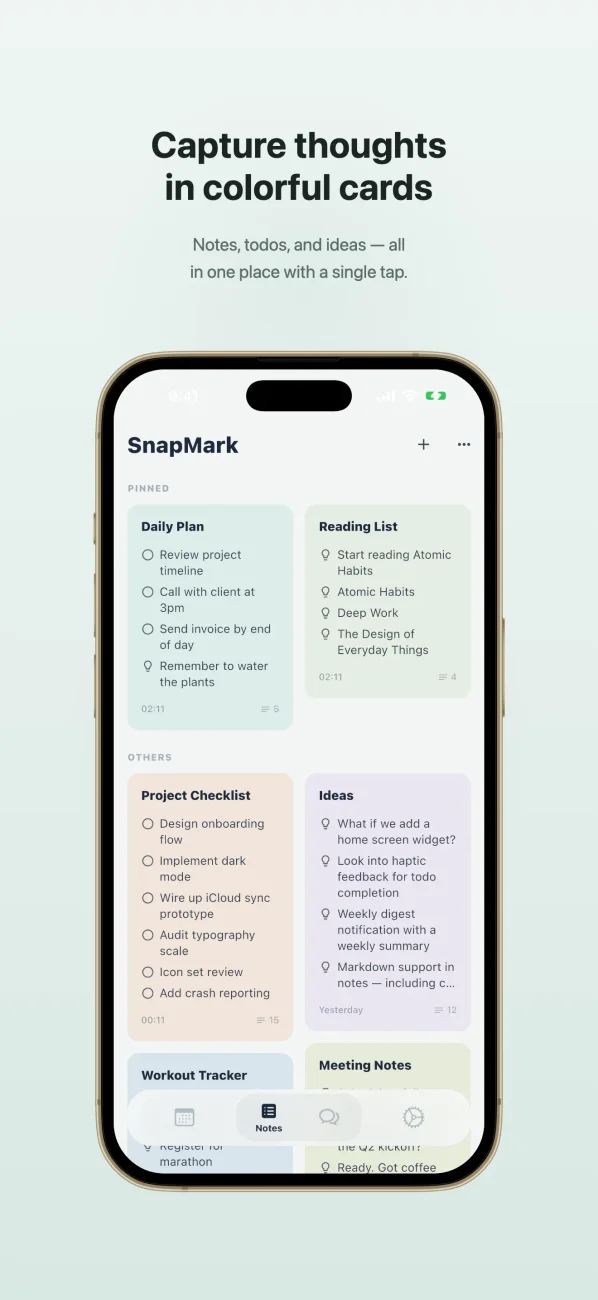
SnapMark turns your fleeting thoughts into colorful sticky notes you can actually act on.
Whether it's an idea you don't want to lose, a task you need to get done, or a list you're about to start — drop it into a card and SnapMark keeps it organized until the moment you need it.
• Colorful sticky notes
Eight hand-picked Morandi colors keep your board calm but never boring. Pin the important ones, drag to reorder, and finish on your own pace.
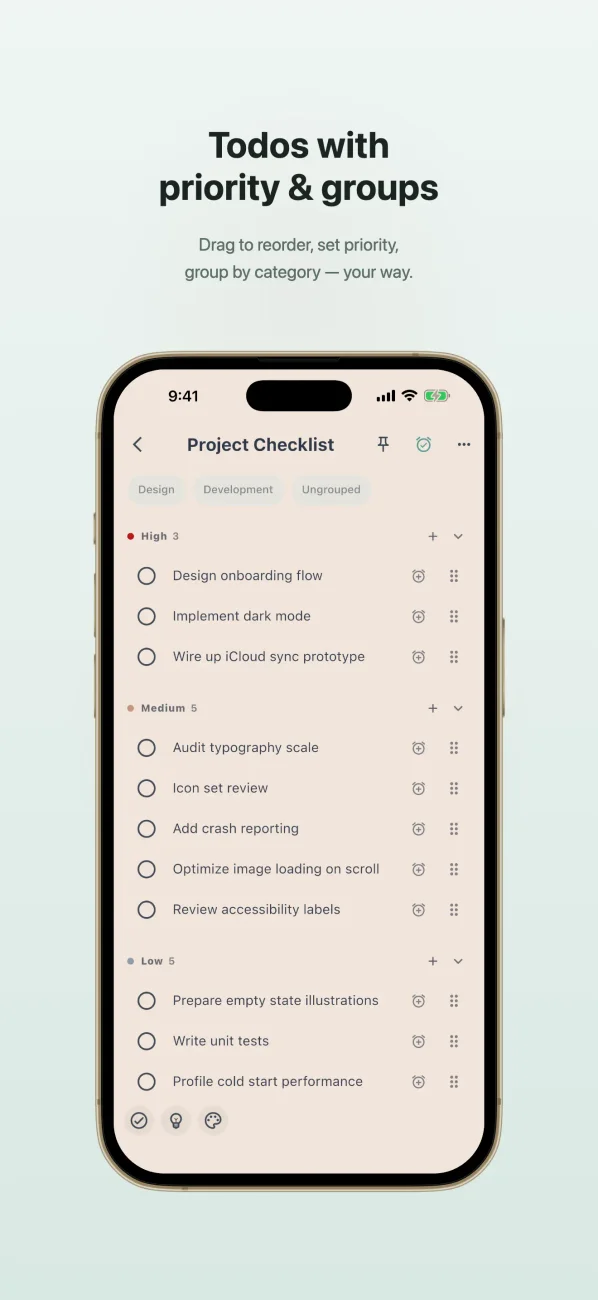
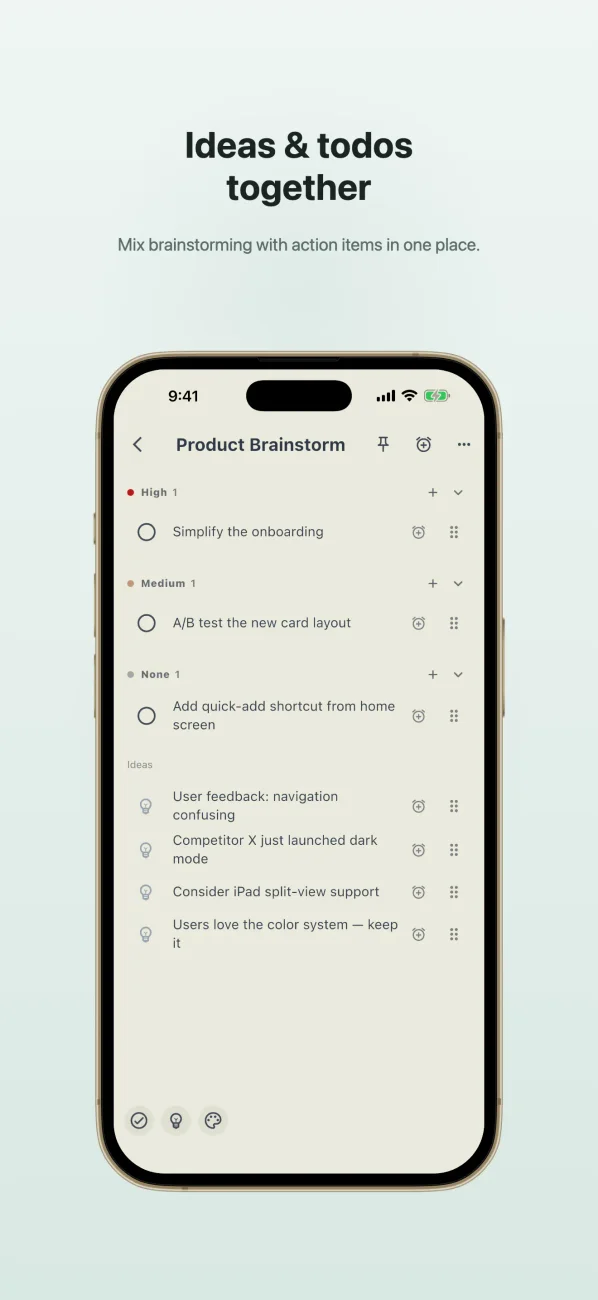
• Ideas and todos in one note
Every card is a mini workspace. Jot a raw thought, turn it into a checkable todo, set a priority, group items by topic — all inside one sticky note.
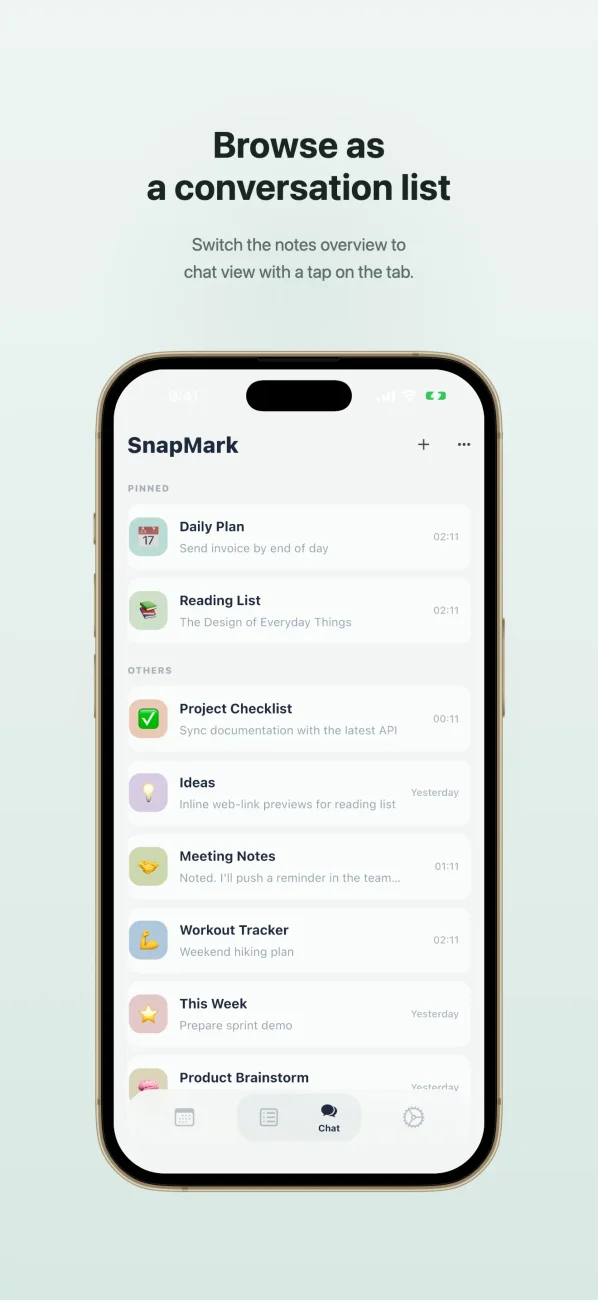
• Sticky view or conversation view
Switch any note between a classic sticky layout and a chat-style conversation. The chat view is perfect for notes where ideas evolve one message at a time — meeting notes, brainstorms, back-and-forth planning.
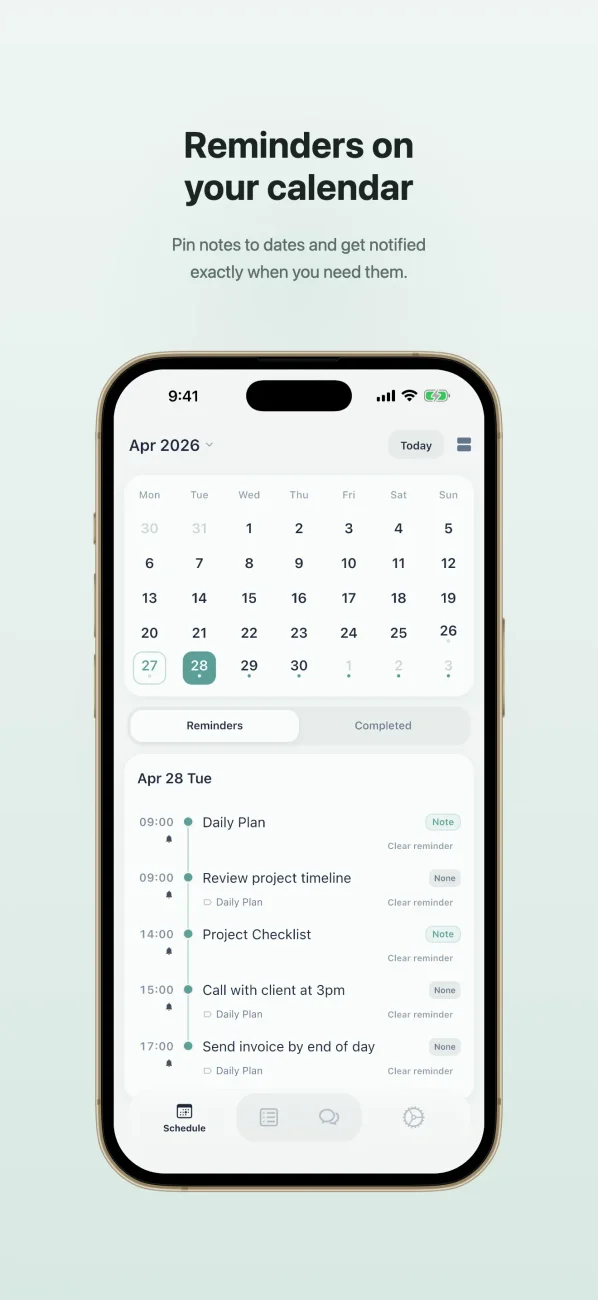
• Reminders that show up on time
Pin a note to a date and time. Choose to get an in-app notification, or mirror it to your system Calendar so it shows up everywhere you already look.
• Schedule page
See today, tomorrow, and the rest of the month at a glance. Month and week layouts, dots on the days that have reminders, and a focused list of what still needs your attention.
• Checklist templates
Start a new trip list, project checklist or weekly routine from a built-in template instead of a blank page.
• Archive, not delete
Finished notes move out of the way into the archive. They're still there when you need them, and you can always restore or permanently delete.
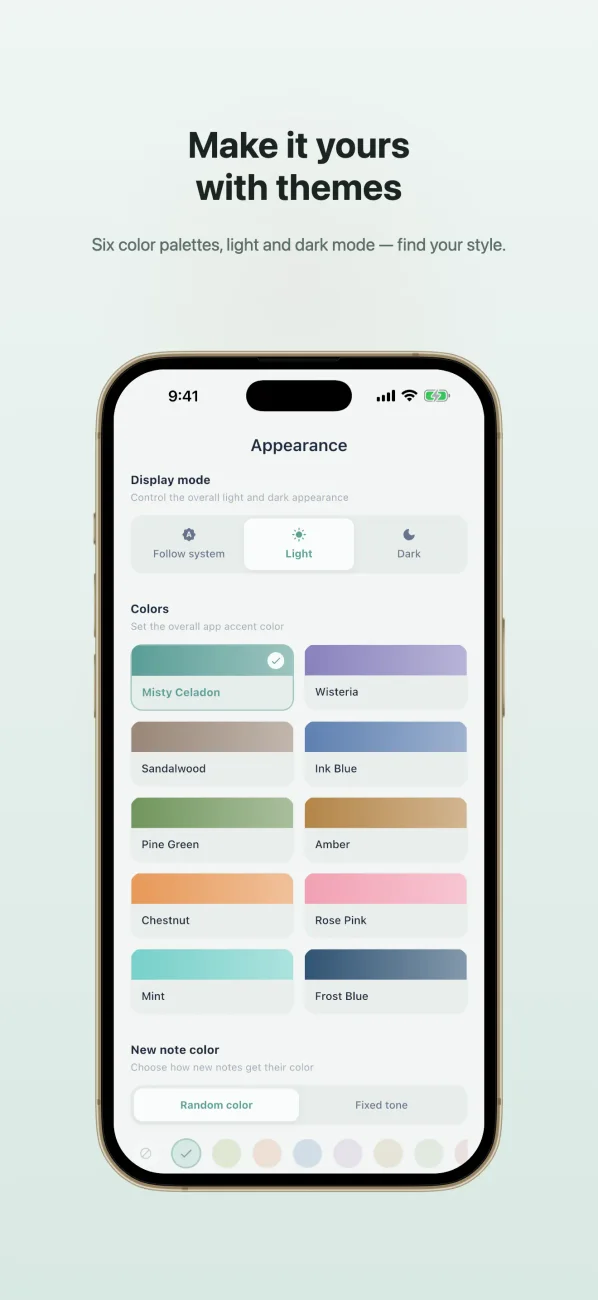
• Make it yours
Light or dark mode, six color palettes, plus a language that follows your system — from Simplified Chinese to Korean to Arabic.
SnapMark Pro (optional)
• Cross-device sync over iCloud or WebDAV
• Automatic backups on a schedule you choose
• Auto-export with a custom folder and retention rules
Choose a monthly or yearly subscription, or unlock everything with a one-time lifetime purchase.
Built for people who think in bursts. Record fast, organize later, never lose a good thought.
Terms of Use (EULA): https://www.apple.com/legal/internet-services/itunes/dev/stdeula/
Privacy Policy: https://rgcode.top/snapmark/privacy-policy.html
Support: https://rgcode.top/snapmark/support.html
What’s new
Version 2.4.5 · Oct 15, 2026
Widgets
• Fixed home screen widgets staying on placeholders without showing data on iOS 17.
• Fixed a data read failure in one widget type preventing other widgets from refreshing.
Editing
• Fixed iOS note editing state detection so keyboard height changes do not unexpectedly dismiss the keyboard or end editing a new item.
Reminders & Schedule
• Rescheduling replaces the original occurrence and keeps its change history. For recurring reminders, only the selected occurrence moves.
• Aligned schedule and week/month widget states: overdue unfinished items remain pending, only completed items are crossed out, and all-day reminders become overdue after the day ends.
• Tap items in week/month views for details or long press to edit. Details include the source task, rescheduling history, and an option to add another reminder.
• Fixed week/month layout jumps when returning from reminder editing or dismissing the keyboard.
Sync
• Added clear reasons and guidance when iCloud storage is full.
App privacy
What 思雯 陆 declares on the App Store about how this app handles data.
-
Data not collected
The developer does not collect any data from this app.
Privacy practices may vary, for example with the features you use or your age.
Information
- Seller
- 思雯 陆
- Category
- Productivity
- Version
- 2.4.5
- Updated
- Oct 15, 2026
- Released
- Apr 14, 2026
- Size
- 83.6 MB
- Requires
- iOS 15.0 or later
- Age rating
- 4+
- Price
- Free
- In-app purchases
- Yes
- Languages
- English, Arabic, French, German, Hindi, Indonesian, Japanese, Korean, Portuguese, Simplified Chinese, Spanish, Traditional Chinese + 1 more
- Copyright
- © 2026 rgcode
You might also like
-
 EasyMD - MD reader & editorMarkdown、HTML、LaTeX、Mermaid
-
 波子记单自媒体日程助理 商单之王
-
 倒班日历-排班表轮班值班助手Productivity
-
 Prod: Idea Capture AppNever lose a thought again.
-
 Screen Time Control - VowBlock Apps & Cut Distractions
-
 Learning Habits - SPEEMStreaks, Focus, Progress, Grow
-
 Morphis: Focus Timer & SoundsWhite Noise, Sleep & Pomodoro
-
 CureX: Adult Content BlockerBlock nut & Stay Focused
-
 Drafty StoryWrite Without Pressure
-
 PromptKit - AI Prompt ManagerSave Templates, Manage Library