
SnapMem: Flashcards & Focus
Spaced Repetition, Study Timer
Designed for iPhone, iPad, iPod touch
In-app purchases
- Age rating4+
- CategoryEducation
- Developersungsoo jung
- LanguagesKorean+ 3 more
- Size71.3 MB
Links to the official App Store page
Download.org hosts no file of SnapMem: Flashcards & Focus. The button opens its official App Store page, published by sungsoo jung. Listing last checked on Nov 20, 2026.
Screenshots

About
Memorizing is all about consistency - and consistency is the hard part.
SnapMem is a flashcard app that pairs you with a pixel cat and serves up only the cards you're about to forget, five minutes a day.
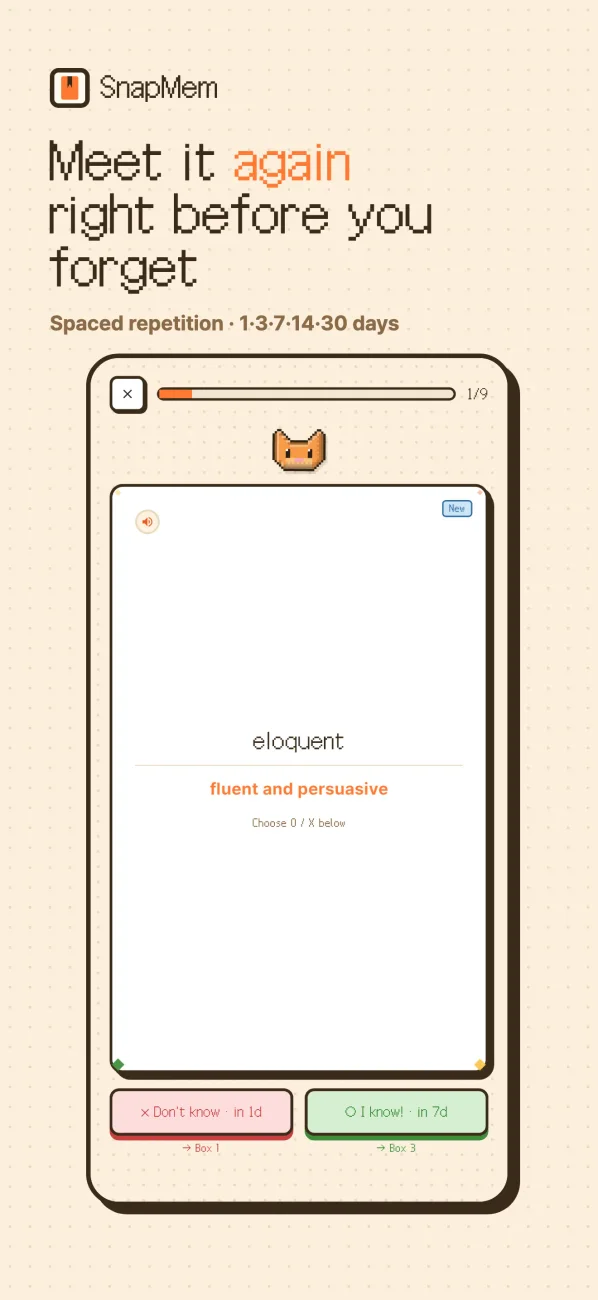
Science-backed spaced repetition (SRS)
- Cards you know come back in 1 -> 3 -> 7 -> 14 -> 30 days.
- Cards you miss start over. Only today's due cards enter your queue.
- Two buttons - "Know" and "Don't know". Simple enough to become muscle memory.
Home Screen & Lock Screen widgets
- Your due-card count and cat live on the Home Screen. Tap the widget to jump straight into review.
- Lock Screen widgets keep today's cards in sight every time you raise your phone.
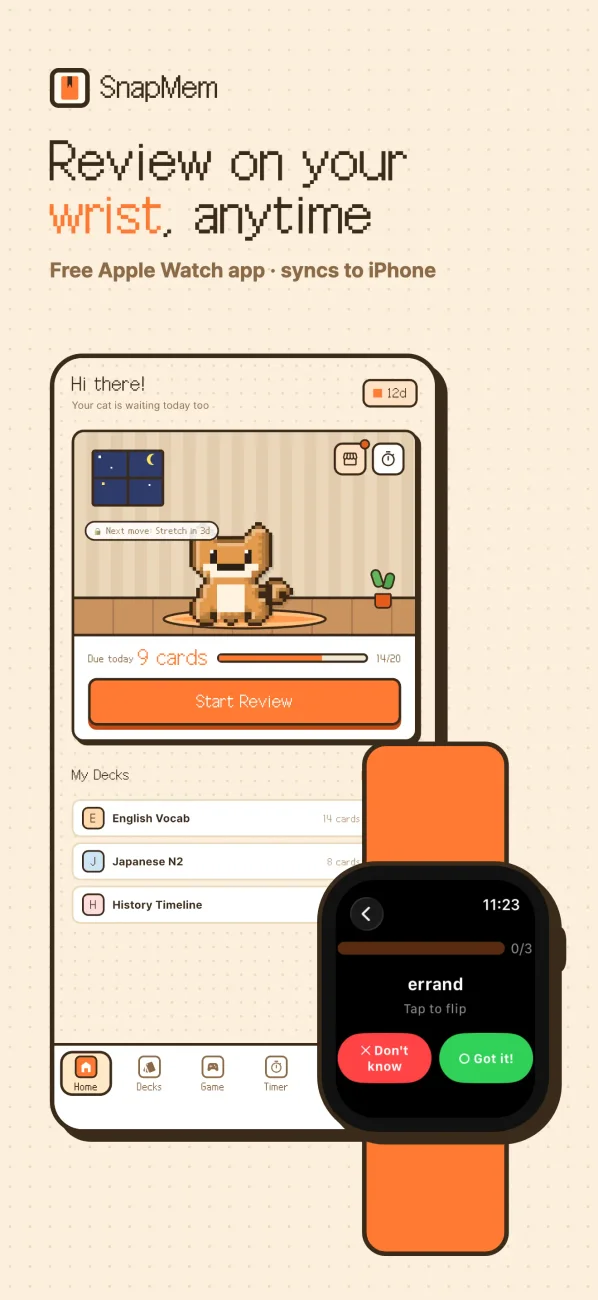
Review on Apple Watch
- When pulling out your phone feels like too much, flip cards and answer right from your wrist.
- Watch answers count toward your real learning record.
- No cards due? Free-review your whole collection.
Import whole decks at once
- CSV/TSV import - bring vocabulary lists straight from Excel or spreadsheets.
- GitHub import - paste a public repo URL and get one deck per file, automatically.
Stats that keep you going
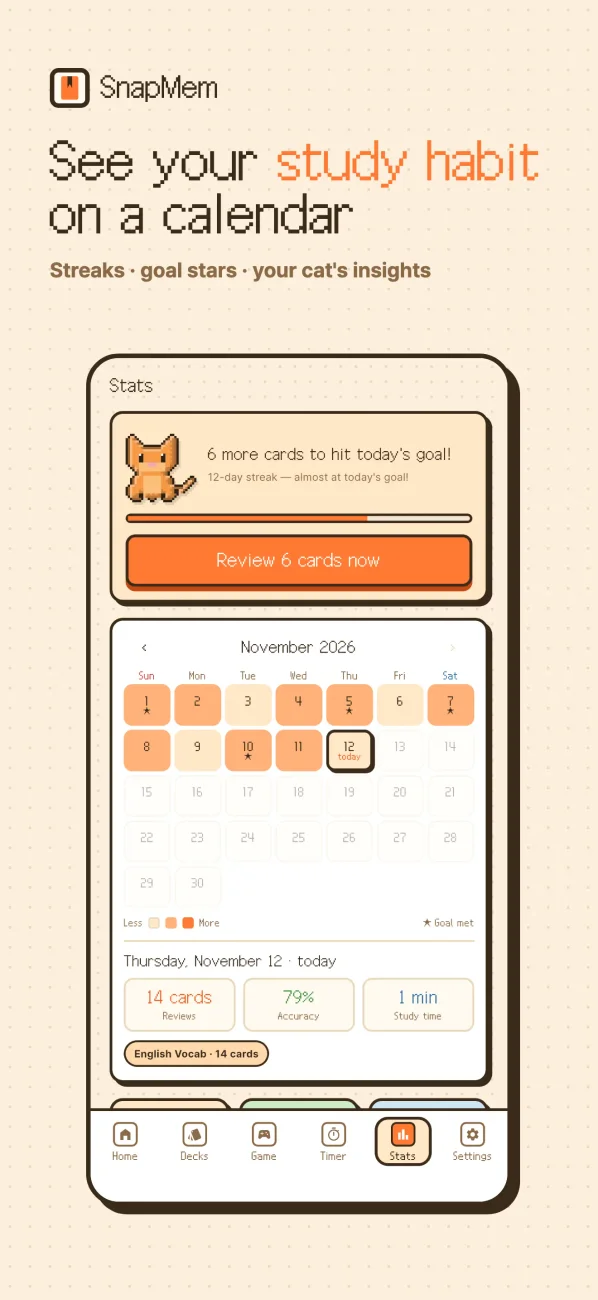
- Study streaks, a contribution-style heatmap, and accuracy stats make your habit visible.
- Combo chains and 8-bit sound effects give your review sessions a rhythm.
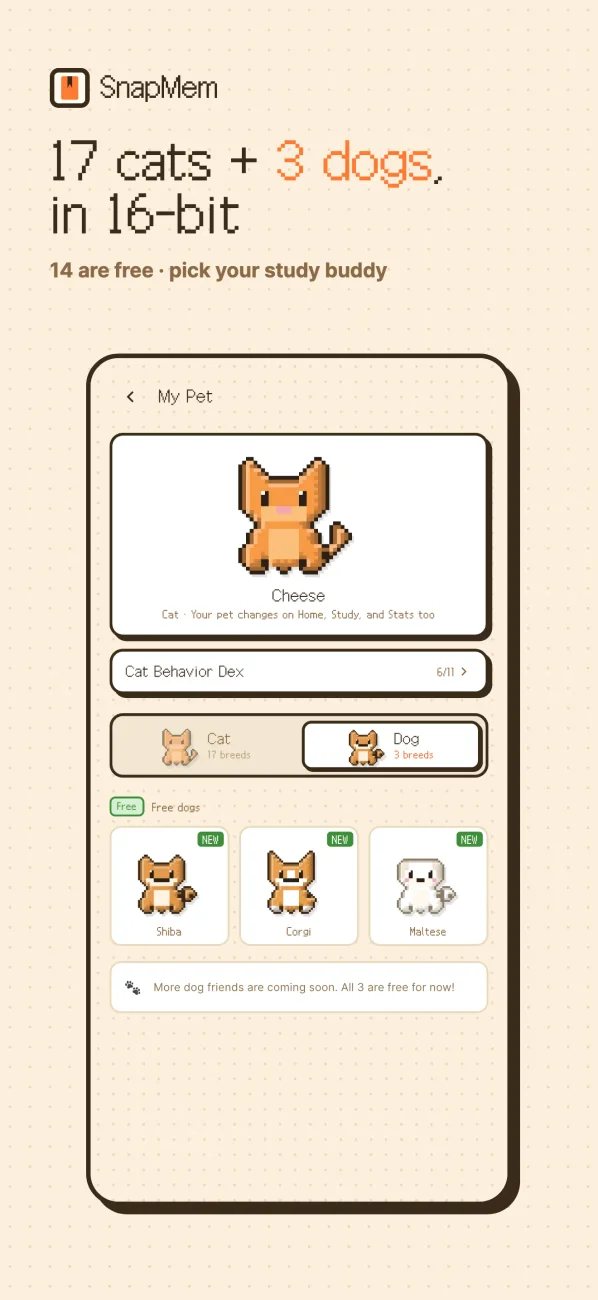
A collection of pixel cats
- Start with Cheese Cat and study alongside a growing set of skins.
- Finish a session and your cat celebrates with you.
Free Deck Shop menu
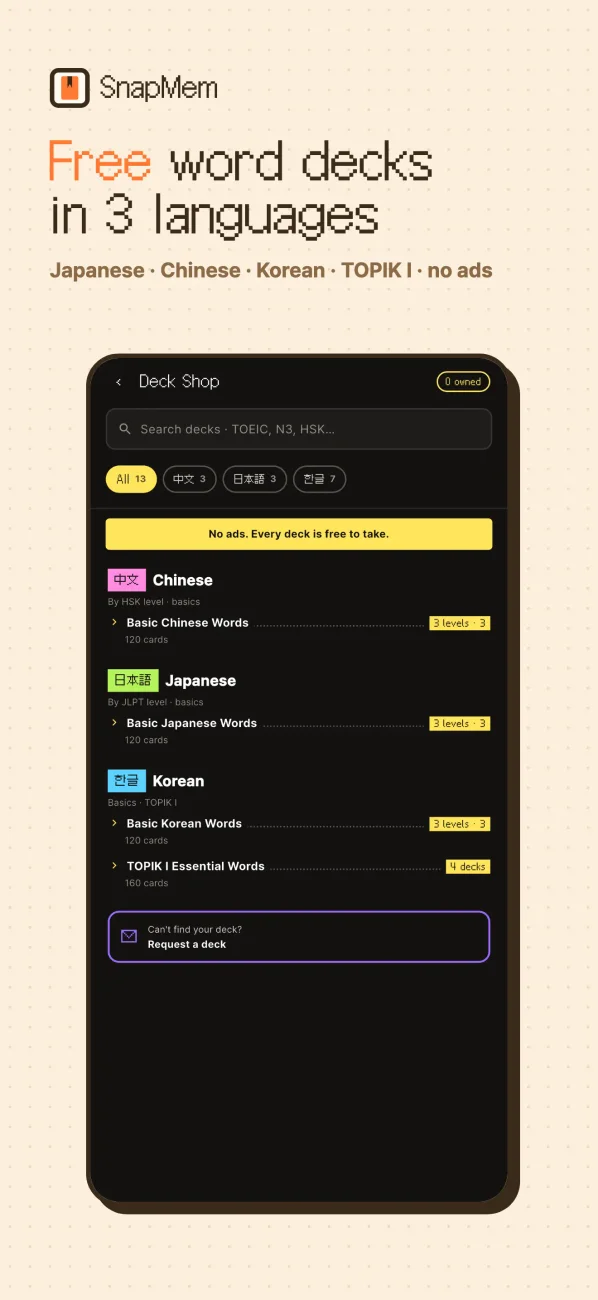
Browse ready-made English, Chinese, Japanese, Korean and Math decks at a glance. Preview word lists, hide meanings to self-test, and add any deck free. Owned decks are checked; request missing topics.
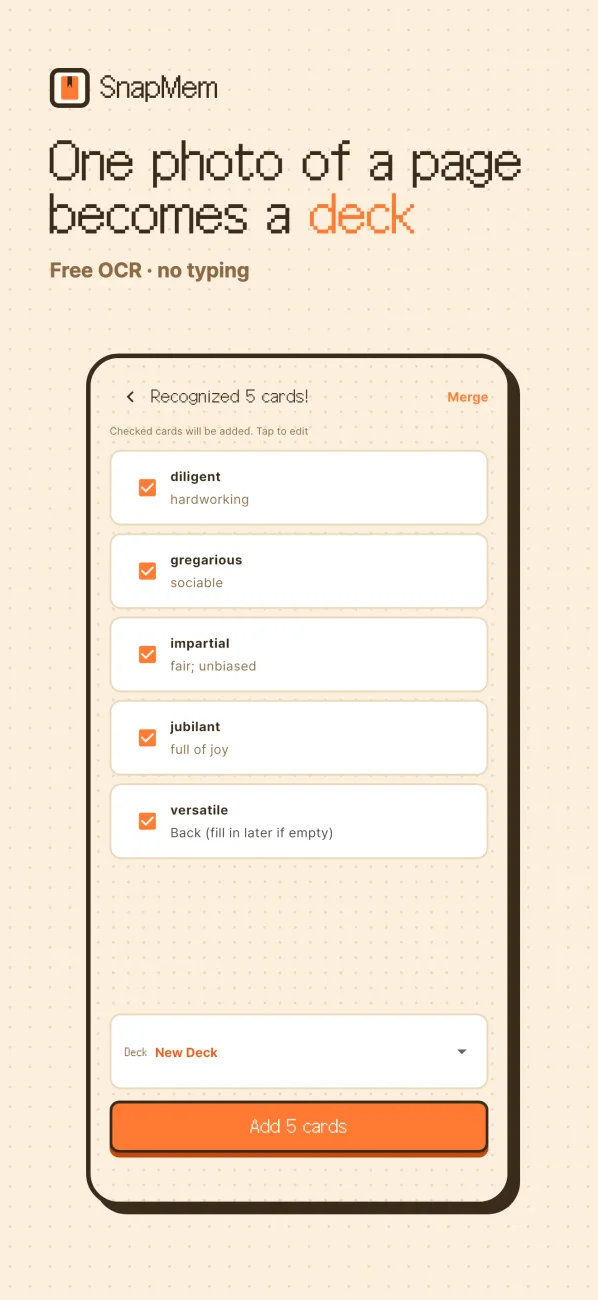
Turn a photo into flashcards
Photograph a page or choose an image, crop the useful area, and use text recognition to draft cards. Review and correct the detected cards before saving. Photo scanning is free; you can type a missing answer yourself.
Timer, pronunciation and study fonts
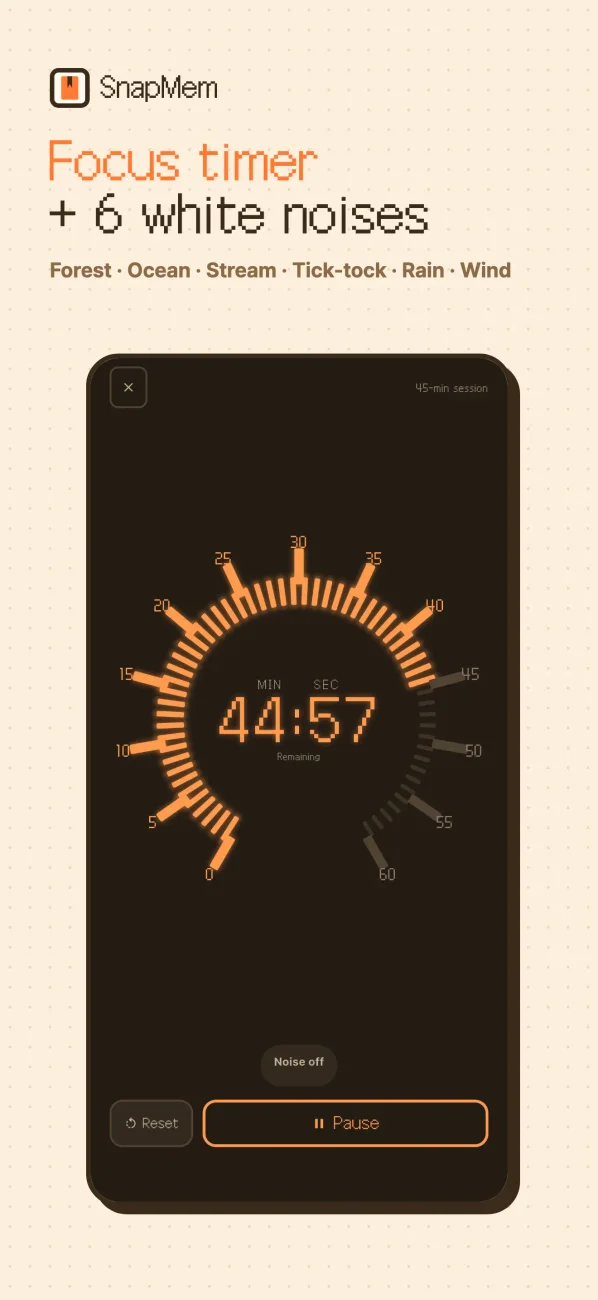
Set a 30, 45 or 60-minute timer with four white-noise tracks. Hear Korean, English, Japanese or Chinese with device speech—no mic needed. In Settings > General > Font, preview Galmuri Pixel, Pretendard or Gaegu and set text size for study cards and deck lists.
Folders and a roomier iPad layout
Group decks by class, exam, or language. In organize mode, drag a deck into a folder, rename the folder, change its color, or remove only the folder while keeping its decks. On a wide iPad screen, use the sidebar, card table, batch card actions, two-column stats, and Space/arrow-key review controls.
Free to start
Create up to three decks with 50 cards per deck for free. Spaced-repetition review, photo scanning, the focus timer, widgets, the Deck Shop, and Apple Watch review are included. Choose PRO only if you need higher deck and card limits, special cat skins, or manual iCloud backup and restore on iOS.
Light and private
- All cards are stored on your device - no account needed, works offline.
- Available in English, Korean, Japanese, and Chinese.
English vocabulary, kanji, technical terms, exam prep... if you have something to memorize, your cat is waiting.
SnapMem PRO (optional subscription)
All core features are free, including Apple Watch review. PRO adds 6 special cat skins, unlimited decks and cards, and manual iCloud backup/restore on iOS.
- Plans: PRO Monthly or PRO Yearly, each with a 7-day free trial. The exact price for your region is shown in the app and on the purchase sheet before you confirm.
- Payment is charged to your Apple Account at confirmation of purchase.
- Subscriptions renew automatically unless canceled at least 24 hours before the end of the current period; your account is charged for renewal within 24 hours prior to the end of the period.
- Manage or cancel anytime in Settings > Apple Account > Subscriptions.
- Any unused portion of a free trial is forfeited when you purchase a subscription.
- Terms of Use (EULA): https://www.apple.com/legal/internet-services/itunes/dev/stdeula/
What’s new
Version 1.2.3 · Nov 12, 2026
A new Guide in Settings, plus a refreshed Home, Wordku and Deck Shop.
Settings > Guide
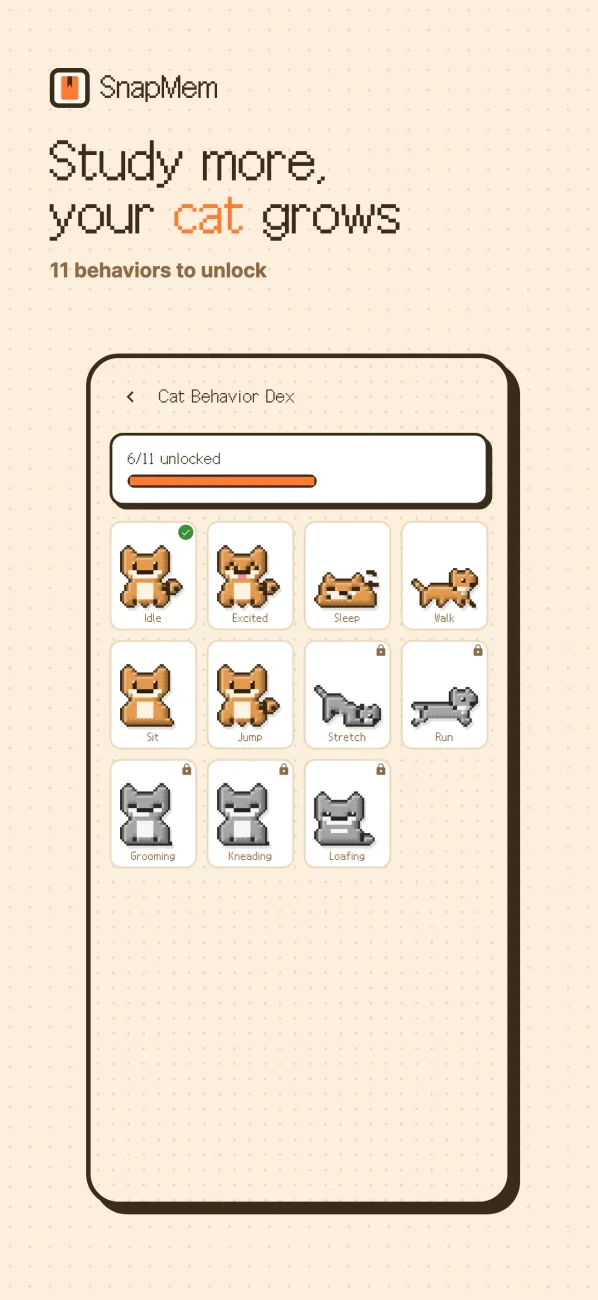
・Settings has a new Guide tab: getting started, how to study, review modes, screens, widgets, watch and cat behaviors, all in one place.
・Tap a chip at the top to jump to a section. Buttons take you straight to the walkthrough, review modes, watch app guide and behavior dex.
Home
・Your cat now lives in a little room. From 7 PM to 6 AM the window turns to night.
・Tap your cat for a speech bubble: cheering you on, or chatting about today's study and your records.
・If you haven't picked up a Deck Shop deck yet, a red dot appears on the shop icon.
・Today's progress and your deck list are tidier, one line each.
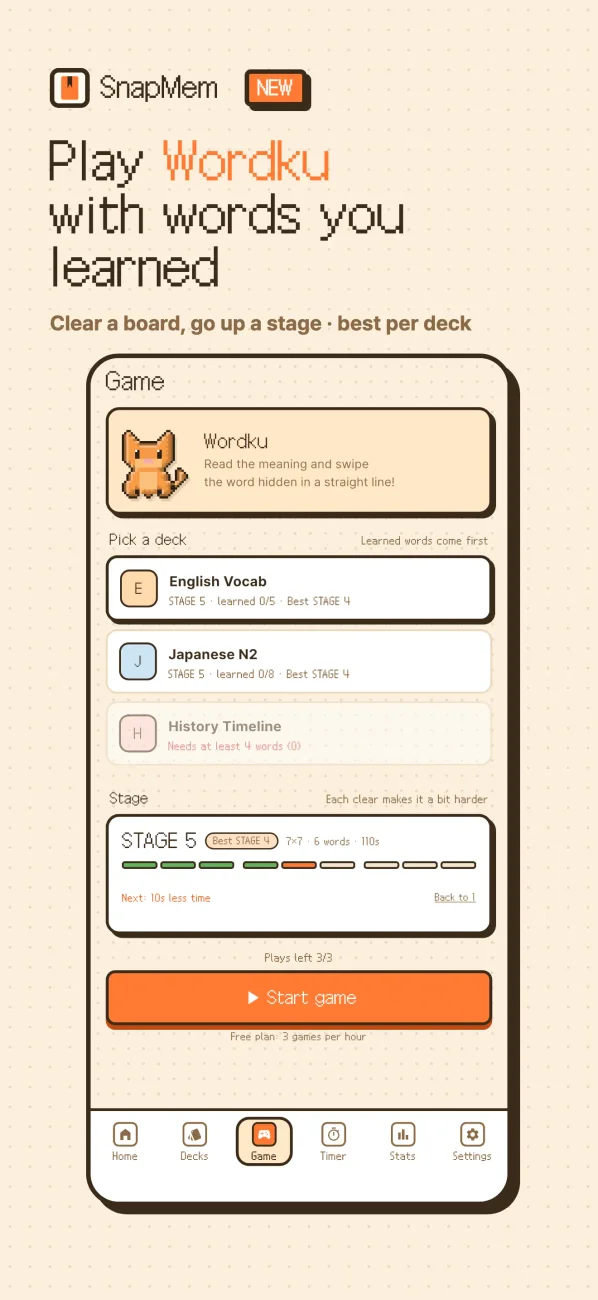
Wordku stages
・Easy / Normal / Hard is replaced by STAGES. Each clear moves you up one stage, with a bigger board, more words or less time.
・Each deck remembers its current and best stage. From stage 7 you get one hint, and stage 10 starts the Master zone.
・From the result screen, try the next stage right away or head home.
・Every deck starts fresh at STAGE 1.
Deck Shop
・Search decks by name or description (TOEIC, N3, HSK…).
・Category chips show just one subject, like English, Japanese or Chinese.
・Fold and unfold series by level and part, with a bar showing how many you've picked up.
・In a category, you can hide decks you already own.
App privacy
What sungsoo jung declares on the App Store about how this app handles data.
-
Data used to track you
May be used to track you across apps and websites owned by other companies.
- Purchases
- Identifiers
- Usage data
-
Data linked to you
May be collected and linked to your identity.
- Purchases
- Identifiers
- Usage data
-
Data not linked to you
May be collected but is not linked to your identity.
- Diagnostics
- Other data
Privacy practices may vary, for example with the features you use or your age.
Information
- Seller
- sungsoo jung
- Category
- Education
- Version
- 1.2.3
- Updated
- Nov 12, 2026
- Released
- Aug 15, 2026
- Size
- 71.3 MB
- Requires
- iOS 15.0 or later
- Age rating
- 4+
- In-app purchases
- Yes
- Languages
- Korean, English, Japanese, Simplified Chinese
- Copyright
- © 2026 Yongsil
You might also like
-
 WordNeuronRecall words from meaning
-
 보카번 - 나만의 영어 단어장 만들기·AI 영단어 암기Education
-
 VocaNote: English with VONOGrow Your Vocabulary Daily
-
 Bible Memory NoteBible memorization made simple
-
 BrainCheck: FlashcardsMake memorization easier
-
 Capital Rush: World TravelerLearn capitals on the map
-
 네코센세 : JLPT 일본어 학습Education
-
 피카보카 - 영단어 암기장Education
-
 ListeningDrill-AI: SubtitlesShadowing & A-B Repeat Player
-
 KotsuKotsu: JLPT VocabularyKana to N1, before you forget