
SnapTask - Quick Task Capture
Capture now, organize later
Designed for iPhone, iPod touch
Free · In-app purchases
- Age rating4+
- CategoryProductivity
- Developerhideyuki hori
- LanguagesEnglish
- Size57.3 MB
Links to the official App Store page
Download.org hosts no file of SnapTask - Quick Task Capture. The button opens its official App Store page, published by hideyuki hori. Listing last checked on Nov 14, 2026.
Screenshots
About
Quickly save tasks as soon as they come to mind.
If something is urgent, SnapTask can remind you automatically. You can add due dates, repeats, and notes later, and organize your ideas into actionable tasks.
SnapTask is a simple task management app for capturing things you do not want to forget, even when you do not have time to organize them right away.
■ Key Features
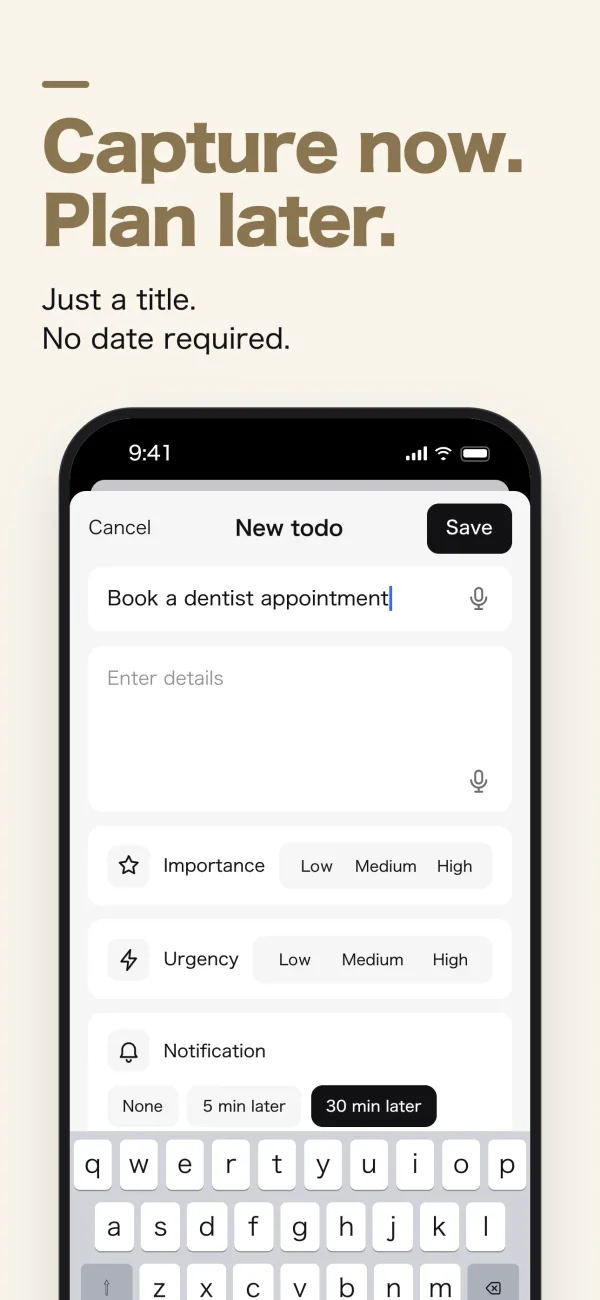
▼ Save with just a title
Open the app and start typing right away. Enter a title, tap Save, and you are done.
You can add details such as due dates, repeats, and notes later when you need them.
SnapTask is designed to help you capture first and organize later.
▼ Automatic reminders for urgent tasks
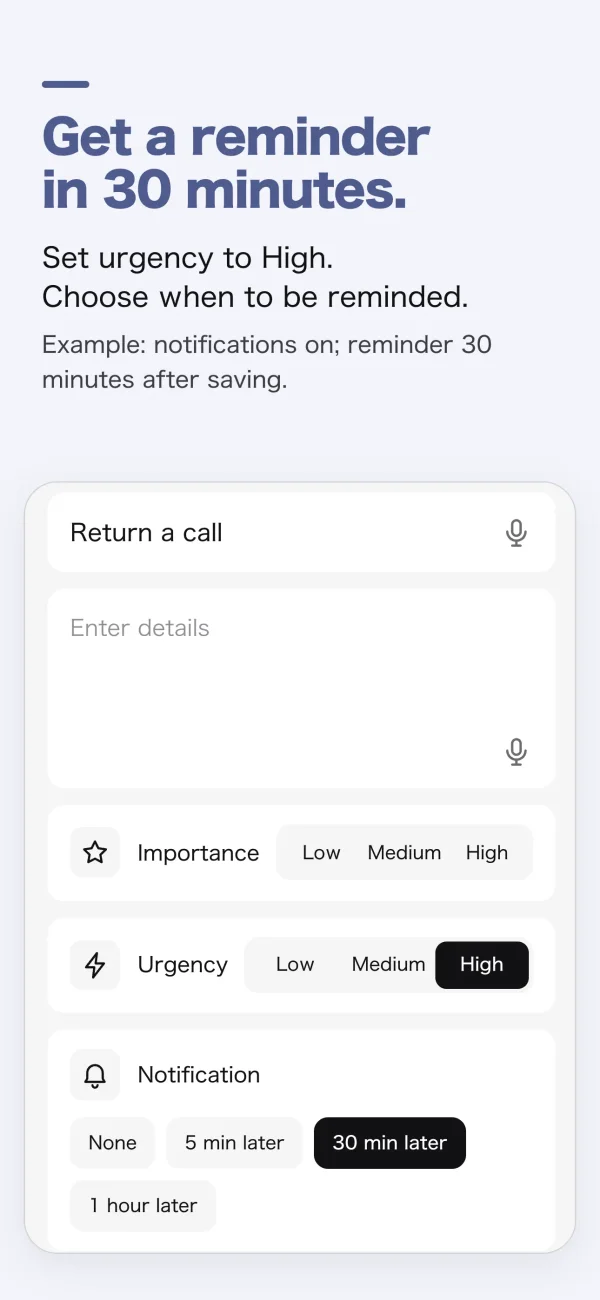
When you set urgency to “High,” SnapTask automatically sends you a reminder 30 minutes after registration.
You can also change the reminder timing to 5 minutes, 30 minutes, or 1 hour.
It helps reduce the burden of remembering everything by yourself.
▼ Done or snooze, right from the notification
Notifications include “Done” and “Remind in 30 min” buttons.
Not a good time? Get reminded again in 30 minutes. (Tapping a button opens the app.)
▼ Capture first, organize later
First, save your idea as a simple “to-do.”
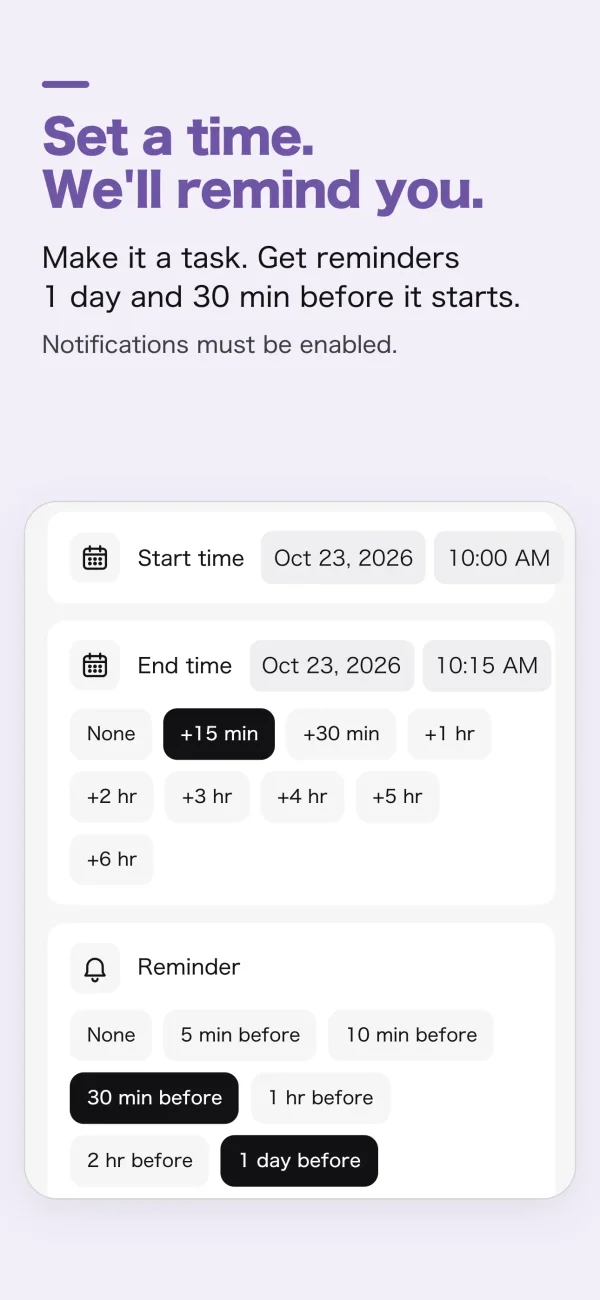
When needed, add a due date, time, or repeat setting to turn it into a scheduled task.
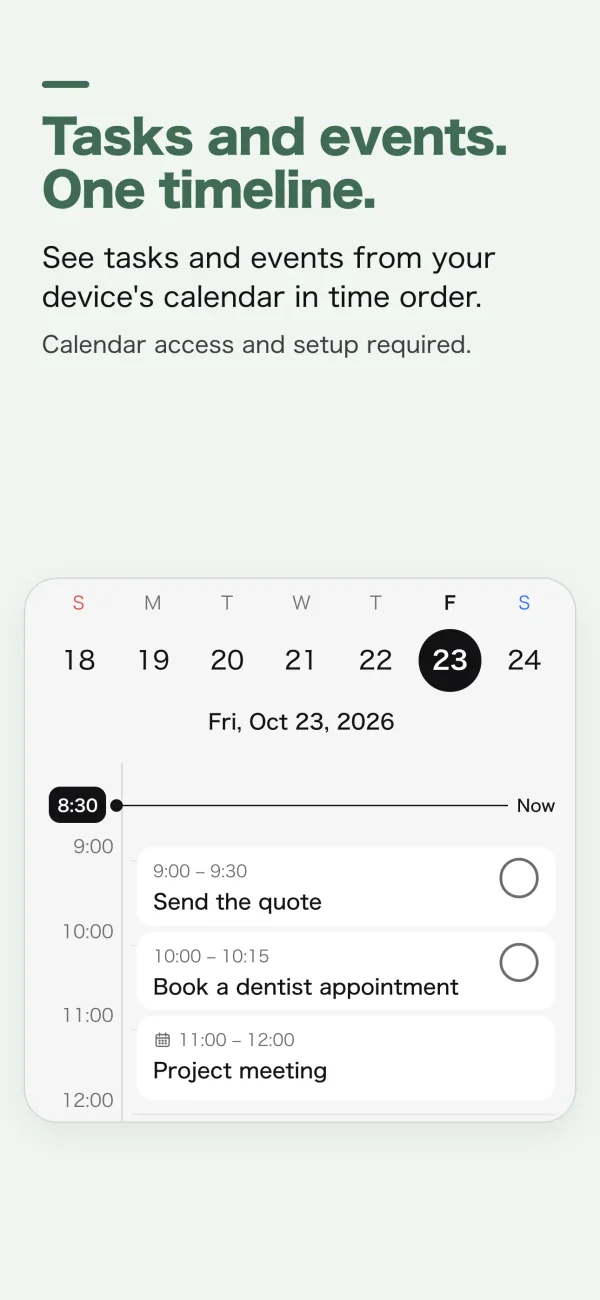
Tasks are displayed in a timeline, so you can easily see what you need to do for the day.
Get reminded before a task is due, such as 1 day, 2 hours, or 30 minutes before. The free plan includes up to 2 reminders per task.
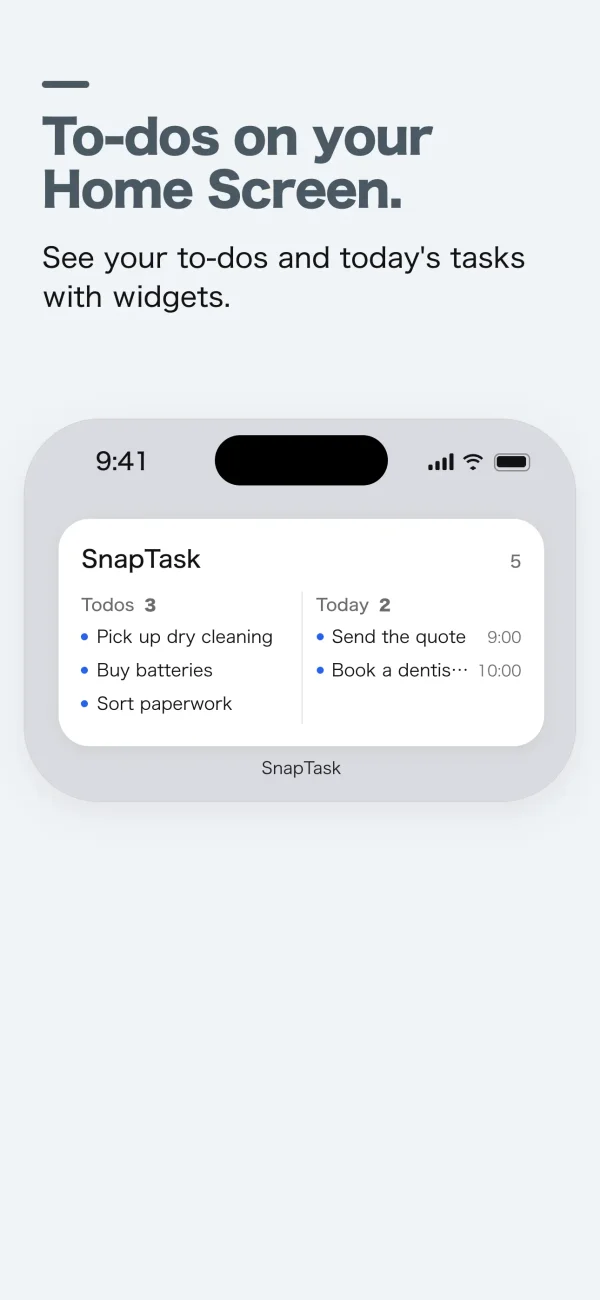
▼ Home Screen widgets
See your todos and today’s tasks on your Home Screen without opening the app.
▼ Voice input support
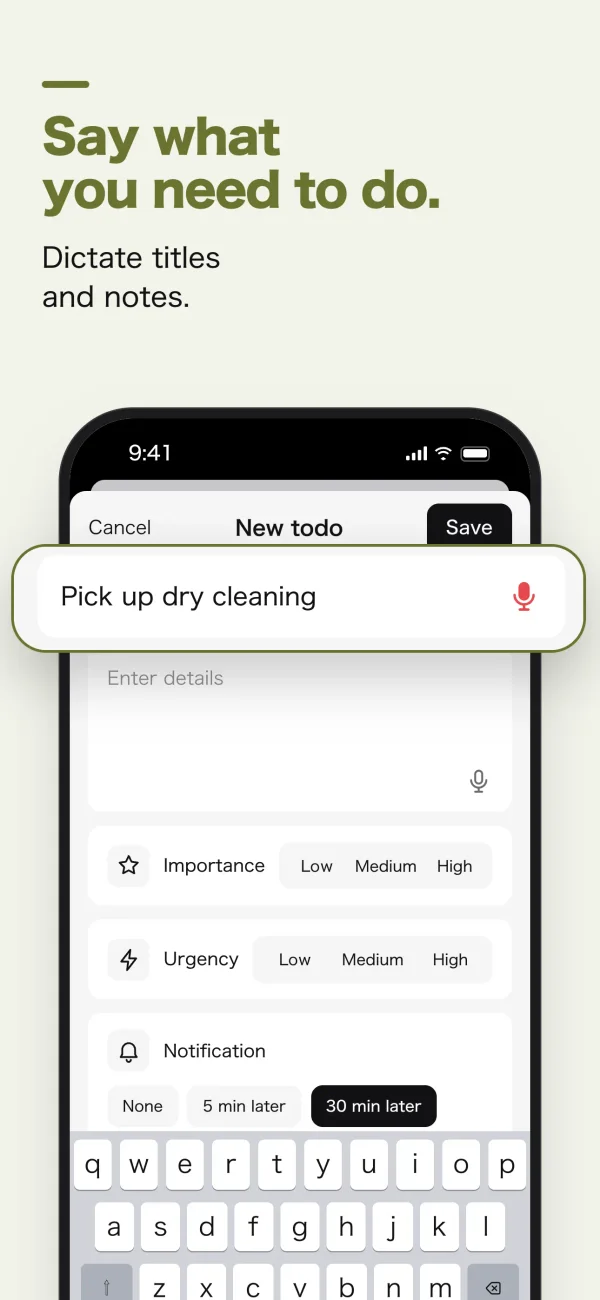
Use the microphone button in the title or notes field to enter text by voice.
Even when your hands are full, you can quickly capture what comes to mind.
▼ Calm black-and-white design
SnapTask uses a clean, minimal black-and-white design so you can focus on input.
Dark mode is also supported.
■ What You Can Do with SnapTask Pro
The free plan includes SnapTask’s core experience: quick title-based capture and automatic reminders for high-urgency items.
SnapTask Pro is an optional upgrade for users who want more flexibility and customization.
・Set up to 5 reminders per task before it’s due (free plan: 2)
・Display multiple calendars at the same time
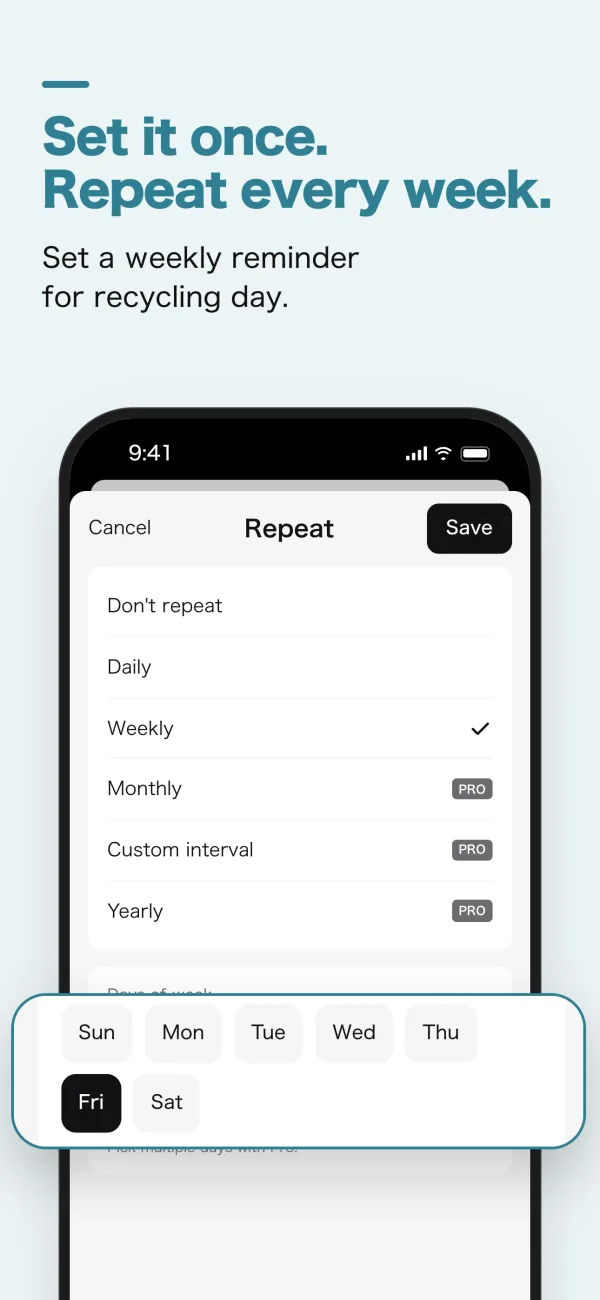
・Use advanced repeat settings, including monthly, custom intervals, and yearly repeats
・Pin important items to the top of your list
・Add more color themes
・Attach up to 3 images per task
・View detailed statistics to track your progress
■ Recommended For
・People who have tried task management apps but found them too complicated
・People who often forget small things that come to mind
・People who want to manage work, errands, and household tasks in one place
・People managing multiple projects
・People who prefer simple, minimal app designs
■ Privacy
Your data is stored securely and separated by user account.
No one other than you can access your data.
We do not display ads or sell your data to third parties.
For more details, please see our Privacy Policy.
■ Subscription
SnapTask Pro is an auto-renewing subscription.
・Plan: SnapTask Pro Monthly Plan / SnapTask Pro Yearly Plan
・Duration and price: Shown on the App Store purchase screen
・Payment: Charged to your Apple ID at confirmation of purchase
・Auto-renewal: The subscription automatically renews unless canceled at least 24 hours before the end of the current period
・Cancellation: You can cancel anytime from iPhone Settings > Apple ID > Subscriptions. You can continue using Pro features until the end of the current subscription period
・Terms of Use (EULA): https://snaptask.no9.app/en/terms/
・Privacy Policy: https://snaptask.no9.app/en/privacy/
■ Contact
We welcome your feedback and requests through the form below.
Your feedback helps us keep improving SnapTask and reduce the small frictions in everyday task management.
https://docs.google.com/forms/d/1H8vTwfJnVTEqd-auq3d5Io0Xwkb46NZAYSUbYixY0Js/preview
What’s new
Version 1.1.0 · Oct 22, 2026
・Notifications now have “Done” and “Remind in 30 min” buttons
・The free plan now includes up to 2 reminders per task before it’s due (Pro: 5). You can also choose “2 hr before” and “1 day before”
・High-urgency reminders are now sent as Time Sensitive notifications. Allow them in your Focus settings to receive them during Focus
・The widget’s “Today” now updates correctly when the date changes while the app is open
・Other bug fixes and improvements
App privacy
What hideyuki hori declares on the App Store about how this app handles data.
-
Data linked to you
May be collected and linked to your identity.
- Purchases
- Contact info
- User content
- Identifiers
- Other data
Privacy practices may vary, for example with the features you use or your age.
Information
- Seller
- hideyuki hori
- Category
- Productivity
- Version
- 1.1.0
- Updated
- Oct 22, 2026
- Released
- May 14, 2026
- Size
- 57.3 MB
- Requires
- iOS 15.1 or later
- Age rating
- 4+
- Price
- Free
- In-app purchases
- Yes
- Languages
- English
- Copyright
- © 2026 SnapTask
You might also like
-
 SnapTask+Snap it, assign it, track it.
-
 Ankorlist - Quick Task CaptureJot notes fast · Sort by topic
-
 Snap N Do: Photo to Tasks AIAI Checklist from Any Photo
-
 AP Tape Calculator ProSequential or Regular Calc
-
 Kakesu - Read Later BookmarksNo sign-up, full-text search
-
 ThisDay - 今日のやることで迷わないProductivity
-
 Bump TaskCapture actions from anywhere.
-
 dol - Markdown NotesOffline, synced to your server
-
 Calendar - NorenProductivity
-
 MemuraRemembers everything for you